As someone who’s been around for a few years, I’ve heard my fair share of presenters. Some were amazing and made me want to weep with joy and follow them to the ends of the earth. Some were unbelievably bad and made me cry for other reasons. And most were very well-intentioned people who, unfortunately, just never caught or were able to keep my attention.
The Science of Being a Great Presenter
What I’ve learned from all of these presenters is that there is definitely both an art and a science to holding an audience’s attention, whether that is audience of two or a group of 2,000. The science is fairly easy to duplicate:
- When asked to speak or present, find out what the audience really needs first. You may be asked to talk about Chrome extensions for literacy; but what they don’t tell you, unless you dig a little, is that they are really looking for innovative ways to restructure learning in their ELA classrooms. So don’t be afraid to ask a lot of questions to find out their true desires and what they are really looking for.
- Plan your content in the way that you are comfortable. I myself think in PowerPoint. That helps me organize my content and makes sure that I don’t miss key concepts. But the bullet points are just for me and not for my audience. How does your mind like to plan?
- Over plan. I have never had someone complain to me that I had too much content for them. If I don’t get to it during the presentation, I can always share it with the attendees through a Google Doc later.
- Make it interactive. Regardless of how many people will be listening to you, you have to plan opportunities and ways for them to get up, mingle, talk to each other, think, reflect, and experience. It doesn’t matter how hard that is to work into your content, just do it.
- Arrive at the presentation site early, get set up, and mingle. My staff will tell you that I am always early, and that is true. But there is nothing more irritating for a district or campus than a presenter who’s late. So get there before you have to be there and get set up. Test your equipment and the Internet. Then, spend the rest of the time before you start talking with the attendees. Find out the mood of the room and what they think they will be hearing. See if they’re having a good day. Let them get to know you a little as a person and not just the “head” who’ll be talking to/with them for the next X hours. Laugh. Smile.
- Don’t spend a long time introducing yourself. A good speaker introduction should, in my opinion, take no more than 20 seconds. That’s because the audience won’t be impressed by your credentials. What they will be amazed by is your content. So get into it as quickly as you can.
- Have fun. No one wants to listen to you be serious for any length of time. Even if it’s a serious subject, you can allow a little smile to come in once in a while or even a laugh. Learning resonates more with adult learners if we can tie it to a strong emotion. Other than fear (and no, you don’t want to scare your audience), joy is the next strongest emotion. So help your audience experience joy while learning.
The Art of Being a Great Presenter
Now that you’ve got the science of presenting down, it’s time for the art. This is much, much, MUCH more difficult than just following the steps above. What really what makes a great presenter is (drum roll, please): the ability to tell a powerful story that your audience can relate to, that is interesting, that is moving in some way, and that makes them want to change. After all, that’s why they’ve come to listen to you because, at some level, they (or their boss) want to see change take place.
So take a close look at your content and the audience’s needs and determine what the story is that must be told. What will move them? What will excite them? What is the most important concept that they need to take away with them? How can you craft all of that together so that it is memorable and makes them want to take action? While thinking through this process, I find it helps me to look at photos on the Internet about the key ideas. I want to see what moves me and then think about how I can use that idea (but not necessarily those photos) for my audience.
Once you have your story, then you create whatever you’re going to use to present it with. Don’t get hung up on whether it’s PowerPoint or Prezi or Google Slides or whatever. Just make sure it is visual. Great presenters tell their stories through the use of pictures and not text.
Our visual system evolved to process images essentially in parallel, whereas text, which only appeared a few thousand years ago, requires our visual system to scan individual characters, one at a time, recognize them, and piece them together into words, then sentences, and so on… (source).
The final piece of being a great presenter is passion. In order for your audience to believe you, to buy into what you are “selling,” and to be willing to change because of what you are saying, you must be passionate about it. The content you are providing must matter to you greatly and you must show your listeners that it matters. They can probably get the same content from 100 people on YouTube. So what makes you different is your belief that this is truly important and life changing. (If it isn’t life changing, then why are you spending your time sharing it with them?)
You Can Be a Great Presenter
Practice does make perfect, even in presenting. The science of being a great presenter can be easily mastered. And even the art can be improved upon.
I would love to hear your thoughts on what makes a great presenter. What lessons have you learned? What ideas do you have to share with others as we all strive to become better at sharing our message? Please share with me at lgracey@tcea.org.
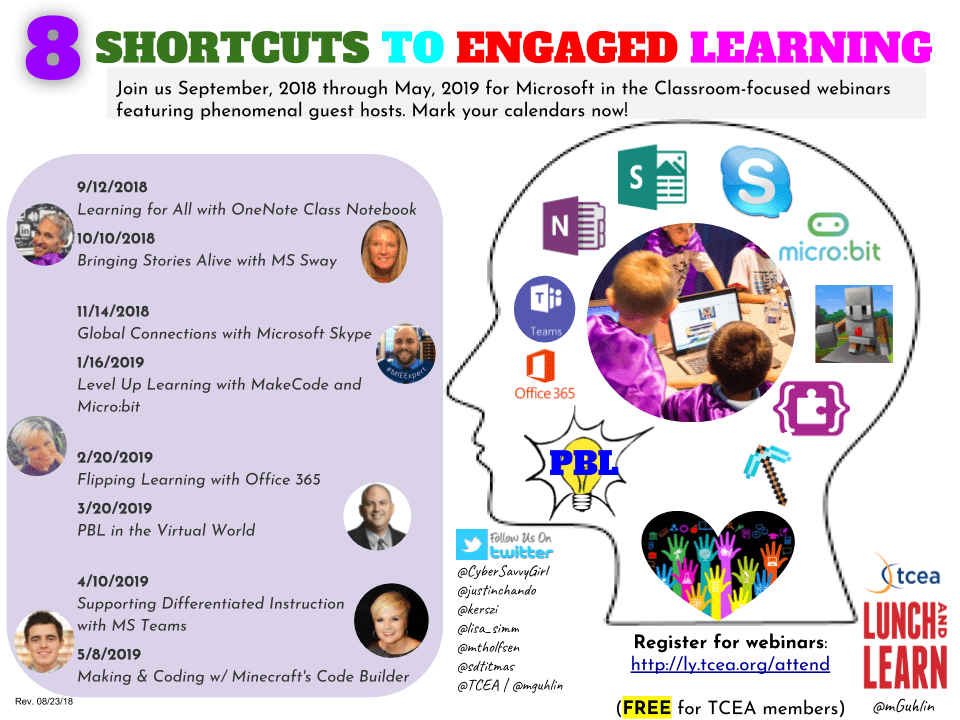
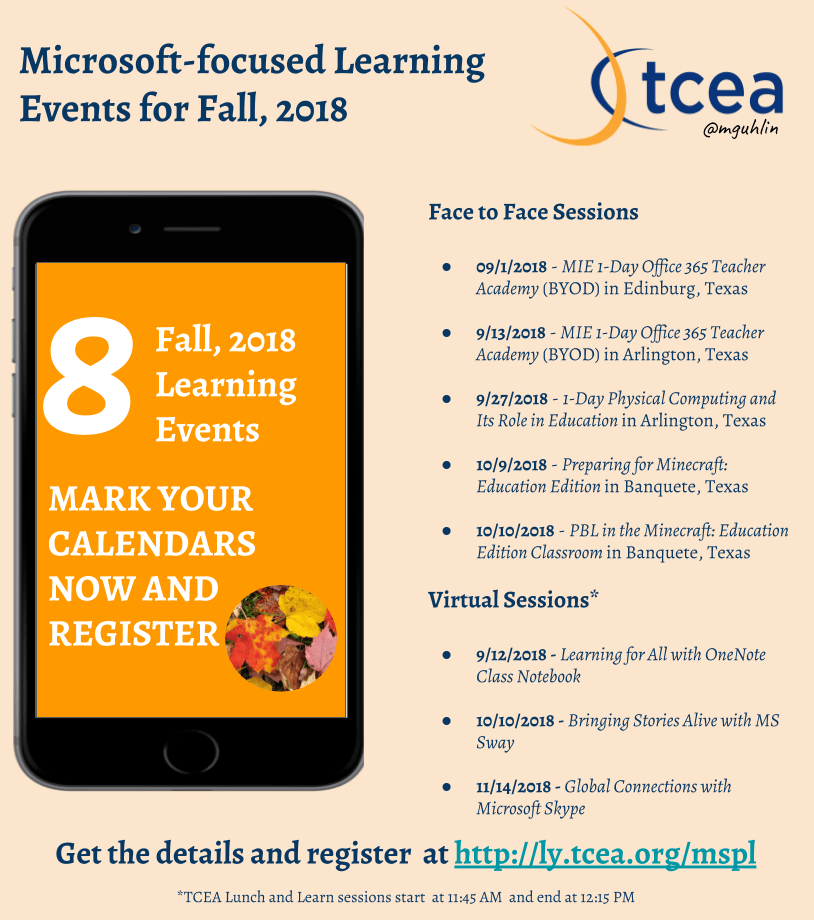

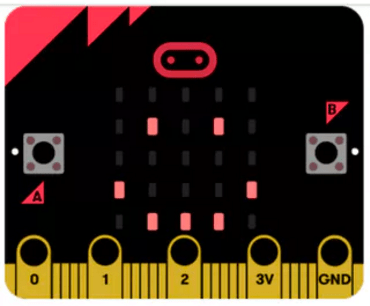 . You will also learn how to use MakeCode to control the Agent in Minecraft: Education Edition. This is a Bring Your Own Device (BYOD) hands-on session for all levels (no prior computer science experience required). Location: Austin, TX
 historic features of the city, combined with the architectural beauty, really do make this one of my favorite destinations. If I had to encourage you to make one stop outside the convention center, it would be to
 Adobe users unite! You’ll find this the perfect academy if you use any of the Adobe products yourself or if you teach your students how to use them. Innovative uses, clever work-arounds, and new features will be shared to give you the solutions and steps you need. And, if you are new to Adobe, you will find several sessions that will help you get up to speed and boost your confidence. Adobe pros haven’t been left out; our presenters have clever ideas that are worth listening to and taking note of.
 Make a point to attend our first annual Microsoft Academy to boost your skills in Microsoft products including Office365 and Minecraft. This is going to be a great gathering! You’ll also be introduced to mobile coding with Creative Coding through Games and Apps and gain a deeper understanding into Microsoft Makers projects and 3D Builder. You will definitely find this packed full of topics that you can’t get at other learning opportunities.
 Even if you don’t have a Chromebook, but use Google Suite for Education, you will find these sessions filled with new and great ideas that you can take back to transform the way your students learn. Be sure to bring a friend so you can divide and conquer on the sessions and then share with each other at the end of the day!

 Do you teach any of the Technology Applications or Career and Technology Education courses where students learn to use Adobe products such as Photoshop, Illustrator, InDesign, Lightroom, Premiere, etc.? Or do you want to enhance your creative Adobe skills for personal projects and enjoyment? If either of those are true, then you definitely want to attend the Adobe Academy on June 19-20! Besides networking with other creative educators, you’ll have concurrent sessions to choose from in order to gain fresh ideas, polish your Adobe skills, and take your curriculum to the next level. You’ll learn from other Adobe-using educators in this hands-on event. For more information about this academy go to
  If you are one of the many Microsoft-using educators, you will find the Microsoft Academy a perfect fit. On July 12-13, you can experience a wide array of Microsoft tools to help you extend your learning and gain fresh ideas of how to use the tools with your students and fellow educators. Whether you are using Office365 in the cloud or are using a not-quite-so-new version, join in on the active sessions and take away new ideas. For more information about this academy go to
  Calling all Googlers! Learn from some of the Googliest educators around at our interactive Chromebook Academy on July 26-27. There will be great sessions for Google Suite administrators as well as for teachers integrating Google Suite in their classroom. You’ll learn about the most current features and how you can use them to maximize your impact with students. Add-ons, scripts, hyperdocs, Slides, Forms, and more will be explored so that you can get what you need to take your students to the next level! To learn more about the Chromebook Academy, go to