Picture this: You’ve assigned a Socratic seminar on the Gettysburg Address. It’s a powerful primary source, packed with meaning, and you can already envision the rich conversation your students are going to have. Then reality sets in. Half your class reads at or near grade level. A quarter read significantly below it. A few are ready for something even more challenging. And you only have one version of the text.
If you’ve ever tried to run a whole-class Socratic seminar with a single, complex primary source, you already know the problem. The students who struggle with the reading stay silent, not because they don’t have ideas, but because they never had a real chance to access the ideas in the first place.
Here’s the good news: AI isn’t here to write the seminar for your students. It’s here to make sure every student can actually show up to it.
The Big Idea: AI as Scaffold, Not Author
The most important thing to understand about using AI for reading instruction is this distinction: AI levels the playing field for comprehension, not thinking. When you use AI to rewrite a primary source at different Lexile levels, you’re not dumbing down the content or giving some students an easier assignment. You’re removing the decoding barrier so that all students can engage with the same ideas, the same argument, and the same historical moment, at their individual zone of proximal development.
Research on differentiated instruction and cognitive load theory consistently confirms that when students are forced to allocate all their mental energy to decoding, very little is left for analysis and discussion (Sweller, 1988; Tomlinson, 2014). AI text leveling directly addresses that load.
Step-by-Step: Creating Three Leveled Versions of Any Primary Source
Here is a practical workflow you can use tomorrow. The example below uses Lincoln’s Second Inaugural Address, but this process works for any primary source text in ELA or social studies.
Step 1: Choose Your Text and Identify Target Lexile Ranges
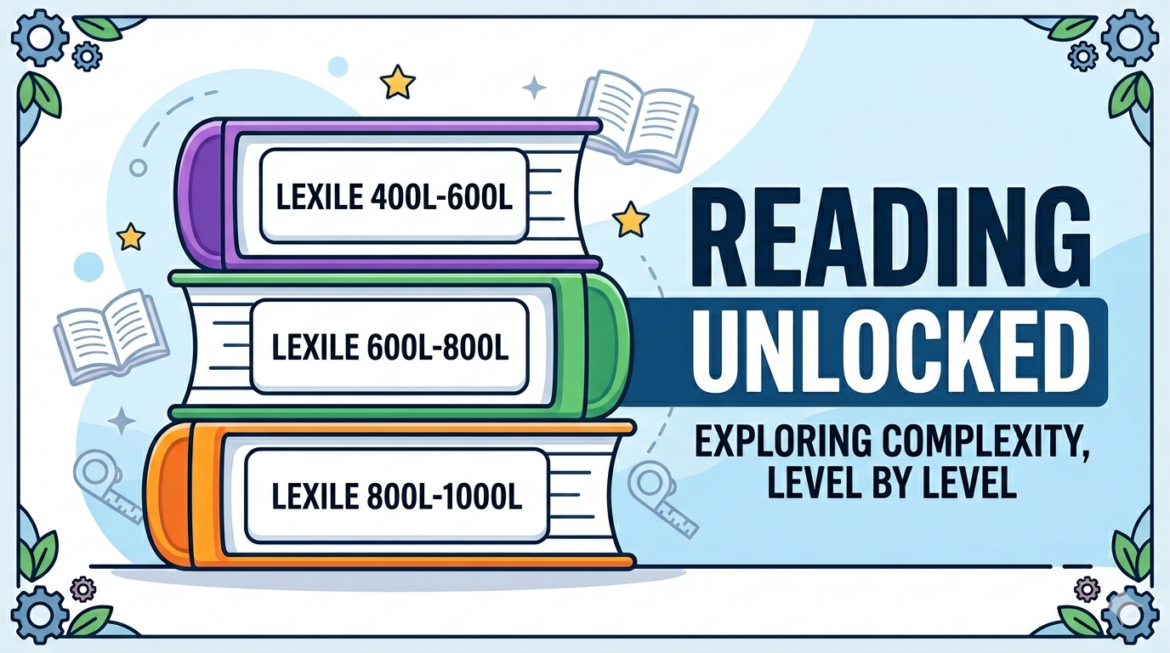
For a typical secondary classroom, three levels cover most students:
- Level 1 (Below Grade Level): 600–800L — simplified vocabulary, shorter sentences, key ideas preserved
- Level 2 (On Grade Level): 900–1100L — moderate complexity, grade-appropriate vocabulary, some scaffolding retained
- Level 3 (Advanced/Original): 1200L+ — close to or including the original text, with annotation support
Step 2: Use an Education-Specialized AI Tool
Option A. MagicSchool AI
MagicSchool AI is purpose-built for educators and is FERPA/COPPA-compliant, meaning your student data is protected. Its Text Leveler tool is one of the fastest ways to do this work.
- Go to magicschool.ai and sign in (free for individual teachers).
- Navigate to Tools > Text Leveler.
- Paste your primary source text into the input box.
- Select your target grade level or Lexile band.
- Click Generate. Review and edit as needed.
- Repeat for each of your three levels.
MagicSchool also offers a Text Scaffolder tool, which adds sentence starters, vocabulary support, and comprehension prompts directly into the leveled version, saving you a second round of editing.
Option B. Diffit
Diffit is a favorite among social studies teachers for exactly this workflow. You can paste a URL, upload a PDF, or type a topic, and Diffit generates a full differentiated reading passage, complete with a vocabulary list and comprehension questions, at the grade level you specify. It’s particularly powerful for pairing leveled texts with Socratic seminar discussion questions in one pass.
Option C. Brisk Teaching
If you live in Google Docs, Brisk Teaching installs as a Chrome extension and lets you highlight any passage and instantly level it up or down, right inside your existing document. This is ideal if you’re already building your seminar materials in Docs.
Step 3: Use a General AI Chatbot for Custom Prompting
If you prefer more control over the output, general-purpose chatbots like ChatGPT or Claude can produce excellent leveled versions with the right prompt. Here’s a ready-to-use template:
“You are an expert reading specialist. Rewrite the following text for a [grade level] reader at approximately [Lexile level]. Preserve all major ideas, arguments, and historical references. Simplify vocabulary and sentence structure without changing the meaning or omitting key content. Do not summarize. Produce a full-length version. Here is the text: [paste text]”
Run this prompt three times, adjusting the grade level each time, and you’ll have three versions ready to compare, edit, and deploy.
Pro Tip: Always read the AI output carefully before distributing it. Check that no key ideas were dropped, that historical names and places are accurate, and that the tone remains appropriate for classroom use. You are the expert, the AI is the assistant.
Bringing All Three Versions into the Socratic Seminar
Here’s where the magic happens. On the day of the seminar, every student receives a leveled version of the same text, matched to their reading ability, but every student is discussing the same primary source with the same essential questions.
A few structures that work well:
- Color-coded packets — Print each level on different colored paper. Students know their level without announcing it to peers, and you can distribute quickly.
- Shared anchor questions — Project three or four universal discussion questions that any student, regardless of their text version, can address. Questions like “What does Lincoln believe is the cause of the Civil War?” are answerable at all three levels.
- Mixed-level inner/outer circles — In a fishbowl format, intentionally mix reading levels in the inner circle. Students who accessed the simpler version often bring fresh, direct observations that surprise their peers who over-complicated the text.
A Note on Reading Stamina
Text leveling is one piece of the puzzle, but building reading stamina over time remains a teacher-led responsibility. Use leveled texts as entry points, not permanent scaffolds. Over the course of a semester, gradually move students toward more complex versions of the same type of source. AI can help you track that progression, too. MagicSchool AI’s scaffolding tools let you reduce support incrementally, so students are always reading in their zone of proximal development while stretching toward the next level.
Quick Reference: AI Tools for Text Leveling
| Tool | Best For | Cost | FERPA-Compliant |
|---|---|---|---|
| MagicSchool AI | Full workflow, scaffolding, + 60 other teacher tools | Free (paid tier available) | Yes |
| Diffit | Primary sources + auto-generated questions | Free (paid tier available) | Yes |
| Brisk Teaching | Google Docs integration, fast in-line leveling | Free (paid tier available) | Yes |
| ChatGPT | Custom prompting, flexible output | Free (paid tier available) | No — avoid entering student names or data |
| Claude | Nuanced language, long documents, custom prompts | Free (paid tier available) | No — avoid entering student names or data |
Important: When using general-purpose AI chatbots, never input identifiable student information. For classroom-facing tools and FERPA compliance, stick to education-specialized platforms like MagicSchool AI or Diffit.
The Equity Case for Text Leveling
Every student deserves a seat at the seminar table. For too long, “access to rigorous content” has been code for “access if you can already read at or above grade level.” AI-assisted text leveling changes that equation. It’s not about lowering expectations. It’s about removing the barrier between a student’s decoding ability and their thinking ability, two very different things that we have too often treated as the same.
Your below-grade-level readers have ideas worth hearing. Give them a text they can actually read, and you might be surprised who leads the discussion.
References and Resources
- Sweller, J. (1988). Cognitive load during problem solving. Cognitive Science, 12(2), 257–285.
- Tomlinson, C.A. (2014). The Differentiated Classroom: Responding to the Needs of All Learners (2nd ed.). ASCD.
- Lexile Framework for Reading: lexile.com