
Explore insights and strategies for CTOs and CIOs in education. Discover tools and resources to support technology leadership and innovation.
Welcome to TCEA Responds #8. Submit your own question(s) online. Today’s topic is digital fax solutions for your school or district.
Dear TCEA Responds:
Do you know of a reliable cloud fax service that I can use in my school district? I’m a technology director and need to know who you use and what your experiences have been. Also, how does it work with people sending and receiving faxes? Thanks, Charles
Dear Charles:
Thanks for your question. When I worked as an instructional technology director in a large urban school district, one of the challenges was finding a fax machine to get faxes sent. While most have shifted to using a document copier (or mobile app) to scan documents to PDF and then email them to the recipient, there remains a need for faxing documents. The main benefits of digital faxing include the following:
- Send a fax (single or multi-page) from your computer, smart device, or integrated Multi Function Products without print-to-scan
- Eliminate on-site fax telephone lines or costly fax telephone service
- Receive faxes by email
- No computer or server software to install
- No telephone system integration required
There are several ways to accomplish this goal of digital faxing. Here are a few possible solutions for your consideration:
Solution #1 – Digitize Paper with Inexpensive Tools
Using mobile device apps like Microsoft Office Lens (free for Android, iOS, Win10) and Readdle’s Scanner Pro (alternate iOS/Android app: Fast Scanner: PDF Doc Scan), you can quickly scan and save to cloud storage. Or use a solution like a Fujitsu scanner to capture information to PDF quickly. These inexpensive devices make scanning documents via your desktop a snap. Their low price point meant every secretary in my school district had one handy to digitize content. You can archive these files in traditional file folders on your computer, in the cloud, or a note-keeper program like Microsoft OneNote (free).
Solution #2 – Setup Your Network Copier as a Scanning and Fax Machine
Most copiers in schools today are connected to the network. Make sure that when you purchase a network copier, you get the fax module. This lets you set up a phone extension for each user mailbox, which allows incoming faxes that support extension dialing to reach your users.
Solution #3 – Use a Cloud Fax Solution
When I think of a digital fax solution, cloud fax solutions like eGoldfax, eFax, or hellofax come to mind. Depending on the service, you can receive faxes sent to phone numbers and these will be auto-delivered to an assigned email address or email group. Faxes can also be sent via email, allowing you to send documents straight to your digital fax solution. The digital fax then securely delivers it on your behalf.
Making the Right Choice
The right choice involves shifting from analog/print to digital. How you get there will depend on the size of your organization, the level of support your end users need to make the transition, and the budget available. For the low-budget, once-in-a-while fax, consider digitizing content with a copier/scanner and then emailing it to the recipient. Or use Hellofax. If you need industrial strength faxing for multiple phone numbers, then eGoldfax or eFax may do the job for you.
Other Solution?
Have another solution your district uses? Please share in the comments!
 Dear TCEA Responds:

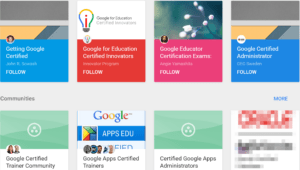 There are also many other communities for Google Certified Administrators on Google Plus. The benefit of joining several communities is that you get diverse perspectives and insights. For example, John Sowash asked in one Google Plus Community “What advice do you have for completing all the Google exams?”


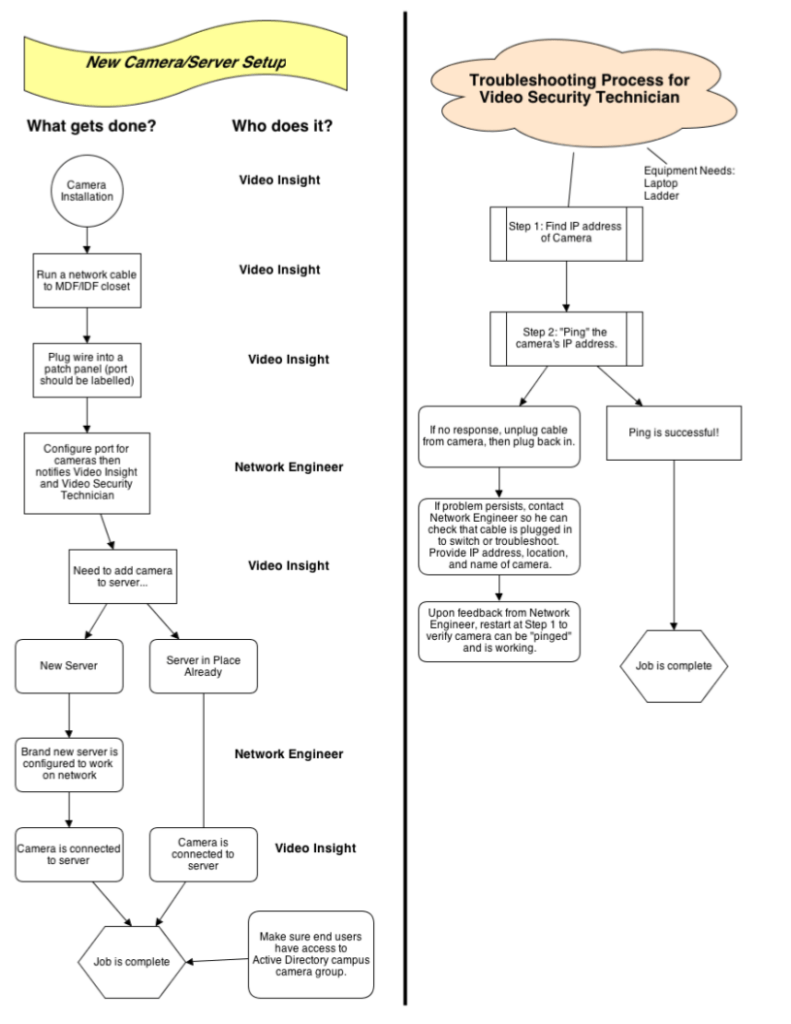 send the network engineer up that big ladder to clean the video camera lens?” That’s the question that comes up when a fuzzy picture appears or there’s a network connectivity problem. Providing in-district support can lower costs, depending on the total number of cameras you have in your district. You may want to either hire a media technician or re-task a portion of an existing technician’s time. Here is a description of what they need to be able to do, along with a chart to use as a starting point.