Transforming teaching, learning and leadership through the strategic application of technology has been Miguel Guhlin’s motto. Learn more about his work online at blog.tcea.org, and mguhlin.org. Catch him on Mastodon at @mguhlin@zirk.us
Areas of interest flow from his experiences as a district technology administrator, regional education specialist, and classroom educator in bilingual/ESL situations. Learn more about his credentials online at mguhlin.org.
Supervising a web developer in a school district can be fun. Your idea starts out as a simple website, but then, pretty soon, the web developer is making suggestions about accessibility you hadn’t even thought of. If you haven’t been listening to your web developer, then you may want to. There’s a clock ticking and an upcoming deadline. This blog covers digital accessibility (A11Y for short) and offers some suggestions to prepare, if you haven’t already. You will get access to several tools and questions to ask, chatbot custom instructions, and see a sample report.
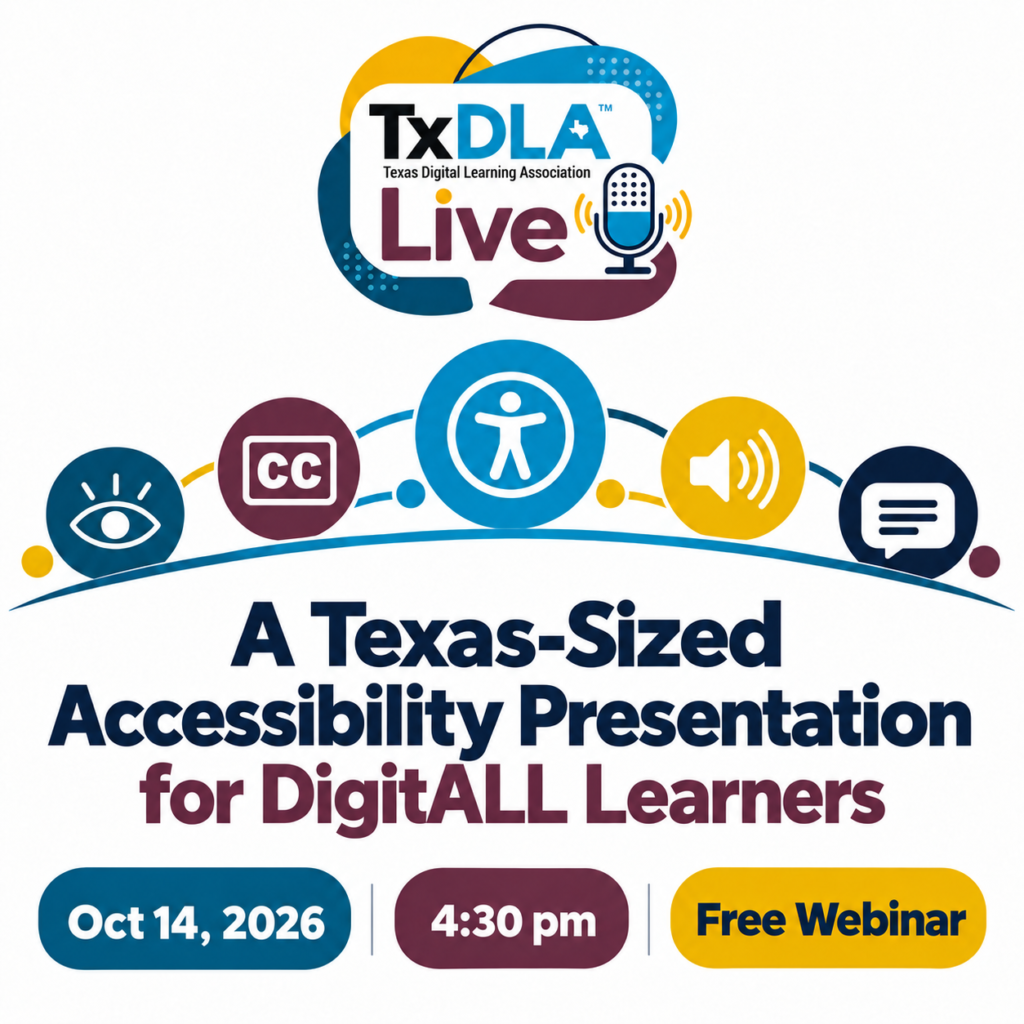
Upcoming Free Event: October 14, 2026 at 4:30 PM (Central) – Register Now
Digital accessibility is a Texas-sized topic with an impact on every learner. For the past decade, Mary Rice and Raymond Rose have explored how accessible digital environments support students, faculty, administrators, and parents—and they have witnessed growing awareness across education. Whether you are just discovering digital accessibility or ready to dig deeper, this session offers something for DigitALL learners. Come learn how accessibility makes digital learning more inclusive, practical, and effective for everyone. Join the presentation for a lively discussion, questions, and shared ideas.
Join us live for the presentation, then stick around for 30 minutes of open conversation and Q&A with the presenters.
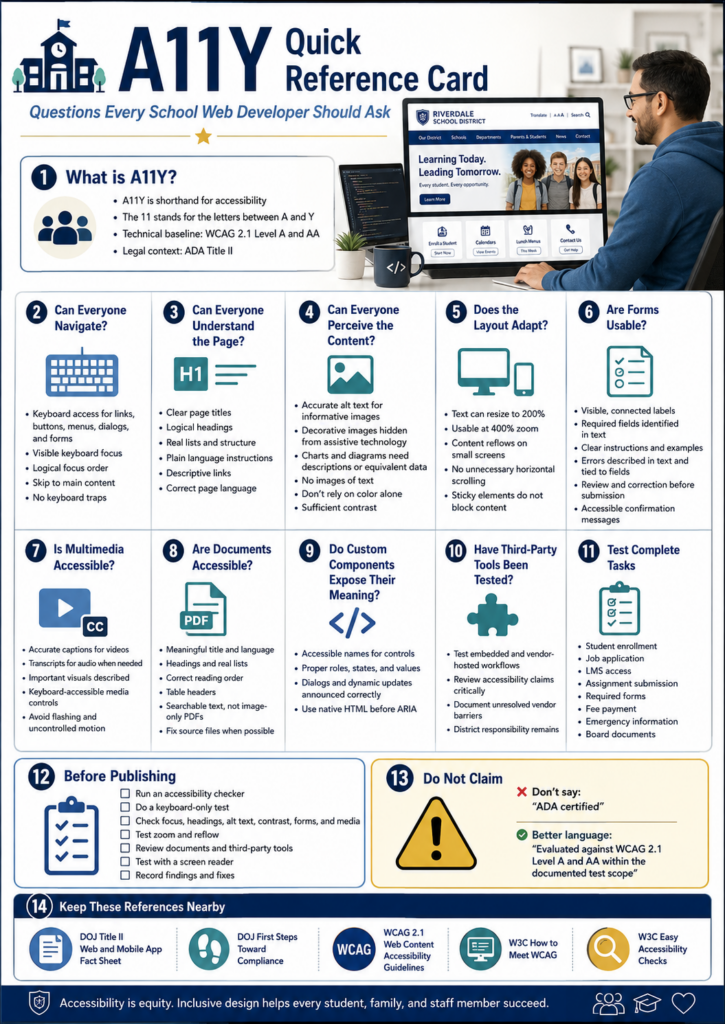
Questions to Ask
Here are some questions that you, as a web developer, should be asking. Or, maybe you should ask your web developer where your website stands on these:
Scenario To Avoid
Imagine yourself as a parent. A parent opens your district website to register a child for school. The registration link just says “Click here,” the form fields carry no labels a screen reader can announce, and the required handbook turns out to be an image-only PDF with no readable text behind it. For most families that adds up to a minor annoyance. For a parent who navigates by screen reader, it can stop the whole process before it starts.
Become a CyberSmart Educator with a practical, self-paced course designed to help you protect sensitive data, secure accounts and devices, recognize social engineering attacks, respond appropriately to cybersecurity incidents, and build stronger digital safety habits. The course is $49 at full price or $34 at the discounted rate. Register online through TCEA Courses.
School websites stopped being brochures a long time ago. Families rely on website for all sorts of necessary tasks, such as:
registering students,
checking calendars,
applying for jobs,
reading emergency notices,
making payments, and
reaching learning resources.
Once the site becomes the front door to a public service, accessibility is no longer a design nicety (if it ever was). Now, there’s a federal standard that clarifies expectations.
What Changed Under ADA Title II?
The U.S. Department of Justice updated the regulations for Title II of the Americans with Disabilities Act. Under the rule, state and local governments, public schools and districts included, have to make their web content and mobile apps accessible.
The technical standard is Web Content Accessibility Guidelines 2.1, Level AA, usually shortened to WCAG 2.1 AA. You will also run across accessibility written as A11Y, where the number stands in for the eleven letters between the “A” and the “Y.”
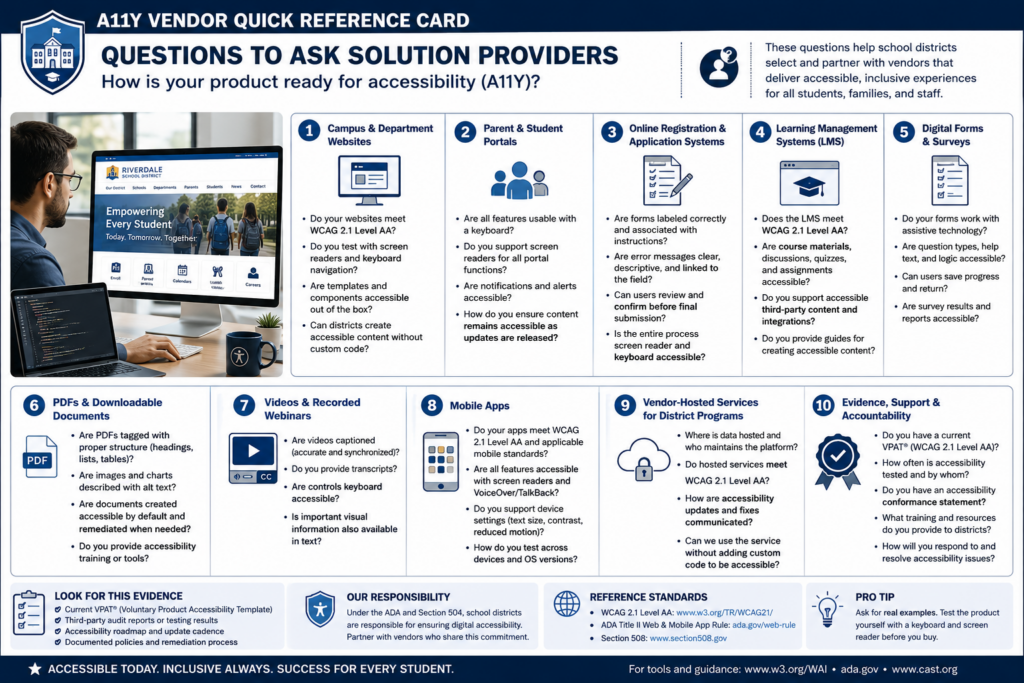
The rule reaches well past your homepage. It can cover items that have you ask third-party solution providers how their products comply. Here’s a short list and a list of questions for those solution providers:
Campus and department websites
Parent and student portals
Online registration and application systems
Learning management systems
Digital forms and surveys
PDFs and downloadable documents
Videos and recorded webinars
Mobile apps
Vendor-hosted services used to deliver district programs
As you can see, some of the products schools and district use every day have to comply. Read that list again and notice the bolded items. To me, those bolded items would surely have been a “not my circus, not my monkeys” kind of situation. However, they are significant performers in schools and districts.
Simply put, a vendor resource does not get a pass just because it sits behind a login or belongs to a vendor. The Department of Justice fact sheet points out that content and apps delivered through contracts, licensing, or other arrangements are covered right along with everything you build yourself.
When Do Schools Need to Comply?
The Department of Justice extended the original compliance dates in April 2026. Public entities serving a population of 50,000 or more now have to meet the technical requirements by April 26, 2027, while smaller public entities and special district governments have until April 26, 2028. Both dates appear in the 2026 interim final rule.
One possible concern is that “population” refers to the jurisdiction you serve, not your student enrollment. The DOJ explains that distinction in First Steps Toward Compliance. Some school districts may confuse jurisdiction with student enrollment, resulting in mistakes.
Keep the following information in mind: The population figure determines which ADA Title II compliance deadline applies. A district might enroll only 8,000 students but serve a jurisdiction with more than 50,000 residents. Using enrollment would wrongly place that district in the smaller-entity category and could make it plan around the later deadline.
Public entities already carry ADA duties around effective communication and equal access, and those duties did not move with the deadline. A family can raise a barrier today, and courts have recognized web accessibility claims for years.
Start With What Families Actually Have to Do
One way to approach this is to start with the essential tasks a family or staff member has to complete:
Enroll a student
Apply for a job
Submit a required form
Find emergency information
Get into a course
Read a board document
Ask for help
Work through each one using a keyboard alone, no mouse, then run the same pages through a screen reader and zoom to 400 percent to see what falls apart. From there, make sure to check the following:
Forms,
Videos,
PDFs, and
Error messages inside tasks
When you find an issue, fix it in the shared template or component rather than page by page. That may assist you in preventing the problem from reoccuring across the hundreds of pages you maintain.
Who Owns This?
As you may have guessed, your web developer isn’t the sole person responsible for this. While you may wear that hat in your role, this is actually a “A11Y is everyone’s responsibility” situation. Consider that Communications manages pages, teachers upload documents, human resources posts job applications, curriculum staff build courses, and vendors run the biggest platforms.
Wherever people publish, that’s where the responsibility has to be assigned as well. It’s a big job, especially if you outsource solutions like learning management systems, content management systems, video hosting, parent/student portals.
You will need to put a system in place to manage all the components, including a content inventory, a named accessibility owner, staff training, purchasing requirements that ask vendors to prove conformance. You will also need a clear way for people to report barriers, and a written remediation plan. I would also recommend a committee to share the compliance load.
Here’s a list of questions you can use:
As you might imagine, you are not trying to earn an “A11Y certified” badge. The goal is that a person with a disability can reach the same information as anyone else. And, also, that someone needing A11Y can finish the same school tasks with comparable privacy, independence, and ease.
Focus
What to do first
Essential tasks
Test enrollment, job applications, and forms by keyboard and screen reader
Shared templates
Fix the component, not the individual page
Documents
Replace image-only PDFs with readable, tagged versions
Purchasing
Require vendors to document WCAG 2.1 AA conformance
Ownership
Name an accessibility lead and train the people who publish
Not only is A11Y a legal requirement, it is also a long-term goal that schools and districts need work towards achieving and maintaining.
Just wanted to say I liked your package about accessibility. It was very comprehensive. Ideal for folks who get it and need help making their school/district in compliance. Nice job.
Raymond Rose
A Tool to Help: Digital Accessibility Readiness Assessment
Do you have access to a paid chatbot, such as ChatGPT, Claude, or Gemini? Get it to do the initial, first-step work of assessing your websites and other services. Use these custom instructions (get a copy) and paste them into your chatbot of choice. Then, ask it to assess the website or learning management system. It won’t be perfect, but it may get you further along than simply eyeballing a website.
For fun, I used ChatGPT to assess the TCEA.org website using the custom instructions…you can see my prompt was short and to the point.
Wondering how to use the instructions? Copy-n-paste them into a chatbot screen. You might even create a custom Project (Claude and ChatGPT call them “Projects,” while Gemini may refer to it as a “Gemini Notebook and Gem”) if you know this is something that you’ll be doing again and again.
Wouldn’t it be nice to have a report like this available to kick your A11Y committee work off?
Pick one high-traffic task on your site this week, the enrollment form is a good candidate, and try to finish it using only your keyboard. What you run into will tell you exactly where to start. Share what you learn in the comments.
👤 Human-directed (Miguel Guhlin) · 🤖 Gen AI-assisted (Claude, ChatGPT)
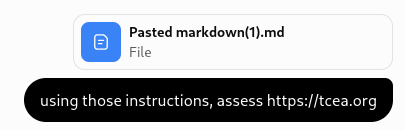
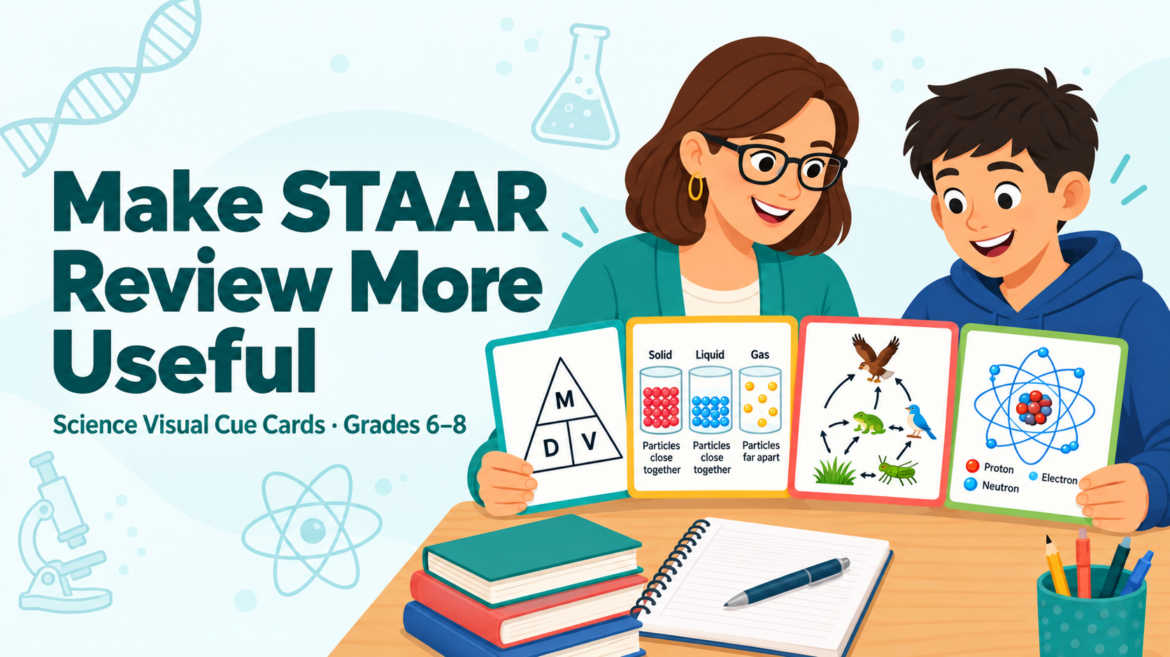
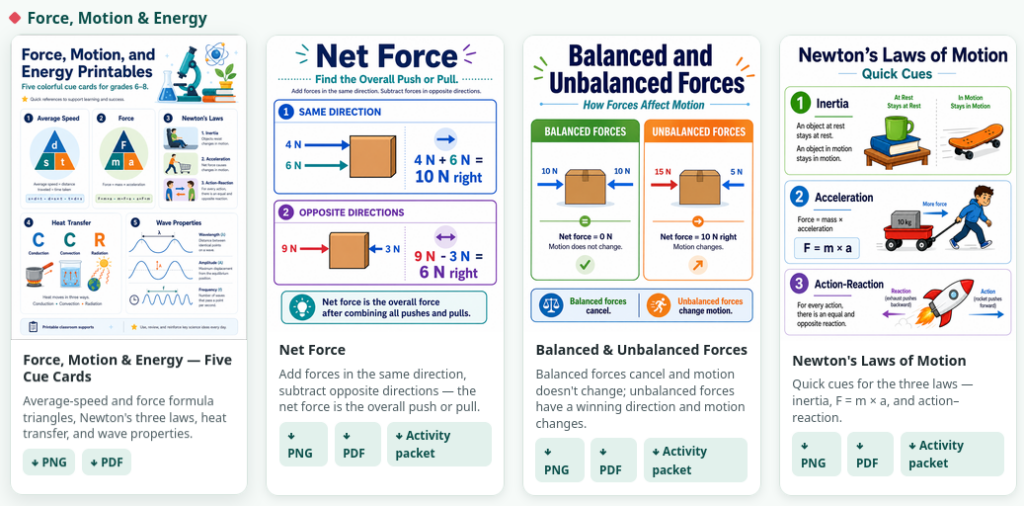
Welcome to a new series focused on teacher printables for classroom teachers. Ever wish you could just grab-n-go content that you could print and use tomorrow (or today)? Let’s take a look at this series of Science Visual Cue Cards. You will find middle school aids, as well as elementary aids.
There is a big difference between giving students a page packed with facts and giving them a visual cue that helps them retrieve something they already learned. This new collection tries to address that gap.
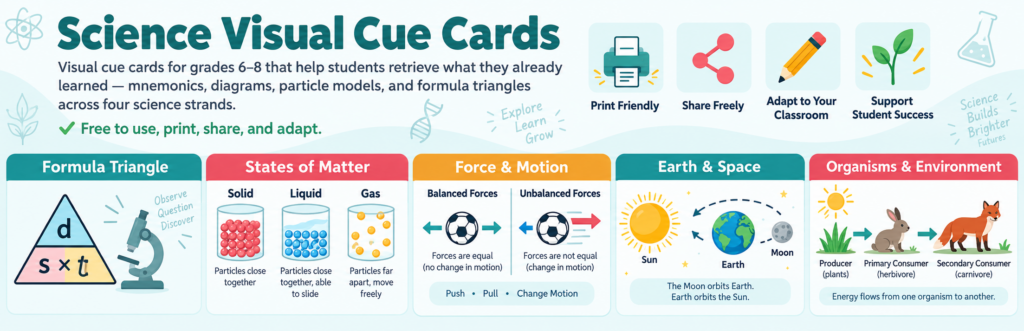
Filling the gap behind this new collection of Middle School Science Visual Cues for grades six through eight. The printables use mnemonics, diagrams, particle models, formula triangles, and other visual cues connected to science concepts students are expected to understand.
What’s more, you will find student activity packets for each of the 26 different aid cards.
One important note: these materials are classroom supports for teaching and learning. When used as formal testing accommodations, supplemental aids must meet current TEA requirements, be locally approved, and be routinely used by eligible students during instruction.
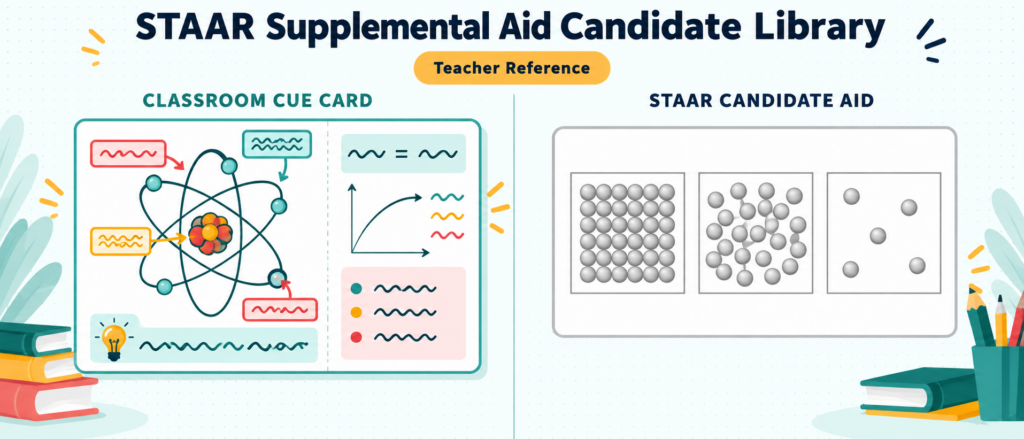
STAAR Testing Notice: These resources are designed primarily for classroom instruction, review, and intervention. Not every printable shown here is allowable during STAAR in its current form. Texas limits science supplemental aids used during state testing to specific formats, including unlabeled scientific graphics and qualifying formula triangles. Testing accommodations must be individually approved and routinely used by an eligible student. Consult current TEA guidance and your district testing coordinator before using any resource during a state assessment. You can find those here (or see the end of this blog entry for pictures, too).
Here are five ways to put the collection to work.
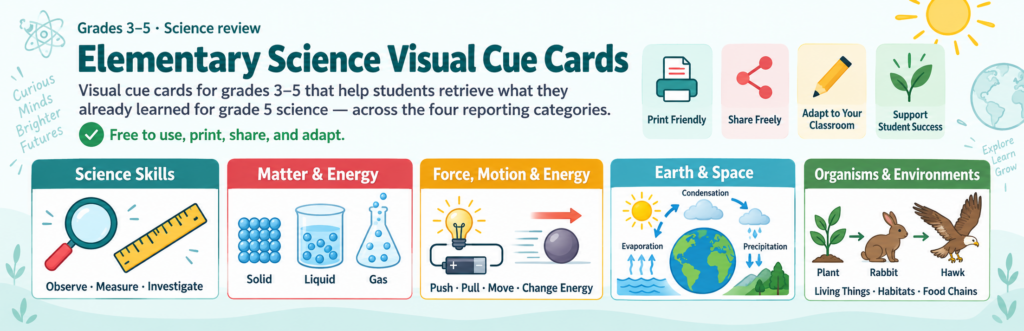
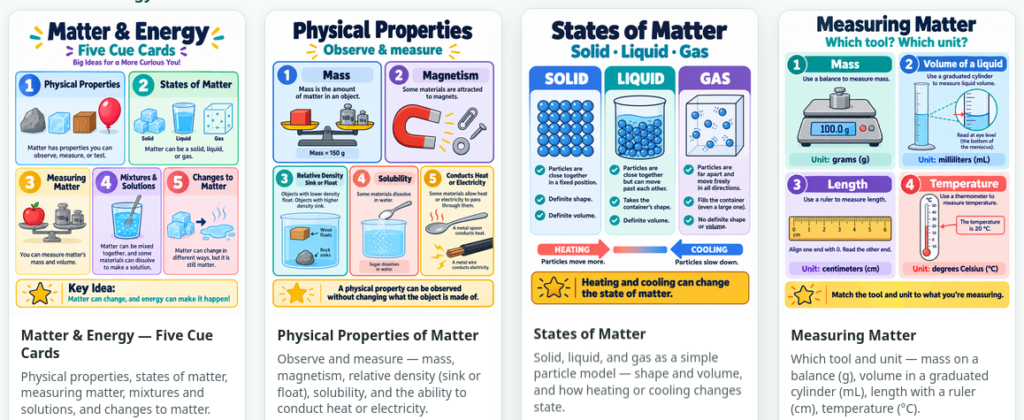
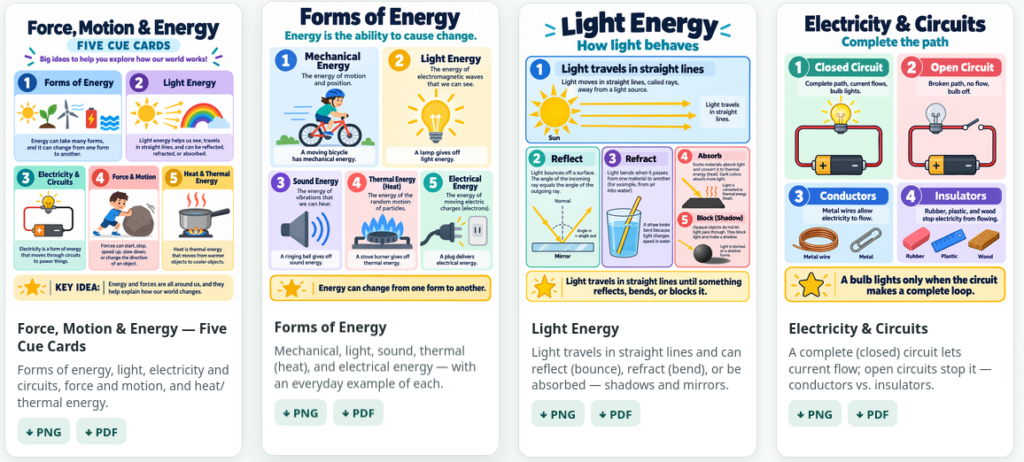
Update Note: Due to a comment request from Miriam Esparza, you will now also find elementary science visual cues at the end of the post.
1. Reinforce Matter and Energy
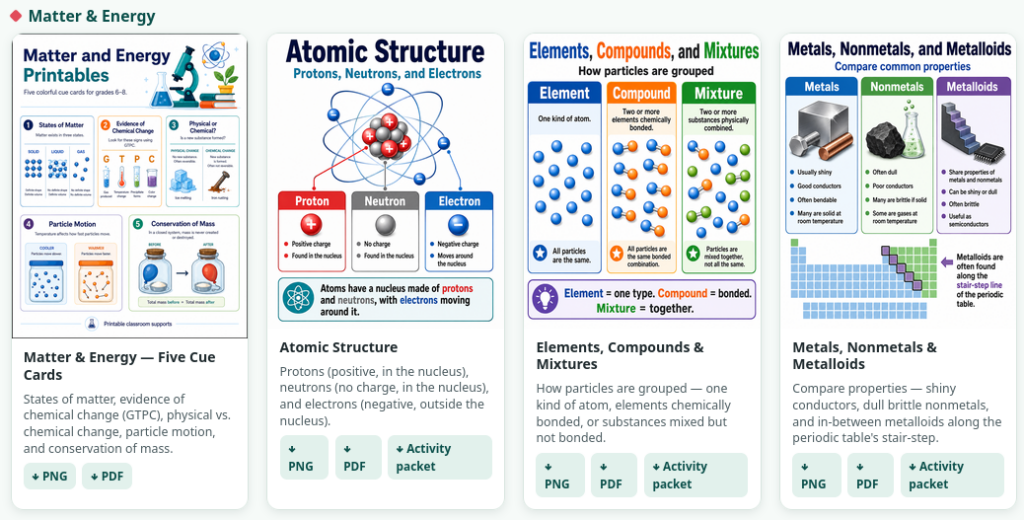
Students can revisit states of matter, particle motion, physical and chemical changes, evidence of chemical reactions, and conservation of mass. Colorful particle models make some fairly abstract ideas easier to see. And, you get activity packets with each.
You will find the following:
Atomic Structure
Elements, Compounds, and Mixtures
Metals, Nonmetals, and Metalloids
States of Matters
Physical Properties of Matter
Chemical Formulas
Chemical Changes
Each of these is a quick cue for this type of content.
2. Make Force and Motion More Visual
Formula triangles for average speed and force provide quick retrieval cues. Other printables focus on Newton’s laws, heat transfer, and wave properties. Note that student activity packets you can print and use right away are available with each cue card.
The goal is not to replace understanding. The visual should help students retrieve the relationship they already know.
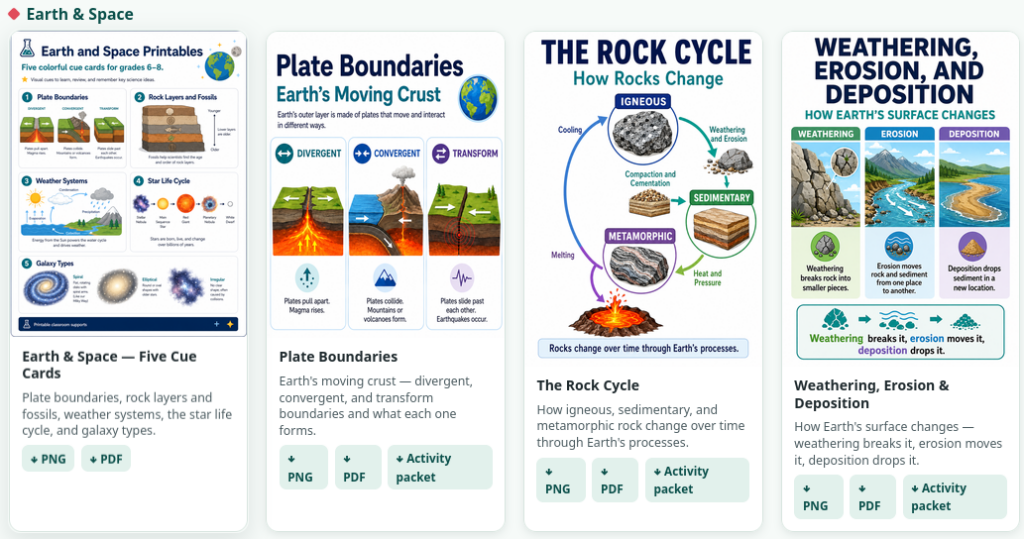
3. Give Earth and Space a Picture
Plate boundaries, rock layers, weather systems, star life cycles, and galaxy types all benefit from diagrams. A student may forget a paragraph but remember what two colliding plates looked like. You can find some for the following:
Plate boundaries
Phases of the Moon
Weather Systems and the Water Cycle
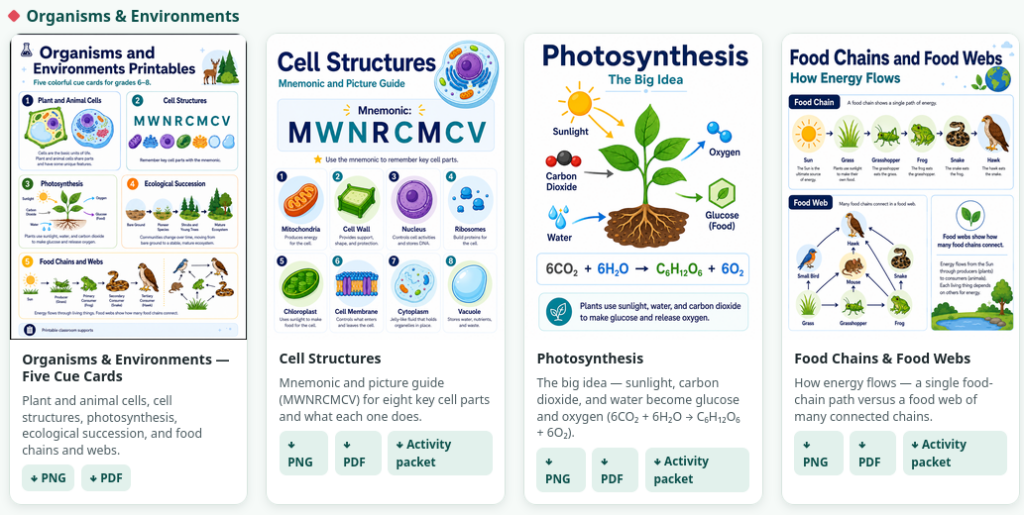
4. Connect Living Systems
The Organisms and Environments collection includes cells, photosynthesis, ecological succession, food chains, and food webs. These work well during stations, intervention, or quick review. You can find them for:
Cell structures
Photosynthesis
Food Chains and Food Webs
5. Build the Cue Before Test Day
The most useful visual is one students already recognize. Introduce a card during instruction. Use it again during retrieval practice, quizzes, and review. Let students explain what each visual means.
The goal is that when it’s time to assess, the printable is no longer new information. It is a familiar cue connected to learning they have already done.
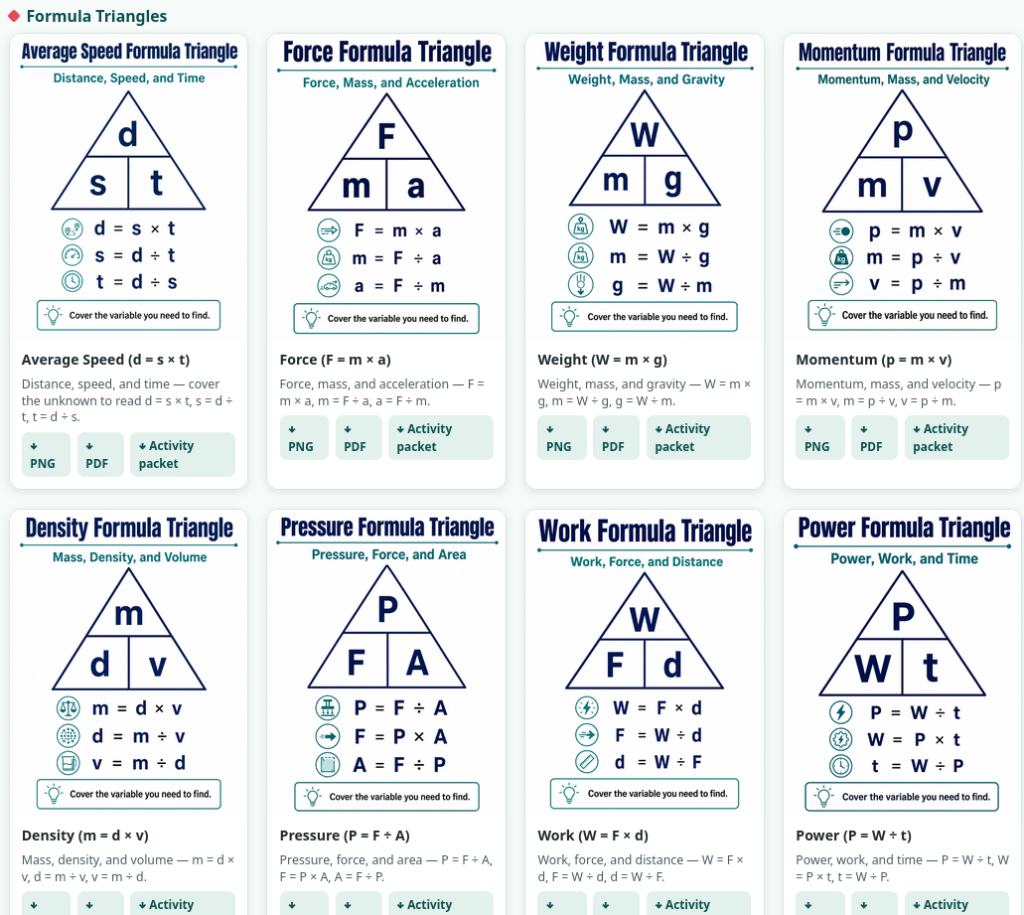
But Wait, What About Formula Triangles?
You will also find a variety of formula triangles blended in, each with its own student activity packet, and available for printing as PDF. I don’t know about you, but this first one has to be the formula I have most often taken advantage of as an adult:
There are more online at the site, of course. Each student activity packet comes with activities, as well as an ACE It activity. You also get a teacher key.
There are also many more you may find of interest.
STAAR Supplemental Aid Candidate Library for Science
Explore Supplemental Aid Candidate Library gives Texas educators practical, classroom-ready supports students can use to make challenging content easier to understand.
The collection is designed as a quick-reference resource, with clear visuals and organizers that help students recall key concepts, processes, vocabulary, and relationships without replacing instruction. Teachers can use the guides during daily lessons, intervention, review, or assessment preparation, making them especially useful for students who benefit from structured visual supports.
Access it here. You will find both math and science available.
👤 Human-directed (Miguel Guhlin) · 🤖 Gen AI-assisted (Claude, ChatGPT)
Before Winter Break, I had written 72 discipline referrals. My assistant principal and I stood shoulder to shoulder against a wave of unruly, undisciplined sixth graders. The Bilingual/ESL sixth grade class had been stacked with students that had graduated from elementary school misbehavior to middle school without being disciplined or inspired. While I could sympathize with my assistant principal, I was more than grateful to have her support in the face wannabe gang-members, and students who should have been in high school already. It took time to build relationships, and while I was doing that, the first few weeks of school were tough. Dealing with discipline and attendance can be difficult. This blog entry addresses how to deal with PEIMS expectations.
Consider This Scenario
You, an assistant principal, are ten minutes from dismissal when another discipline referral lands on your desk. A parent is waiting for a phone call, buses are rolling, and the PEIMS entry still needs to be completed. This is usually when a small mistake slips through.
If this is a situation you’ve encountered, then you know that inaccurate entries can affect students, campuses, and funding. Worse, it tells a story about your district that is has far-reaching consequences.
Start with the Texas PEIMS Resource Hub
PEIMS data are used in TEA reports, the Texas Academic Performance Reports, the accountability system, and other state reporting products (source). Attendance data also help TEA allocate Foundation School Program funds correctly (source). Discipline data undergo annual validation intended to identify anomalies, confirm accuracy, and support compliance with reporting requirements (source).
If you need to give principals and assistant principals a quick presentation on discipline and attendance PEIMS expectations, then avoid guessing at the contents. Instead, bookmark these official Texas resources:
Your district’s local PEIMS hub should remain the first stop for district procedures, training videos, and quick-reference guides. When a code or requirement remains unclear, compare the local guidance with current TEA resources and contact your district PEIMS staff before submitting the entry.
A two-minute check now can save you a two-hour correction later during a data validation review.
Know When to Pause
Some entries deserve extra attention:
Check
What to verify
Student status
Grade level, homeless status, special education or ARD implications, and other flags
Dates and attendance
Incident date, scheduled consequence dates, actual dates served, and attendance
Incident structure
All involved students are connected to the correct incident
Action codes
The selected action is accurate, reportable, and supported
Documentation
Parent notices, behavior agreements, ARD records, and other required evidence
Situations involving out-of-school suspension limits, students experiencing homelessness, founded bullying or cyberbullying, special education requirements, or multiple students should trigger an automatic “pause and verify.”
For example, when two students are involved in the same fight, they should be connected to the same incident identifier rather than entered as two unrelated events.
Note: As of August 5, 2026, TEA’s 2026–2027 Student Attendance Accounting Handbook is still proposed, with comments open through August 10. TEA will post the adopted version afterward. Any presentation for 2026–2027 should be checked again when that final version appears. TEA Student Attendance Accounting Handbook
Complete Six Checks
First, verify the student’s identity, grade level, homelessness status, and special education status. TEA specifically monitors unauthorized out-of-school suspensions involving students experiencing homelessness and students below grade three (source).
Second, verify the disciplinary-action date, reporting period, and official and actual assignment lengths. These are required elements in the TSDS PEIMS 44425 disciplinary-action structure.
Third, reconcile discipline with attendance. A student serving OSS must be counted absent when the student does not meet ADA attendance requirements (source).
Fourth, connect every student and action to the correct incident. The disciplinary incident number is designed to connect multiple students or multiple actions arising from one incident (source).
Fifth, confirm the behavior reason, location, action code, and assignment length against current TEDS descriptors (source).
Finally, retain the supporting documentation identified by TEDS, applicable law, and local policy. TEA may request documentation during a discipline compliance review (source).
Use a 60-Second Closeout
Before finalizing an entry, stop for one minute. Check the student, dates, attendance, incident structure, action code, and documentation. The “60-Second PEIMS Check” should be presented as a local quality-control routine: student, status, dates, attendance, incident, action, and documentation. Afterwards, submit.
The goal is not to “win” a PEIMS review. The goal is to avoid creating one. Accurate reporting protects students, helps campuses identify patterns, and gives district leaders information they can trust.
👤 Human-directed (Miguel Guhlin) · 🤖 Gen AI-assisted (Claude, ChatGPT)
Somewhere, there’s a teacher or professor trying to do amazing work but lack of access is getting in the way. Maybe, the tool they do have access to lacks critical features they need. If only they could design the solution that they will use, a tool specific to their situation and the problems they are trying to solve. Instead of waiting for a licensing agreement, the development or approval of a new platform, or relying on a free tool over-burdened with advertisements…you make your own. With slashed budgets, school districts barely able to cover healthcare costs for educators, which subscriptions do you slash first to pay for the tools you need? what if you could vibe-code your way to success?
Note: This blog entry also is being presented at the LACHD 2026 Conference in San Antonio, Texas. That event takes place September 8-10, 2026. Access the presentation resources online.
Two Paths Diverged, and I took a Third
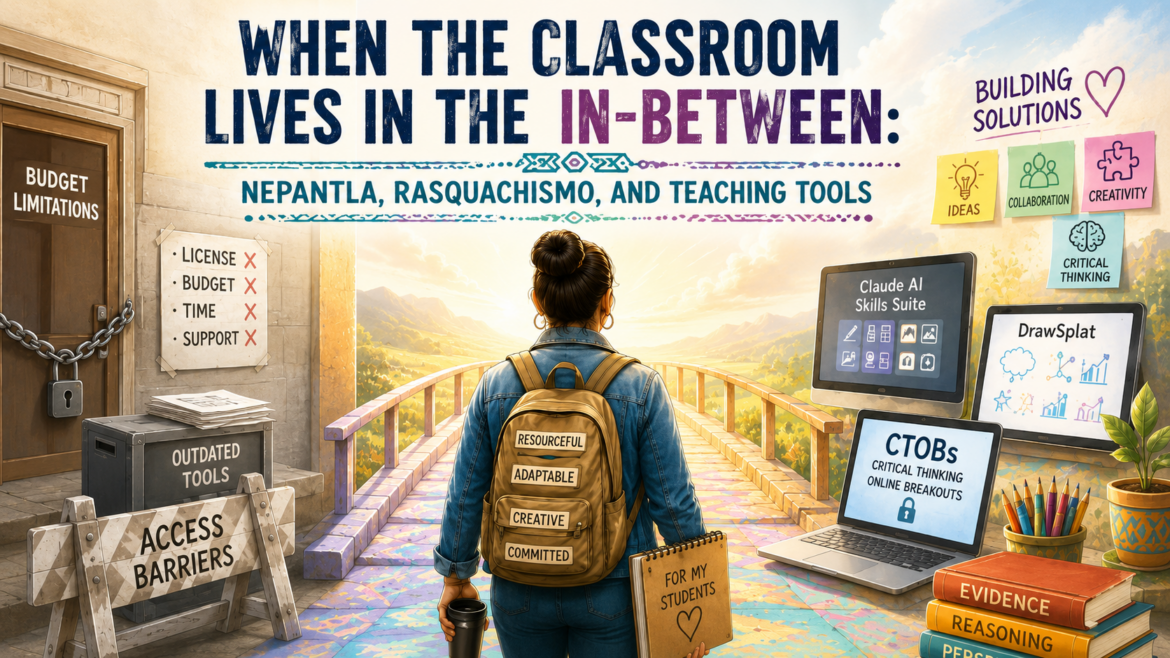
Like many educators tired of waiting for Central Office, I’ve taken advantage of free, open source tools to try to close the gap. Until recently, I had no way to make my own tools to meet the needs I had in my classroom or my work. Gen AI vibe-coding made that possible. It allowed me step confidently into the gap.
That gap, that liminal space is where good teaching ideas meet decreasing funding, aging devices, little to no guidance, and the quiet understanding that the lesson still has to happen. You simply have to make do with what you have. That space has a name and I didn’t know about it until this Spring. It is nepantla.
If you’ve had to find a solution for someone that’s a little string, duck tape, and chewing gum, you are a nepantlera.
Nepantleras: people who facilitate passage between worlds, who build bridges and travel back and forth across them without fully belonging to either side.
I love this image because it captures the concept of building the bridge between the two paths, of finding your own way using Gen AI vibe-coding tools. You find a way to build a bridge in the space between.
The Space Between Systems
Gloria Anzaldúa used nepantla, a Nahuatl word often understood as “in-between,” to describe the threshold space between worlds. It is not a comfortable middle ground. It is unstable. It shifts under your feet. You are no longer fully in one world, but you have not arrived safely in another.
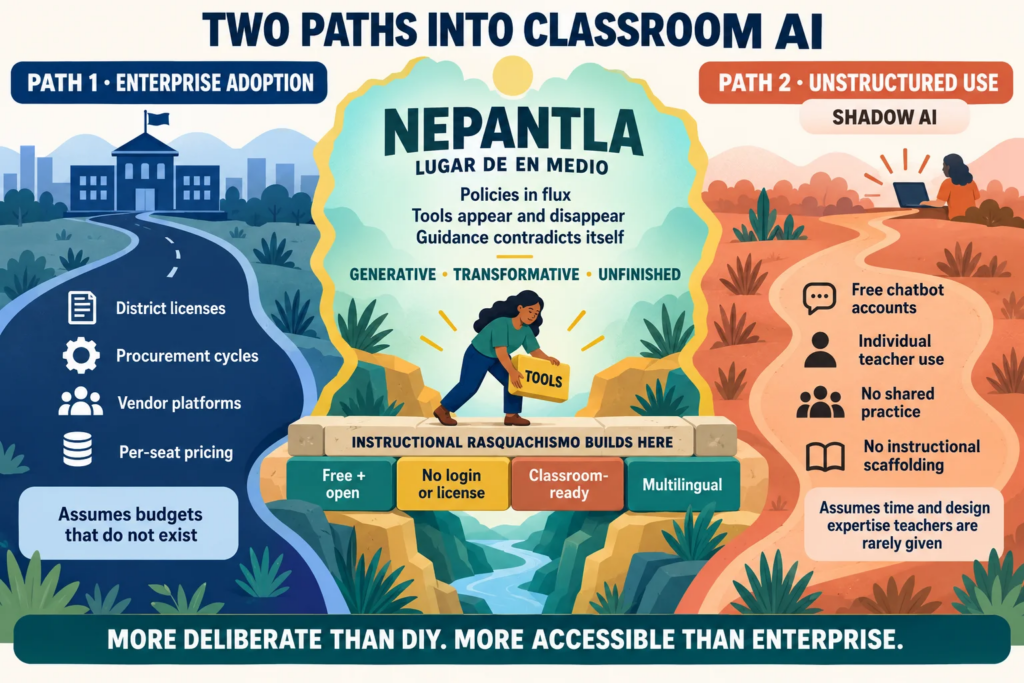
Gen AI has reached education through two main doors. One door is enterprise adoption: district contracts, vendor demos, procurement cycles, approved platforms, and per-seat pricing. The other door is individual use: a teacher with a free chatbot account, a pile of prompts, and no real support.
Many educators, especially in under-resourced schools, fit cleanly through neither door.
The enterprise path assumes money, time, and staffing. The individual path assumes teachers have enough hours to design, test, revise, and explain everything themselves. That leaves many classrooms in the middle. Not outside technology, exactly. Not inside the polished vendor version either.
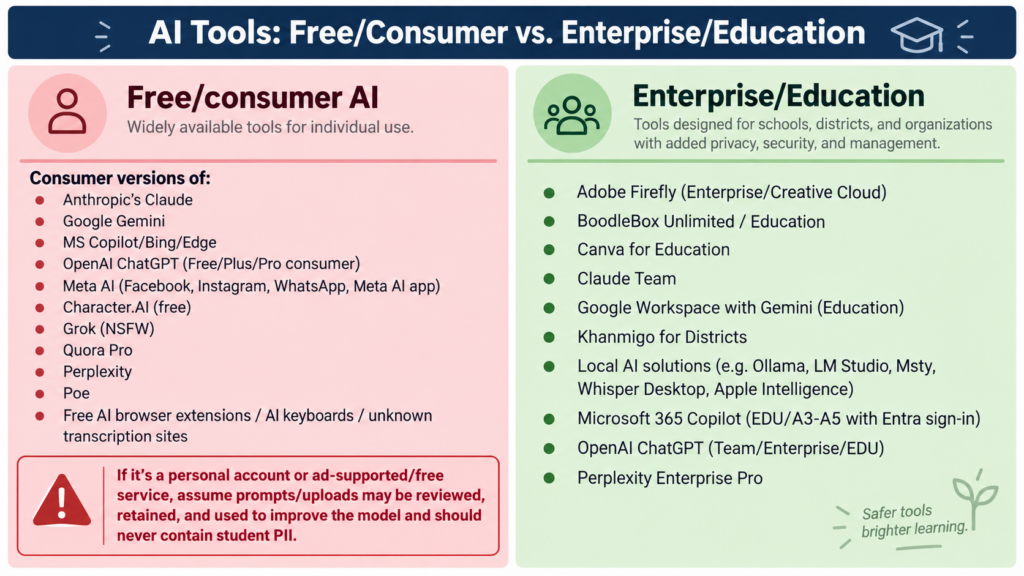
That is nepantla. Worse, a lot of the consumer or free tools available come with warning labels. One recent example of this ambiguity is represented by Claude for Teachers offering. While Anthropic has improved its offering with Claude for Districts, the changing nature of Gen AI in schools leaves many wondering, “What really is safe to use?”
Rasquachismo Names the Work
If nepantla names the space, rasquachismo names the way many educators survive inside it.
Rasquachismo, as Tomás Ybarra-Frausto described it, is the Chicano sensibility of making the most from the least. It is not “cheap” in the lazy sense. It is resourceful, inventive, and practical. It carries dignity because it refuses to wait for perfect conditions before making something useful.
That is the spirit behind instructional rasquachismo: building teaching tools from what is available, for educators who cannot wait for the official solution to arrive. How many times I have found myself in this situation, whether at K-12 or working in other learning spaces. Many, many times.
In the past, I had to find solutions that were not properly vetted. Now, I can build my own and ensure they work.
This is where the poster presentation, “Instructional Rasquachismo: Building AI-Powered Teaching Tools at the Margins of Budget and Access,” fits. The project began with a simple question: What can you build for teachers who need useful tools now, without asking them for a license, login, database, or new hardware?
The answer is not one tool. It is a small collection of tools that live in the in-between.
Three Examples of Third-Space Infrastructure
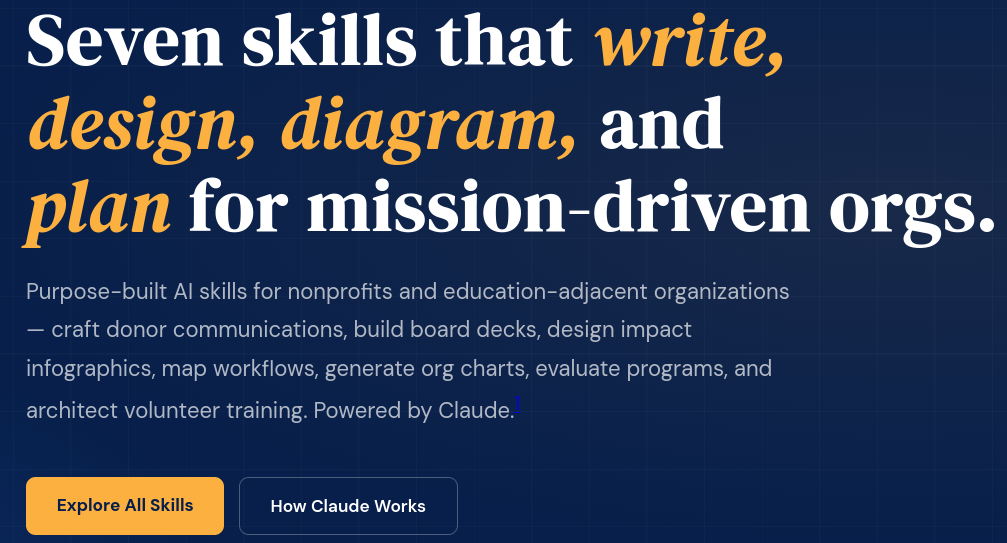
The work takes several forms. The first is the Claude AI Skills Suite, a set of free, open-access instructional design tools built as static web apps. The tools include a lesson plan architect, rubric builder, blog writer, infographic designer, slide deck builder, diagram generator, and Draw.io XML builder.
They are more structured than a loose prompt copied into a chatbot. They are less locked down than a vendor platform. That position is intentional.
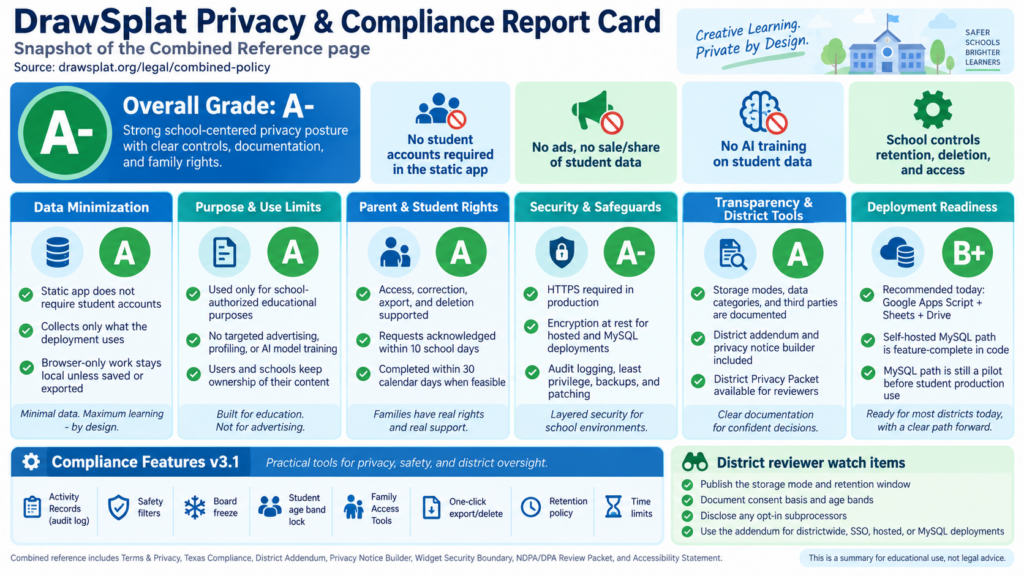
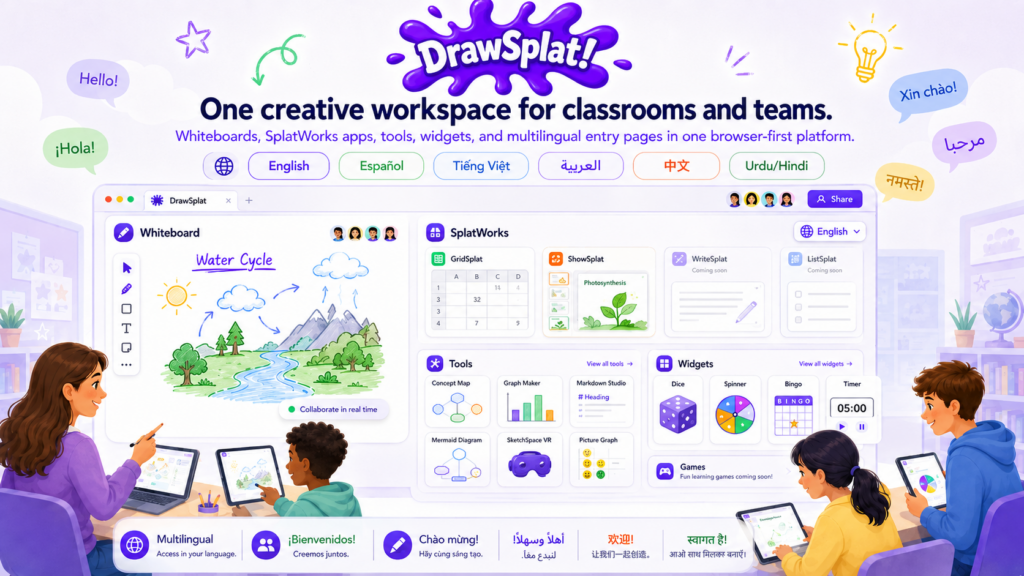
The second example is DrawSplat. It began as a browser-first interactive whiteboard and has grown into a set of classroom creation spaces: whiteboards, concept maps, graph makers, picture graphs, classroom widgets, SplatWorks apps, and other visual tools. Students are not being asked to let Gen AI do the thinking for them. They are drawing, mapping, sorting, labeling, explaining, and revising. A big reason for that is that DrawSplat has NO Gen AI backend features and does not collect any data.
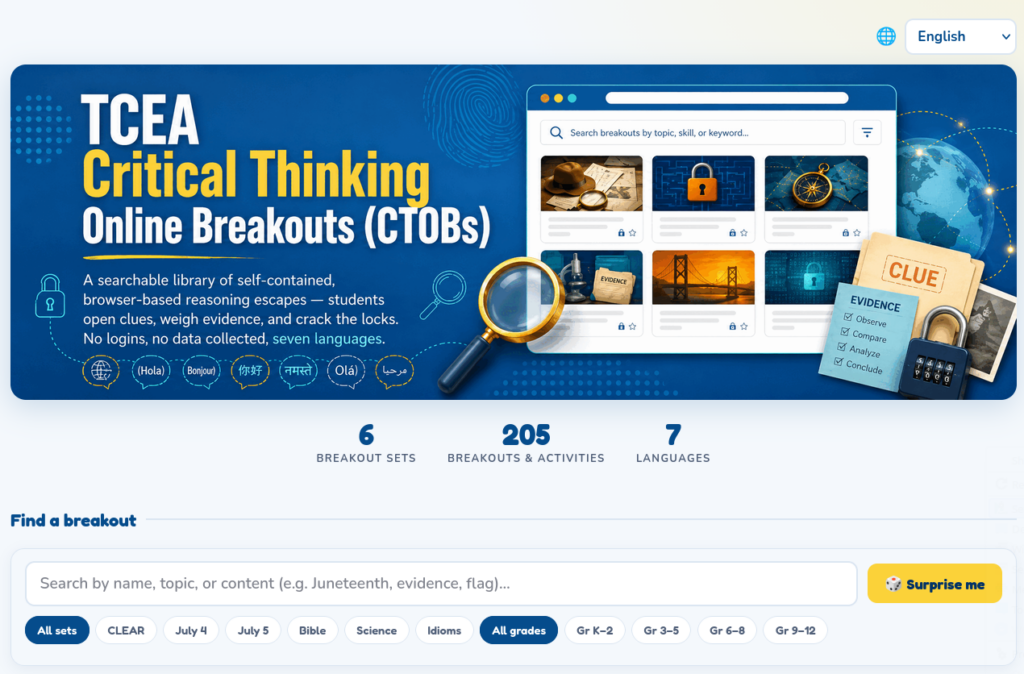
The third example is Critical Thinking Online Breakouts (CTOBs). These are browser-based reasoning puzzles where students open clues, weigh evidence, and crack locks. The important move is not the lock itself. It is the thinking before the lock: Which clue helps? Which clue is true but off-topic? What evidence actually supports the answer?
That makes CTOBs a useful match for the Gen AI moment. Students need practice questioning claims, sorting evidence, and explaining why an answer holds up. A chatbot can hand them a clean response. A breakout makes them defend one.
Sits between raw chatbot prompting and vendor platforms
DrawSplat
Gives students and teachers browser-based spaces for visual thinking, creation, and classroom work
Keeps the task centered on student making, not platform dependency
CTOBs
Gives students short reasoning puzzles with clues, decoys, and locks
Builds critical thinking without accounts, rosters, or a heavy tech lift
No Login Is a Design Choice
A login is not just a login. In schools, a login often means student data, parent concerns, vendor review, accessibility questions, rostering, password support, and another system for teachers to explain. Sometimes that is necessary. Many times, it is friction disguised as modernization.
Static, browser-based tools ask, “What can happen without collecting anything?”
A teacher can open a CTOB on a Chromebook and use it as a bellringer. A student can build a concept map in DrawSplat without waiting for an account. A facilitator can use a static tool in a workshop without becoming the unofficial help desk for password resets.
And yes, there are tradeoffs. Browser-first tools do not always have the persistence, analytics, or management controls of enterprise platforms. That is the point of being honest about the space. Nepantla is not magic. It is the unstable middle where you choose what matters most for the work at hand.
The Educator as Nepantlera
Anzaldúa also wrote about nepantleras, people who move between worlds and help others cross. That may be the best description I know for many educators right now.
Teachers are being asked to cross between the world of frontier Gen AI and the world of real classrooms. One side speaks in model updates, tokens, agents, and enterprise controls. The other side has fire drills, substitute shortages, multilingual learners, blocked websites, and three minutes before the bell rings.
The teacher translates between those worlds.
So does the instructional coach. So does the librarian. So does the district technology leader trying to say yes to useful tools and no to unnecessary risk.
These tools do not remove that bridge work. They respect it. They lower the cost of crossing.
What This Means for Schools
If you are supporting teachers, the lesson is build and choose tools that match the realities of the classroom you actually serve.
A useful third-space tool should pass a few tests:
Does it work on common school devices?
Can a teacher use it without a long setup process?
Does it avoid collecting student data when collection is not needed?
Does it support multilingual classrooms as normal, not as an afterthought?
Does it make student thinking more visible?
Can the teacher explain its purpose in one sentence?
One more thing to consider that may be difficult for schools who require “complete, working solutions.”
Incompleteness Is Not Always Failure
One part of Anzaldúa’s nepantla that I keep coming back to is its unfinishedness. The space is always shifting. The work is never completely settled.
That describes these tools too. The Claude AI Skills Suite, DrawSplat, and CTOBs are not final answers. They are working responses. They change because classrooms change, teacher feedback changes, Gen AI changes, and the constraints around school technology change. This is the truth of nepantla, and a truth many schools and districts must make peace with.
Under-resourced classrooms do not need another perfect platform arriving from somewhere else with a sales cycle attached. Rather, they need useful infrastructure that can be picked up, adapted, questioned, improved, and shared. That is where rasquachismo and nepantla meet. One tells you how to build when resources are thin. The other tells you where that building happens: in the unsettled space between systems.
Try one tool this week: open DrawSplat for a visual thinking task, or run a Critical Thinking Online Breakout as a short reasoning warm-up. Then ask students what clue, drawing, map, or explanation helped them think better.
References
Anzaldúa, G. E. (1987). Borderlands/La Frontera: The new mestiza. Aunt Lute Books.
Anzaldúa, G. E. (2002). (Un)natural bridges, (un)safe spaces. In G. E. Anzaldúa and A. Keating (Eds.), This bridge we call home: Radical visions for transformation (pp. 1–5). Routledge.
Anzaldúa, G. E. (2009). The Gloria Anzaldúa reader (A. Keating, Ed.). Duke University Press.
Anzaldúa, G. E. (2015). Light in the dark/Luz en lo oscuro: Rewriting identity, spirituality, reality (A. Keating, Ed.). Duke University Press.
Keating, A. (2006). From borderlands and new mestizas to nepantlas and nepantleras: Anzaldúan theories for social change. Human Architecture: Journal of the Sociology of Self-Knowledge, 4(3), 5–16.
Ybarra-Frausto, T. (1989). Rasquachismo: A Chicano sensibility. In Chicano aesthetics: Rasquachismo (pp. 5–8). MARS, Movimiento Artístico del Rio Salado.
👤 Human-directed (Miguel Guhlin) · 🤖 Gen AI-assisted (Claude, ChatGPT)
“El pez muere por la boca,” my mother liked to tell me. In English, the literal meaning “The fish dies by its mouth.” But what does that mean? It’s the equivalent of “Loose lips sink ships.” As an avid fishing enthusiast on the Gamboa River (Republic of Panama) in my childhood, I got the message. When you pull a hook out of a huge bass fish you caught off a river pier, it’s easy to get. But idioms built on such experiences may be strange to those learners who never stood on a metal pier and watched five bass surround a luckless minnow on a hook, eyeing their dinner and becoming mine. Learning idioms in English, or any other language, is both fun and frustrating.
English has an estimated 25,000 idiomatic expressions. Those idioms are especially difficult for non-native speakers. That’s because their meanings are usually metaphorical, not literal. The same study found that younger second-language learners often interpreted idioms literally, with non-literal understanding developing more gradually through adolescence.
What’s more, nonnative English speakers answered 200 out of 360 common idiom items correctly, about 56 percent. (JSTOR). There’s a clear need for resources on how to learn idioms and sayings because, as of Fall 2021, English learners made up 10.6 percent of U.S. public school enrollment. That’s about 5.3 million students. In Texas, that number was 20.2 percent. That is one out of every five students. (National Center for Education Statistics).
Small Phrases with Big Comprehension Costs
While students may know every word in “the ball is in your court,” they may still miss the meaning. That meaning is simply that someone expects them to make a decision. Idioms are small phrases but can be difficult to grasp. The reason why is that idioms break the usual rules students depend on. In most reading tasks, students can use word meaning, sentence structure, and context to make a solid guess. With idioms, that does not always work.
“Cost an arm and a leg” does not mean anything helpful if you translate it word by word. “Spill the beans” may involve no beans at all. “Hold your horses” has very little to do with horses in most classrooms, unless you teach agriculture, in which case your examples are better than mine.
When an idiom has a close match in a student’s home language, it is easier to understand. When the image changes, or no close match exists, students need more support. (Academy Publication)
Use the Home Language
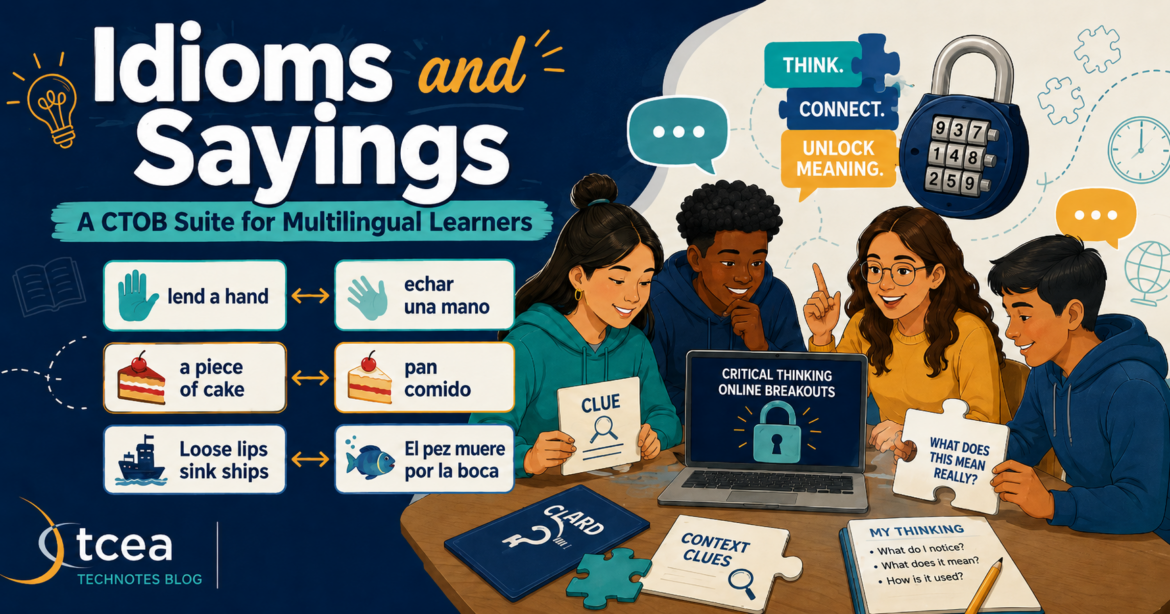
That is where the Idioms and Sayings CTOB suite takes a better approach. It treats the home language as a problem as a resource to work with.
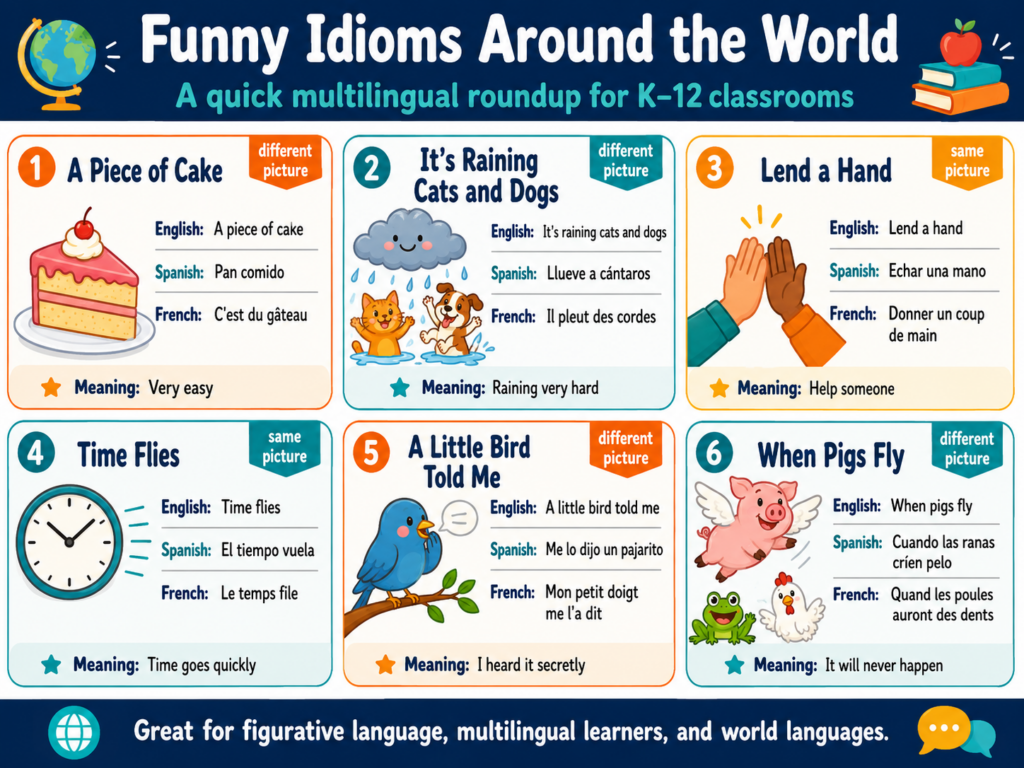
Students compare English idioms with Spanish equivalents. Sometimes the image is close: “lend a hand” and “echar una mano.” Sometimes it changes: “cost an arm and a leg” and “costar un ojo de la cara.” That contrast can make all the difference.
Student Question
What It Builds
Do both languages use the same picture?
Transfer from home language
Does the picture change?
Flexible figurative thinking
Is there no close match?
Paraphrasing and context use
As a result, that contrast can be more useful than memorizing a list and hoping it sticks.
What Students Work With
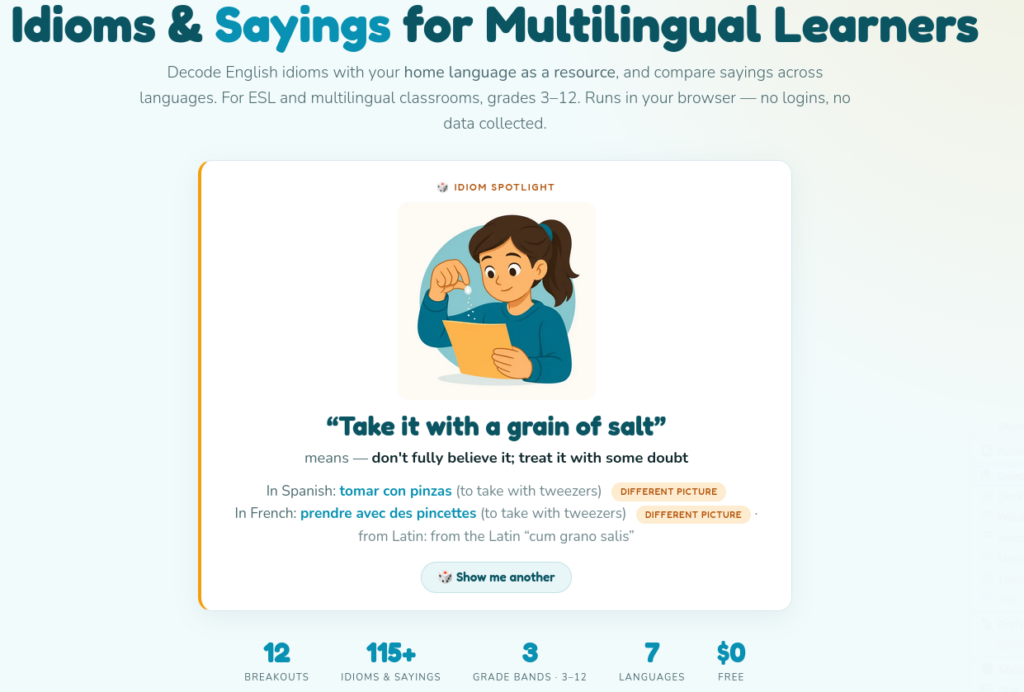
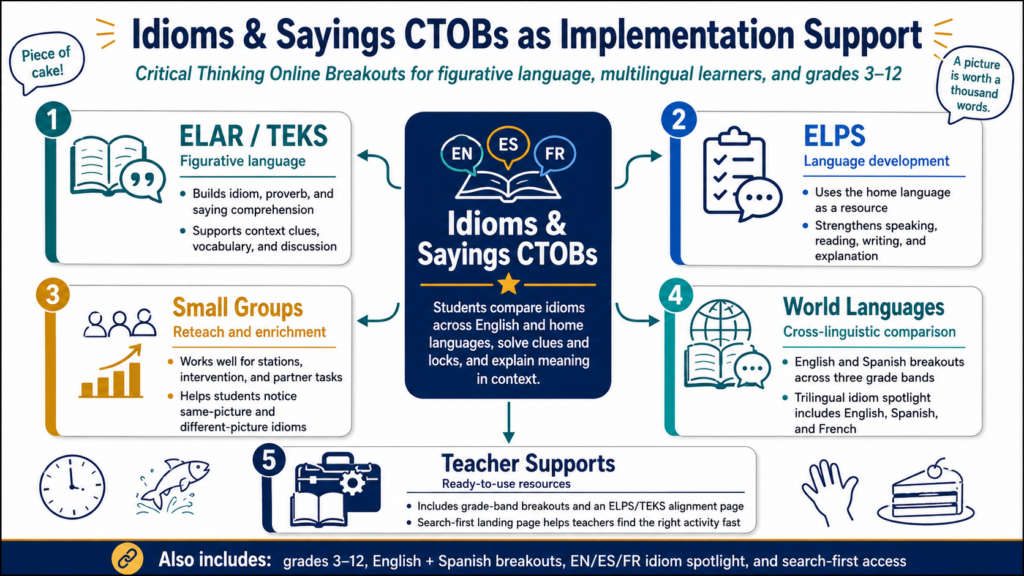
The suite is built for grades three through twelve and includes a variety of English and Spanish breakouts across three grade bands. It also includes a search-first landing page, a trilingual English, Spanish, and French idiom spotlight, and an ELPS and TEKS alignment page. By the time this blog publishes, it may have even more activities of varying difficulty.
Grade Band
Breakout Focus
Sample Idioms
Grades three through five
Body, animal, and food idioms
“lend a hand,” “hold your horses,” “a piece of cake”
Grades six through eight
Sports, school, time, and money
“hit the books,” “drop the ball,” “time flies”
Grades nine through twelve
Proverbs, sayings, and Latin roots
“better late than never,” “carpe diem,” “the apple doesn’t fall far from the tree”
Students can see how English, Spanish, and French express the same idea. Sometimes the languages share an image. Sometimes they do not. That is a quick opening for discussion in ESL, ELAR, and world language classrooms.
Built Like a Breakout
Each CTOB uses clues and locks instead of a worksheet. Students read, compare, eliminate weak answers, and solve. They are not just matching idioms to definitions. They are thinking through meaning.
That matters because idiom learning is not only vocabulary learning. It is context, culture, metaphor, and pattern recognition.
The student task stays simple:
Read the clues
Compare the English idiom with the home-language equivalent
Notice whether the image is the same or different
Solve the locks
Explain the meaning in plain language
If students can explain the idiom without repeating the exact definition, you have better evidence of understanding.
Let the Games Begin!
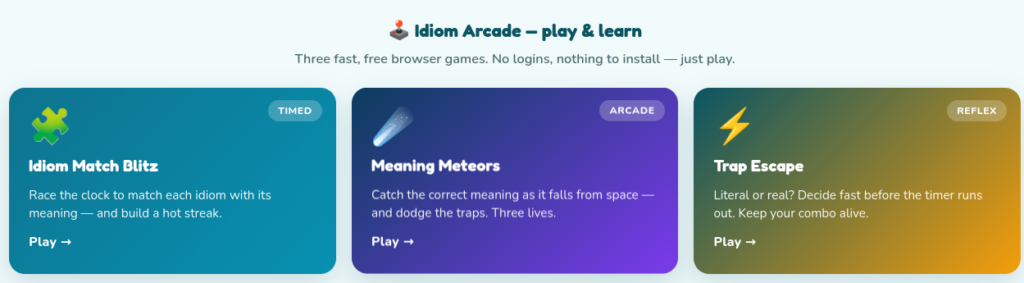
You will also find three games, including:
Idiom Match Blitz – Race the clock to match each idiom with its meaning
Meaning Meteors– Catch the correct meaning as it falls from space while dodging traps
Trap Escape – Decide which is “literal” or real idiom interpretation
These are fun games to get students thinking about idioms and their meanings.
Where It Fits
Use the suite in English/Language Arts/Reading (ELAR) when teaching figurative language, context clues, and author’s craft. Use it with multilingual learners when working on academic language and everyday English. Use it in world language classes when comparing how languages express meaning.
It also works well as a station activity. Put students in pairs, give them one breakout, and ask them to keep a two-column note catcher…then ask, “Which idiom makes more sense in your home language, and why?”
Same Picture
Different Picture
“lend a hand” and “echar una mano”
“cost an arm and a leg” and “costar un ojo de la cara”
In a Nutshell
Idioms are not just odd phrases to memorize. They are small puzzles. This CTOB suite gives students a way to solve them.
Try the Idioms and Sayings CTOB suite with your multilingual learners or world language students, then ask which idiom caused the best discussion.
Licensing
While this content is available for free classroom use by individual teachers, if your campus or district would like to license this content for use, please don’t hesitate to reach out. The answer keys for each set of activities can be made available.
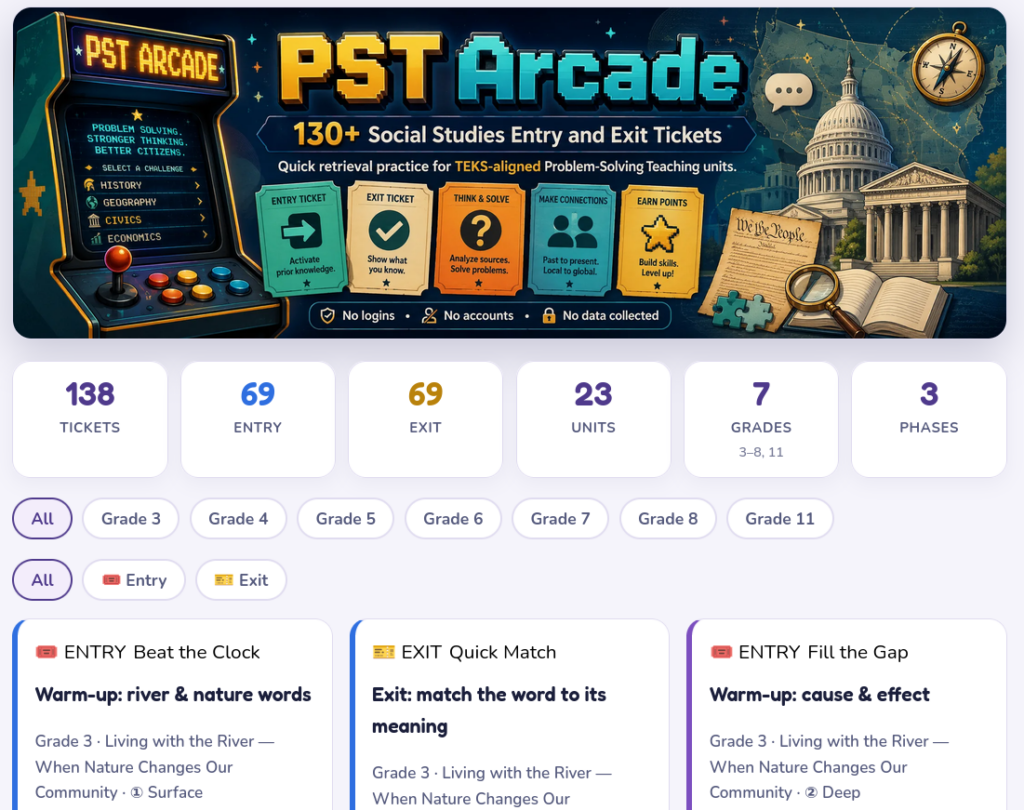
Ever wonder if your students got that lesson or not? Someone said recently, “Some new teachers entering schools today don’t know what entry or exit tickets are.” I was shocked to hear that. While it’s possible, it’s unlikely. What’s more likely is that they may not be aware of the power of the high-effect size strategy, Retrieval Practice. In this blog entry, I’ll share over 130+ entry and exit tickets aligned to the Social Studies TEKS for grades 3-11. You will have to decide if they are useful or not.
Become a CyberSmart Educator with a practical, self-paced course designed to help you protect sensitive data, secure accounts and devices, recognize social engineering attacks, respond appropriately to cybersecurity incidents, and build stronger digital safety habits. The course is $49 at full price or $34 at the discounted rate. Register online through TCEA Courses.
Introducing the Problem-Solving Teaching (PST) Arcade
They are intended to serve as quick activities you can use with students. And, that’s the whole reason the new PST Arcade exists.
What Is PST Arcade?
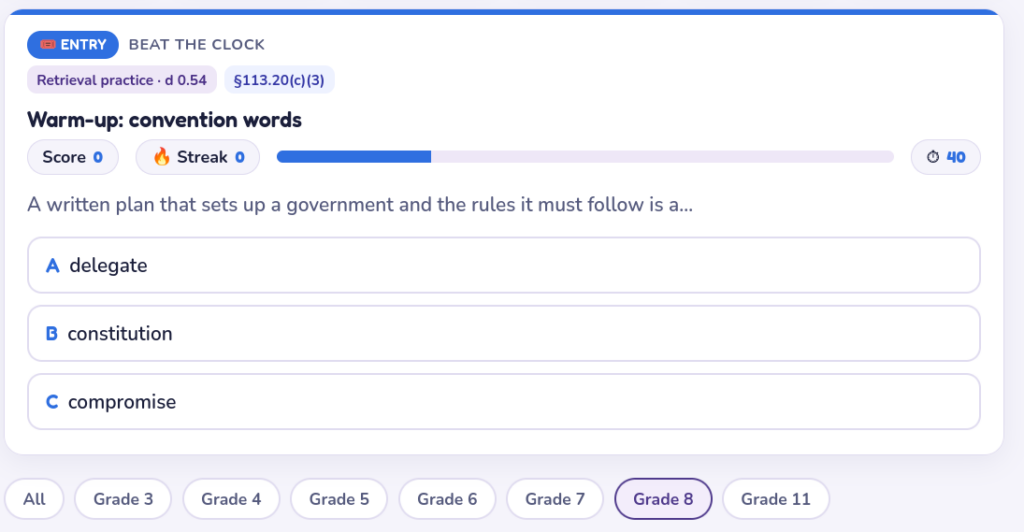
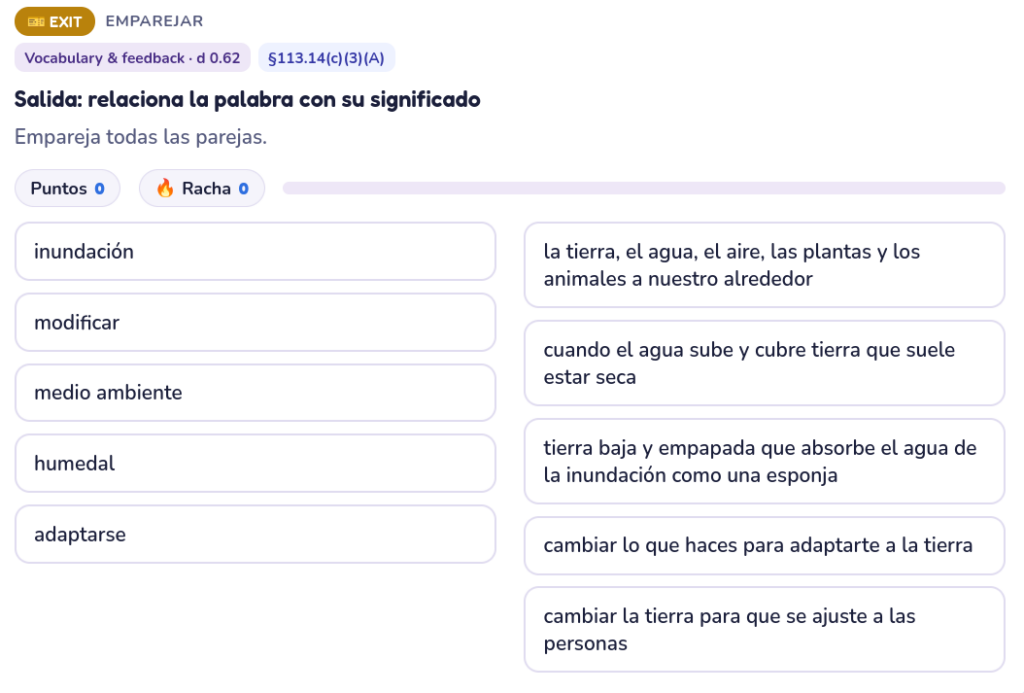
PST Arcade is a collection of more than 130 quick, game-style entry and exit tickets for social studies classrooms. Each one is designed to take about one to two minutes. Students get a fast retrieval-practice check before or after a learning phase, and teachers get a simple read on what is sticking.
The tickets are tied to the larger Problem-Solving Teaching suite, which includes TEKS-aligned social studies PBL units for grades three through eight. These units ask students to work through real, messy problems as stakeholders. They do not just read about a historical moment. They step into it.
Why Entry and Exit Tickets Matter
Entry tickets help students pull prior knowledge back into working memory. That matters before students tackle a new source, question, or problem.
Exit tickets help teachers see what students understood before the next lesson begins. That matters because Problem-Solving Teaching moves in a deliberate sequence: surface, deep, and transfer. If students are still shaky at the surface level, asking them to transfer too soon can turn inquiry into guessing. I have learned to respect that sequence the hard way.
Ticket Type
Teacher Use
Student Benefit
Entry ticket
Activate prior knowledge
Start with what they already know
Exit ticket
Check understanding
Practice retrieval before moving on
Phase-based ticket
Match the unit sequence
Build from surface to deep to transfer
Built for TEKS-Aligned Social Studies Units
The TEKS-aligned Social Studies Problem-Solving Teaching units give students a problem worth thinking through: a town square decision, a Texas Revolution family dilemma, an immigration question, a shared river dispute, an oil boom challenge, or a Constitutional Convention compromise.
The tickets support that work by keeping the learning visible along the way. Each one connects to a unit, learning phase, TEKS alignment, and instructional strategy. That makes the arcade useful as more than a warm-up bank. It becomes a lightweight formative assessment layer for the full PST experience.
A Simple Way to Start
Start small. Pick one PST unit. Use an entry ticket before the first activity and an exit ticket after the learning phase. Watch what students miss. Then adjust.
These tickets are not meant to replace discussion, writing, source analysis, or teacher judgment. They are meant to give you a quick signal before students move deeper into the problem.
Try the PST Arcade, then connect it to a TEKS-aligned Problem-Solving Teaching unit already in the suite.
👤 Human-directed (Miguel Guhlin) · 🤖 Gen AI-assisted (Claude, ChatGPT)
Art history, or history in art, has never been my thing. That’s why I found visits to museums as a student, unless they focused on scientific accomplishments, bones and fossils, to be a waste of time. Michaelangelo’s sculptures awed me as a teenager, especially David. But show me a painting, and I would end up pulling out a book to read or walking around to find something more interesting. Of course, tapestries depicting battles weren’t easily available to me. Today, I am discovering a wealth of art that I missed. It’s art that tells a story, that shifts your perspective before you even know anything about it. This blog is my rediscovery of history as described in eleven pieces of art, American history paintings aligned to the Social Studies TEKS.
Eleven American history paintings, each with the era or issue it opens and the standards it touches. Every image links to the museum or collection that holds it — none are reproduced here. When you show the painting, don’t reveal the title until after the Articulate It observations.
Connecting the Dots
“In a visual age in which teenagers often have short attention spans, fine art can be a hook to help them build analytical skills for literature,” says Carol Jago as quoted by Ed Finkel, in Connecting the Dots Between Visual Art and Literacy Skills. Jago goes on to say in Finkel’s piece:
Instead, she suggests, educators can practice building students’ “reading muscles” by looking at a painting. “Two minutes is a long time for a teenager today,” she said.
But don’t just put up a painting and tell them to stare at it: Build a protocol, such as having them list eight things they notice about the painting, Jago said. Then, they can turn to a partner and share their thoughts before the class has a larger conversation.
Once students have become absorbed in such a scenario, educators should proactively make the connection to what students just accomplished, Jago said.
“Draw their attention to it, metacognitively,” she said. “‘Look at how much more you noticed. Let’s take this opening paragraph of a novel and give it that same kind of attention.’”
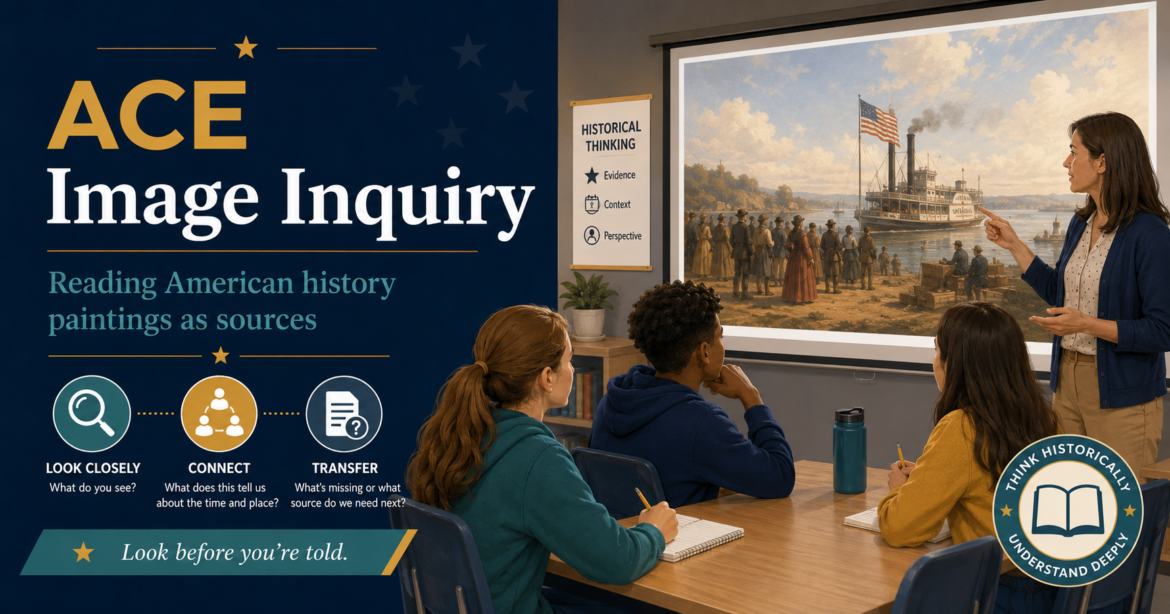
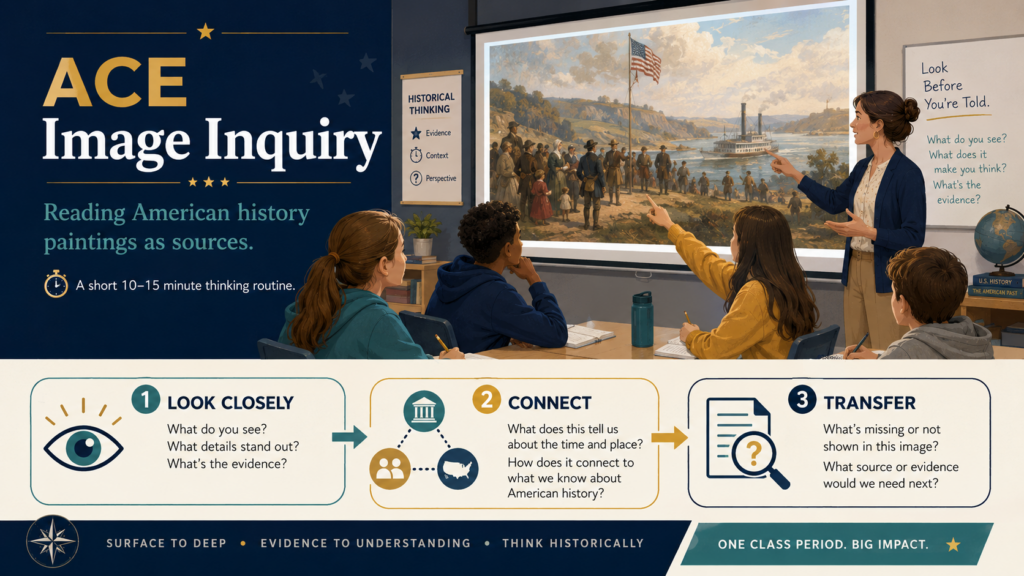
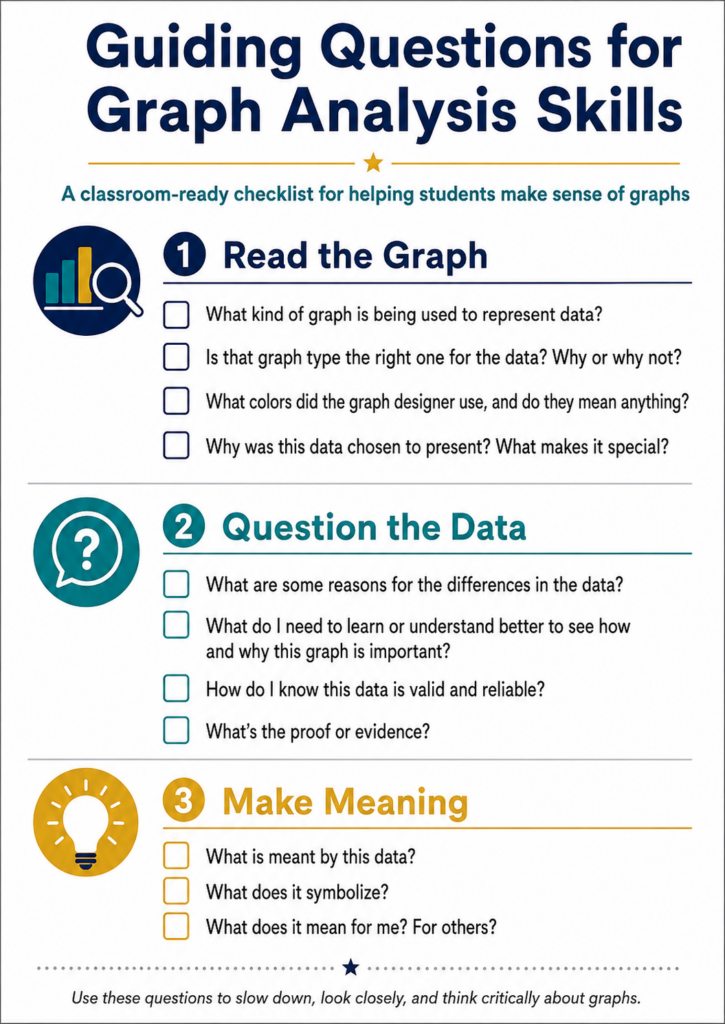
After I read that article, I read it again. Where was the “protocol” Jago was suggesting? Was it simply listing eight things they notice? That question about a missing protocol inspired me. Would it be possible to use the ACE framework as a way to conduct image inquiry, a short classroom routine that helps students read American history paintings as historical sources?
The Driving Question and the Protocol
“What can one painting tell us — and not tell us — about the past, and how would a historian find out more?” is the driving question. To answer that question, I considered applying ACE:
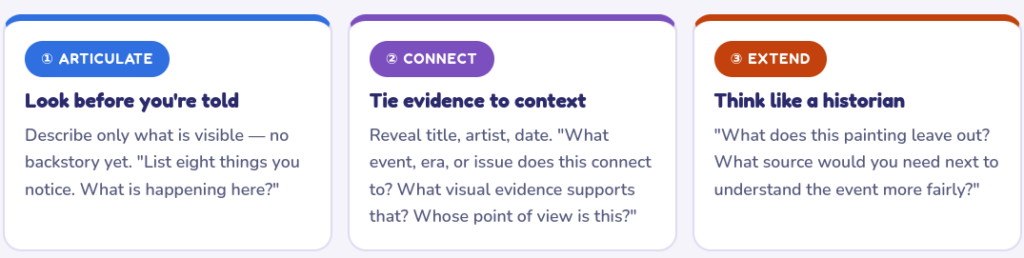
ACE = Articulate → Connect → Extend
ACE maps directly onto surface → deep → transfer. Students articulate what is visible before any lecture (surface), connect that visual evidence to historical context once the title and date are revealed (deep), then extend to a new source or question (transfer). Do the steps in order — naming the missing source only means something after students have looked closely and connected carefully.
Use the Gallery
The ACE Image Inquiry painting gallery gives you a starter set of American history paintings, each tied to an era or issue. The images link out to the museum or collection that hosts them. That is helpful because you are not downloading, reposting, or pretending a search result is a source.
Become a CyberSmart Educator with a practical, self-paced course designed to help you protect sensitive data, secure accounts and devices, recognize social engineering attacks, respond appropriately to cybersecurity incidents, and build stronger digital safety habits. The course is $49 at full price or $34 at the discounted rate. Register online through TCEA Courses.
Start with one painting. Do not turn it into a giant unit the first time. Pick the image closest to what you are already teaching and run the routine in 10–15 minutes.
A strong first choice is Norman Rockwell’s The Problem We All Live With. Show it without the title. Let students notice the child, the marshals, the wall, the clothing, the color choices, and the way the adult faces are cropped out. Then reveal the context: Ruby Bridges entering a newly desegregated New Orleans school in 1960. This may suggest there is something to ask questions about.
Articulate: Start with What Students Can See
The first move is Articulate. Students describe only what is visible. They list objects, people, colors, facial expressions, body positions, background details, and where their eye goes first. That last part is important because artists make choices. Students need to practice noticing those choices before they move to interpretation.
Try this prompt:
List eight things you notice. Do not explain them yet. Just name what you can see.
Slow students’ guesses and jumping to conclusions down by asking: “How do you know? Point to it.”
Accept only what is visible; push back gently on interpretation (“How do you know?”).
Facilitator questions:
“List eight things you notice.”
“What is happening here?”
“Where does your eye go first — and what did the artist do to send it there?”
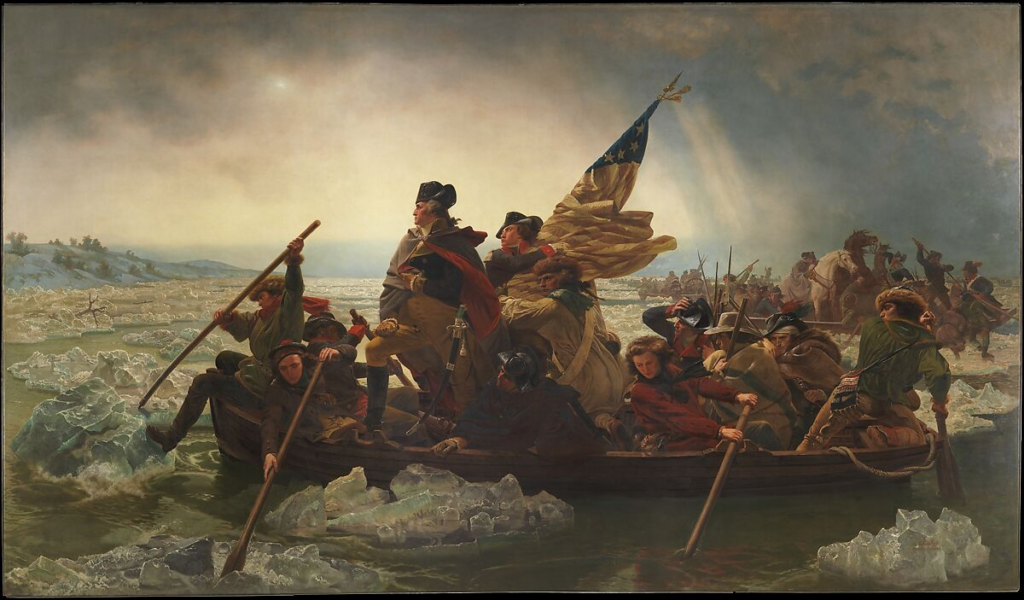
Consider Emanuel Leutze’s Washington Crossing the Delaware. Students may recognize the image above, but recognition is not analysis. Did you know that the painting was created long after the event? That suggests a question, such as, “What does the image ask us to feel about Washington, leadership, and the Revolution?”
Connect: Add Context After the Looking
Once students have looked closely, reveal the title, artist, and date. Now they can Connect.
This is where the painting becomes more than a picture. Students link what they noticed to an event, era, issue, or point of view. They are no longer saying, “There is a child walking.” They are saying, “This connects to school desegregation because the child is surrounded by marshals, and the wall behind her shows hostility.”
That is a different level of thinking.
ACE step
Teacher move
Student thinking
Articulate
Show the image without title or background
What do I actually see?
Connect
Reveal title, artist, date, and context
What does this connect to, and what evidence supports that?
Extend
Ask what is missing
What source would I need next?
The sequence matters. If you reveal the backstory first, many students stop looking. They start remembering, guessing, or waiting for you to confirm the right answer.
Facilitator questions:
“What event, era, or issue does this connect to?”
“Point to the evidence.”
“Who made this, when, and why might they have shown it this way?”
Use Paintings as Arguments
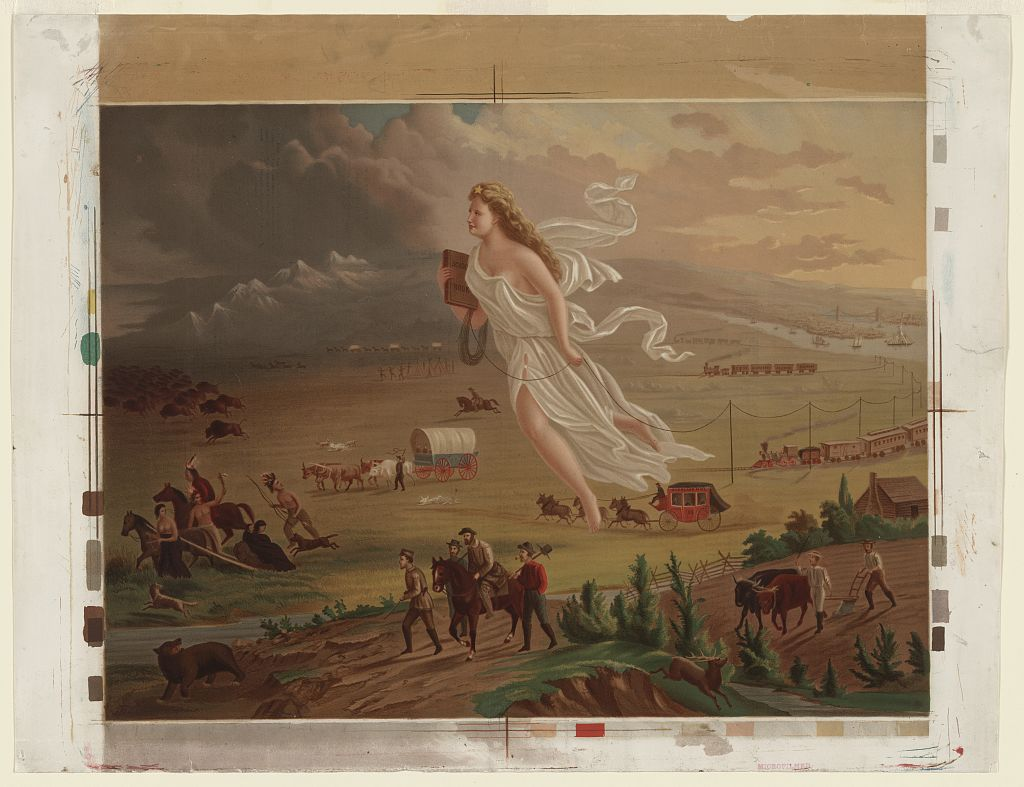
A painting is not a neutral window into the past. It is a made thing. Someone created it at a particular time, for a particular audience, with particular choices. That makes paintings useful. It also makes them tricky. Consider one of my favorites from history:
Crofutt, G. A. (ca. 1873) American Progress. , ca. 1873. [Photograph] Retrieved from the Library of Congress, https://www.loc.gov/item/97507547/.
Compare that image with Charles Hilliard’s Reversing Manifest Destiny (read the story here). After analyzing the first image, a promotional image of Manifest Destiny that literally pushes Native peoples and animals into the dark margins, explore the second. You might ask, “Whose progress, and at whose cost?What does this leave out?” This is a powerful move in the ACE image inquiry process, that is, to Extend.
A Reminder: Make sure to double-check with your administration, curriculum director when dealing with paintings that may need to be handled with care. Paintings marked ⚠️ handle with care carry bias or difficult history. Teach the omission, not around it (TEC §28.0022: factual, respectful, non-inflammatory).
Paintings connected to Manifest Destiny, immigration, labor, civil rights, and war may carry bias. Some paintings leave people out. Some make violence look noble. Some turn a complex event into a clean story.
That is not a reason to avoid them, but rather, the reason to teach them carefully.
Extend: Teach the Omission
The Extend step is where the historian shows up.
Ask students:
What does this painting leave out?
Then ask:
What source would you need next to understand the event more fairly?
That second question changes the task. Students are no longer trying to “get” the painting. They are building an investigation.
A student might say they need a newspaper article from the time, a letter from someone who was there, a photograph, a law, a map, a census record, or an oral history. That is the move you want. They have gone from looking at one source to asking what evidence comes next.
For difficult history, this step is essential. You do not teach around bias. You teach through it, factually and respectfully. Whose story is centered? Whose story is missing? Who benefits from the image looking this way?
Those are fair questions. They are also the questions historians ask.
Facilitator Questions:
“What does this painting leave out?”
“What source would you need next to check it?”
“Would a photograph, a letter, or a newspaper from that year agree?”
Quick rubric
Here’s a quick rubric you can use to gauge student’s understanding:
Level
What it looks like
Surface
Lists details from the image but does not say why they matter.
Developing
Connects details to a historical topic with some evidence.
Strong
Makes a claim, supports it with visual evidence, and names what the image leaves out or what source is needed next.
You can set this up pretty quickly:
Project the painting with no title or backstory
Ask students to list eight things they notice
Reveal the title, artist, and date
Ask students what the image connects to and what evidence supports that connection
Ask what the painting leaves out and what source they would need next
Collect a three-line exit ticket
The exit ticket is simple:
Articulate: One thing I noticed
Connect: What it connects to and my visual evidence
Extend: One source I would need next or one thing the image leaves out
Read the Extend line first. That is where you can see whether students are moving past description into historical thinking.
Why It Works
ACE Image Inquiry works because students start with surface details, connect those details to context, and then transfer by asking what evidence comes next. That is the same pattern you want in strong reading, source analysis, problem-solving, and research.
Look closely. Support your claim. Ask what is missing.
If students can do that with one painting, they can begin doing it with photographs, maps, political cartoons, speeches, charts, and primary sources. One image becomes the front door into historical thinking. Jago points out (as cited in Ed Finkel’s article):
“Let’s be clear. They’re [students] locked into a bell jar of social media and phones. How can we help them see that there’s more out there, and that their attention could be well-spent slowing down and looking at a few things closely rather than the endless feed of Instagram?”
Try ACE Image Inquiry with one painting this week. Start with silence, protect the looking, and let students build the investigation from what they can actually see.
👤 Human-directed (Miguel Guhlin) · 🤖 Gen AI-assisted (Claude, ChatGPT)
Does anyone have a binder check rubric they would be willing to share? I’m looking to implement weekly binder checks this year. For reference, we use OpenSciEd curriculum.
Thank you, -Binder-Bound in Boerne
Dear Binder-Bound:
Seeing my daughter come with a huge binder from time to time, all her science classwork in the binder, I was always impressed with the amount of work generated. As a writing teacher, I also depended on folders and binders to track student work. Some teachers use all sorts of approaches for the best ways to do check those binders. Those ways can include:
scavenger-hunt quizzes where students check their own notebooks,
per-page checklists graded during test time,
quarterly binder tests tied to bonus points.
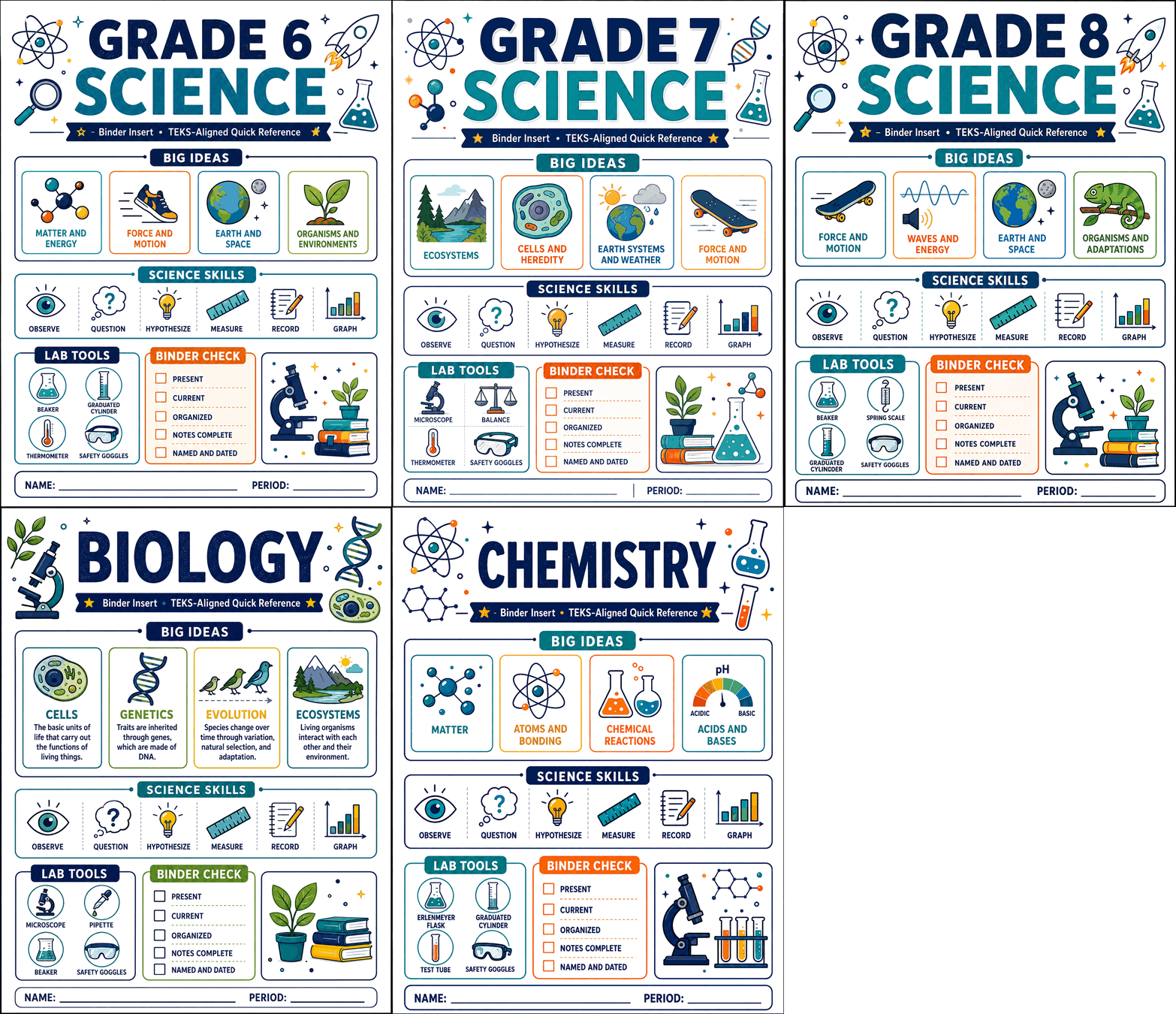
And, all of those work for someone. What some of them may lack is a shared rubric that makes expectations visible to students before the check, not just a grade handed back after. To fill the gap, in case you do not already have a rubric, please find five rubrics below.
Become a CyberSmart Educator with a practical, self-paced course designed to help you protect sensitive data, secure accounts and devices, recognize social engineering attacks, respond appropriately to cybersecurity incidents, and build stronger digital safety habits. The course is $49 at full price or $34 at the discounted rate. Register online through TCEA Courses.
The first three rubrics are tuned to OpenSciEd. The last two aren’t tied to any curriculum. The last two should work whether your students carry a three-ring binder, a composition notebook, or a folder system. Each rubric below also carries a Texas science TEKS alignment note, since a binder check is a defensible place to document process standards you rarely get to grade directly.
First, a Word About OpenSciEd
OpenSciEd isn’t a worksheet-packet curriculum. This means a generic “did they do the homework” check may miss what matters. The signature artifact is the Progress Tracker, a recurring chart where students log the driving question, cite evidence from investigations, and describe what they figured out after each lesson. Units are built on phenomena and follow storyline routines, so the notebook shows thinking over time, not just completed tasks.
One important caution from OpenSciEd’s own guidance:
The Progress Tracker is meant as a thinking and self-assessment tool. Avoid using it for a summative grade beyond completion. The point is to keep students free to record half-formed ideas without worrying about being marked wrong. Rubrics below are intended to grade tracker completion, not tracker correctness. Reserve the real scoring of understanding for the initial models, revised models, and investigation entries.
Weekly checks are a lot of grading if you collect notebooks. Most of the rubrics below are built so you never carry a stack home. Nobody wants to spend a Friday hauling thirty comp books to the car, then hauling the same thirty back Monday still ungraded.
Rubric 1: The 60-Second Weekly Check (Self-Verified)
Consider this rubric when you don’t want to collect notebooks. Students keep their own notebooks open while you circulate.
Total: ten points.
Criterion
4 — Consistent
2 — Developing
0 — Not Yet
Completeness (this week’s lessons present)
Every lesson entry and handout for the week is in place
One or two entries missing or partial
Multiple entries missing
Progress Tracker updated (completion only)
Driving questions and figured-out statements filled in for the week
Started but incomplete
Blank or absent
Findability (student locates a page on request)
Locates any page in under ten seconds; dated and titled
Slow; some pages undated
Cannot locate; no organization
Scoring shortcut: ask two or three scavenger-hunt questions (“Turn to the sound-demo lesson. What was your prediction?”). If they find it and it’s filled in, they’ve shown all three criteria at once.
You may also want to rotate a single focus criterion each week, making it worth double, and announce it ahead of time. This may help identify students who try to cram weeks of organization into a short time period. Instead, they build a habit of maintaining their notebook over time.
TEKS alignment: This rubric documents the scientific and engineering practices process standards (the recurring “A” strand, for example 6.1(A)–8.1(A) on planning and recording), since findability and complete records are what those standards ask students to sustain.
Rubric 2: The Unit Notebook Rubric (Analytic, Thinking-Focused)
This rubric may be best relied on for a deeper grade check. Use it once per unit, focusing on reasoning over neatness. If that feels like too much, use it weekly.
Total: twenty points. Organization is capped low on purpose.
Criterion
4 — Proficient
3 — Developing
2 — Beginning
0-1 — Insufficient
Progress Tracker (completion)
Present and filled in for every lesson, in student’s own words
Most entries present, some thin
Partial
Missing or blank
Initial and revised models
Initial model present and revised as ideas changed, changes visible
Both present, little revision
Only initial model
No models
Investigation and lab entries
Data, observations, and reasoning recorded for each investigation
Most present
Sparse
Missing
Sensemaking in own words
Explanations show personal understanding, not transcription
Mixed
Mostly copied
Absent
Organization and completeness
Dated, titled, sequential, all handouts present
Minor gaps
Disorganized
Chaotic
The reason this may work well is that even if a notebook is color-coded and beautiful, but shows no revised thinking, misses the point of a storyline curriculum. This rubric rewards students whose model is crossed out and redrawn twice.
Yo might want to give full credit on the models line only when the initial model was actually changed as the unit progressed. A first draft never revisited signals a student who stopped thinking or didn’t find a better way to represent ideas.
TEKS alignment: The models and investigation lines map to the recurring scientific-investigation and data-analysis strands (the “B” and “C” process standards), where students analyze data and construct explanations. This is the rubric to cite when an evaluator asks where students construct and revise explanations from evidence.
Rubric 3: The Student Self-Assessment (Metacognitive, Half-Sheet)
This metacognitive, self-assessment rubric works best for building student ownership. This one fits OpenSciEd, since the Progress Tracker is designed as a self-assessment tool. You might reach for it when a class is big enough that grading everything yourself is unrealistic. If possible, students score themselves, then you spot-check and co-sign.
Total: ten points, two columns.
Criterion
Yes (2)
Partly (1)
Not Yet (0)
I have every lesson entry for this unit
My Progress Tracker is complete and in my own words
My models show how my thinking changed
I can explain any page to my teacher right now
One thing I still have a question about is: _
written = 2
The last line isn’t scored for correctness. Rather, the focus is on whether they wrote a real question. The value in that is that it allows you to see misconceptions you can use as a warm-up prompt later.
When your score and the student’s differ by more than two points, you get an insight into who to talk to. It can help you identify who to spend time on, and how, rather than trying to grade all in the same way.
TEKS alignment: Self-assessment against a clear standard supports the metacognitive habits embedded in the process strands, and the written question line gives you evidence of students asking testable questions (the “A” strand’s questioning element).
Rubric 4: The Table-of-Contents Binder Rubric (Any Curriculum)
This rubric works best when you are trying to focus on organization. It should work with any science course. The idea is that students maintain a running table of contents and organize by category.
Total: fifteen points.
Criterion
3 — Strong
2 — Adequate
1 — Weak
0 — Absent
Table of contents
Current, numbered, matches the binder
Mostly current, minor mismatches
Started but abandoned
None
Sections and dividers
All categories separated and labeled
Most sections present
One catch-all pile
No divisions
Completeness
Every assigned item filed
One or two items missing
Several missing
Mostly empty
Order and dating
Chronological within sections, dated
Mostly ordered
Random order
No dates
Condition
Pages secured, nothing loose or torn
A few loose pages
Many loose pages
Falling apart
The table of contents approach does most of the work. If it’s accurate, spot-check three listed items. Make sure to check for blank items. You might want to grade the table of contents as its own weighted line. A student who keeps an accurate index has the organizational skill you care about, and the filing follows from it.
TEKS alignment: Recordkeeping and organization support the process-standard expectation that students maintain and organize their work across a unit. This one is curriculum-neutral, so cite it against whatever grade-level “A” strand your course sits in.
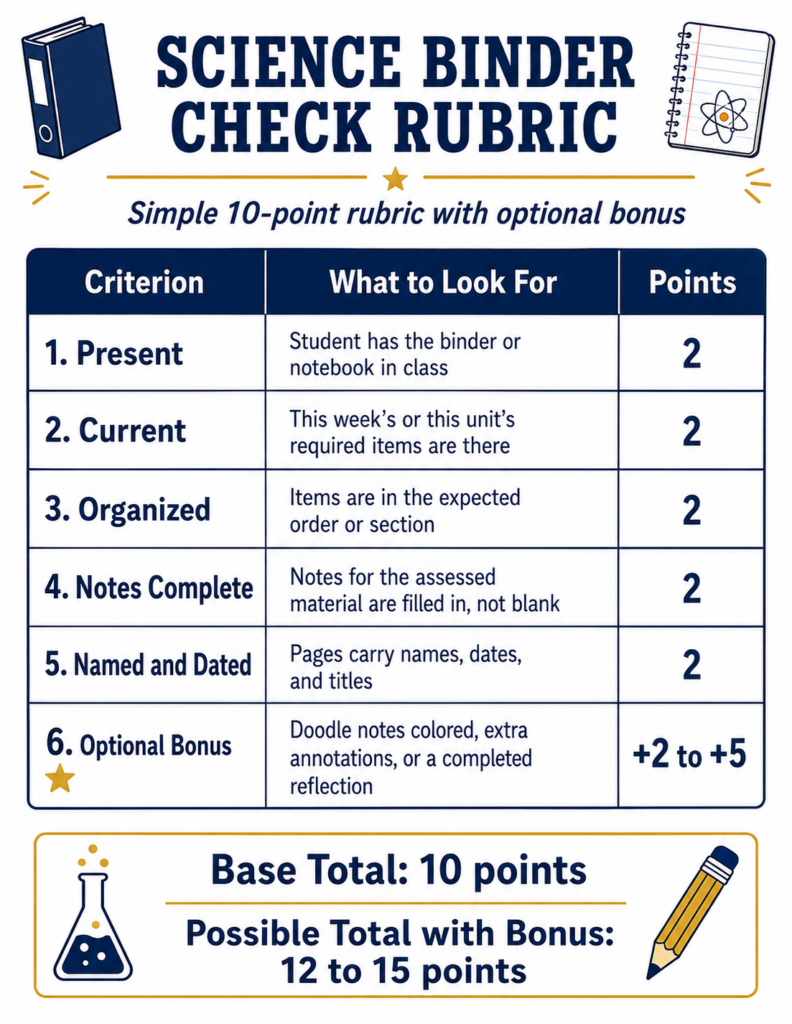
Rubric 5: The Quick-Points Roster Check (Fastest Possible)
This last rubric is intended to be simple, and easy to grade at a glance. It also may be usable as a completion grade. There are five items on a class roster and each is worth two points.
Total: ten points, optional bonus.
Present: student has the binder or notebook in class (2)
Current: this week’s or this unit’s required items are there (2)
Organized: items are in the expected order or section (2)
Notes complete: notes for the assessed material are filled in, not blank (2)
Named and dated: pages carry names, dates, and titles (2)
Optional bonus (+2 to +5): doodle notes colored, extra annotations, or a completed reflection
When you score using this rubric, walk the room with a roster during a quiz or bell-ringer. Glance, mark, move. You may also want to make one bonus point contingent on fixing a prior gap rather than on decoration.
TEKS alignment: As a completion-focused check, this documents the safety, materials, and recordkeeping elements of the process standards rather than content mastery. Pair it with Rubric 2 when you need evidence of actual science understanding.
Picking One
If you genuinely want weekly, use Rubric 1 or Rubric 5 and don’t collect notebooks, then supplement with Rubric 2 once per unit for a real grade. If weekly is aspirational, run Rubric 3 weekly, since students self-assess in two minutes, and save Rubric 2 for the end of the unit. If your students carry three-ring binders and organization is the habit you’re building, Rubric 4 is your anchor.
Whatever you choose, hand students the rubric on day one. The single biggest predictor of a usable binder isn’t the check. It’s whether students knew the standard before the check arrived.
By Tuesday, you could print Rubric 1 or Rubric 5, project three scavenger-hunt questions from your current unit, and score a full class period without carrying anything home. Which rubric fits your grading reality this year?
👤 Human-directed (Miguel Guhlin) · 🤖 Gen AI-assisted (Claude, ChatGPT)
As a third grade teacher, I loved having my students collect data to graph. At the time, they relied on age-appropriate graphing tools like Labs for Learning’s LabQuest and Tom Snyder’s The Graph Club. Today, there is still ample data available to collect and organize. Let me introduce you to a new graphing and calculator tool you may find useful.
Finding free graphing tools is something I’ve spent time doing, but more recently, I decided to vibe-code my own, Gen AI-free tools. That’s right, the tool I’m featuring in this blog entry does not have any Gen AI components, works in your web browser (great for Chromebooks, Windows, and Macs), and probably works fine on iPads, too. What’s more, it’s multilingual, Texas Data Protection Agreement friendly, and collects NO data. They can use it at home or at school for free. And, no advertising pop-ups or banners.
Data Collection
There are more examples and tools
Students collect plenty of data in school. They measure plants, survey classmates, track temperatures, plot ordered pairs, and look for patterns. Too often, though, the graph at the end is something the teacher makes.
GraphSplat is a free, browser-based graphing studio from DrawSplat.org. Students can create the following without creating an account:
charts,
picture graphs,
coordinate plots,
function graphs,
geometry models, and
specialty visualizations
What’s more, data and uploaded images stay in the browser.
Here are seven ways to put it in students’ hands. Let’s go through each:
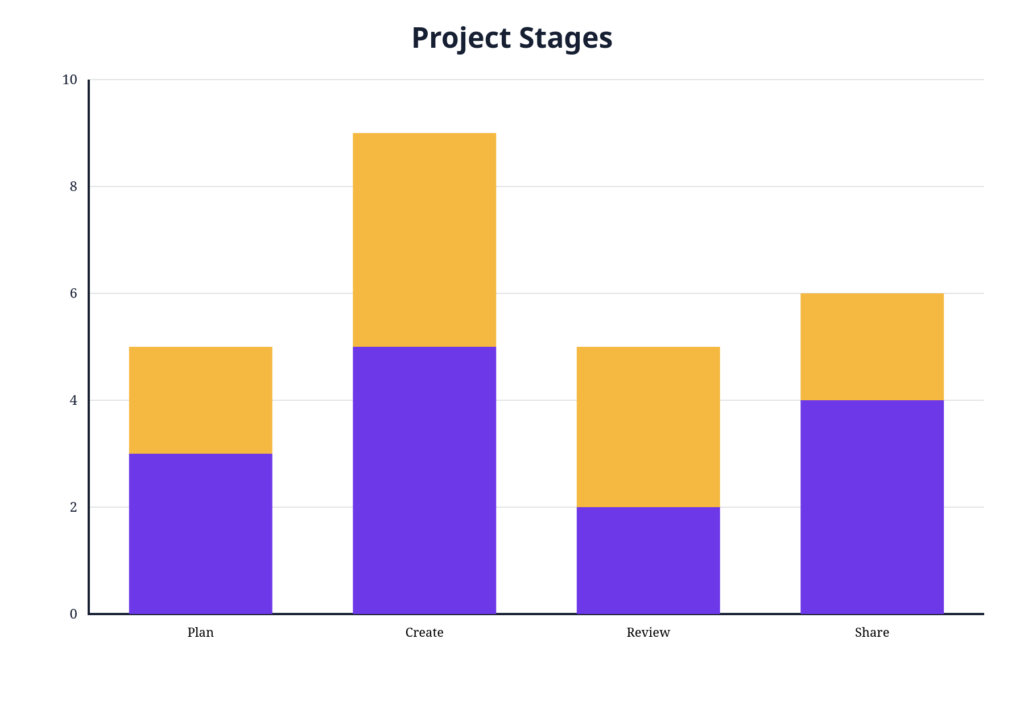
1. Graph Your Class
Have students survey classmates about favorite books, pets, school subjects, or ways they get to school.
Then let them decide whether a bar, pie, donut, or another chart best represents the results. The decision about the graph matters as much as entering the numbers.
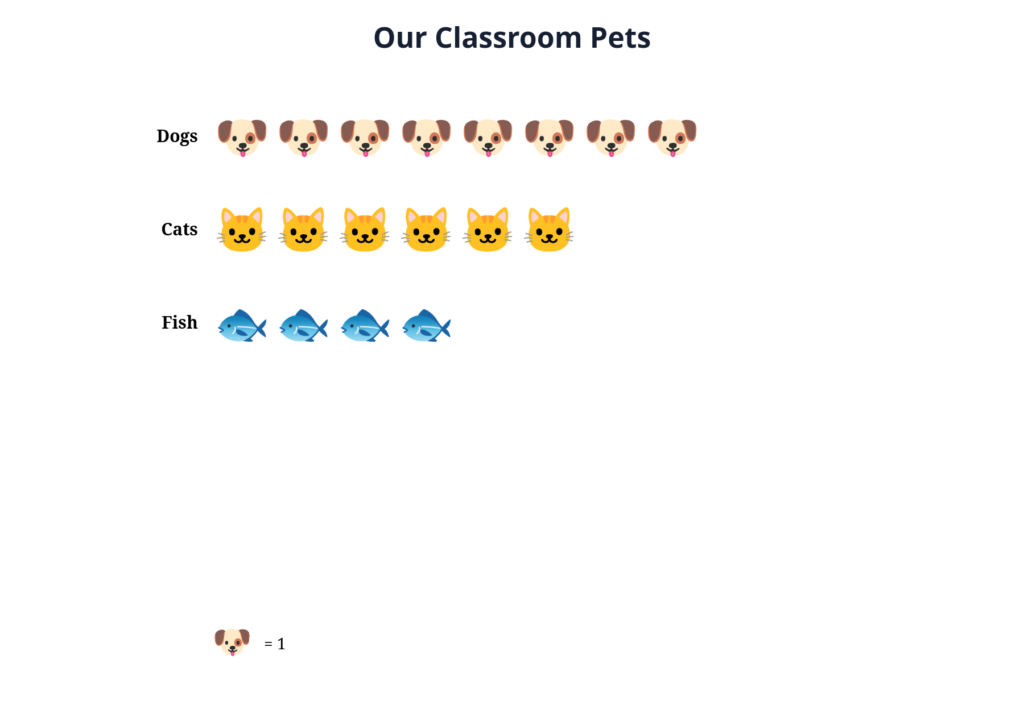
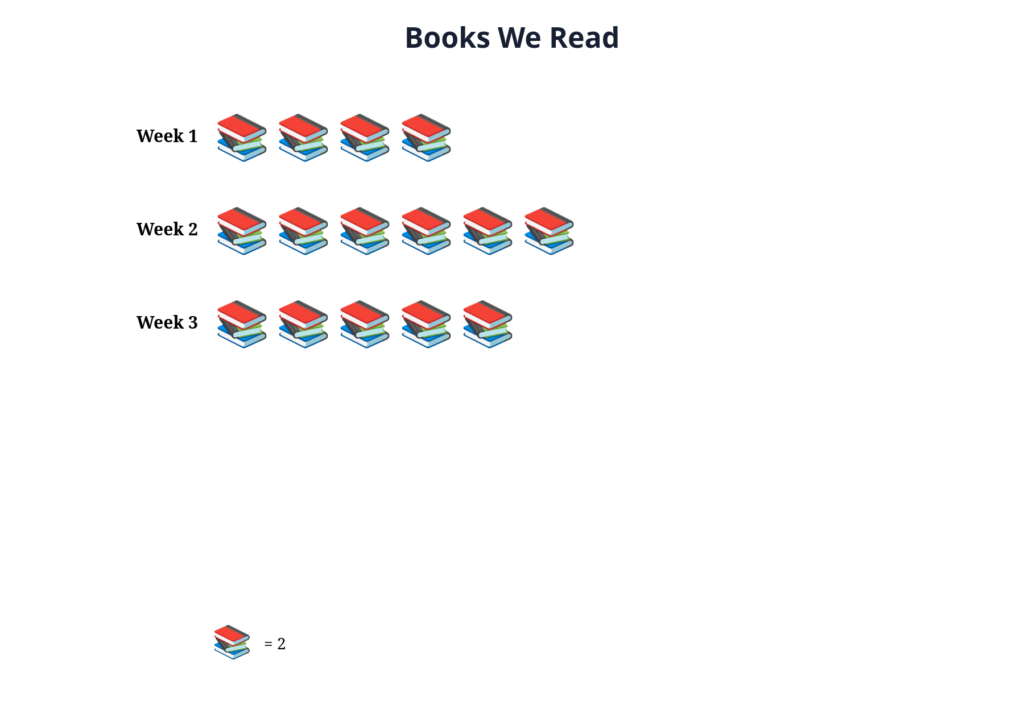
2. Build a Picture Graph
Younger students can turn counts into pictographs using emoji or uploaded pictures.
Ask, “If one picture represents two students, what would half a picture mean?” Suddenly, making the graph becomes part of the math.
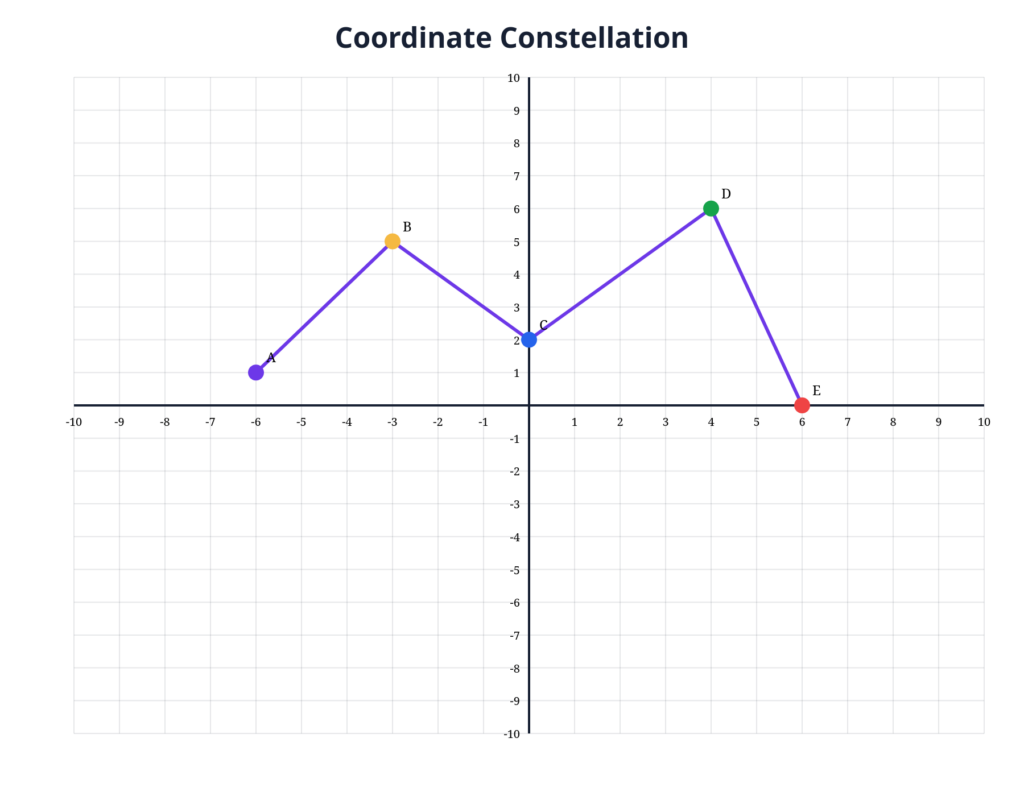
3. Create a Coordinate Mystery
Give students ordered pairs to plot and connect.
After they discover the mystery shape, have them create their own coordinate puzzle and trade it with a partner.
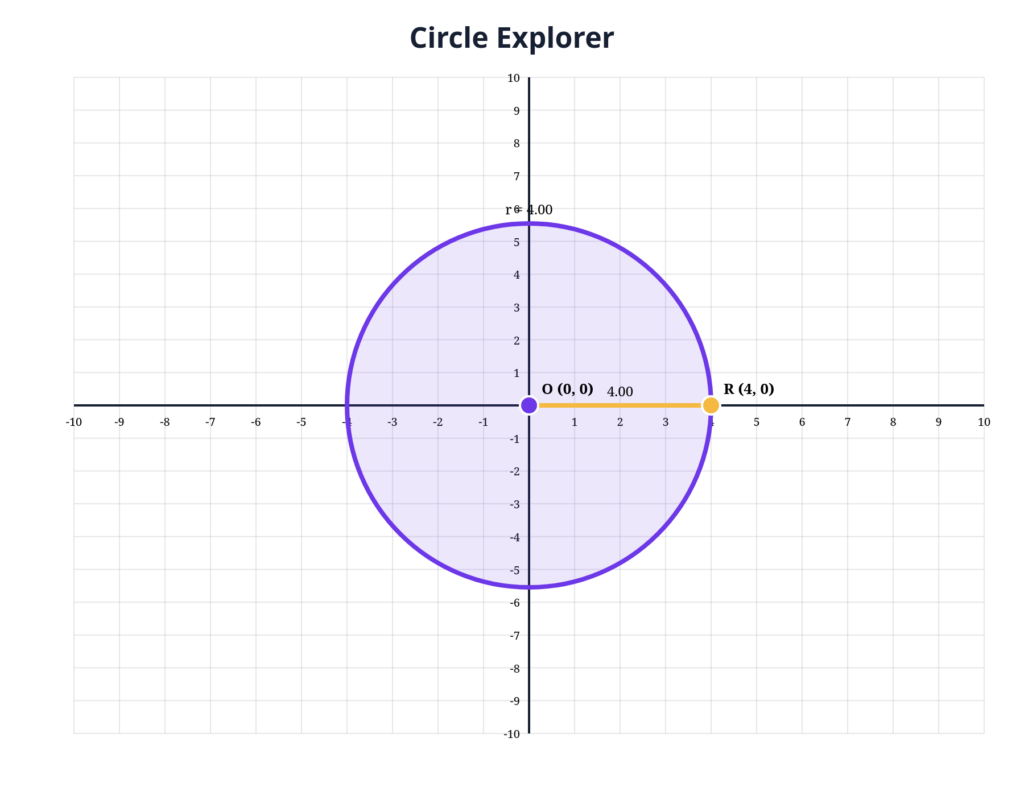
4. Investigate Moving Geometry
Students can create points, segments, polygons, and circles, then drag them around the coordinate plane.
Have them record a triangle’s area, move one point, and explain what changed and what stayed the same.
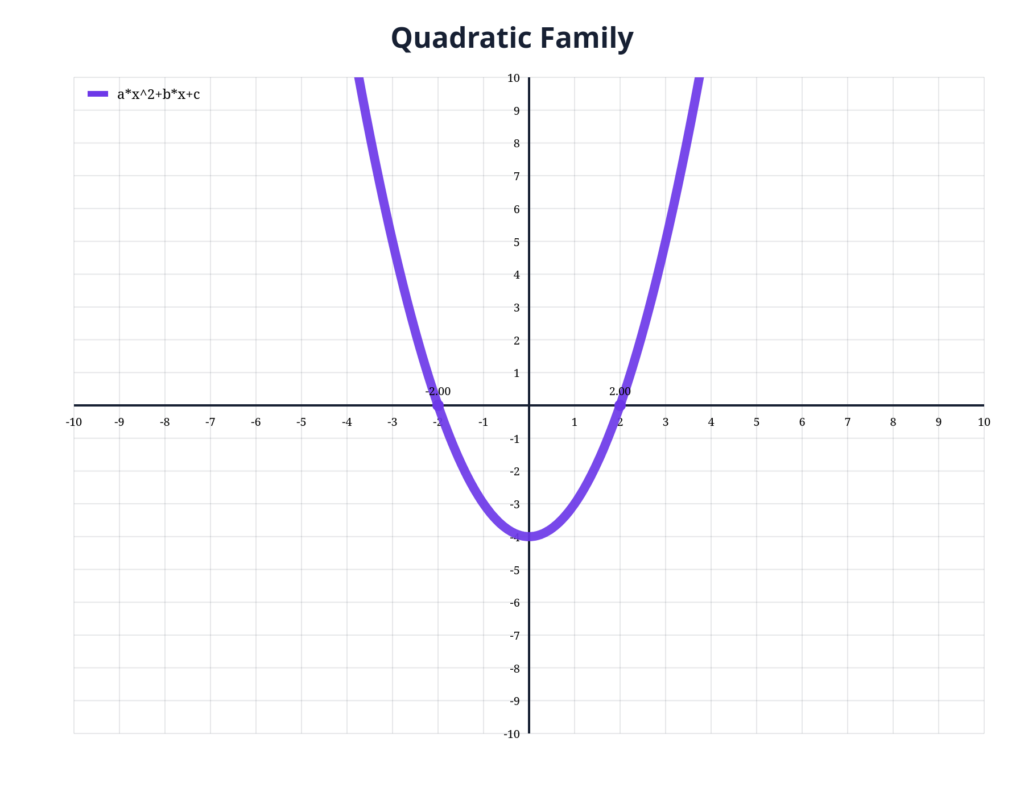
5. Make a Function Move
Older students can graph expressions and change variables with sliders.
Start with y = ax + b. Have students change a and b, watch the graph respond, and explain the pattern they see.
6. Graph Something You Can Measure
Send students after real data: plant growth, temperatures, reading minutes, basketball shots, or another measurable quantity.
Their job is to collect it, graph it, then write two observations supported by the graph.
7. Become the Graph Designer
Give everyone the same data set but do not tell them which graph to make.
Students choose the visualization and defend their choice. I like this activity because the thinking shifts from “Where do I type the numbers?” to “How should I show these data?”
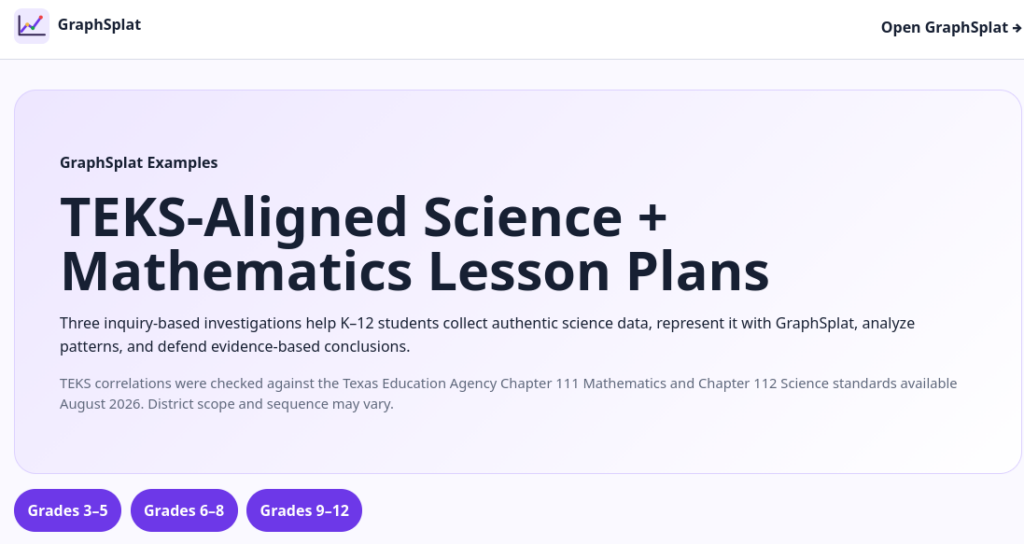
Start With a GraphSplat Example
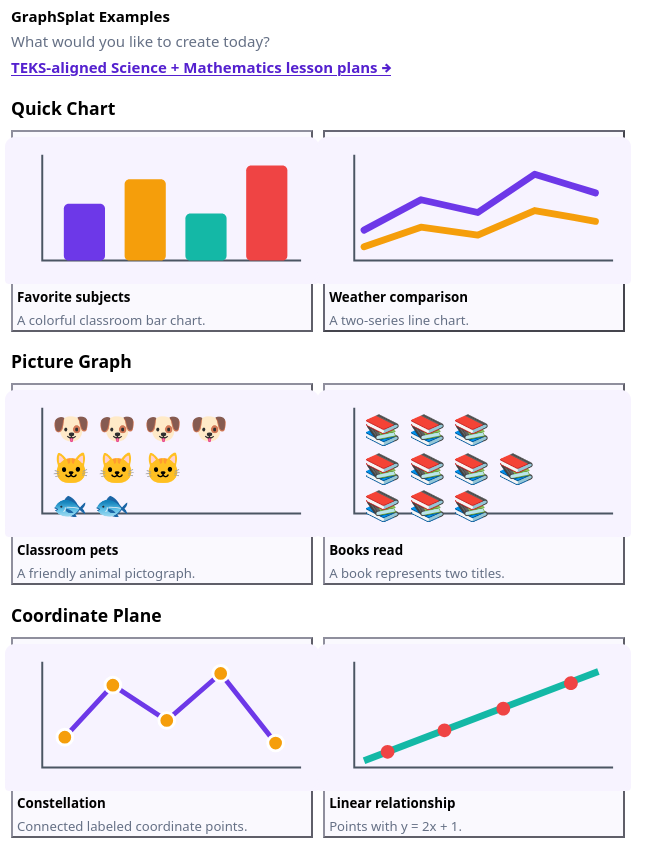
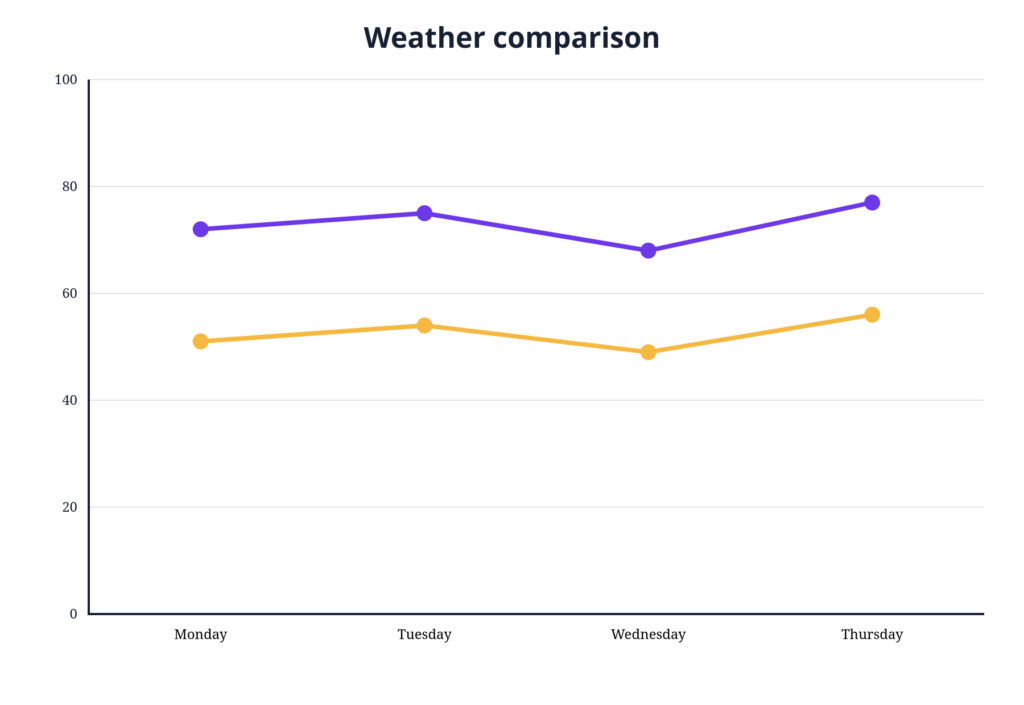
Students do not always need a blank screen. Click Examples at the top of GraphSplat to open the GraphSplat Example Library. It includes ready-to-edit examples for Quick Charts, Picture Graphs, Coordinate Planes, Expression Calculations, Geometry, and Specialty Charts.
Open one, change the data, and see what happens. That makes the examples useful for demonstrations, guided practice, and “notice and wonder” activities before students create their own graphs.
Grades three through five: Schoolyard Biodiversity Snapshot
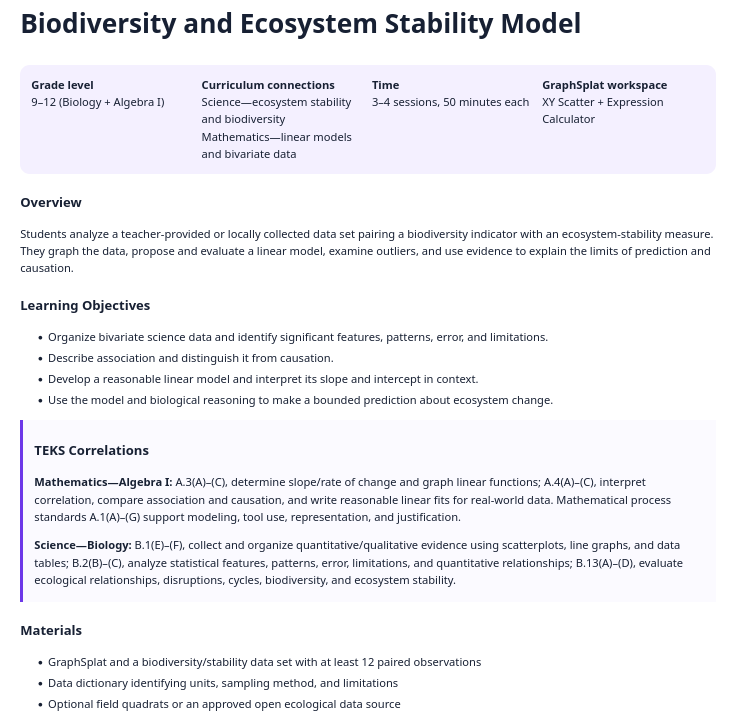
Grades six through eight: Campus Microclimate: Shade, Surface, and Temperature
Grades nine through twelve: Biodiversity and Ecosystem Stability Model
These are investigations, not worksheets. Students collect or analyze data, build graphs in GraphSplat, look for patterns, and defend conclusions with evidence.
That is where a graphing tool becomes more useful: students are not decorating numbers. They are using data to figure something out.
“What happens next?” I smiled at one of my fifth grade student groups. They were staring intently at a diagram that I had adjusted in front of them. They weren’t sure. Then, one of them started making the connection as she spoke aloud. This experience came to mind recently. A fifth-grade student can identify evaporation in a diagram. Then when there is a change to a single condition, students are unsure as to what happens next. Suddenly, the memorized definition, what they thought they knew, is not enough. The student has to do something that makes thinking real. That is, find a way to connect evidence, explain a relationship between changing variables, and/or apply the idea. In this blog entry, you will find a variety of resources and the promise of more to come.
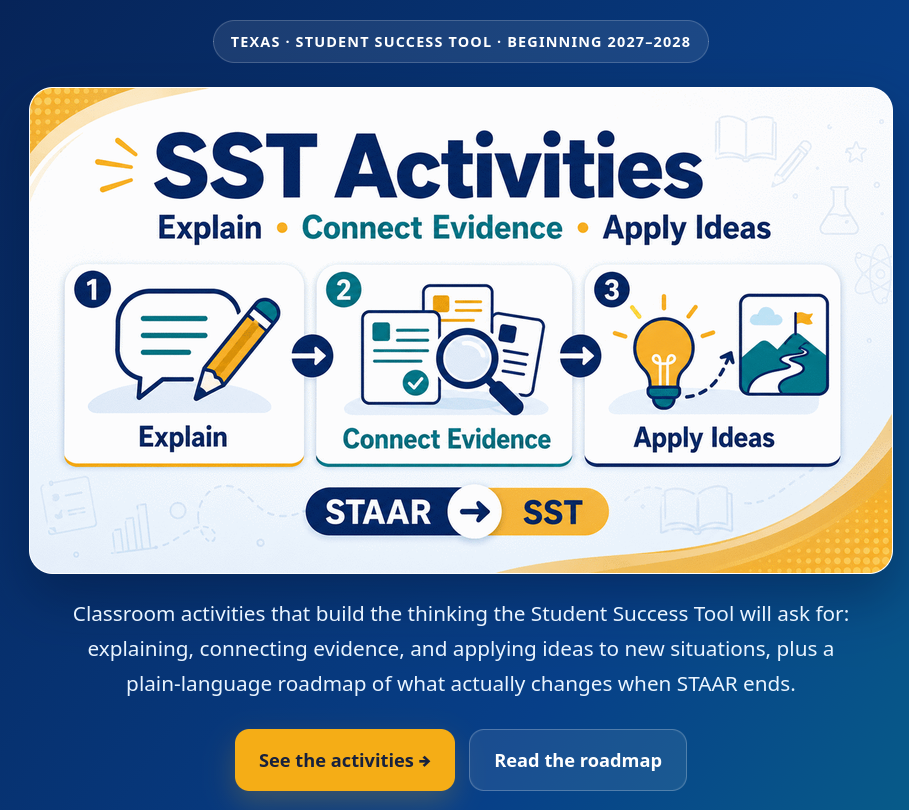
Preparing for the Student Success Tool (SST)
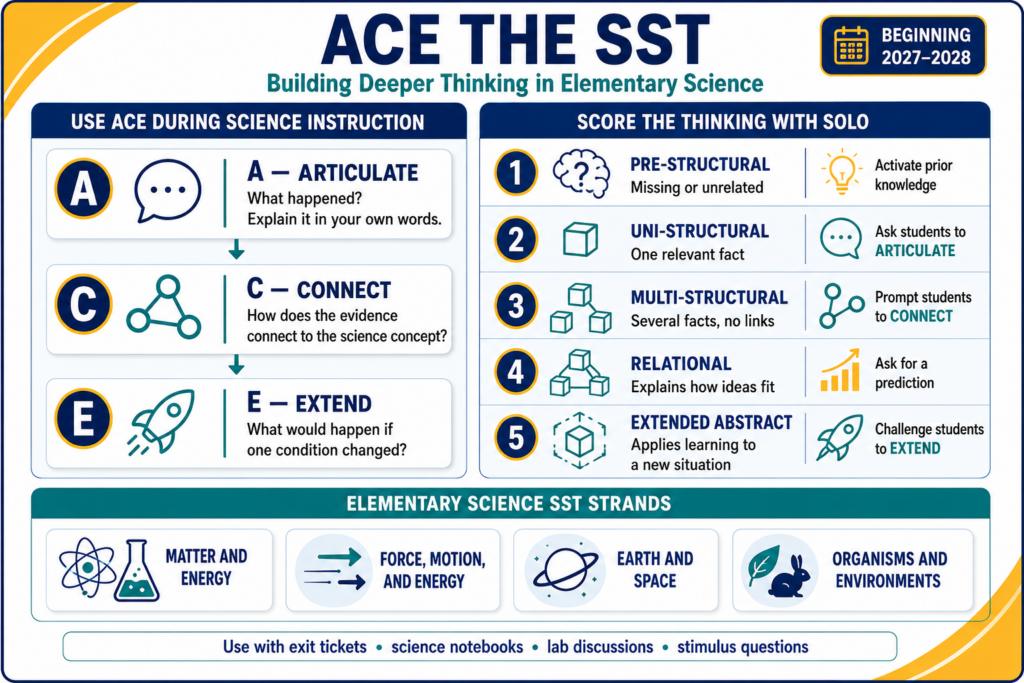
That kind of thinking needs to be modeled as Texas prepares for the Student Success Tool. Beginning in 2027–2028, SST will replace STAAR and include beginning-, middle-, and end-of-year assessments. TEA’s draft elementary science blueprints organize questions around four strands: Matter and Energy; Force, Motion, and Energy; Earth and Space; and Organisms and Environments. Question formats include multiple choice, multiselect, multipart, and inline choice. (TEA SST resources)
Use ACE During Science Instruction
The ACE Framework gives you three questions that fit almost any science investigation:
Articulate: What happened? Explain it in your own words
Connect: How does the evidence connect to the science concept?
Extend: What would happen if one condition changed?
I like ACE because it takes less than a minute to explain, but it quickly reveals whether students understand a concept, or simply recognize familiar vocabulary.
Score the Thinking with SOLO
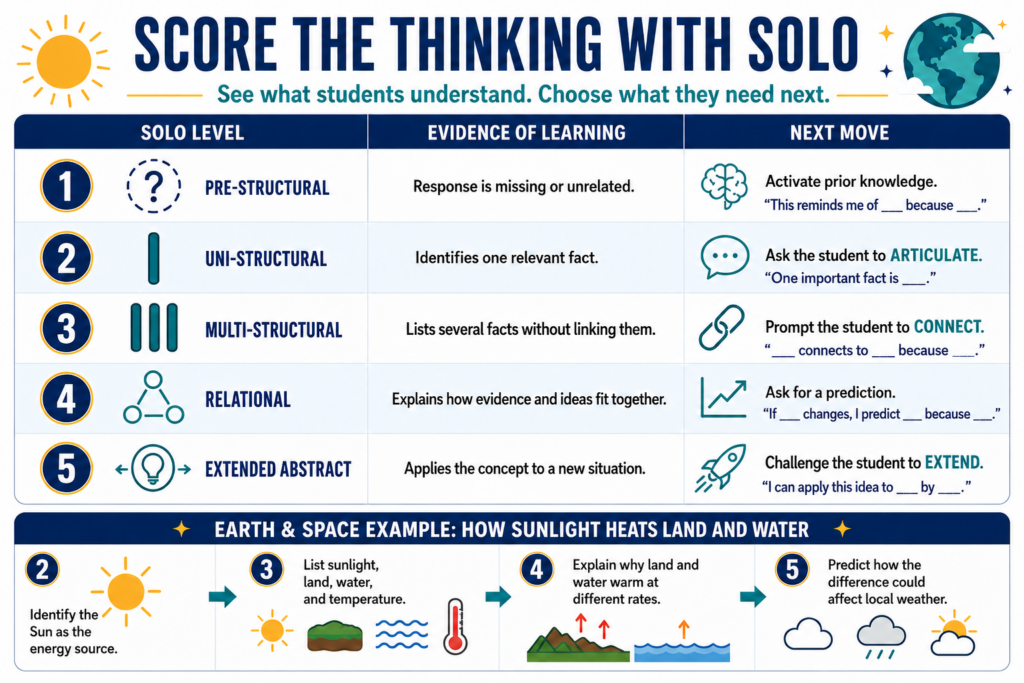
A simple SOLO Taxonomy scoring guide can help you decide what students need next.
Score
Evidence of learning
Next move
1: Pre-structural
Response is missing or unrelated
Activate prior knowledge
2: Uni-structural
Identifies one relevant fact
Ask the student to Articulate
3: Multi-structural
Lists several facts without linking them
Prompt the student to Connect
4: Relational
Explains how evidence and ideas fit together
Ask for a prediction
5: Extended abstract
Applies the concept to a new situation
Challenge the student to Extend
Consider an Earth and Space question about how sunlight heats land and water (see below for example). A student at level two might identify the Sun as the energy source. At level three, the student lists sunlight, land, water, and temperature. A level-four response explains why land and water warm at different rates. At level five, the student predicts how that difference could affect local weather.
ACE Entry/Exit Tickets for SST Success
See how to build deeper thinking in elementary science, leveraging the ACE framework for SST success. Get grade 3-5 entry/exit tickets, too. What’s more, these are available in seven languages (e.g. English, Spanish, Arabic, Chinese, Hindi, Urdu, Vietnamese) for multilingual classroom situations.
SST preparation should not become a fresh stack of test-prep packets. Use ACE exit tickets, science notebooks, lab discussions, and short stimulus questions throughout the year. Score the thinking with SOLO, then teach from the level students actually show you.
Try one ACE science exit ticket this week and use the SOLO score to plan tomorrow’s instruction.
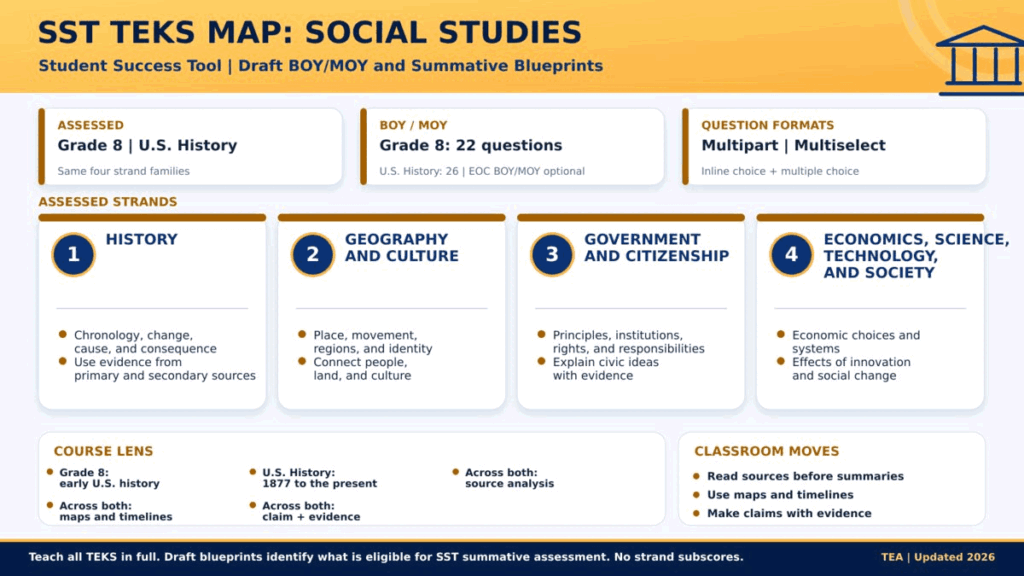
You can find a roadmap for SST TEKS for each of the content areas. One page per subject, drawn from the draft BOY/MOY and summative blueprints: what is assessed, how many questions, the strand families, and the classroom moves each one rewards. Open an image to see it full size. Here’s a quick preview:
Get the timeline straight
STAAR remains in place through the 2026–2027 school year.
Under House Bill 8, SST begins in 2027–2028 with beginning-, middle-, and end-of-year assessments. Grades 3–8 use all three checkpoints.
BOY and MOY are optional for the Algebra I, Biology, English I, and U.S. History end-of-course assessments.
BOY and MOY are adaptive. EOY is static, so its questions can be released.
RLA writing has a separate April window, with other EOY testing in May.
TEA says results must reach school systems within two business days after the testing window closes.
The English II EOC is eliminated beginning in 2027–2028, though the graduating classes of 2026 and 2027 still have it as a graduation requirement.
Turn three checkpoints into one teaching loop
Checkpoint
Teacher move
Practical question
BOY
Identify unfinished learning and establish a baseline
What support does each student need first?
MOY
Regroup, reteach, and adjust scaffolds
What changed, and what is still getting in the way?
EOY
Review mastery, growth, and remaining gaps
What should the next teacher know?
What are you doing to prepare for Student Success Tool (SST) in your school or district? Let us know in the comments what would be most helpful for you.
👤 Human-directed (Miguel Guhlin) · 🤖 Gen AI-assisted (Claude, ChatGPT)