
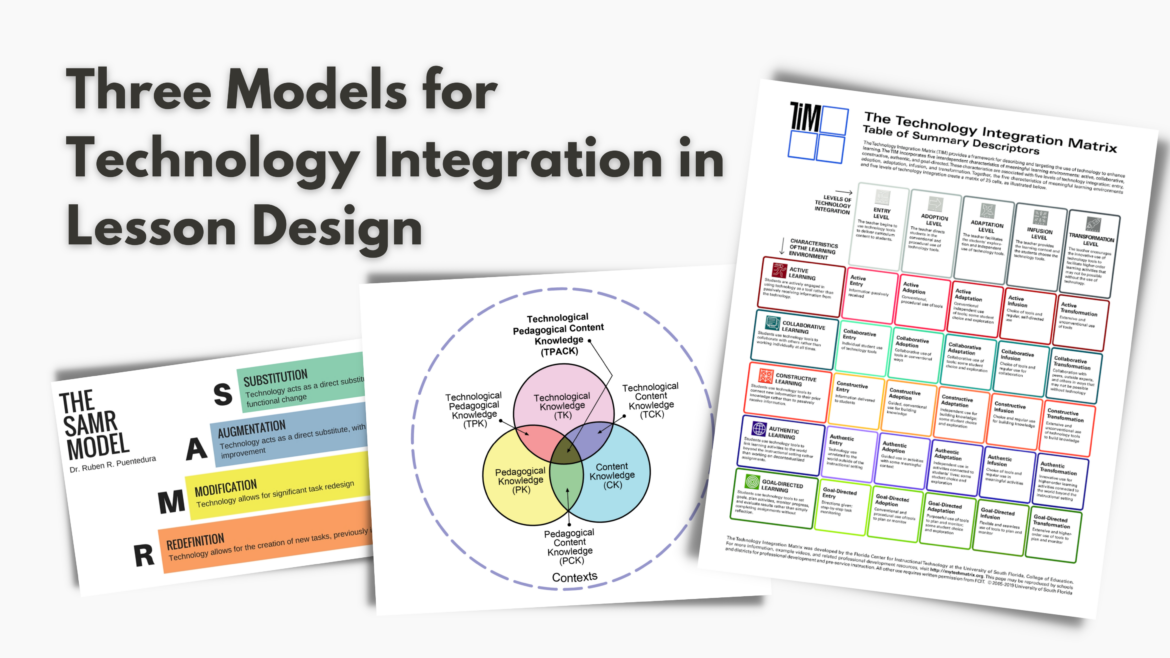
During my experience in instructional technology, I noticed an evolution in understanding technology integration that goes from seeing tech as “something extra” (often as an afterthought) to becoming embedded in the lesson design. This shift in thinking becomes evident when educators focus on lesson outcomes and planning with technology that supports the outcomes, rather than focusing on the tech tool and forcing a lesson to align. To aid in this evolution of thought around technology in lesson design, a variety of technology integration models emerged. Three in particular:
- SAMR (Substitution, Augmentation, Modification, Redefinition)
- TPACK (Technological Pedagogical Content Knowledge)
- TIM (Technology Integration Matrix)
These technology integration models help educators plan, implement, and evaluate instruction effectively, and it’s an added bonus that they come in the form of a fun acronym. Each model has its place and should be used conjunctively to ensure educators are using technology in meaningful and purposeful ways. I will share a brief description of these three models and when they should be used. Let’s take a look at them!
What Is the SAMR Model?
The SAMR Model is one of the most widely used models for technology integration. It’s the first model I learned when I started in instructional technology. Developed by Dr. Ruben Puentadura, SAMR categorizes technology use into four levels:
- Substitution
- Augmentation
- Modification
- Redefinition
Often it is pictured in a ladder-like form and presented as levels ultimately reaching Redefinition. While I am more partial to the idea of SAMR as a swimming pool, I do not find this the optimal model for planning a lesson.
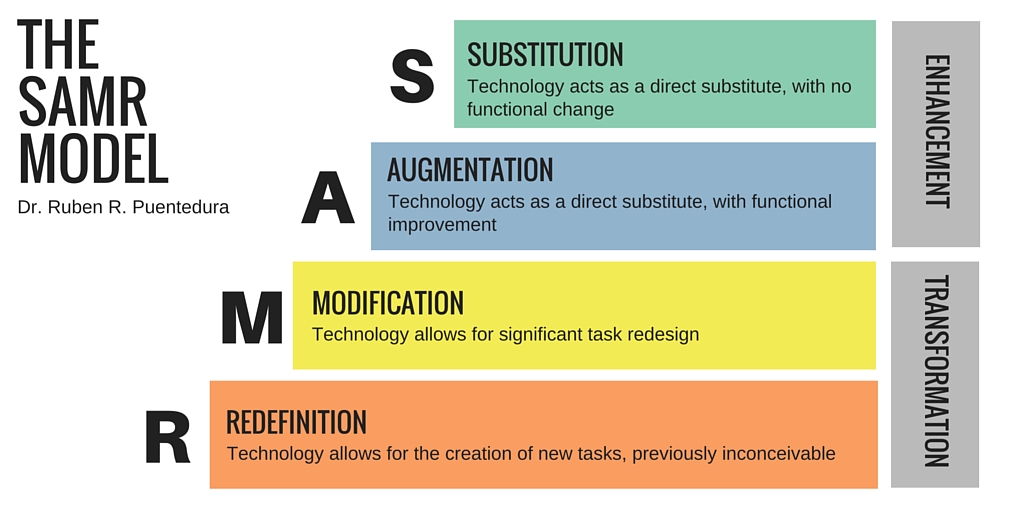
Planning a lesson by thinking, “I will achieve Augmentation by using…” places the focus on technology instead of the lesson objective. Additionally, redefining all lessons all of the time is exhausting. Sometimes, substituting a hand-written draft or worksheet with a digital version may be more than enough.
Instead, look at SAMR as an evaluative tool for technology integration. Wait until after the lesson is over and, using SAMR, gauge achievement of the levels based on student use of technology for learning. By looking at the lesson after the fact and seeing what level of SAMR the technology achieved, a teacher has a better idea of how students used the technology to learn. This will affect how the lesson is delivered in the future and allow the teacher to see if there is a balance between SAMR levels or if an opportunity to venture into a new level is possible.
Two Additional Models
What is the TPACK Model?
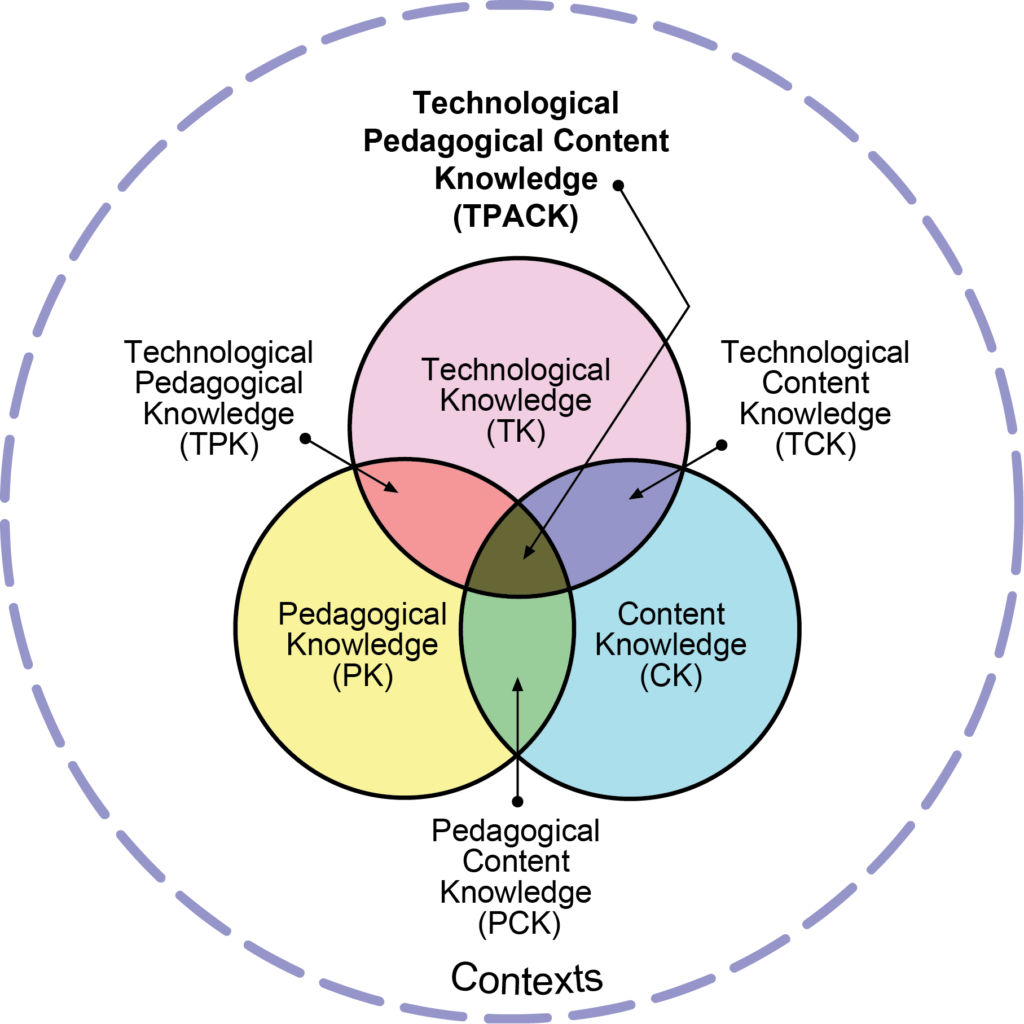
Moving beyond SAMR in my understanding of instructional technology, I came across the TPACK model. Developed by Dr. Punya Mishra and Dr. Matthew Koehler, TPACK emphasizes the intersection of Technological, Pedagogical, and Content Knowledge. This is the model I recommend for lesson planning. It looks at the key parts of a lesson rather than the level of technology use when integrating technology.
First, you start with the content standard, move towards the pedagogy (instructional strategy) to teach the standard, and determine what technology tool/application would best support the instructional strategy. Furthering research into this model, Gomez (2015) suggested layering the three rather than intersecting them, showing the “combination of knowledge rather than the intersection of it.” This emphasizes technology as part of the planning process.
What Is the TIM?
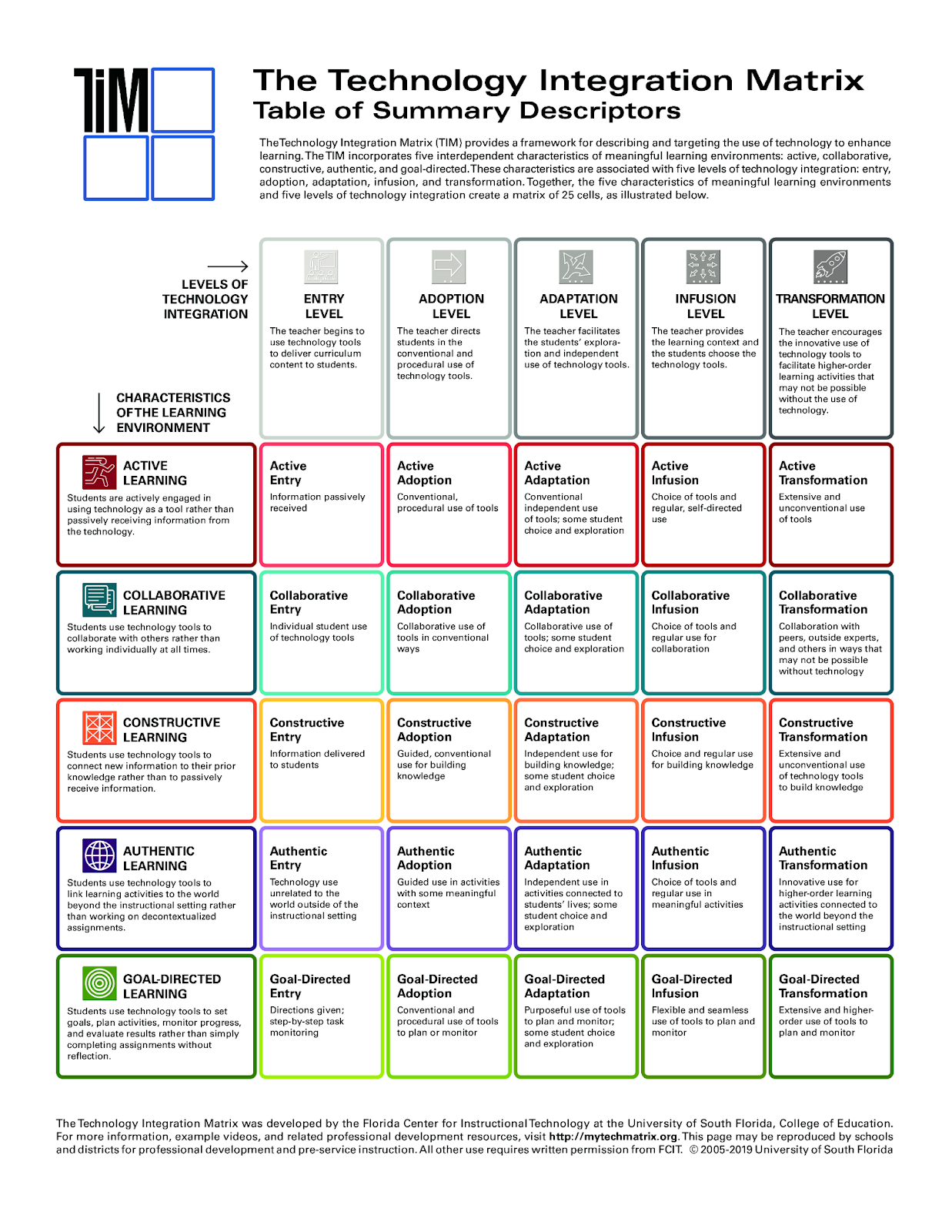
After TPACK, the third model introduced to me was TIM (Technology Integration Matrix), developed by the Florida Center for Instructional Technology. It offers a comprehensive framework for reflecting on technology integration in the classroom. It consists of five levels of technology integration:
- Entry
- Adoption
- Adaptation
- Infusion
- Transformation
The TIM focuses on the extent to which technology is integrated into instruction and provides guidance on the progression toward more sophisticated and transformative use.
A colleague, whose background focuses on instructional coaching, shared TIM with me as a way for teachers to reflect on how they integrate technology. I loved this! Reflection is an important part of learning, and the TIM Matrix is an excellent way for teachers to evaluate and grow in their instructional technology use.
How to Choose the Right Technology Integration Model for Your Objectives
When deciding which model to use, I like to think like Michael Fullan (2016, p. 45) who stated “[his point] is simple – make pedagogy the driver and technology the accelerator” and Liz Kolb whose “Learning First, Technology Second: The Educator’s Guide to Designing Authentic Lessons” emphasizes technology’s place as something in service of the learning and not center stage. This means it is crucial to consider the objectives we aim to achieve when selecting a model for technology integration rather than clingy to a model and forcing everything to fit:
- Objective: Lesson design that integrates technology → TPACK
- Objective: Evaluate student use of technology for learning → SAMR
- Objective: Evaluate teacher use of technology in instruction → TIM
In the ever-evolving landscape of education, integrating technology into instruction and lesson design is essential for promoting student engagement and preparing them for the future. All three technology integration models are powerful tools when it comes to technology in learning. However, the combination of the three can empower educators in lesson design, student learning, and professional growth.







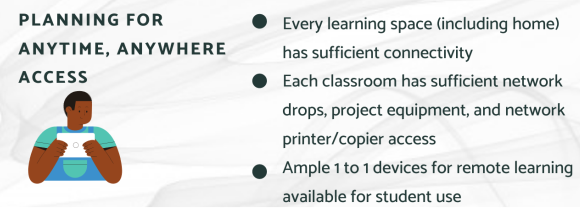 Wondering how to provide anytime, anywhere access for students and staff? It’s been a big issue for both small and large schools and districts. One of the most important ways to achieve this is to establish clear standards for all locations. In this way, you can ensure everyone has the connectivity they must have at the point of need.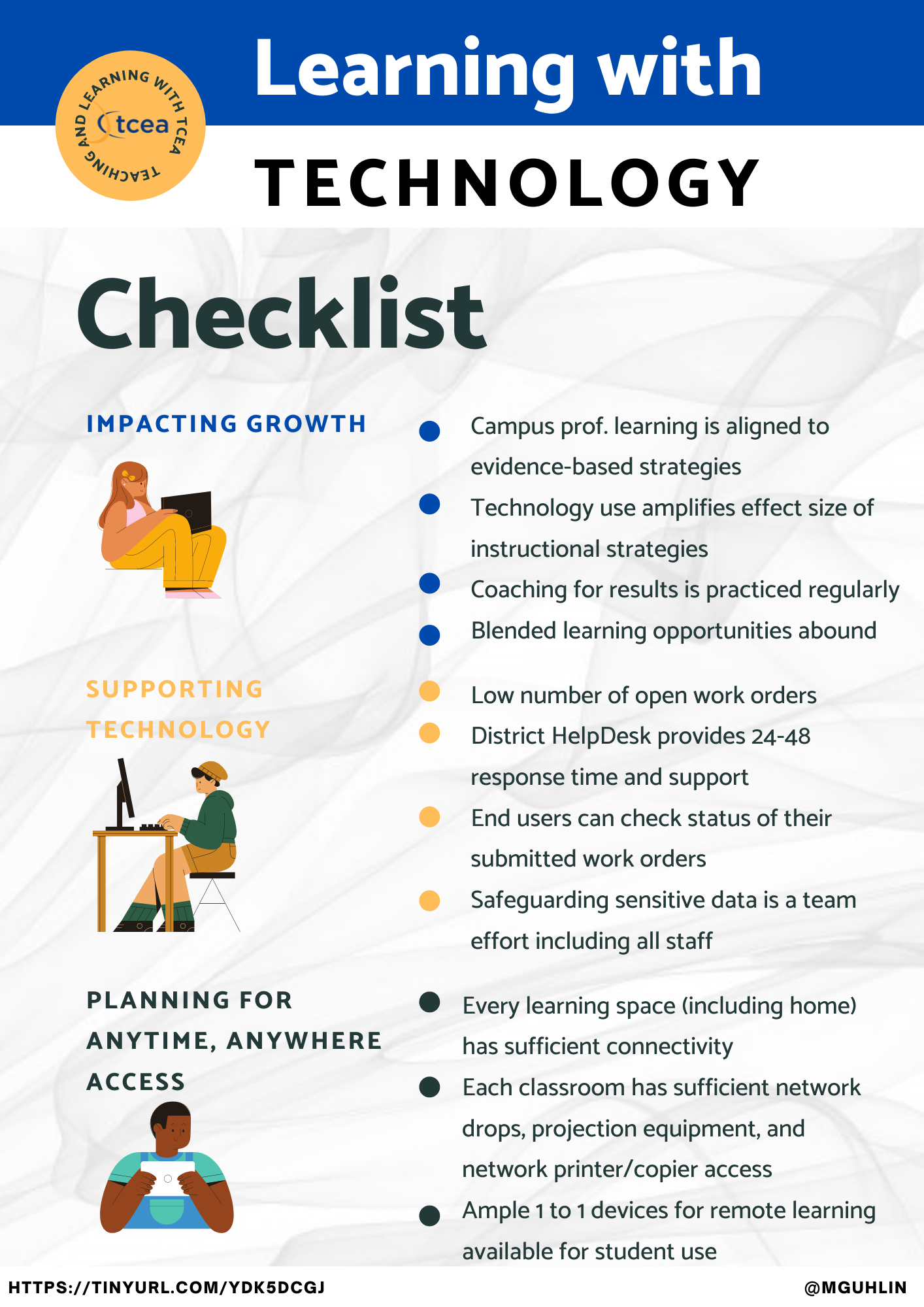

 If you like listening to audiobooks, you’ll enjoy using OverDrive. If your district doesn’t subscribe to it, check and see if your local public library does. If so, you can check out audiobooks from them, as well as through their network of other contributing libraries!
 While grandparents love this app for making collages of their grandkids, students of all ages will find this app easy to use when they have an assignment where they can create collages, annotate over photos, etc.
 Though many of us remember copying down notes in class to study for tests, current students seem to prefer to take photos of the board to capture their notes. This app is so handy for that. Point and aim it at the board, projector, paper, etc.. Once it detects the area, you just snap the photo; it will crop it so only the board is in the photo and deskew the image so it looks like you had prime seating in front of the board when you took the picture. Save as an image on your device or as a PDF or Office format if you have an Office 365 account.
 Sometimes you want your students to record a video to capture their learning. But many devices have a default video recording app that is bare bones. You’ll find Adobe Express to be an easy go-to tool that will help students make great videos without getting bogged down in the technical aspects of videography. Though it is only for iOS currently, it is worth the wait for other operating systems.
 Pushbullet is great if your students find that they need to “push” files or photos from their phone or tablet to their laptop/computer (and vice versa). Pushbullet makes it easy without having to move your file/photo to Google Drive, Microsoft OneDrive, or DropBox first. And, since it is in the cloud, you can access your account from any device to retrieve previously pushed files. This is great if you have students taking photos or videos on their phones, but then need to add them to documents that they are editing on a computer.
 If you want an easy app that allows all of your students to share, then this has to be the best app for that. It’s perfect for having students summarize their content or reflect on their learning. If they are using a phone or tablet, they’ll need to download the app; otherwise, they can use the webcam on their laptop to participate. Though I don’t recommend the paid version of many apps (I remember what it was like when my teacher budget was whatever I had in my pocket), this is definitely one app that is worth the price; consider getting others to join with you and you all can enjoy a discounted price. Even without the additional features in the paid version, this is a super app!