Stay informed on cybersecurity in education. Discover tips, tools, and strategies to protect schools, educators, and students online.

Tips, Tricks, and Tech Tidbits: Thanksgiving Resources, Names, Templates, and More
I’m back with even more cool websites, neat ideas, and other ed tech innovations in this blog. If you missed the previous six, be sure to search our blog site for them. They are packed with tools to use immediately.
Thanksgiving Resources
Julie Smith offers a writing activity called Turkey Texts that can be completed in PowerPoint or Google Slides. Students create a text message conversation between a turkey and any person or character of their choice. Two different templates are provided: five texting bubbles or six texting bubbles. Whichever is chosen, students will have to plan out their conversation to fit the pertinent information in.
There is also a great Scratch coding lesson called Hide the Turkey! The lesson is simple enough for beginner coders, but also provides some growth room for those already very familiar with the language.
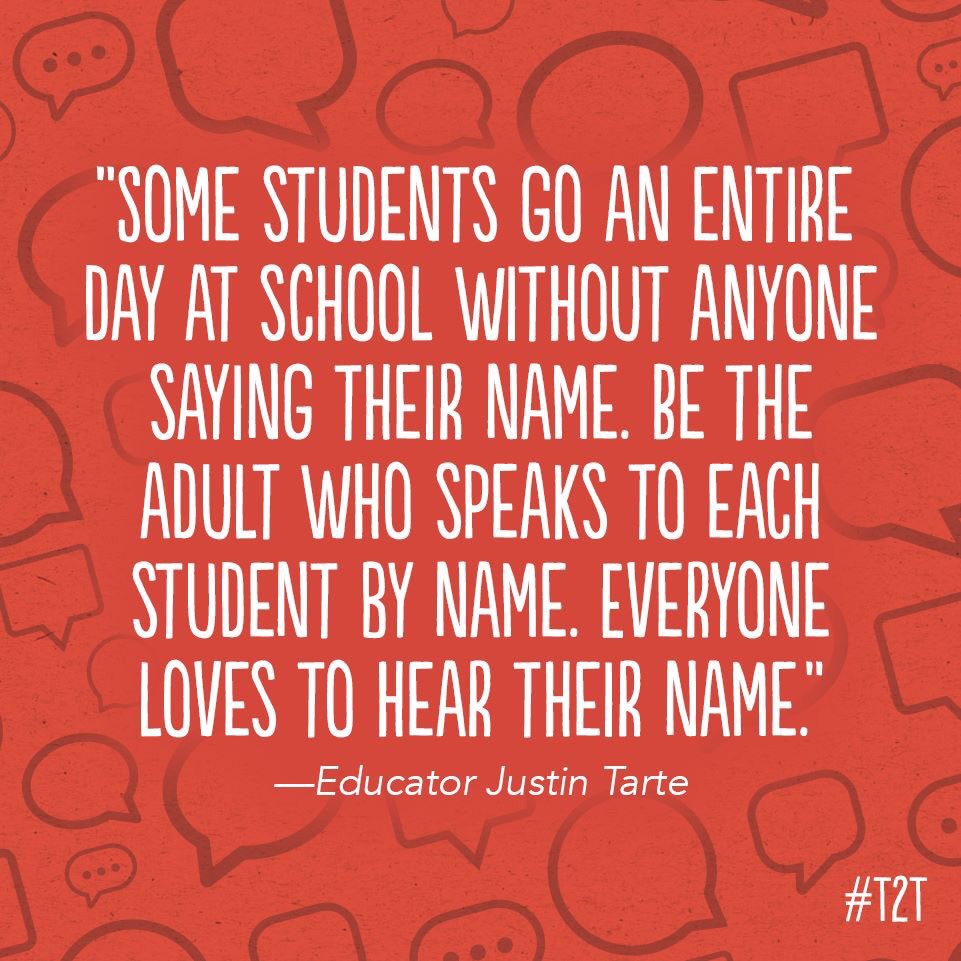
The Importance of Saying Students’ Names

Recent research has shown that hearing our own name makes our brains ecstatic and causes some parts of the brain to light up. But this only happens when we hear our own name, not any other name. This shows how important it is for teachers to say their students’ names as often as we can and to make sure that we are pronouncing them correctly when we do say them.
Word Time Traveler
Take your high school students on a trip through time as they try to guess when a particular word first began to be used. Merriam-Webster offers this free website that shows the new English words and what year they first appeared. The information is kept all the way back to before the 12th century. An easy activity to get them started with this is to ask them what new words they think appeared this year (2020).
Greeting Card Time
The amazing Jennifer Wagner has, for over a decade, run a free world-wide activity called the Holiday Card Project. Students create their own holiday card around a theme. The project is open to all PreK-6th grade classes. If you have older students who would enjoy this activity (and who wouldn’t?), then you can offer the same activity yourself for your classes, your campus, or your district.
More Google Slides Templates
You can never have enough templates, and these, designed specifically for teachers, are fantastic. There are 25 of them to freely download from alphabet learning games to breakout rooms, Harry Potter themes to letter writing slides. You’re bound to find some you can’t live without.
If you’d like to jazz up your teaching (or faculty meetings) with some fun sounds, check out the Teacher Soundboard. Twenty different short sound effects are already set up for you on this Google Slide, all ready to be used.
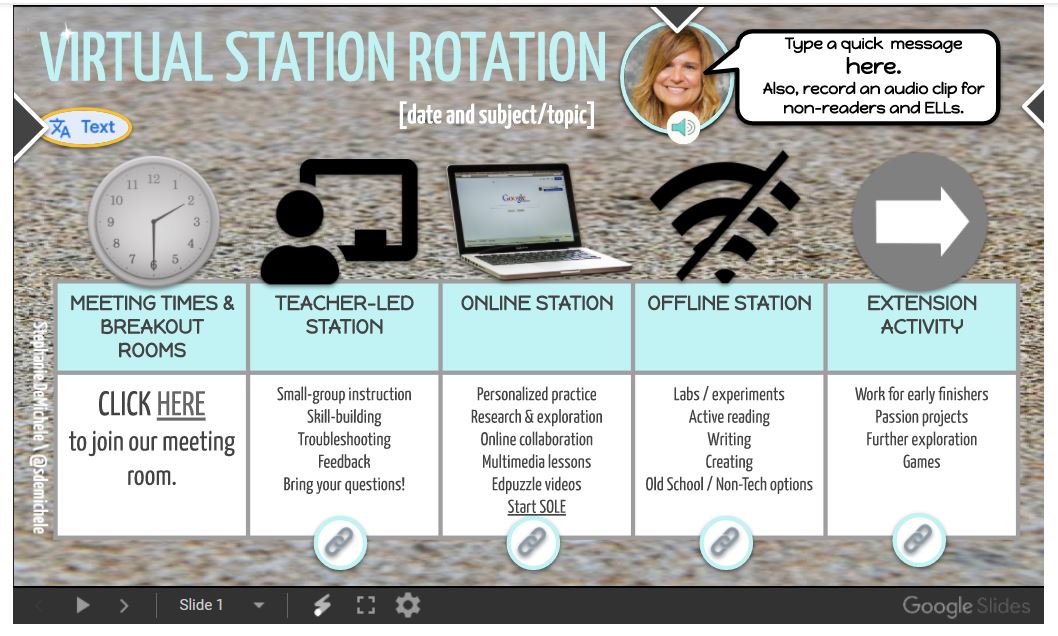
For those doing station rotations, here’s a very nice template created by Stephanie DeMichele. It can be downloaded for either Google Slides or PowerPoint and includes a spot where you can add an audio message to your students.

Creating Groups in Zoom
The ability to have students break out into small groups for collaboration or discussion is one of the many fabulous things about using Zoom. But creating those rooms can be difficult. Here are some easy-to-understand directions for intentionally creating groups quickly.
News Literacy Practice
Teaching students (and adults) to be able to tell fact from fiction is critical these days. Checkology – The News Literacy Project helps you do just that. The project offers several resources and services for educators, including an online learning platform, a free weekly newsletter, professional development opportunities, a variety of classroom materials, and more. It’s free for educators and students, but does require that the teacher create a free account.
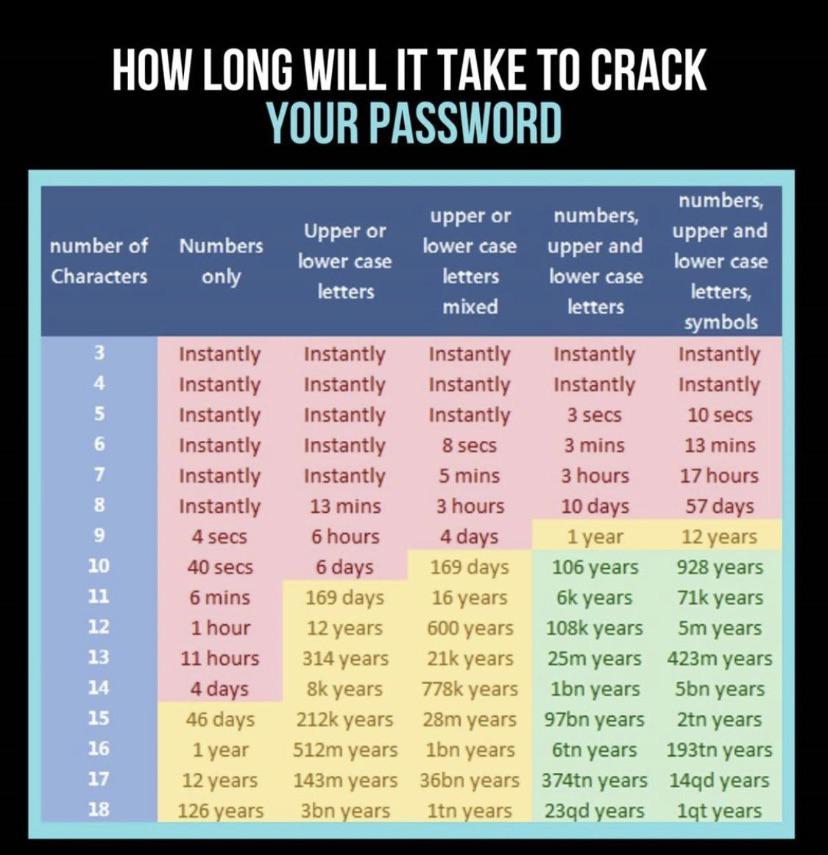
How Safe Is Your Password?
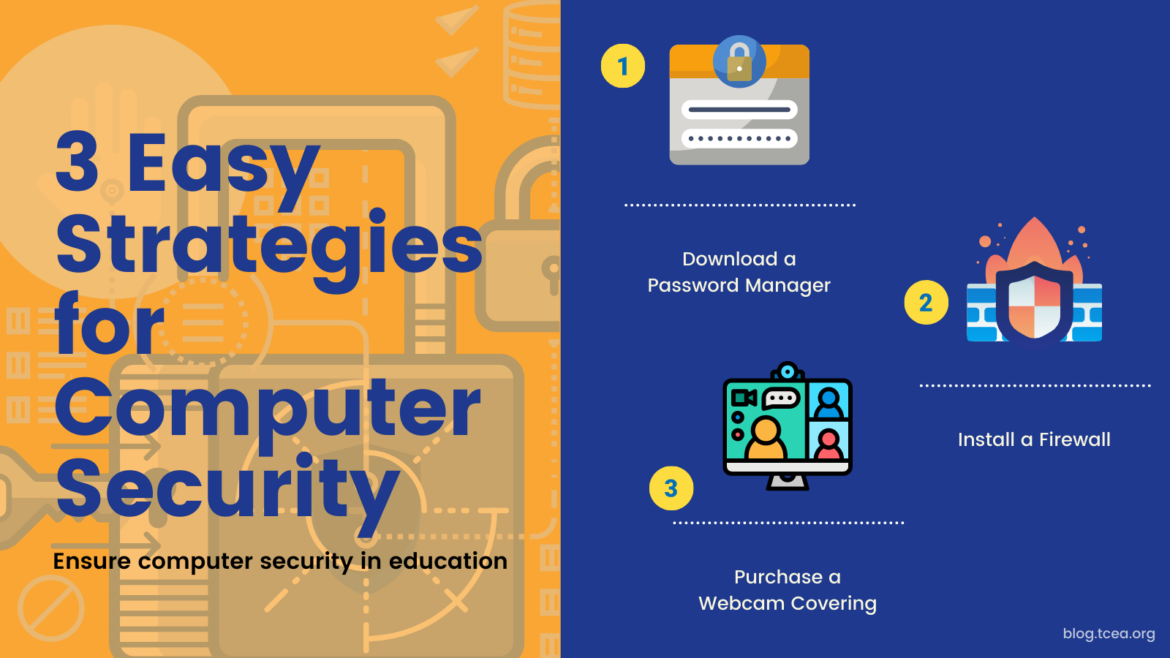
The graphic below shows how long it will take for a hacker to crack your password and what you can do to make it stronger. This is also good to share with your older students.

How Technology Supports Relationships Between Teachers and Students
This article by Kevin Baird has some incredibly important points to make about how technology can be used to build and support relationships between teachers and their students. As he says, “Researcher John Hattie’s work into Visible Learning found that combined teacher self-confidence and student self-confidence are among the most critical factors for learning. ” What helps to create that is when teachers are fluent in the use of a focused technology tool such as Microsoft Teams or Zoom or Google Classroom. Be sure to read the article to see how you can implement this in your classroom.
I’ll be back in another week or so with more tips and tricks. See you then!
More Thanksgiving Resources
Ready-to-Use Thanksgiving Resources
Gratitude Activities for You and Your Students


Sign up for one of our Google Certified Educator certifications. You’ll learn about more than Google Meet, as well as earn 12 CPE hours per course. Use these courses to get Google Educator certified. 


We had some huge wins in the area of computer science and computational thinking this session. Our six-year goal of providing weighted funding for the 9-12 Technology Application courses has finally been achieved. In HB 3, the school finance legislation, the weighted funding for CTE was changed from grades nine through twelve to grades seven through twelve. In addition, the
There are two pieces of legislation that are going to impact educational broadband. The first is HB 1960 which creates a Governor’s Broadband Council that will advise the governor on issues related to broadband access to unserved areas. This is progress, but not as much as we hoped for. There are few, if any, areas of Texas that are unserved. The original bill included underserved areas, but heavy lobbying by the large telecommunication companies eliminated that language from the bill. However, we consider this progress because we finally have some entity at the state level that will look at the state’s needs for broadband from a strategic perspective. For too long, all state entities have tried to provide affordable, scalable broadband for their own purposes when it would be much more cost efficient to survey the needs across agencies and entities and design a plan to meet all the needs. HB 1960 at least establishes a council that could do this in the future, if given the authority. 
There are several opportunities in the bills mentioned above that will provide professional development in digital learning. The Blended Learning Grants are largely designed to provide professional development for educators in blended learning, not to mention the funding provided to UTeach to continue to provide this type of training to Texas teachers. Also, this is a good chance to remind districts that the TIMA may be used to provide professional development on the use of technology. In addition to these bills, the legislature passed HB 2424 that requires the SBEC to establish rules to create microcredentials in fields of study related to an educator certification class. This was one of TCEA’s legislative priorities, so we are excited to see this bill pass.