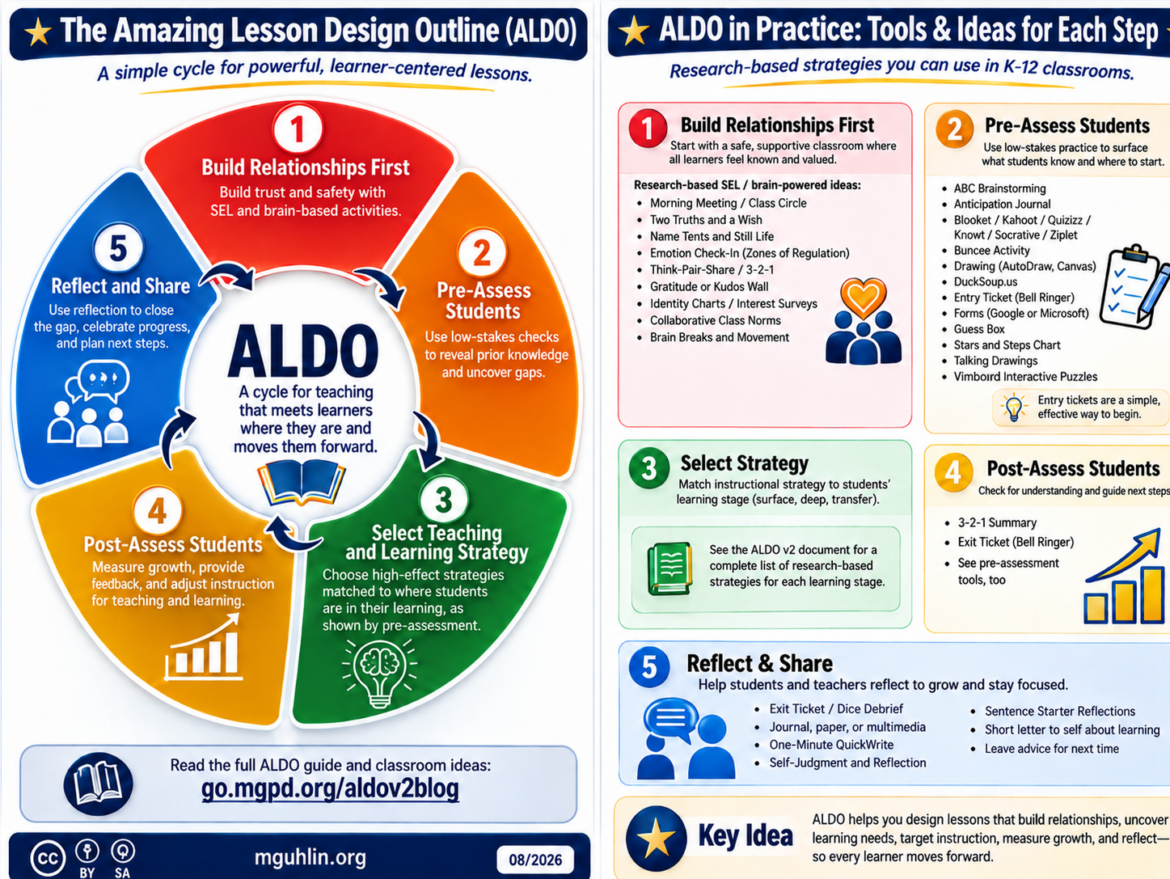
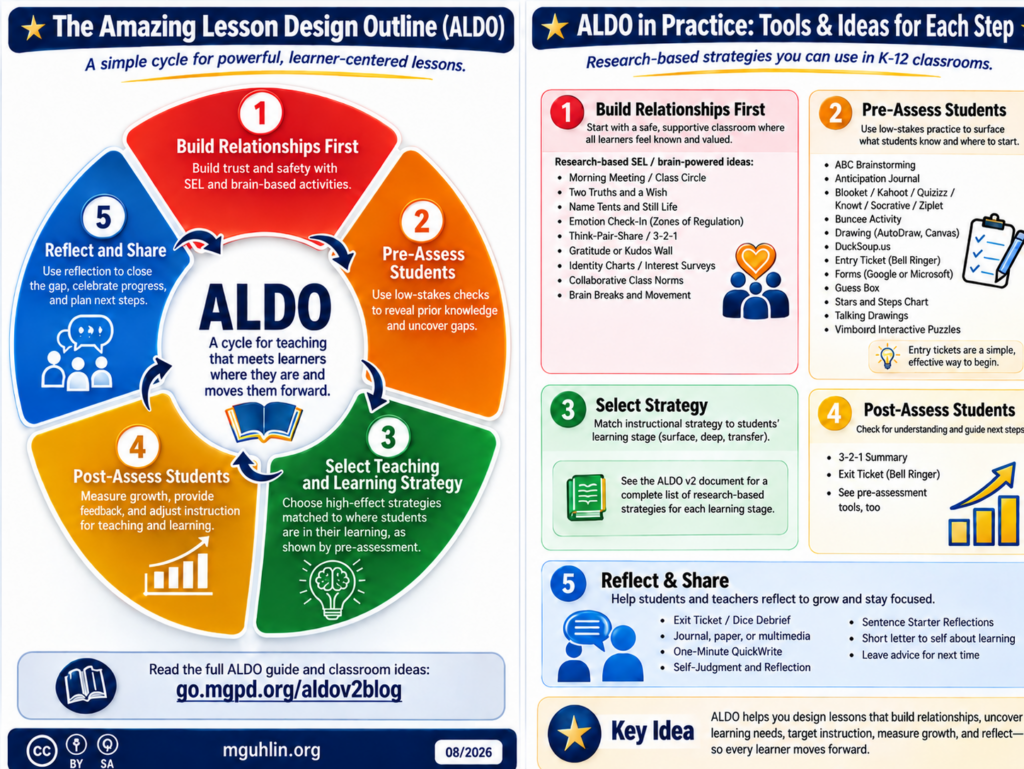
Ever wish you had an easy-to-follow checklist when designing learning for students? I know I have…often. Some of my colleagues effortlessly design amazing lessons, but I have to plod through each point. But lesson design is something that is critical to ultimate success in the classroom for each student. That’s why I’d like to take a moment to share my latest version of the outline I use. At the end, you will find a custom GPT you can use to get an AI spin on ALDO.
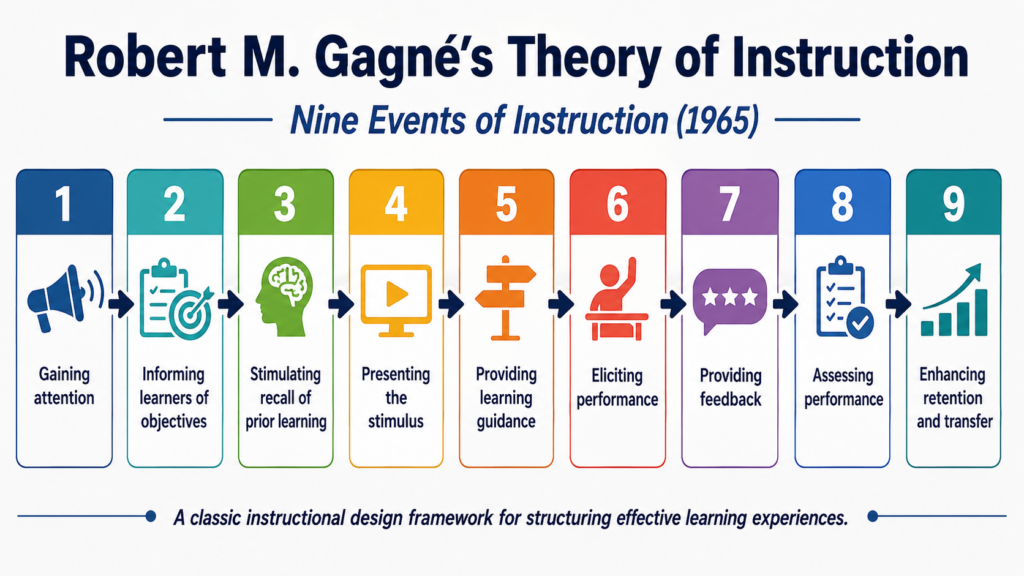
As you work through this list, ask yourself, “What schema or plan do I follow?” If you show me your district’s mandated lesson plan format, well, that may not get the job done. At the end of this blog entry, I’ll share a heuristic, a Google Doc, that you can use. I like it because it combines many resources in one place and works to help you more efficiently plan your lesson design.
For now, let’s work through the major components of my Amazing Lesson Design Outline (ALDO). Ready? Let’s get started.
“Teachers must place a strong emphasis on rigor, relevance, but most of all, on developing relationships with children,” says Dr. Asa Hiliard, former Director of Urban Studies at Georgia State University. I’ve seen this firsthand. Let me share that with you.
Watching my wife, a masterful second grade teacher, you’d never guess she had an outline. Her lesson design first includes building powerful relationships with her students. It has her finding out what TV shows they like, what they like to eat, their life story, and building connections through an ongoing conversation with her class. She focuses in to connect academic content to specific students. Her approach leaves me in awe. When she asks her students to get to work, they do. When it’s time to behave, they do.
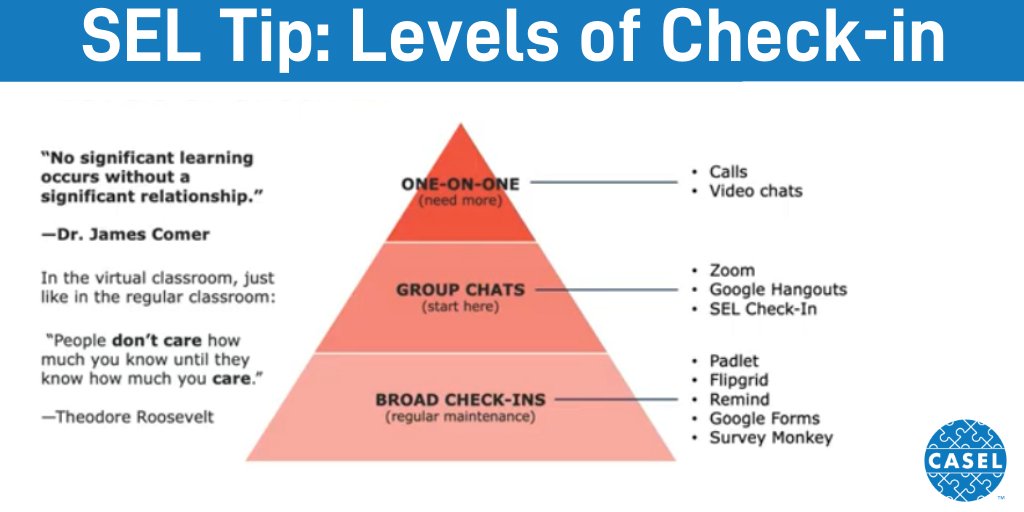
The first part of my lesson design outline? It’s build relationships. As Dr. James Comer (Yale University) says:
No significant learning can occur without a significant relationships of mutual respect, teacher to student.
“Brain-based learning can positively impact student motivation, attitudes and academic achievement,” say researchers. Without relationships, students won’t trust what you have to say. Absent powerful relationships between students, you have no community. And that would be a tragedy because of the next step.
2 – Assessment
As coaches and teachers, we have to, as Dr. John Hattie says, “Know our impact.” If you don’t know where students are, you will be unable to give them feedback on future growth. Worse, students won’t be able to self-regulate their own learning when given feedback. Students have to be clear on what they are to know and do. They have to know where they stand in their own learning relevant to growth.
To gauge where students are in their learning, you need to assess them before, during, and after. And those assessments can be low-stakes. They can tie into a wide variety of strategies that are proven to work, including retrieval practice and spaced vs massed practice. They can also rely on a wide variety of digital tools designed for that purpose.
Tip: You may want to use the SOLO Taxonomy to chart student growth. Learn more about SOLO via this blog entry.
The first step for those savvy with brain-based learning research is to engage students. Once you have figured how to best engage students, give thought to another question.
“What high-impact approaches align to the learning intention?” That’s a question that kept me up and reading. How can we align effective, evidence-based strategies to students’ learning needs? You can find a variety of evidence-based, high-effect size strategies that you can use at the best time.
Remember, only rely on one strategy at a time. For example, don’t try to put in place two teaching strategies like direct instruction and flipped classroom. Pick one. The same for students. Avoid trying to teach students to do concept mapping and outlining at the same time. Focus on one until you and your students can do it really well.
Social Media Response to ALDO
Thanks to those of you on social media who have shared ALDO with others. Here’s what some of you are saying:
Fantastic visual representation of the stages of learning and using a critical lense when creating lesson experiences! I can’t wait to use this with our new Ts as they continue to deepen their thinking abt. teaching/learning. Thx!via Meg Burke
Thank you for this wonderful resource! I’m definitely sharing it with my teachers! After having a coaching conversation this morning with a teacher about her PBL lessons, this is a great resource for deep and transfer teaching/learning with intentional design. TYvia Myla Lee
The “Amazing Lesson Design Outline” (ALDO) created by Miguel Guhlin @mguhlin for @TCEA features mountains of terrific teaching strategies intuitively organized. Wow! https://bit.ly/3A99v6M via Todd Finley
As you did in Step Two, take a moment to re-assess students. Discover where they are in relation to the learning objective(s). You can rely on existing goals.
A Cry for Help: I Can’t Form an Online Community
An email request for help came in the other day. My diagnosis? The teachers had not put in place (yet) what they needed to create a sense of community. As a result, it made everything they tried to do difficult. My prescription? Intensify relationship-building efforts with teachers and students. Also, put into place the following tips:
2- Set up criteria, such as a rubric, not as a staff assessment but, for a self-assessment checklist teachers can use when planning lessons. That checklist is the Amazing Learning Design Outline (ALDO) that appears later in this blog entry.
4-Implement coaching for results. I like Diane Sweeney’s model and suggest you explore the Coaching for Results series (Parts Three, Four, and Five are relevant here). Diane Sweeney has a handy one-pager that is designed to assist coaches with teacher work. It incorporates formative assessments, including entry/exit tickets.
5 – Reflect
Make sure to take some time to reflect on what worked and what did not for both you and your students. What role did technology play in enhancing teaching and learning? You might also ask yourself, What could I do differently next time? How can I assist students in becoming more metacognitive about their own learning experience?
Remember that reflection isn’t only for you as the teacher. It is also for students to engage in.
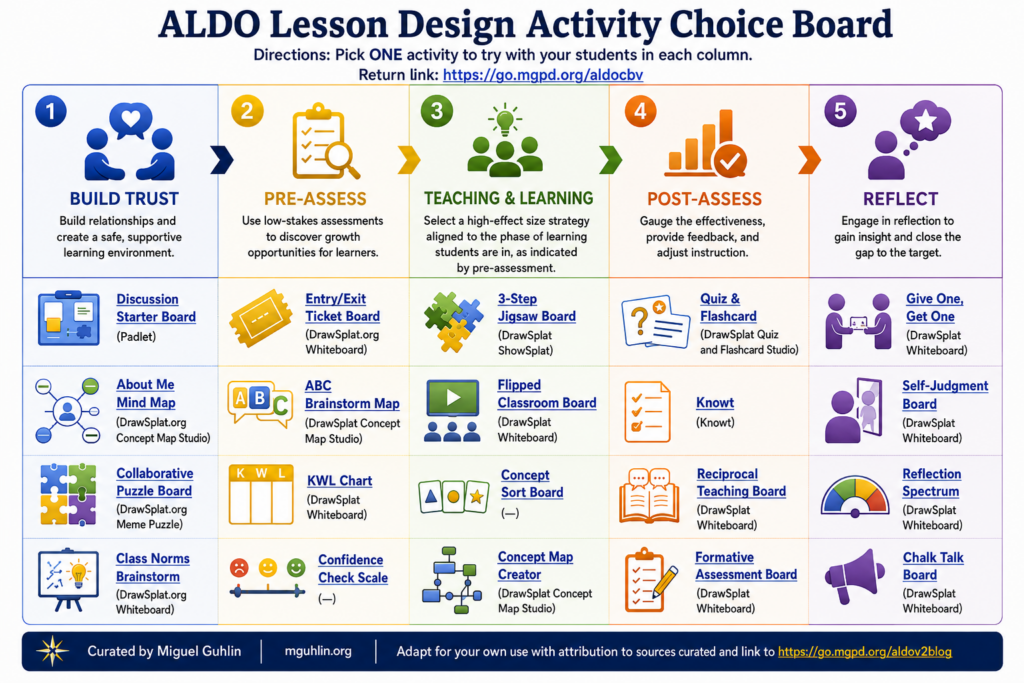
Get ALDO, the Amazing Lesson Design Outline
Ready to get the ALDO? Keep it by your side as you are planning a lesson or preparing activities. The links to digital tools and resources will soon become gateways to new ideas.
Let’s take a moment to walk through the creation of the prompt via video:
If you wish you had an easy way to engage students, the author of Research-Based Strategies to Ignite Student Learning by Judy Willis, M.D., offers suggestions for taking every student’s attention intake filter into account. Suggestions include influencing the Reticular Activating System (RAS) in our brains, and in today’s post, we will explore how brain-based bell ringers can improve retention and engagement.
What Are Bell Ringers?
Bell ringers are activities that students do as they walk into class and wait for the bell to ring. According to practitioners, this “bell work,” as it’s known to some, has benefits including but not limited to:
Engaging students in short assignments or assessments
Reviewing key concepts already taught
Stimulating classroom discussion that supports the lesson
Identifying misconceptions and misunderstandings learners may have
There is a lot more information out there about why bell ringers are beneficial. Reviewing brain-based research can give us insight into what types of bell ringers will be most beneficial for students. Let’s take a look.
What’s the Brain-Based Research Connection?
A part of our brain, known as the Reticular Activating System (RAS), works as an information filter. According to Dr. Willis, the RAS allows only one percent of the information to filter through. That’s right; your attention intake filters block millions of bits of information, keeping out the irrelevant. According to the author, this presents a challenge for teachers because it prevents students from paying attention to and retaining what is being taught.
Let’s now examine how we get critical knowledge and information past this attention filter to retain as much as possible.
Designing Bell Ringers
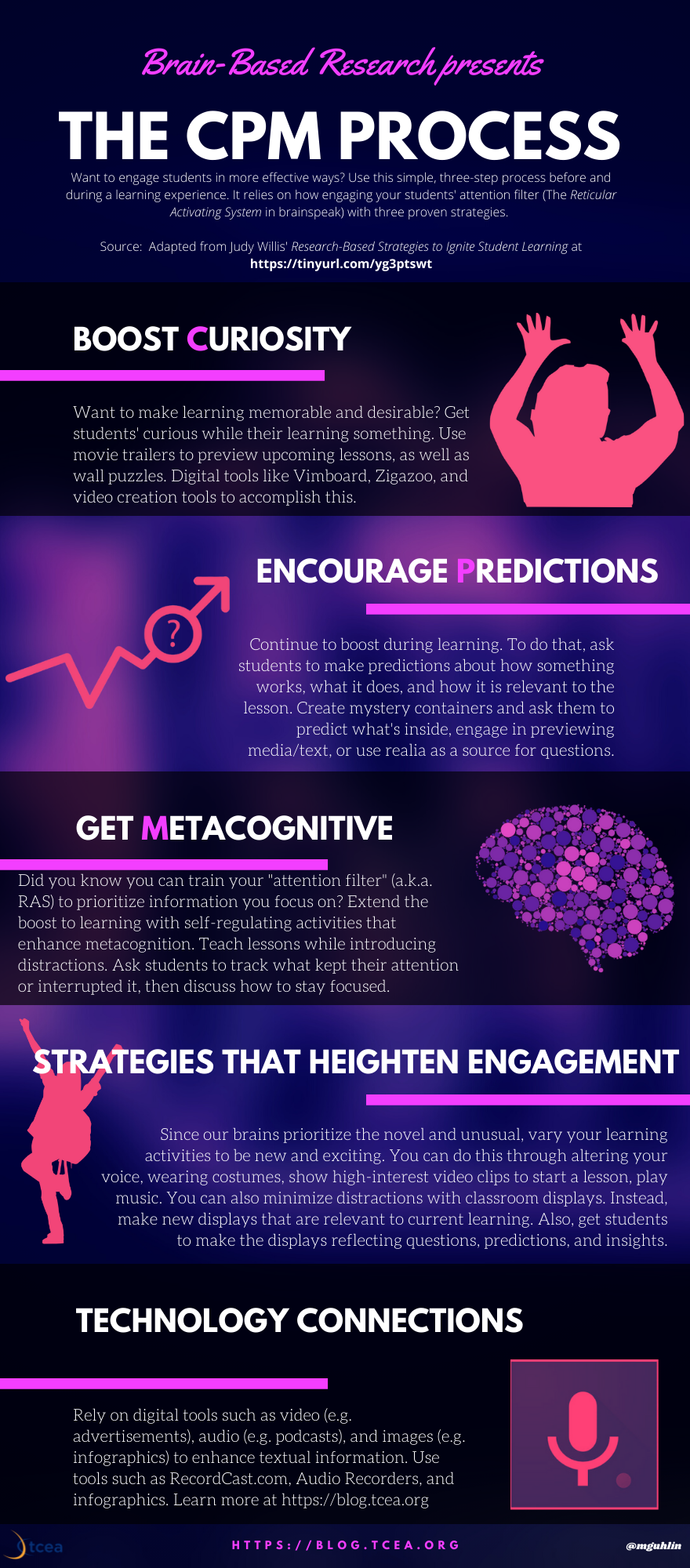
Since learning relies on what gets past the attention filter, bell work must help the information sink in. To do this, bell ringer activities should engage students in new, unusual, or unexpected ways. Using curiosity, prediction, or metacognition (the CPM process) to review, revisit, practice, and assess skills and concepts that were previously taught or to present new information that students may not normally retain can be highly effective.
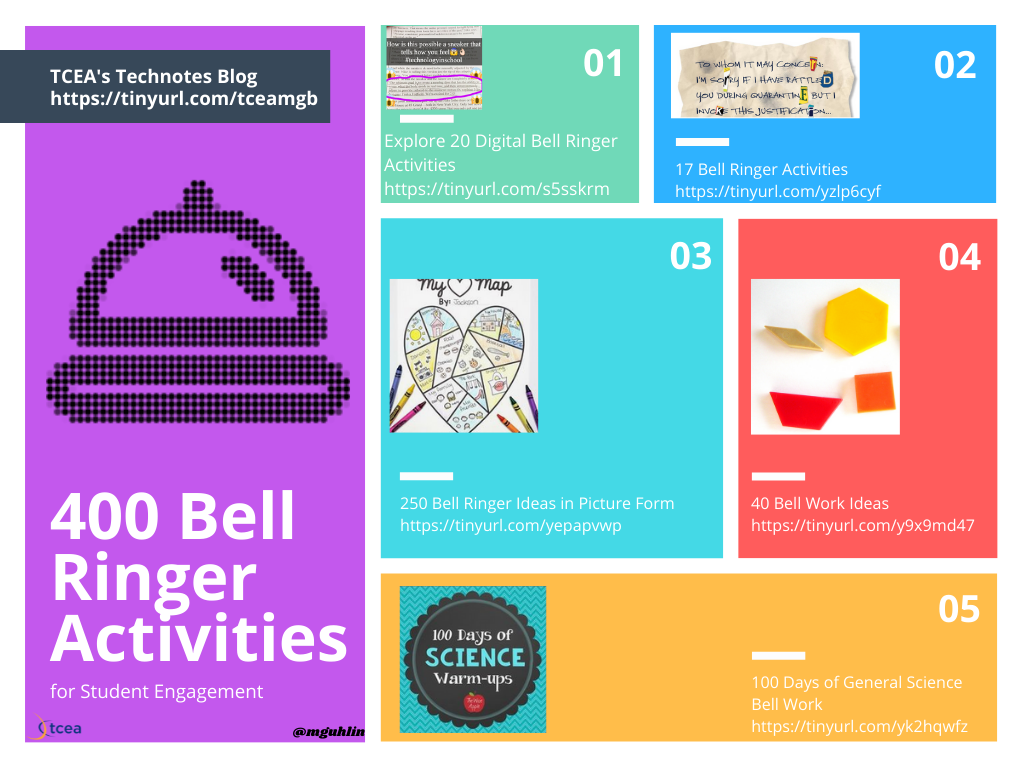
Before exploring the CPM process, know that you can find a wide variety of bell ringers or bell work online. In fact, I’ve included links to over 400 bell work examples in the graphic below. And, of course, you can follow the Twitter hashtag for more #bellwork.
Another approach could be to use bell work as a way to engage students’ curiosity. To do this, use bell work to kick off a learning experience. Then, facilitate the CPM process. This process, as adapted from Dr. Willis’ work, might look like this:
As you may know, metacognitive strategies such as prediction are evidence-based, and play a key role for self-regulated learners. Prediction works to sustain curiosity, consequently deepening the learning. What’s more, it makes the learning more desirable and memorable. Our brains want to know the outcome, which is why this strategy works. When students make predictions about their learning, they remember more as a result.
You can extend learning with metacognition during bell ringer activities. One way to do this is by having students keep notes about their learning, write down questions they may be curious about, or note predictions related to the bell work.
Entry Ticket Bell Ringers
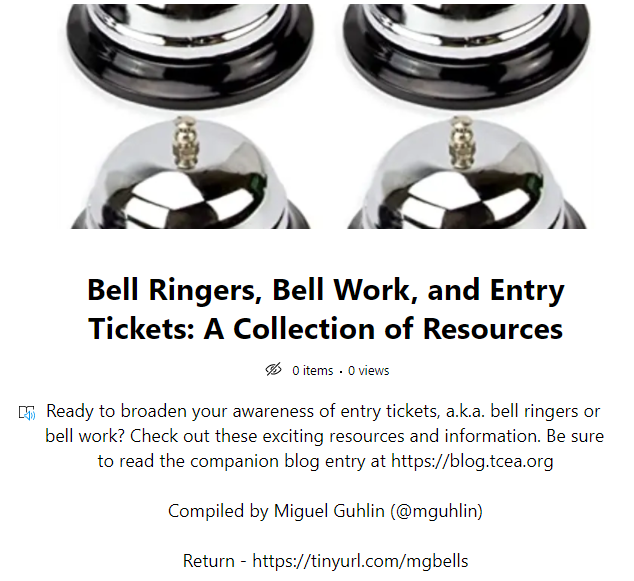
Using entry tickets as bell ringers makes reviewing and introducing concepts easy. You can learn more about entry tickets by exploring the Wakelet collection below.
Using bell work is a great way to engage learners as class starts, especially using metacognitive strategies to spark curiosity and invite predictions in new and exciting ways. I hope you find these resources helpful in implementing effective, brain-based bell ringers in your classroom.
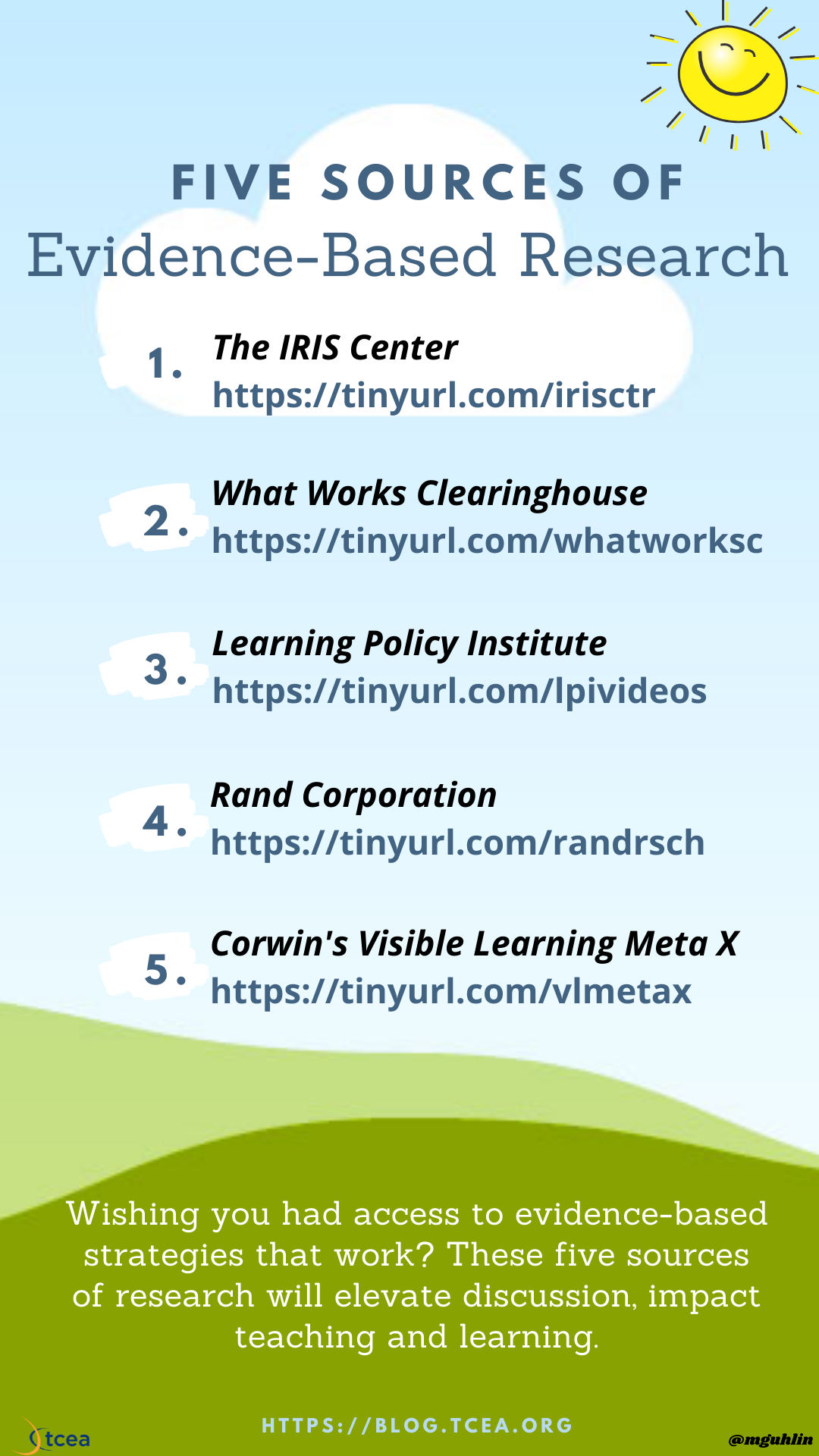
Working as a classroom teacher or instructional leader? Then you’ll love this easy reference collection of evidence-based strategies. Finding evidence-based research you can trust is hard. In this blog entry, you will see some resources that expand your knowledge of what works in the classroom.
Before we jump into that list of five sources, let’s review what “evidence-based” means.
What Is Evidence-Based?
Since you’ve no doubt seen the term “evidence-based” around, let’s dig into it a bit. Does objective evidence inform your selection of a specific method or strategy? If so, then it is evidence-based. Some may describe it as data-based, research-based, and/or scientifically-based (source). When used in a consistent manner, evidence-based strategies support greater student learning and achievement.
Explore the importance of identifying and selecting evidence-based practices in this online module, one of three you can work through. The list of modules includes:
Give these a whirl. Speaking of these modules, this brings us to the first resource I wanted to share with you.
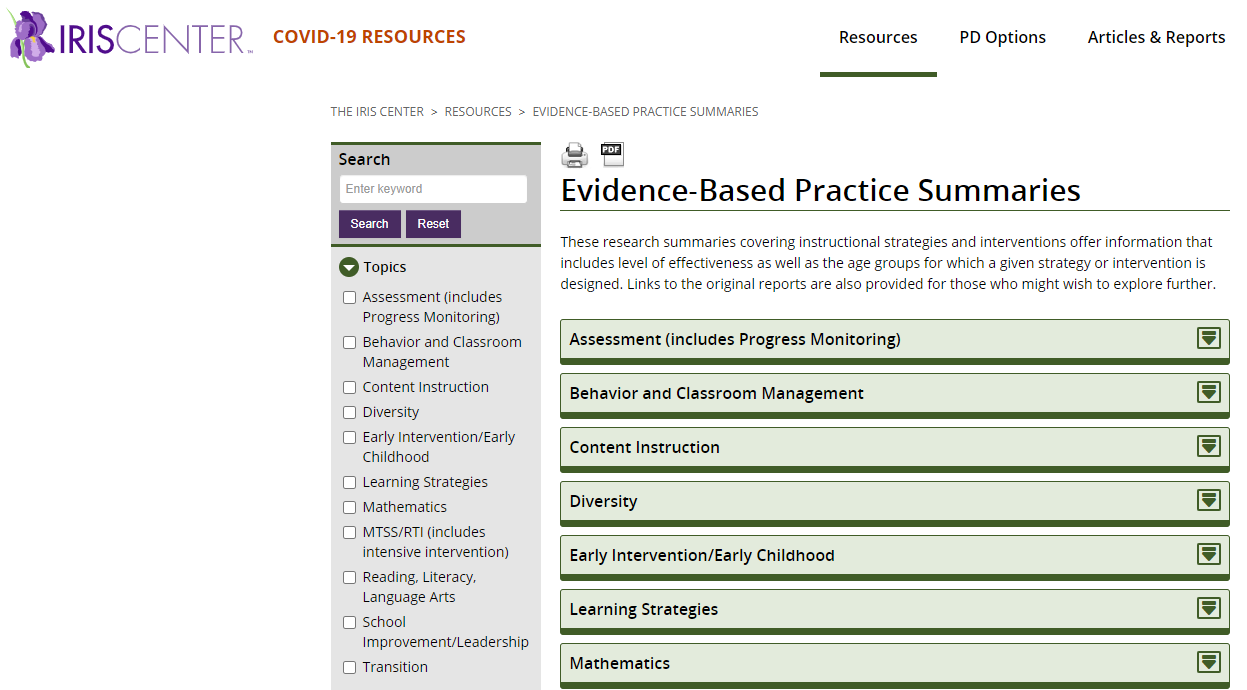
IRIS Center
The IRIS Center includes a wide variety of resources. Besides the evidence-based practices series of the three modules, it offers much more.
Here you can find a wealth of research summaries on a variety of strategies and interventions. The IRIS Center connects the level of effectiveness, as well as age groups, with each strategy. This makes their list of research summaries an invaluable aid for instructional leaders. Topics covered include:
Assessments
Behavior and Classroom Management
Content Instruction
Diversity
Early Intervention/Early Childhood
Learning Strategies
Mathematics
MTSS/RTI
Reading, Literacy, and Language Arts
School Improvement/Leadership
Transition
Whether you are an administrator or coach, this site offers you a repository of amazing content that you can share with teachers who may be unsure about a strategy. And you can get FREE certification on various topics relevant to classroom instruction.
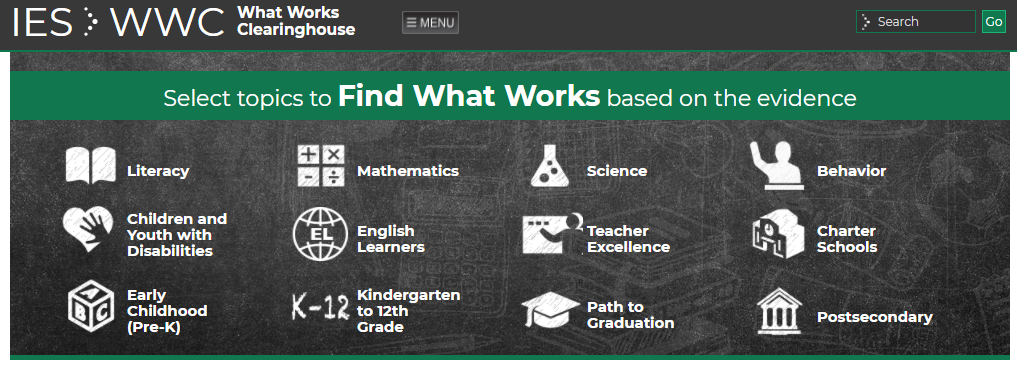
If you need to learn more about literacy, math, or emergent bilinguals, then the What Works Clearinghouse (WWC) and their research is for you.
WWC reviews the existing research on different programs, products, and practices. It also reviews policies in education. Their goal is to provide educators with the information they need to make evidence-based decisions. They seek to answer the question “What works in education?” through a focus on high-quality research results (source).
The Learning Policy Institute takes a slightly different approach to providing innovative content through their collection of videos. Some of their topics include:
Aligning School Practices with the Science of Learning
Creating Safe and Inclusive Schools
How Learning Happens
Project-Based Learning
Strategies and Practices to Advance Deeper Learning
These are powerful, well-researched videos that will get you leading and teaching in innovative ways.
If you are interested in what the research says about early childhood, assessment, accountability, school leadership, teacher effectiveness, and how technology and real life impact student outcomes, then you need to take a good look at the Rand Corporation. They offer a series of blogs that focus on education and literacy.
Oft-mentioned, Corwin’s amazing Visible Learning Meta X database is incredible. Not only can you see all the “influences” at once, you can also see the underlying research studies and a detailed glossary.
You can also see influences by domain:
Student: Factors relating to background, beliefs, and physical influences.
Home: Factors relating to family resources, structure, and environment.
School: Factors relating to school type, pre-school, school composition, and leadership.
Being able to carefully examine what the research says about the best instructional strategies to use when teaching a particular activity, content area, or skill is critical for all teachers and leaders today. These five resources will provide you all the background information you need to make the best decisions for your students.
If you’d like more information about research-based education, be sure to check out our online, self-paced courses focused around instructional strategies and higher student achievement.
Recently, a school district administrator emailed me and asked, “If you were going to blend strategies that work into a science lesson, how would you do it?” That question really piqued my interest. Mixing instructional strategies that are proven to work with best practices in science teaching and learning sounds like a win/win. After much thinking, here’s how I would accomplish this, based on the research.
Step #1: Set Goals for the Science Lesson
Dr. John Almarode, who wrote Visible Learning for Science, suggests setting the following goals for science lessons. The goals are straightforward and represent a wonderful response to the question asked.
Get students interested in lifelong learning and science that works.
Give students more control over their own learning.
Build in ways to assess students to discover where they are, and then match strategies to what they need to learn.
The first goal is practical and makes learning relevant to the learner. The second ties into John Hattie’s strong belief in the need for students to be self-regulated learners, individuals who must have agency and ownership over their learning and are able to track their progress. In tracking their own growth towards learning targets, they can make decisions, which gives them voice and choice.
Step #2: Pre-Assess Student Learning
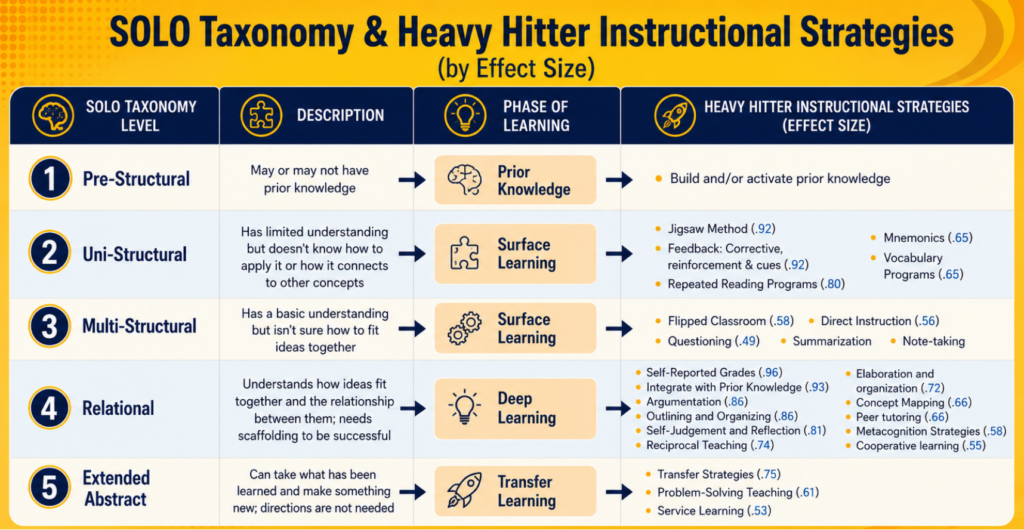
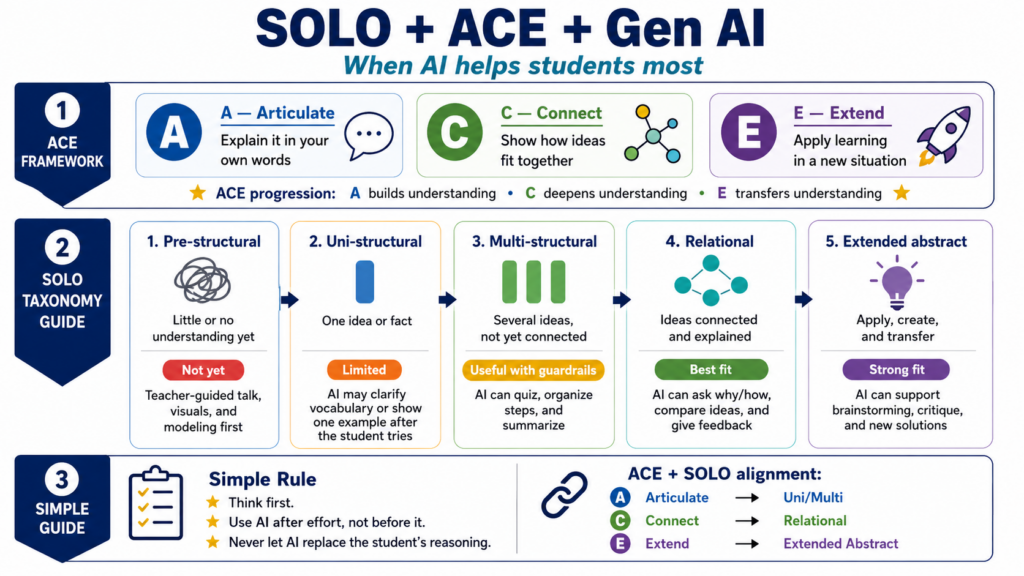
When determining what students already know about a topic or skill, you have to ask, “How do we pre-assess students where they are at?” This leads to the question, “What are some formative assessments we could use?” These assessments provide insights into where students may fall on the SOLO Taxonomy. SOLO stands for “Structure of Observed Learning Outcome.” This isn’t the first time I’ve mentioned SOLO, as have many others.
Let’s revisit what SOLO Taxonomy offers:
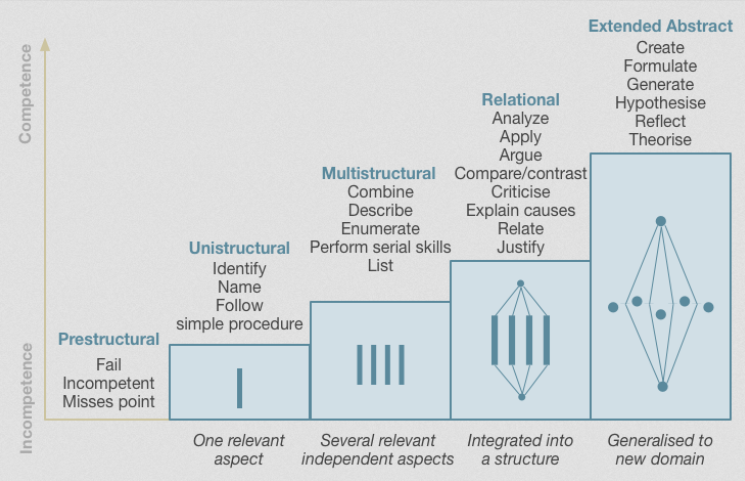
SOLO illustrates the qualitative differences. It indicates the differences between student responses and their levels of understanding. It classifies outcomes, relying on complexity and understanding.
SOLO does this so that you can make a judgement on the quality of student responses to assessment tasks. It relies on five levels of understanding:
Prestructural: at this level the learner is missing the point
Unistructural: a response based on a single point.
Multistructural: a response with multiple unrelated points.
Relational: points presented in a logically related answer.
Extended abstract: demonstrating an abstract and deep understanding through unexpected extension.
The Structure of the Observed Learning Outcome (SOLO) taxonomy (Adapted from Biggs & Tang, 2011) as cited in source
The main benefit of the SOLO Taxonomy is that it gives you, as the teacher, a set of specific terms (e.g., Unistructural, Multistructural, Relational) that can describe a student’s level of understanding. This level of understanding pinpoints what strategies may work best for them as they more through the learning process.
For students who are unistructural, they are in the surface phase of learning. This means that you might rely on those types of strategies, which could include vocabulary programs, direct instruction, and/or flipped classroom.
For learners who are relational, in the deep learning phase, different strategies work best. These may include concept mapping, metacognition, and reflection.
Knowing where a child falls on the taxonomy helps identify their level of understanding. It also assists you in knowing what to do next and to set success criteria.
What Is Success Criteria?
This phrase involves students knowing and understanding the answer to a simple question. That is, “How will I know I have learned it?” It is sometimes expressed as a statement, “I’ll know I’ve got it if….” You may want to revisit COLOSO in this blog entry.
Step #3: Build Learning into the Science Lesson
Ready to start on lesson design? Let’s take a look at the process Dr. John Almarode elaborates on. I’ve included a few resources for each area. What would you add?
“Science education needs a mix of demonstrations, labs, and experiments. It also needs reading, writing, and discussing with other scientists,” says Almarode. To that end, the lesson process he describes looks like this:
a) Paired Demonstration and Writing Down Observations
Demonstration
Encourage students to write about what they observed
b) Clarifying Terms and Vocabulary
Discussion about vocabulary terms
Have students revise their writing using correct terms
c) Wrap-Up
Final wrap-up
One key point that jumped out at me?
Every lesson (surface, deep, transfer) needs to have a clearly articulated learning intention. That learning intention must connect to success criteria. Remember, that is “What am I learning?” (learning intention) and “How will I know I have learned it?” (success criteria).
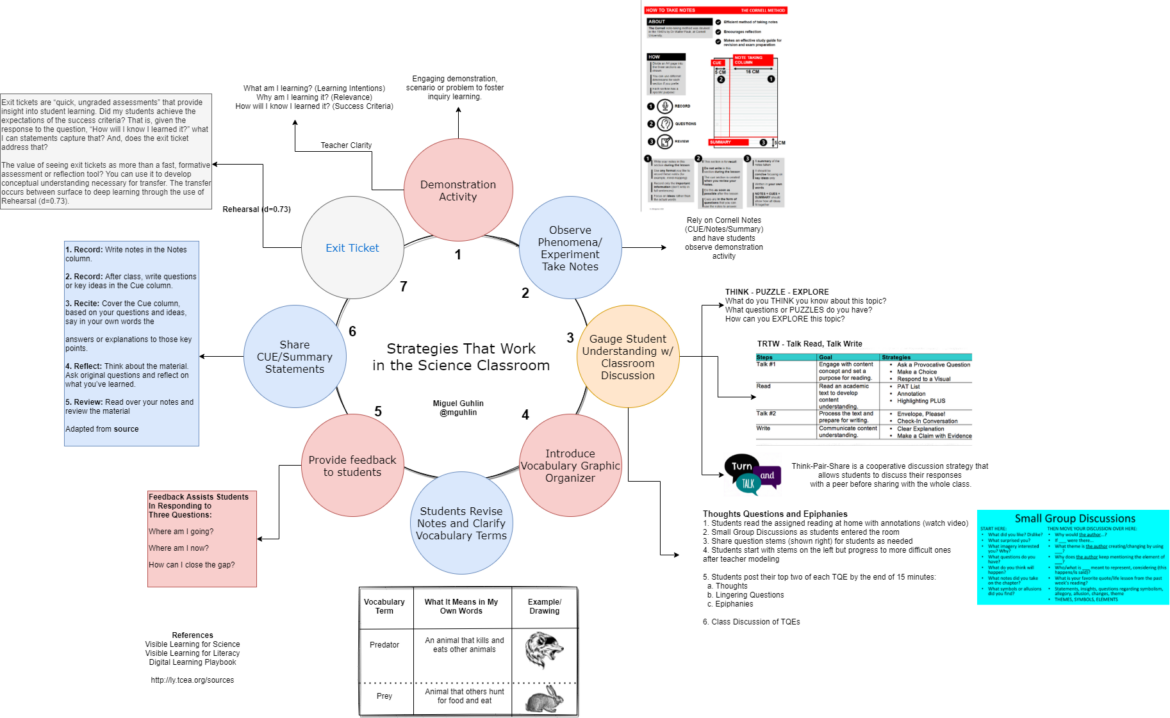
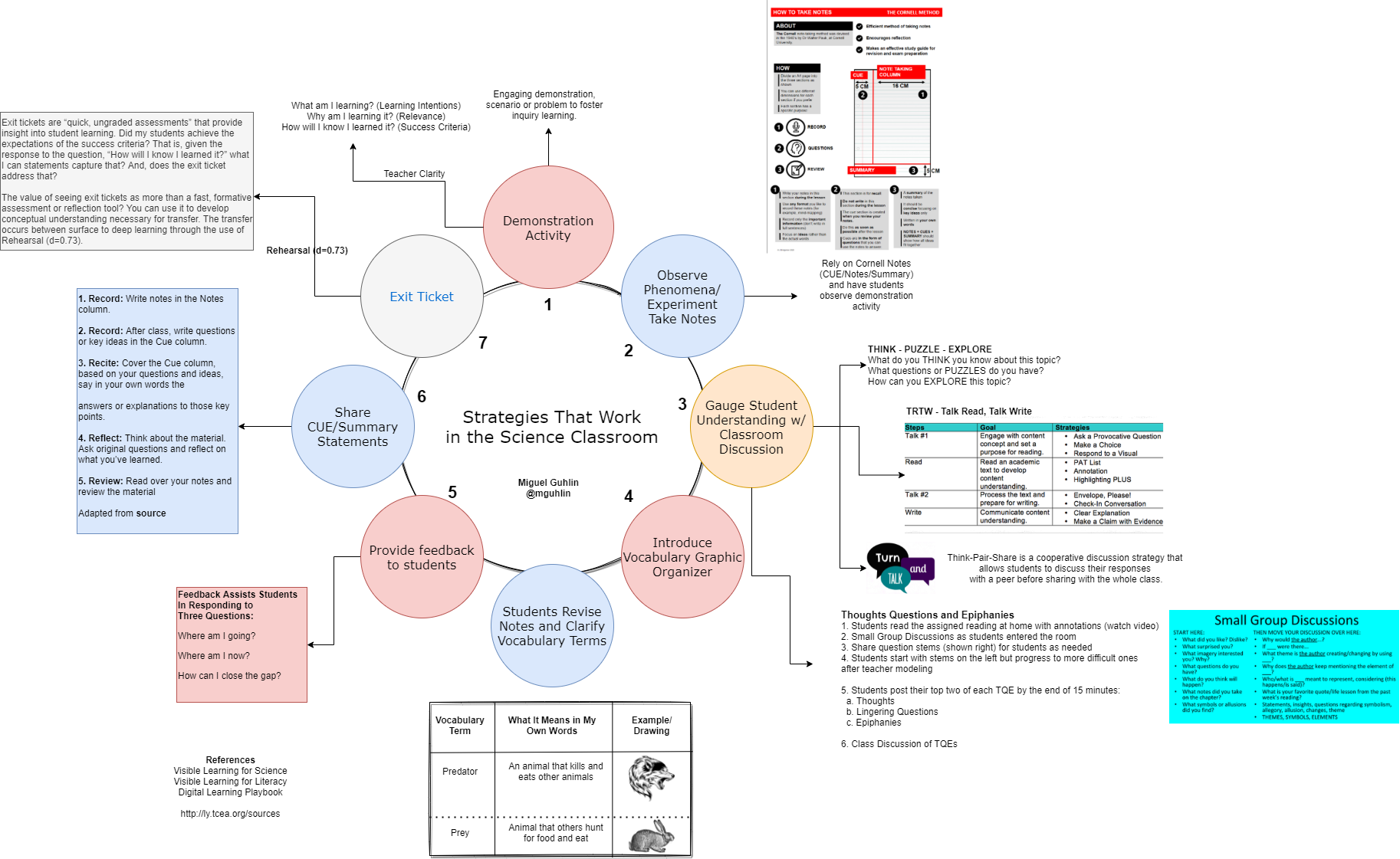
That’s quite a jump. To help the process make more sense, I put this diagram together that captures my understanding. Don’t be afraid to share your version.
As you can see from this diagram, there’s a lot going on. To complicate matters, I’ve included some additional tools and strategy suggestions. How would you approach lesson design in your classroom with these three steps?
Matching Process to Resources
To provide some support, please find some relevant resources organized by the step in the process. I’ve organized them into a meta-collection in Wakelet. Explore and have fun.
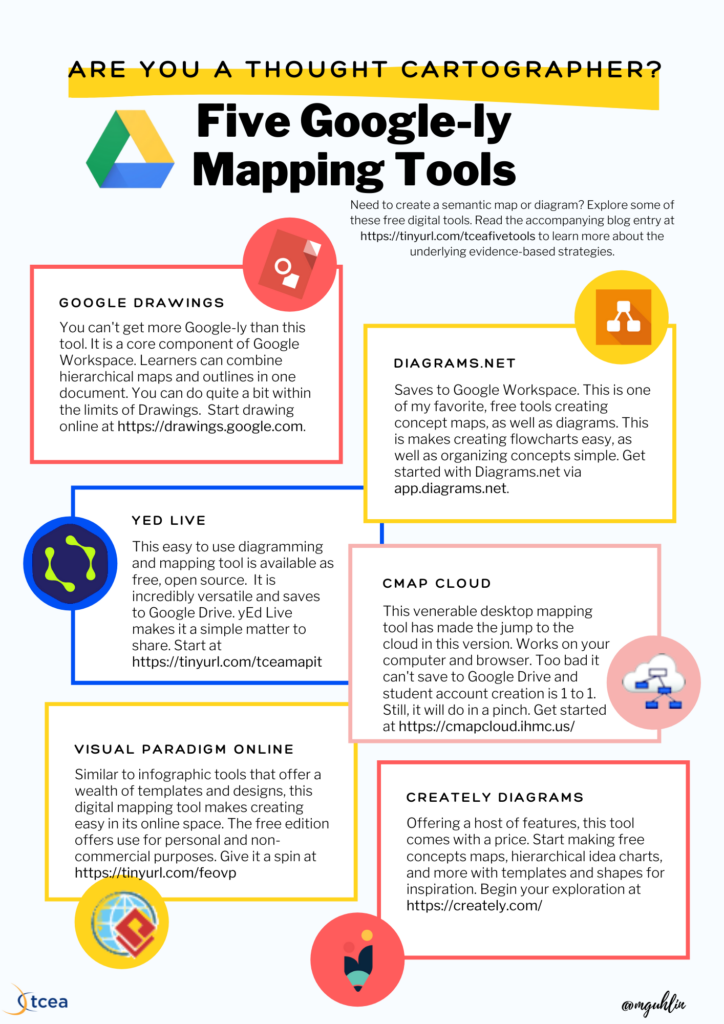
Sometimes, you may need to create a semantic map or diagram, but don’t don’t really like some of the tools available in Google. But don’t worry; there are some fantastic tools you can take advantage of. What’s more, most of these tools will save diagrams straight to Google Drive. Let’s take a moment to review why working with diagrams is important, aside from their utility.
More Than Utility Tools: The Research
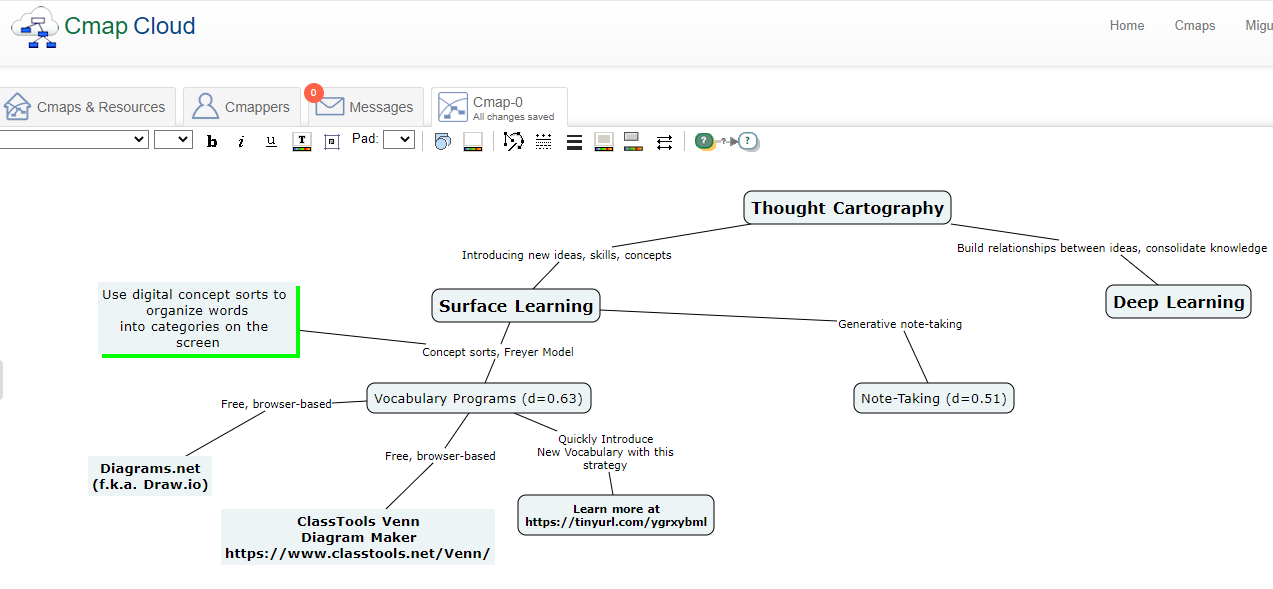
Concept maps, diagrams, mindmaps, and semantic webs: these words evoke complex creations, calling to mind the spider webs. The right tools at hand mimic paper and pencil, tapping into our generative powers. When you grasp a writing tool, you seize the chaotic energy of your mind. You seek to reflect the constellations of thought and map them. There are benefits to this thought cartography.
Vocabulary Programs (d=0.63). This includes programs to build vocabulary, including subject matter vocabulary. It also includes making semantic maps to find connections to other words. This last item, making word connections via concept sorts and the Frayer Model, is most relevant.
Note-Taking (d=0.51). This involves students making notes in a systematic manner. Note-taking increases engagement, generative learning, and greater self-efficacy.
Phase of Learning: Deep Learning
Outlining and Summarizing (d=0.66). Involves identifying the main ideas and rendering them in one’s own words. The core skill is being able to differentiate between main and supporting ideas.
Concept Mapping (d=0.64). The creation of graphic, hierarchical representations of course content. When students arrange new information, connecting it to what they know, they learn best.
These strategies focus on drawing pictures to capture the firefly ephemerae of thought. What’s next?
Pinpoints of Light
The mind, a darkness sparkling with pinpoints of thought, merits exploration. The key concept is students engaging in metacognition. As I create a concept map, an outline, or take notes, I am full of questions that may include:
Should I build my understanding around this main idea?
Is this the main idea? What are the supporting or related concepts?
How do main idea and the supporting ideas connect to what I already know?
How can I best represent or arrange ideas to reflect what I know and what I am learning?
Talking to oneself about a difficult intellectual tasks, asking questions about what one encounters.
You may find yourself looking for tools that make thought mapping easier. As you try these out, keep in mind these guiding questions.
Guiding Questions for Thought Cartographers
Here are three questions you will want to keep in mind as you dig into these digital tools:
Does the tool make it easy to build hierarchical organizations of diagrams and ideas?
How easy does the tool make it to access and edit or revise content?
Can learners capture self-talk and questions about the intellectual tasks they work on in the tool?
Of course, you may also want to ask yourself, “Does this tool cost money and how might I deploy it in the classroom?”
Digital Thought Cartography Tools
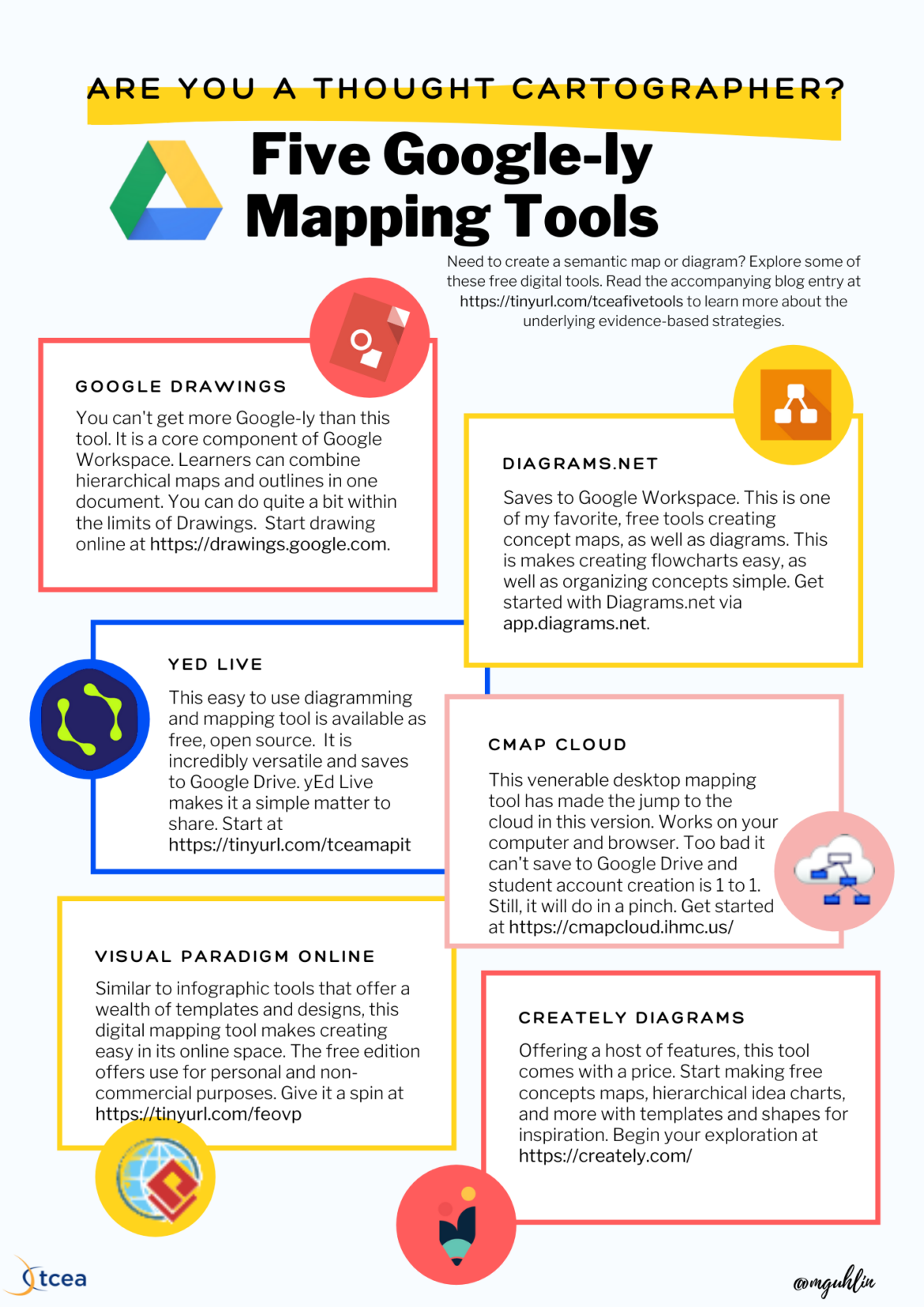
The quick list of tools available to educators and learners include the following:
Google Drawings: This is a core component of Google Workspace. Learners can combine hierarchical maps and outlines in one document. Although it may mean more work, you can do quite a bit within the limits of Drawings. An added benefit? Use it with Google Classroom. Start drawing online at drawings.google.com.
Diagrams.net: Saves to Google Workspace. This is one of my favorite, free tools for creating concept maps, as well as diagrams. Get started with Diagrams.net via app.diagrams.net.
yED Live: This easy-to-use diagramming and mapping tool is available as free, open source. You can run a program on your Windows computer or access it via a web browser. It is incredibly versatile and saves to Google Drive. yEd Live makes it a simple matter to share your creations with others.
Cmap Cloud: This venerable desktop mapping tool has made the jump to the cloud in this version. Like yED Live, it offers simple functionality as a cross-platform and browser-based tool. Unfortunately, it lacks saving to Google Drive and student account creation. Educators may still want to try out this tool for academics. Watch some videos to get started.
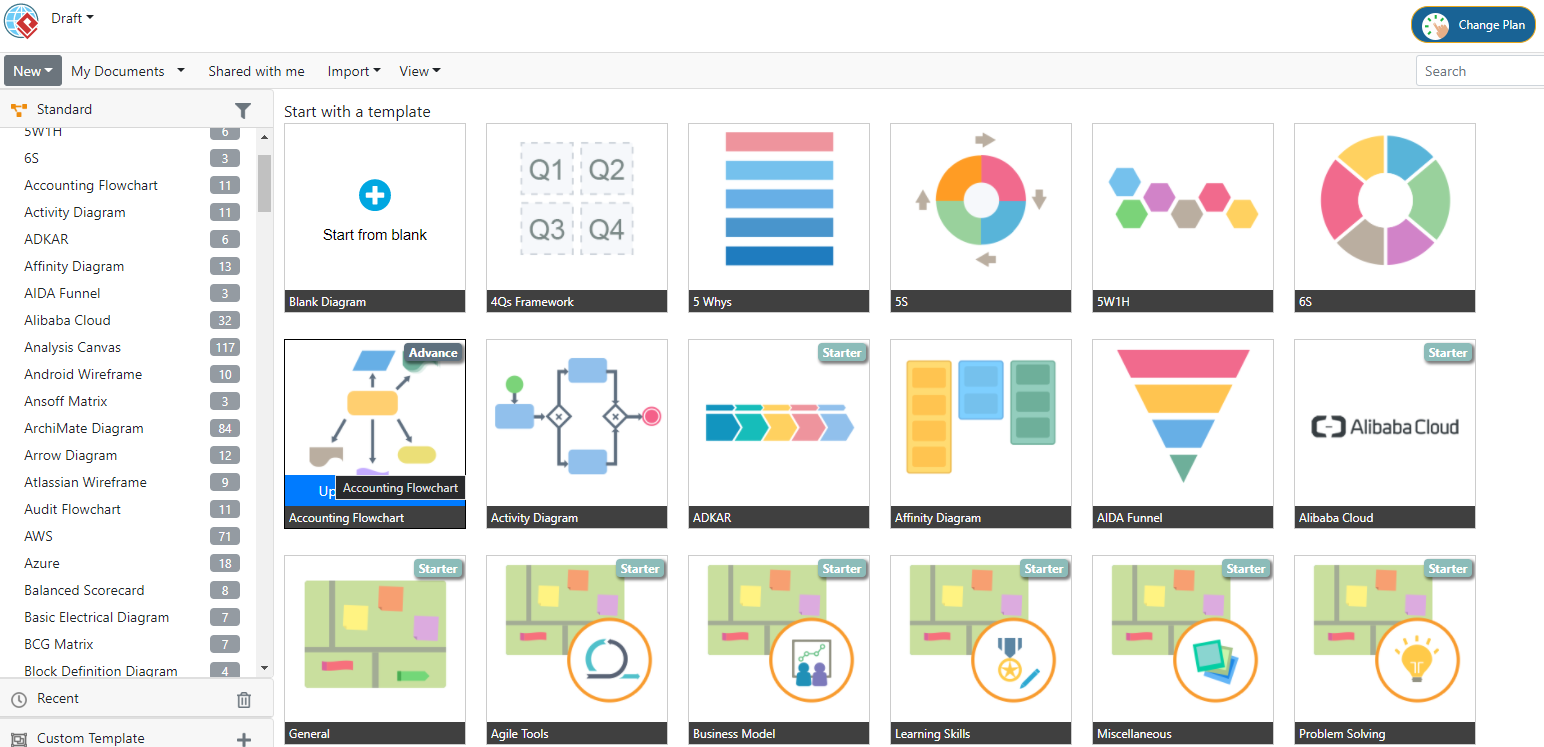
Visual Paradigm Online: With no limits on use, this free tool has a lot to offer educators. Like the others on this list, Google Drive integration is built in, as is collaboration. You can make quite a bit before you run into the “Upgrade Required” message for some diagrams. This isn’t dis-similar to some infographic tools, offering a rudimentary creative space.
Creately Diagrams: Similar to Lucidchart, you will need to pay for this diagram tool. It has a lot to offer, of course, at a cost. You can start for free to make fantastic concept maps, hierarchies of ideas, and more. It also features thousands of templates and shapes you can use for inspiration.
Need a bonus tool to explore and have money to burn? Check out Lucidchart Diagrams. Like Diagrams.net, you can create flow charts, mind maps, and more. Unlike other solutions on this list, you will need to pay for it at some point (prices vary).
Created in Cmap Cloud
Common Features
Common to each tool is the ability to export diagrams and concept maps to PDF, PNG, and JPG formats. You will find that creating diagrams is quite easy. Here are a few more features you may want to keep an eye out for:
The ability to insert shapes and images
An ample template library of diagrams, maps, flowcharts
The ability to align or reshape shapes
Easy modification of shapes based on inserted text
As you explore the different tools, keep in mind the guiding questions. How can each of these tools support student learning and metacognitive self-talk?
Infographic
Here’s a quick infographic you can share with others. Have fun. Be sure to let me know if you decide to share online. Add these tags #TCEA @mGuhlin
When you think about how to help teachers become even better at the art of educating young minds, the task can seem daunting. How do you individually work with what is usually a large number of teachers so that each one improves in at least one area that directly impacts student learning? And how do you do that when there is limited time for their professional learning? For some districts, they’ve made the decision to not even try and are eliminating the instructional coach and the instructional technology coach positions. But is that a good move? What does the research say about the impact that instructional coaching can have on teacher performance in the classroom? How should instructional coaches be used to get the most results? Let’s explore all of these questions in today’s blog.
What Is an Instructional Coach?
An instructional coach, whether for content-specific areas like ELA and math or for digital learning with the use of integrated technology, is a trained expert that works regularly “with teachers individually, to help them learn and adopt new teaching practices, and to provide feedback on performance. This is done with the intent to both support accurate and continued implementation of new teaching approaches and reduce the sense of isolation teachers can feel when implementing new ideas and practices (source).” It’s important to understand that, while coaches work with teachers, their ultimate goal is to improve student learning. That must always be the focus.
What Does the Research Say about Instructional Coaching?
There has been a lot of research done recently on the value that coaches can bring to student learning.
Dr. John Hattie found that when instructional coaching is conducted over time in conjunction with data team analysis of how students learn, student growth is positively impacted. Both the coaching and the analysis must be done, however, to specifically inform instruction.
The Effect of Teacher Coaching on Instruction and Achievement: A Meta-Analysis of the Causal Evidence found that instructional coaching had a greater impact on instruction than almost all other school-based interventions including student incentives, teacher pre-service training, merit-based pay, general professional development, data-driven instruction, and extended learning time. In fact, they determined the quality of teachers’ instruction improves by as much or even more than the difference in effectiveness between a new teacher and one with five to 10 years of experience. Similarly, student performance improved with instructional coaching regardless of whether a teacher was a novice or veteran.
“Across instructional coaching studies by Jim Knight and Galey, there is consensus that instructional coaches need to combine teaching and content expertise with strong interpersonal and organizational abilities as coaches attempt to improve teachers’ practice while navigating complex relationships between policy mandates, school administrators, and wary teachers (source).”
The New Teacher Center found that effective instructional coaches are those who are able to build relationships with teachers, understand good teaching practices, have experience with adult learners, and know how to use data.
“Kraft, Blazar and Hogan found that there is significant evidence to show that a high-quality coaching experience can improve a teacher’s skillset. In fact, gains seen from high-quality instructional coaching were equivalent to the gains seen in teacher experience learned over five to 10 years (as compared to a first year teacher). The impact did not end with teacher skill development. There was also evidence of a value-added effect on student achievement from teachers who had a high-quality instructional coach (source).”
How Can Instructional Coaching Be Maximized for the Greatest Learning?
The research indicates that there are some things districts can do to maximize results with coaching.
A serious consideration is how many teachers one instructional coach can effectively support at one time. Districts may want to limit the ratio of teachers to instructional coaches, as well as leverage technology to take advantage of virtual coaching. Research found there was little difference in the effectiveness of coaching programs online versus face-to-face.
“The national coaching survey shows that coaches throughout the country serve in multiple roles both within and outside the classroom. Moreover, they support large caseloads of teachers, which results in spending less time with each teacher. This situation may diminish the effectiveness of coaching programs (source).”
In larger school districts, large-scale coaching programs are less effective than smaller ones. This is consistent with the theory of diminishing effects as programs are taken to scale. “Districts may benefit with starting small, involving teachers who have a desire and motivation to participate, and tailoring coaching to individual needs. Larger programs requiring mandatory participation that are not individualized may be less effective especially if the teachers are not invested in the coaching process. However, it’s important to note that even larger coaching programs had meaningful and statistically significant impacts on student achievement (source).”
One study focused on the factors that influence responsiveness to coaching, especially with teachers who appeared the least receptive to collaborating with a coach to support the implementation of a new practice. Results highlight the patterns and complexities of the coaching process for 20% of the teachers in the study who were categorized as resistant to coaching, suggesting that the one-on-one model of coaching offered in this study may not be the best fit for all teachers.
Kane and Rosenquist (Making the Most of Instructional Coaches, Kappan, April, 2018) share that while the promise of coaching is high, the evidence of effectiveness has been inconsistent. Coaches’ job descriptions may be one of the problems. They often contain a wide array of duties that can erode time to work directly with teachers. Studies have identified some coaches working only a fourth or a third of their time with teachers to improve instruction.
Are You Coaching Heavy or Light?
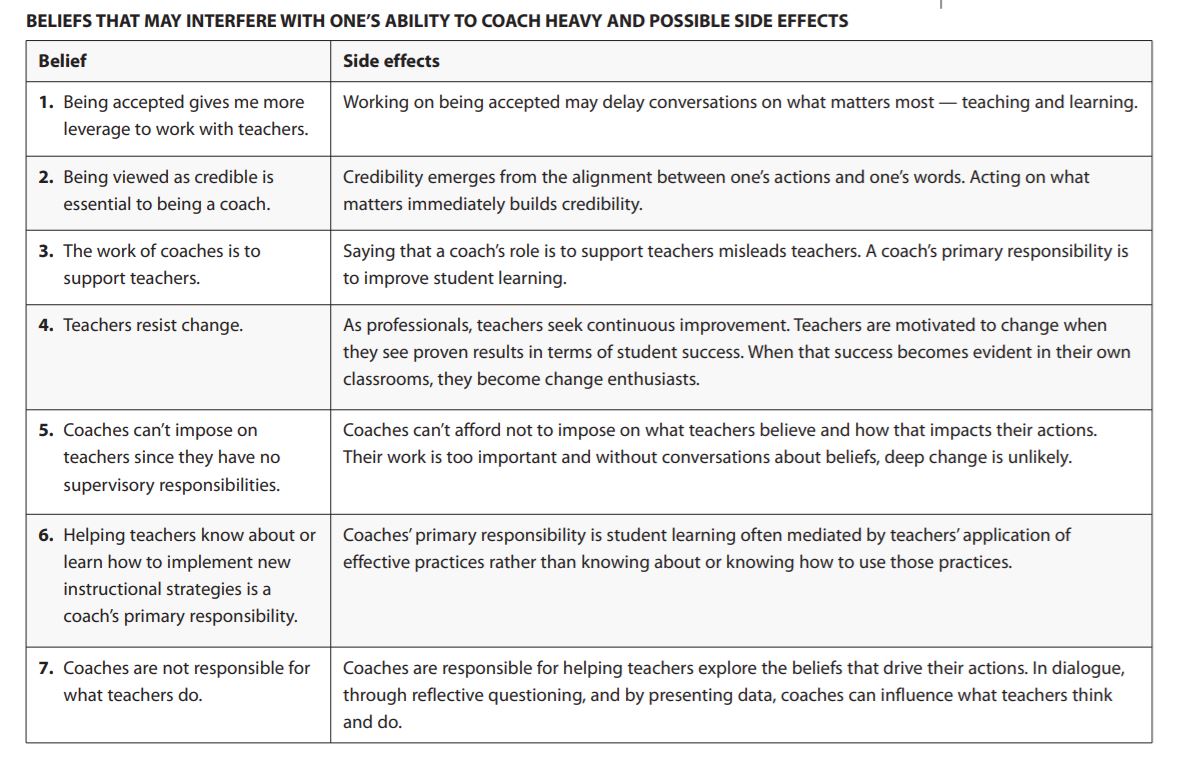
The first article in this newsletter discusses the difference between coaching that actually changes practices in the classroom (coaching heavy) and what often happens with instructional coaching (coaching light). Coaching light duties may include “testing students, gathering leveled books for teachers to use, doing repeated demonstration lessons, finding web sites for students to use, or sharing professional publications or information about workshops or conferences.” The author says that while these are all worthwhile endeavors and do result in teachers forming a closer relationship with the coach, they do not usually result in improved student learning.
“Coaching heavy, on the other hand, includes curriculum analysis, data analysis, instructional changes, and conversations about beliefs and how they influence practice.” It is a much harder job and may not result in forming a closer relationship with a teacher. Coaching heavy may cause both the teachers and the coach to question their actions and decisions and may leave them feeling on edge. It includes asking thought-provoking questions and engaging in dialogue with teachers “about their beliefs and goals rather than focusing only on teacher knowledge and skills.”
The table below shows the beliefs that a coach may have that may negatively impact his/her ability to coach heavy and the resulting side effects.
After further thought and research, the author found that effective coaches use a mixture of both light and heavy coaching. Coaching light is done primarily at the beginning of the new coaching period, like the start of school, and lasts for several weeks. Coaching heavy takes up after that and continues throughout the rest of the school year.
Key Takeaways
So what should our takeaways about instructional coaching be? Does it make a difference in improving teaching and learning? How can we structure it so that it is most effective?
Instructional coaching for content areas and digital learning can make a significant difference in student achievement.
Coaches need to be experts in both their content area and in best practices in pedagogy. They must also stay current with the latest brain research on learning.
Coaches need to focus on holding dialogues with teachers on their beliefs and practices.
District should make sure that coaches have time for the heavy duties by eliminating many of the other duties often assigned to them such as testing, textbook inventory, and subbing when teachers are out.
What does your instructional coaching program look like? How might you improve it? Please share your thoughts with us in the comments!
Capturing what a student has learned in a lesson can be powerful indicator of success. When students know how to engage in effective classroom discussions, they learn. As I shared in this blog entry on argumentation, a classroom discussion strategy, this strategy offers much. In that entry, I pointed out that:
Argumentation makes it possible for students to connect with one another. Use this strategy to activate prior knowledge and explore new topics. Students are able to learn from others and show learning. It engages students and gives all students the chance to take part.
Yet, at the end of the blog entry, I left a question unanswered. That question was, “What are some argumentation strategies?” In this blog entry, I would like to answer that question and offer a handy infographic and multimedia text set to learn more.
A Multimedia Text Set: Classroom Discussion
Want to get some background knowledge on classroom discussion? Then be sure to explore this short multimedia text set to learn more about it.
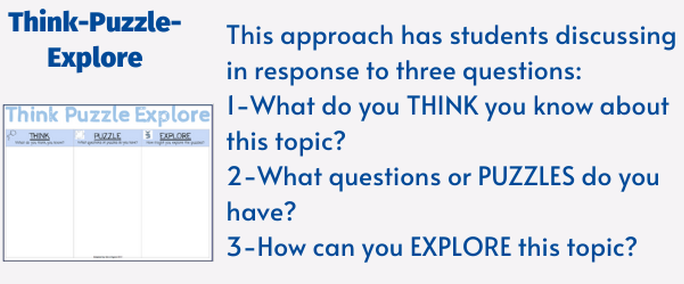
Strategy #1: Think-Puzzle-Explore
Remember that one of the benefits of classroom discussion is tracking student ideas. You need to make their thinking visible, as it happens. One easy approach? Use a chart board or whiteboard to do that. You can also use an online learning management system such as Google Classroom with Jamboard or Microsoft Team “stream” or conversation area or your standalone digital whiteboard solution.
The Think-Puzzle-Explore approach centers discussion around three questions, including:
What do you THINK you know about this topic?
What questions or PUZZLES do you have?
How can you EXPLORE this topic?
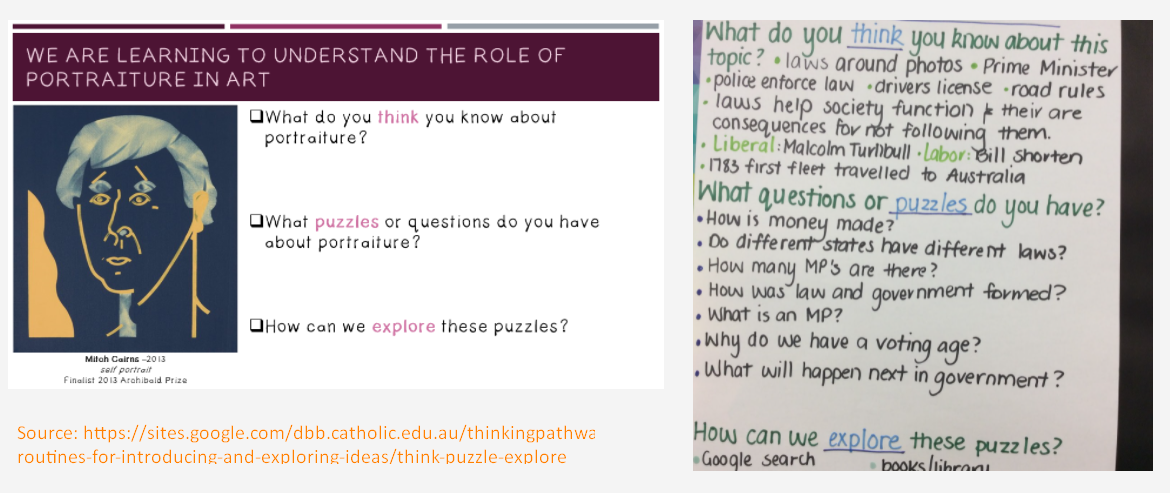
“In this routine, students are generally sharing their thinking at each step along the way. Then, they move on to the next one. This allows the class to build on the group’s thinking. It results in richer discussions” (source). See the example below:
Strategy #2: Multimedia Text Sets
Lisa Highfill’s Multimedia Text Sets (MMTS) ease the sharing of new information. Multimedia text sets help learners glean information and ideas that may come from a variety of media sources. Get a copy of a multimedia text set about MMTSs for your own.
One other powerful idea is that a short MMTS is also easy to include during instruction. Then, students on their own or students in small groups can share their thinking. Since the MMTS is a digital document in Google Docs/Slides, Padlet Sandbox, or OneNote, it’s easy to capture.
Strategy #3: Thoughts, Questions, or Epiphanies
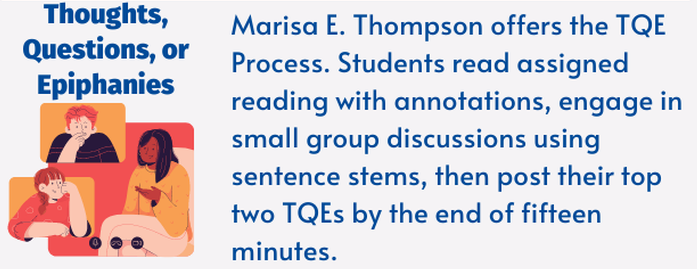
Ready to explore Marisa E. Thompson’s TQE Process? In her blog entry, The Unlimited Teacher, she shares the TQE process:
Students read the assigned reading at home with annotations.
Small group discussions as students enter the room.
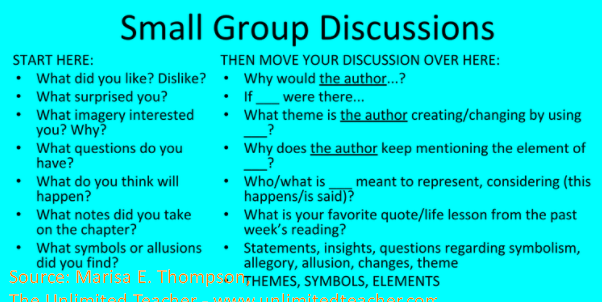
Share question stems for students as needed.
Students start with the stems on the left, but progress to more difficult ones after teacher modeling.
Students post their top two of each TQE by the end of 15 minutes:
Thoughts
Lingering Questions
Epiphanies
Then, at the end, they have a class discussion about the TQEs. Marisa provides some scaffolding for small group discussions. She suggests they start with a list of WHAT questions (e.g. What do you think will happen?). After that, they move to discussing author motivation and insights (e.g. Why would the author?).
I love how easy it is to use the annotating a text guidelines Marisa shares. She suggests dividing a page in two. On the left side of the page, you summarize anything the author left behind. This can include arguments, claims, ideas, intended audience, etc. On the right side, summarize anything you wonder about.
Ready to make learning sweeter? Give a newcomer in the game-based formative assessment toolkit a try. Educandy makes it easy to create (or adapt from those created by the community) and share digital quizzes. In this blog entry, you will see some of its features in actions. A short video step by step also appears at the end of the blog.
Before we jump into Educandy, let’s revisit relevant strategies that work.
Strategies That Work
You may already know of several relevant, high-effect-size instructional strategies. Each supports the use of quiz tools like Educandy, Kahoot, Blooket, and Quizziz. Let’s do a quick review of four relevant strategies that may apply when using these types of tools. (As a reminder, an effect size of 0.4 or higher means that the particular instructional strategy will give one full year of growth or more when used with students. An effect size of 0.8 will give two years, and an effect size of 1.2 will give three years of growth.)
Mnemonics (d=0.80). Mnemonic instruction works for students with learning problems. That includes those students with learning disabilities. The Visible Learning Meta X database defines mnemonics as “a practice by which students learn a significant amount of information for long-term recall by memory.” You can see the connection between rehearsal and mnemonics, right? Both are aiming for long-term recall.
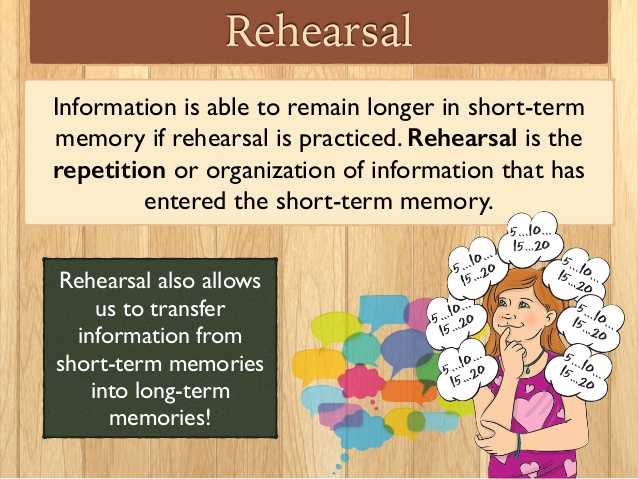
Rehearsal (d=0.73).One fun strategy that you may have relied on before is that of rehearsal. With such a high effect size, it’s important to know that it’s more than memorization. Some consider elaborative rehearsal as the preferred method. This approach better connects short-term learning to long-term memory by linking new information you want to learn to what you already know. Many of us have relied on the rehearsal strategy, elaborative in particular. Consider when you’ve created an image in your head or relied on a list or mnemonic.
Spaced vs Massed Practice (d=0.65). This powerful strategy has us space out over time the intervals when we study information. This ensures that significant learning occurs. Combined with retrieval practice, you can make long-term memory connections for new information.
Retrieval Practice (d=0.46). Also known as “practice testing,” this involves frequent testing. The research is in and it’s positive about “the testing effect.” Flashcards, practice problems, and writing prompts can improve learning. Learn more here.
Use Educandy to connect new information students need to learn to long-term memory. These four strategies make it possible. Let’s see how Educandy can make that happen.
Did You Know?
You can get access to a wealth of information on how strategies that work connect to digital tools. Wondering what technology to use with a particular strategy? Use the free, no-cost TCEA Strategies app on any device. Get it online at https://tceastrategies.glideapp.io.
Educandy: Make Learning Sweeter
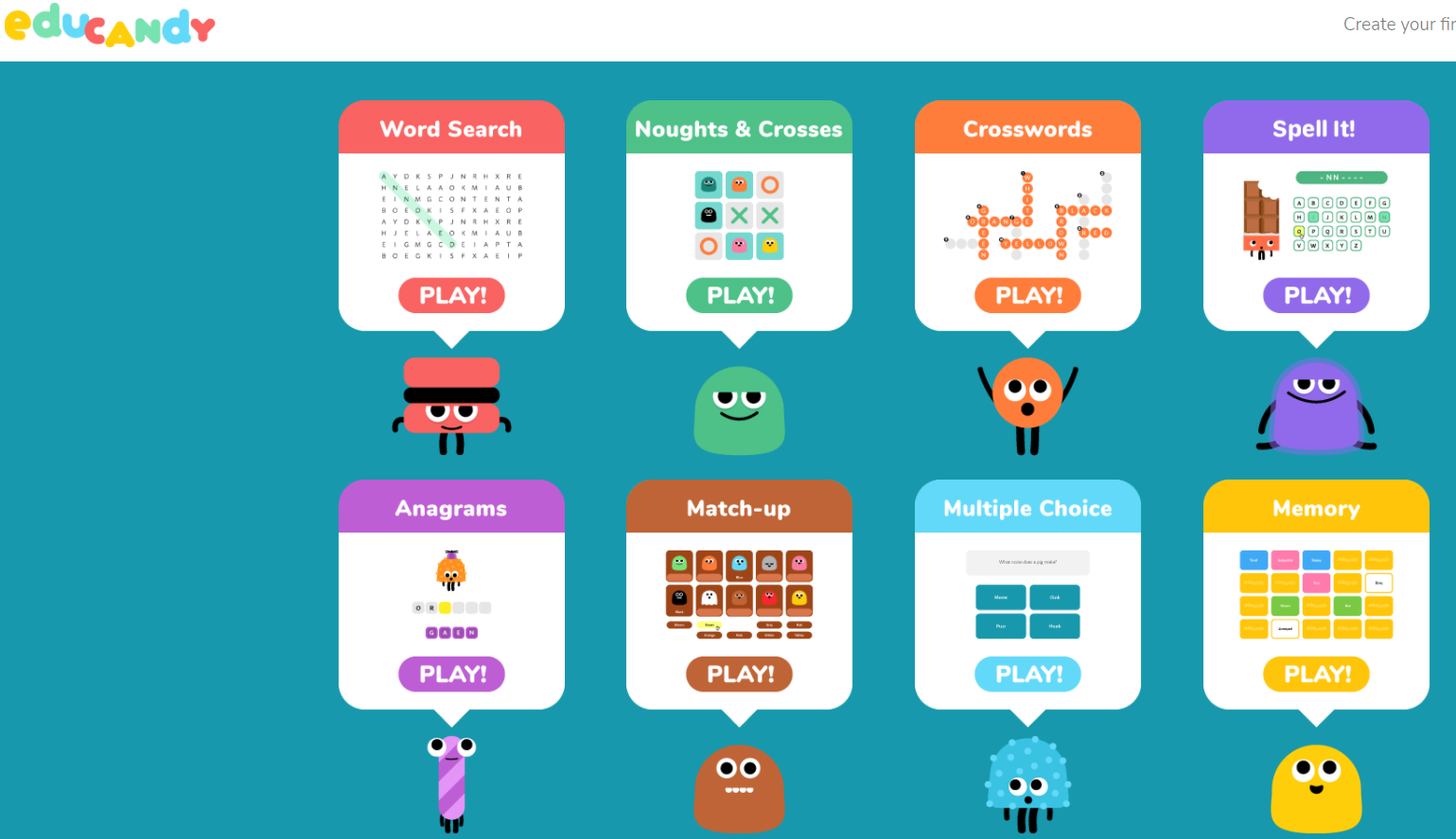
Offering a variety of interactive elements, Educandy makes it easy for you to create:
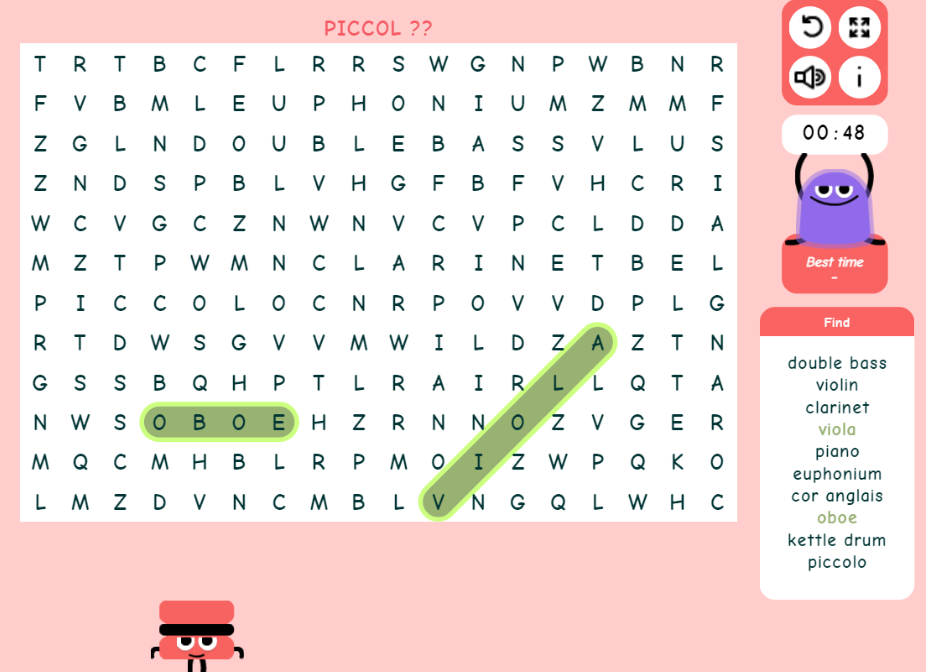
With a guest account, you can complete these activities. For example, I jumped into a word search (what an interesting vocabulary connection):
Even when you make a mistake, Educandy gives you a hint as you can see above. I missed the “o” at the end of piccolo, a musical instrument, and it prompted me with two question marks.
You can create a free account. The process involves entering your email address (no single sign-on or OAUTH authentication yet). You then receive an email message with a link and can set your password. On the privacy side of things, only the teacher is putting their email at risk. The games offered result in a shared link that’s viewable by anyone. This means that you may not know which student is doing what, which is fine for low-risk retrieval practice. It might be more fun to get students to design their own quizzes.
Pricing and First Impressions
You can visit the Educandy website and start creating right away. Here is my quick walkthrough (six to seven minutes) of Educandy.
Educandy lacks a few of the features that its competitors offer for free. The lack of Google/Microsoft account authentication is problematic. Worse, the website and the app have elements the other lacks. If the elements are there, they may be so well-hidden as to be inaccessible. For example, premium features and pricing are available only through the app. The cost of Educandy is approximately $24 a year. Educandy does offer the ability to import tab-delimited content, but it’s not obvious.
The short version? This web and device specific app need more work. I’ll keep my eye on it for the future. No doubt, they will be making Educandy even sweeter as time goes by. For now, the candy wrapper isn’t quite ready to come off unless you have simple tastes.
When you read TCEA TechNotes blog entries on exit tickets, two key reasons illustrate how every educator should be using them. Those two reasons are as a tool for reflection and as a check for understanding. In this blog entry, you will see how a high-effect size strategy informs your use of exit tickets.
Before we jump into exit tickets, let’s revisit an important strategy that guides our work. That strategy is teacher clarity, which enjoys an effect size of d=0.84 (or two years’ of growth in one school year). How do you ensure teacher clarity? You are consistent in getting your students to know the answers to the three questions below.
How Do You Start a Lesson?
When you plan your lesson, give some thought to these three questions which clarify learning intentions and success criteria for both you and the students. The questions include:
What am I learning? (Learning Intentions)
Why am I learning it? (Relevance)
How will I know I learned it? (Success Criteria)
When both the teacher and students have the same responses to these questions, it empowers students to self-regulate their own learning. It supports their use of three strategies relevant to self-regulation (Almarode, Visible Learning for Science):
Even better, it allows the construction of success criteria. This means that once students know how they have achieved success, they can measure their progress towards that. Teachers can aid students’ self monitoring of their path to success with feedback.
Exit tickets provide both teacher and students with information. They are a means to feedback. But they also do one other thing that’s important. We will dig into that in a moment.
Did You Know?
Get the TCEA Strategies app, a free tool that includes relevant videos, blog entries, and resources on high-effect-size strategies. Find it online at https://tceastrategies.glideapp.io
What Are Exit Tickets?
Exit tickets are “quick, ungraded assessments” that provide insight into student learning. Did my students achieve the expectations of the success criteria? In other words, student answers to “How will I know I learned it?” can be captured by exit tickets.
The value of seeing exit tickets as more than as a fast, formative assessment or reflection tool. You can use it to help students develop the conceptual understanding necessary for transfer from surface to deep learning through the use of rehearsal (effect size of d=0.73).
If you’re not familiar with rehearsal, it is a high-effect size strategy with an effect size of d=0.73. The Visible Learning MetaX database defines it in this way:
Rehearsal refers to mental techniques for helping us remember information. It can involve many strategies. Those can include memorizing information through repetition. Organize data at random, then repeat the information when prompted with a visual cue. Visual cues can include images, photographs or index cards.
The rehearsal strategy assists learners in consolidating new learning. As such, it is a surface learning strategy that can aid students. It does this by deepening their conceptual understanding of terminology and vocabulary. This improved grasp of vocabulary through rehearsal builds a foundation that enables learners to process the information they have learned.
You can also make a game out of rehearsal, which you can adapt for exit tickets:
Bean Bag Toss – Students recite information when the bean bag gets tossed to them. Then they toss to another student or back to the teacher.
Choral Response – Students respond as a group with rehearsed information.
Team Competition – Teacher asks questions requiring rehearsed information. Students answer on their own to gain points for their team. (source)
Focus on activities that build a relationship or connection between new concepts and old concepts that students have already learned. When you do this, you ensure that the new concepts stick.
TIP: Design your exit tickets to make connections between new and old concepts.
Get Started with Exit Tickets and Rehearsal Strategy
For exit tickets, be sure to read TCEA’s blog entries:
“Are you a good reader?” The question came up one day while chatting with colleagues. We had been reflecting on the power of high-effect size instructional strategies. One colleague mentioned, “I’m not a good reader. I don’t do any of the reciprocal teaching strategies when I read text. It takes me a long time to process text.” This perplexed me as much as it had when I taught third graders.
While I encouraged reading with my students, I was unsure of reading strategies. Students came to me able to read or not. Since then, I’ve had a chance to grow in my awareness. Let’s take a quick peek at reading and learn how you can help improve reading and comprehension skills in your classroom.
The Value of Phonics
“Every experience, no matter how bad, gives some lesson.” I learned that early on as I flunked second grade reading and language arts. It was the only time I doubted the value of learning two languages at the same time. Thanks to my mother’s intense lobbying, I found myself studying phonics (d=0.60) all summer. If I survived phonics boot camp, I could graduate to third grade. I learned how to read, all about antonyms and homonyms, morphology, and more. Then, I did my best to forget the time spent away from the beach and play. My phonics summer of misery slipped into oblivion.
Phonics instructionenjoys an effect size of 0.60. The VisibleLearning MetaX database defines it in the following way.
“A form of instruction that stresses the acquisition of letter-sound correspondences. The focus is on reading and spelling. It involves teaching children the sounds made by individual letters or letter groups. Children learn how to merge separate sounds together to make it one word. For example, blending the sounds k, a, t makes CAT.”
After my summer of phonics, reading came easier and I started to enjoy it. Many children today, however, remain stuck, unable to enjoy comprehension for pleasure. They, like my colleague, see reading as a laborious journey, fraught with difficulty. One way to solve this problem is to focus on what good readers do and then support learners.
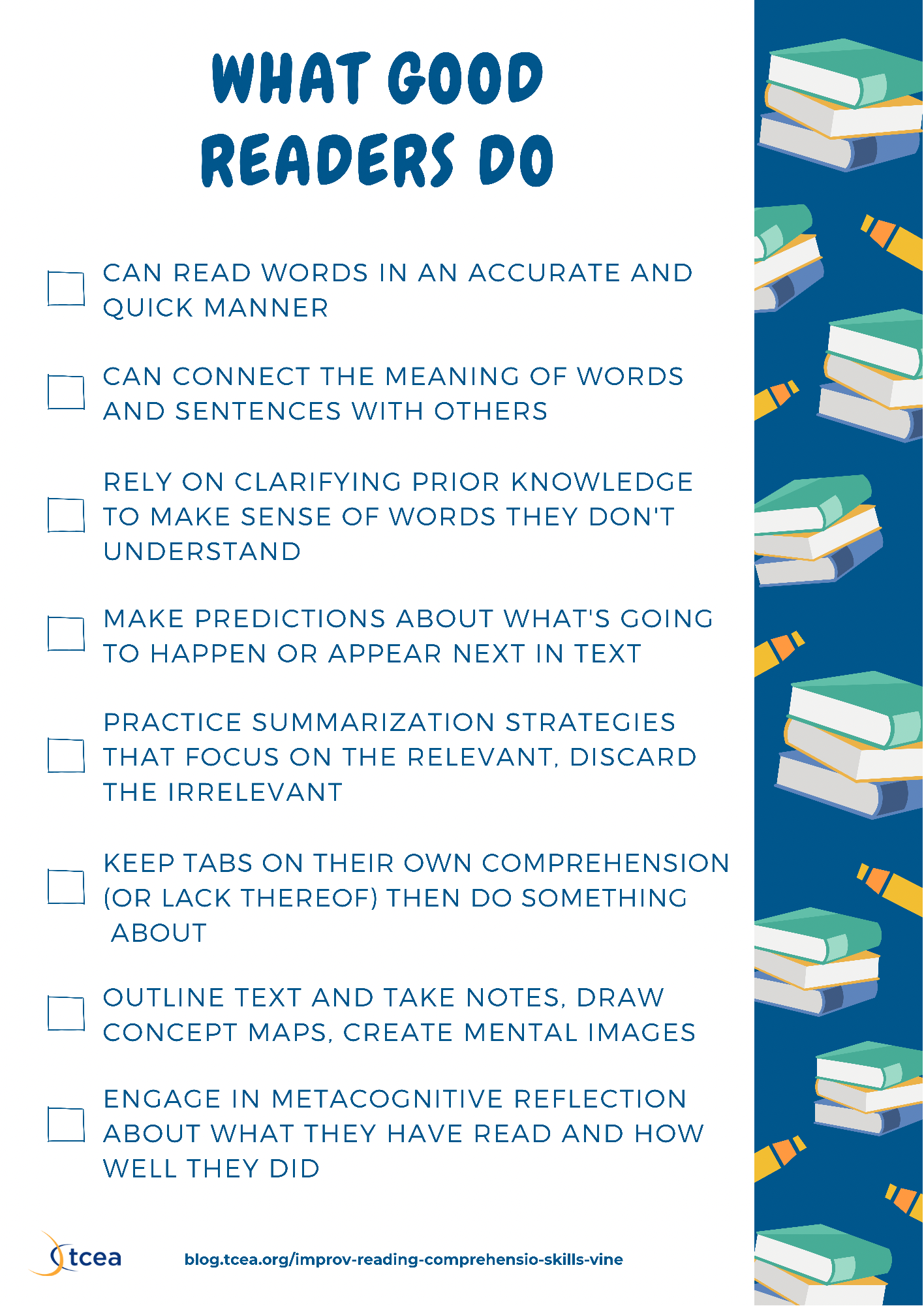
What Good Readers Do
Here is a list of eight actions that good readers take during reading. How many items can you check off? Good readers:
Can read words in an accurate and quick manner
Can connect the meaning of words and sentences with others
Rely on clarifying prior knowledge to make sense of words they don’t understand
Make predictions about what’s going to happen or appear next in text
Practice summarization strategies that focus on the relevant, discard the irrelevant
Keep tabs on their own comprehension (or lack thereof) then do something about it
Outline text and take notes, draw concept maps, create mental images
Engage in metacognitive reflection about what they have read and how well they did
More actions appear in this article, What Research Tells Us About Reading Comprehension. The eight actions above remind me of reciprocal teaching (d=0.74). That makes this high-effect size, deep learning reading approach powerful and suggest other high-effect size strategies. Those include repeated reading programs (d=0.75) and vocabulary programs (d=0.63). The latter provides a suite of strategies to aid comprehension. Unlike reciprocal teaching, these two strategies focus on surface learning. Vocabulary programs work well with younger learners given its focus on morphology.
Let’s review the list again with an eye towards strategies. If you want a complete list of learning strategies, check out Visible Learning for Literacy.
Aligning Actions to Learning Strategies
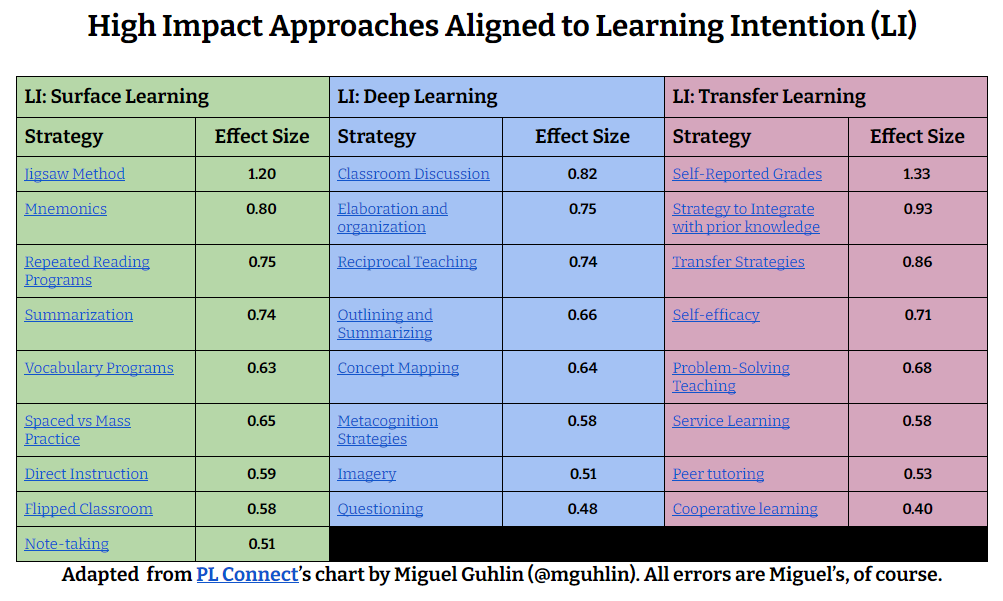
Let’s go through that list again and see if we can group the actions under strategies that work. I labeled learning intentions in this way:
With all these wonderful strategies, how might you introduce students to using them? One approach involves offering students K-12 reading passages. Find passages based on specific levels, grades, and learning styles. How do you do that online in a hybrid classroom?
Introducing Reading Vine
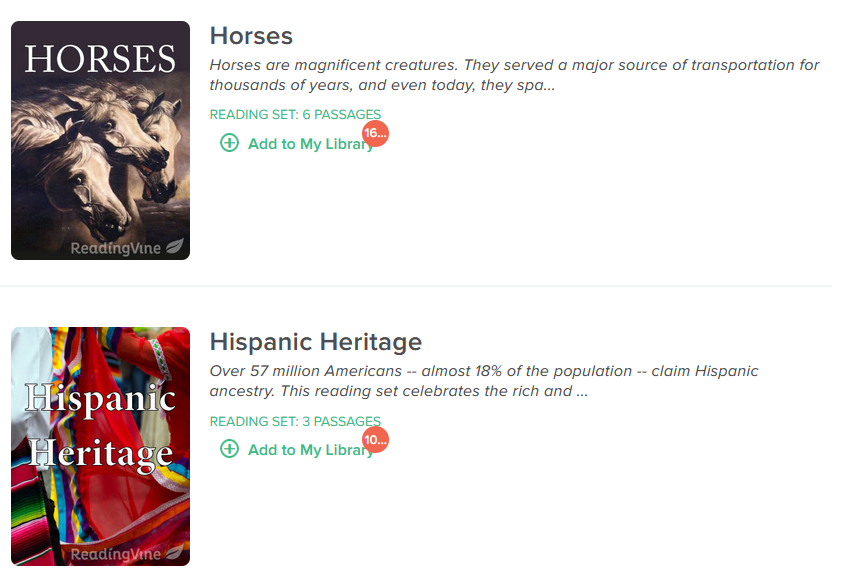
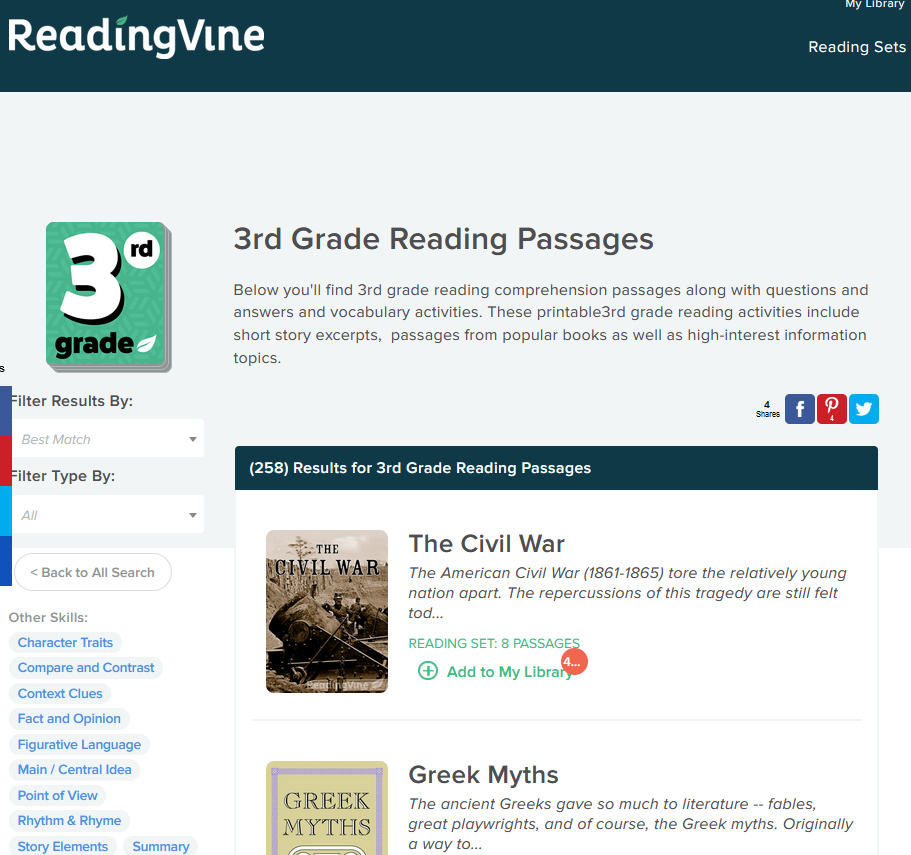
Reading Vine offers free resources to help improve reading and comprehension skills that include fiction, nonfiction, poetry, essays, and stories. What’s more, questions and answers, worksheets, and activities are also available. A wide variety of educators and parents use Reading Vine to provide personalized reading experiences. There is a wide range of content, of which only a small excerpt appears below:
Always keen to learn a bit more about Hispanic heritage in Texas, I took a quick peek at this collection. It includes a brief overview (shown below), as well as several passages.
Overview
Over 57 million Americans – almost 18% of the population – claim Hispanic ancestry. This reading set celebrates the rich and vibrant heritage of this group. There are fiction and nonfiction passages, and one is certain to be of interest to your student.
The three passages in this collection include a clip of music, nonfiction, and fiction:
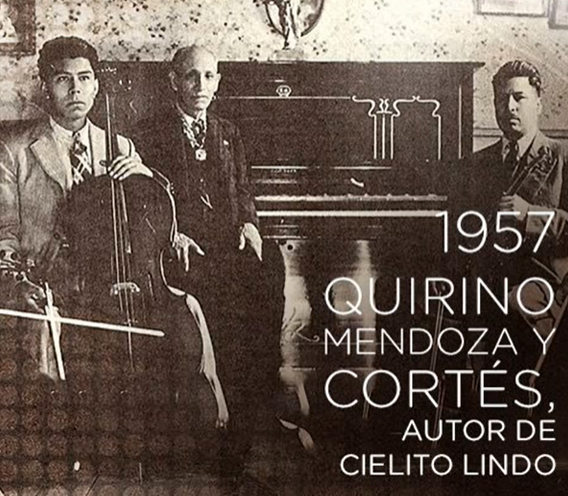
Cielito Lindo (song available in Spanish and English)
Primary Source: Opening of the Panama Canal
The Secret Box by Elizabeth Trach
Alas, Cielito Lindo doesn’t include any actual audio. You can listen and read the lyrics in Spanish online:
Each text comes with an easy to create PDF and reading comprehension questions. An answer key is also included.
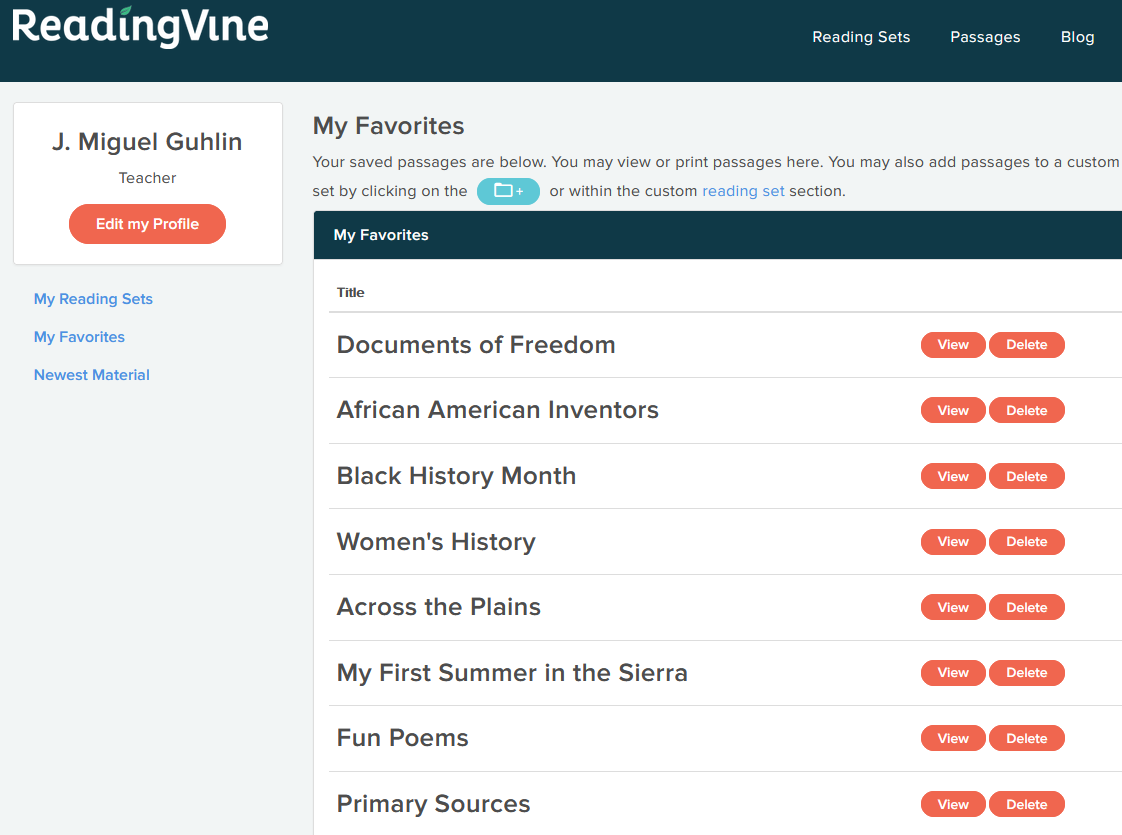
Add collections of content, or reading sets, to your “My Library.” You can see a list of a few of my favorites in the screenshot below:
Getting Started with Reading Vine
To get started with Reading Vine, you can set up an account with either Google or Office 365. Or you can use an email address and come up with a password. Once you have your account or profile set up, you can explore a variety of reading sets.
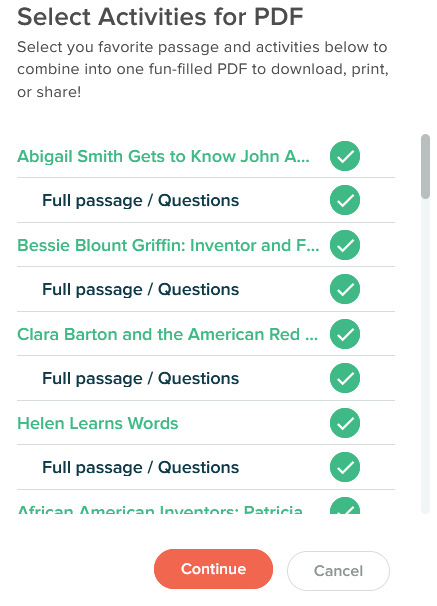
Once your account setup and reading sets are ready to go, you can create a PDF with favorite passages. These PDFs come with activities as well. This makes them easy to share with students via your learning management system.
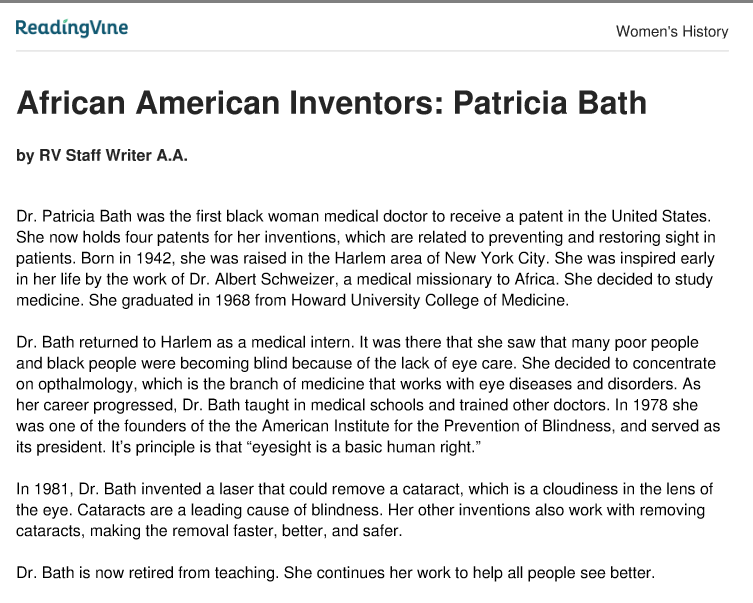
Here’s what the PDF content looks like, featuring Dr. Patricia Bath in the Women’s History set:
The selection comes with five questions, including:
Where did Dr. Bath grow up?
Who inspired Dr. Bath to study medicine?
What is ophthalmology?
How many patents does Dr. Bath have?
What is a cataract?
These are simple questions and can be used as a starting point. Why not employ a powerful strategy like the jigsaw method to dig into the content?
Matching Strategies to Reading Sets
Now that you’ve seen some of what Reading Vine offers, consider the strategies. There are several strategies students could use as they work through the text. You could rely on vocabulary programs to dig into the meaning of words. One vocabulary programs approach includes using concept sorts. You might have students put together a concept sort using a visual organizer like Circly.
Another might include doing word analysis with a Frayer Model graphic organizer. To focus on comprehension, students could engage in note taking or reciprocal teaching. Reading Vine offers some excellent content you can use to get started.

A Cry for Help: I Can’t Form an Online Community

 What Is Evidence-Based?