
Discover innovative online tools for education. Explore strategies and resources to enhance teaching, learning, and collaboration in the digital age.
Creating more connected classrooms can start with a single moment of witnessing how powerful the effect can be on students. A couple of years back, I had one of those beautiful, life-changing moments in my classroom that ended up shaping the way I approached education from then on. I’d like to share that story with you, give you some incredible resources, and hopefully inspire you to break down the walls in your classroom and connect your learners to various perspectives in our amazing, diverse world.
Junk Funk Meets Greatness
On May 13, 2015 the Laurens-Marathon Band performed a piece entitled “Junk Funk” at their spring concert in their small community gymnasium. The concert went off without a hitch. Lots of great music was performed. the audience was in fine form, and everyone left with a smile on their face and music in their hearts. The following Monday morning, the band director (that’s me!) opened her email to find a message from Kevin Mixon (the composer of “Junk Funk” who lives in New York). He had come across the band’s performance video that I’d uploaded on YouTube. Mr. Mixon simply wanted to give them a shout out:
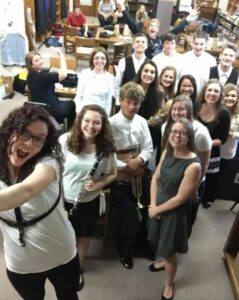
The Laurens-Marathon Band
“I came across the video of your recent performance of “Junk Funk” and wanted you to know that I was honored you selected the piece for your concert. I hope it helped advance your playing skills, but most importantly, I hope you and your audience had fun with it! I was impressed that all the grades worked together and prepared the music in a very short amount of time – evidence of your achievement as musicians! And can you thank Ms. Allen for being an awesome teacher? Please keep playing your instruments; you have achieved much so far and you have many more great performances ahead. I am now a big fan of the Laurens-Marathon Bands!”
Ok, personally and selfishly, I was ecstatic – who doesn’t like to hear an attaboy everyone once in a while? But really, as an educator and someone that had taught some of these kids for eight years, I was also so pumped that my kiddos were recognized for their hard work and couldn’t share it with them fast enough. When I read the message to my students was when the moment happened. Transforming.
As soon as I read the email, I watched the physical reaction across their faces. Their adolescent eyes popped, their shoulders straightened up a bit, and the room started to buzz with excitement. My students just had their moment of realizing they had reached an audience larger than their parents, and that this new audience dug what they had played. These kids, some of whom have never left the great state of Iowa, influenced someone in New York. Someone that was “big time.” I witnessed their enjoyment and vowed that my teaching from that moment on would strive to replicate that magic. I would break down the walls to my classrooms to connect and collaborate with others from all walks of life and perspectives. I would expand my learner’s minds and expose them to places and spaces they might not have access to normally. There was no going back.
Since this time, I have found and leveraged some wonderful technological spaces, resources, and tools to help continue to engage and amaze my students with how far their voices can travel. As promised, I’ve included them below with linked examples to get your brain muscles warmed up. Happy perusing and planning!
Social Media
Your students are probably already well versed in social media in their personal lives, but you can use these same tools to create a connected classroom and get their words and ideas beyond the classroom walls. I’ve included some helpful links for how these tools can be used by educators:
- The Why and How of Using Facebook in the Classroom
- 50 Ways to Use Twitter in the Classroom
- 8 Ways to Integrate Instagram into the Classroom
- 15 Ways to Use Snapchat in Classes and Schools
Blogging and Reflection
Allowing students to reflect on their learning in their own words and to publish their ideas for an audience can provide a powerful sense of pride and ownership in their work. Here are a few tools to help them showcase their work and writing.
- Seesaw provides a platform where students can share their work with parents, teachers, and principals.
- 50 Things You Can Do with Google Classroom
- The Top Ten Ways Blogs and WordPress Are Used in Schools
Audio and Visual
Another way to bring students voices beyond the classroom is through audio tools like Soundtrap which help students create and publish their own music and podcasts. Learn ways that this tool can help students engage, learn, and socialize here.
Students can also use WeVideo to capture, create, and share videos with people outside the classroom. They can demonstrate their creativity and abilities beyond the classroom walls. This blog shares ways to engage students using WeVideo.
My Requirements for Connective Resources
Most of these spaces/resources are not super new, but they have withstood the test of time and are Meredith-approved. What is my test? I ask myself the following questions:
- Can students create? From scratch? From a starting-point template? (I want both.)
- Is there an option to be reflective?
- Is it collaborative and, if so, can it support cross-school (state, country) collaborations?
- Will kids have easy access in school and out of school (for continued creation, passion projects, etc)?
- Is it device agnostic?
- Do I have the ability to monitor and provide easy feedback?
These are some of the criteria that I consider that have helped me find tools that work for my connected classroom. Do you have any great tools you want to add? If so, share them in the comments.
This is a guest blog by Meredith Allen (@msmeredithallen). Meredith is an educator and an international presenter. She currently works as an Instructional Technology Consultant and Educational Ambassador for Soundtrap. She taught instrumental music, K-7 technology, and virtual reality at a rural school in Iowa. Meredith has a Master’s of Science in Technology for Education and Training.
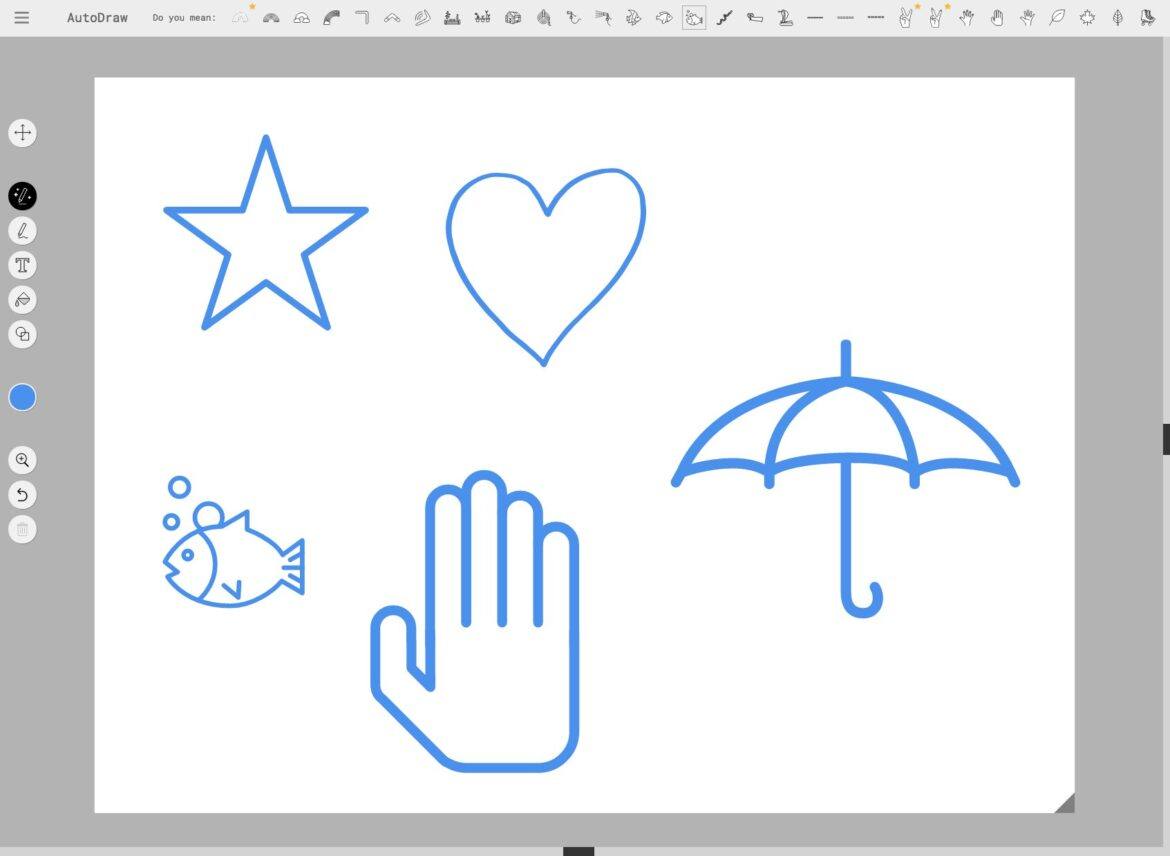
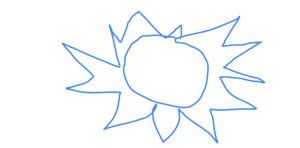
 (correct). Its choices for me to select from were presented across the top of the screen. I simply clicked on the sun icon and here is what I was given as Google corrected my poor work into something more recognizable.
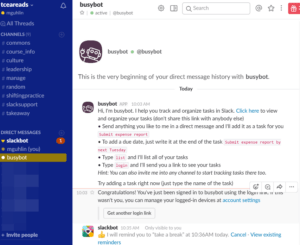

 This new tool works on any device with Internet access, making it perfect for the BYOD or 1:1 classroom. It is free (more about that below) and allows you to share your stories via email, social media, or on a website or blog. It can be used for not only creative writing, but also for research papers, book reports, journals, science logs, and much more. It does require registration and a login however, so it would work best with students from third grade up.
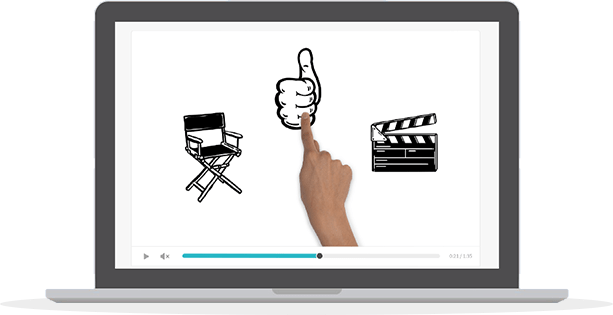 The video is done primarily in black and white with hundreds of simple cartoon-ish illustrations provided. But you also have the option of uploading your own image, logo, or text, if you wish. When it’s time for the voice over, you can upload a recording of you talking that is then automatically synchronized with the story or use the very sophisticated text-to-speech function that provides a voice over in seconds. This is a great resource for students with speech disabilities.
 Ask any administrator what he/she needs more of and the first answer will always be “time.” When the technology is invented that will allow us to cram 28 or 30 hours into every 24-hour day, then we can all rejoice and relax. But until then, here are some apps and websites designed to help us be more productive and efficient (and maybe keep us sane). They’ll run on any device with Internet access and are all free.