
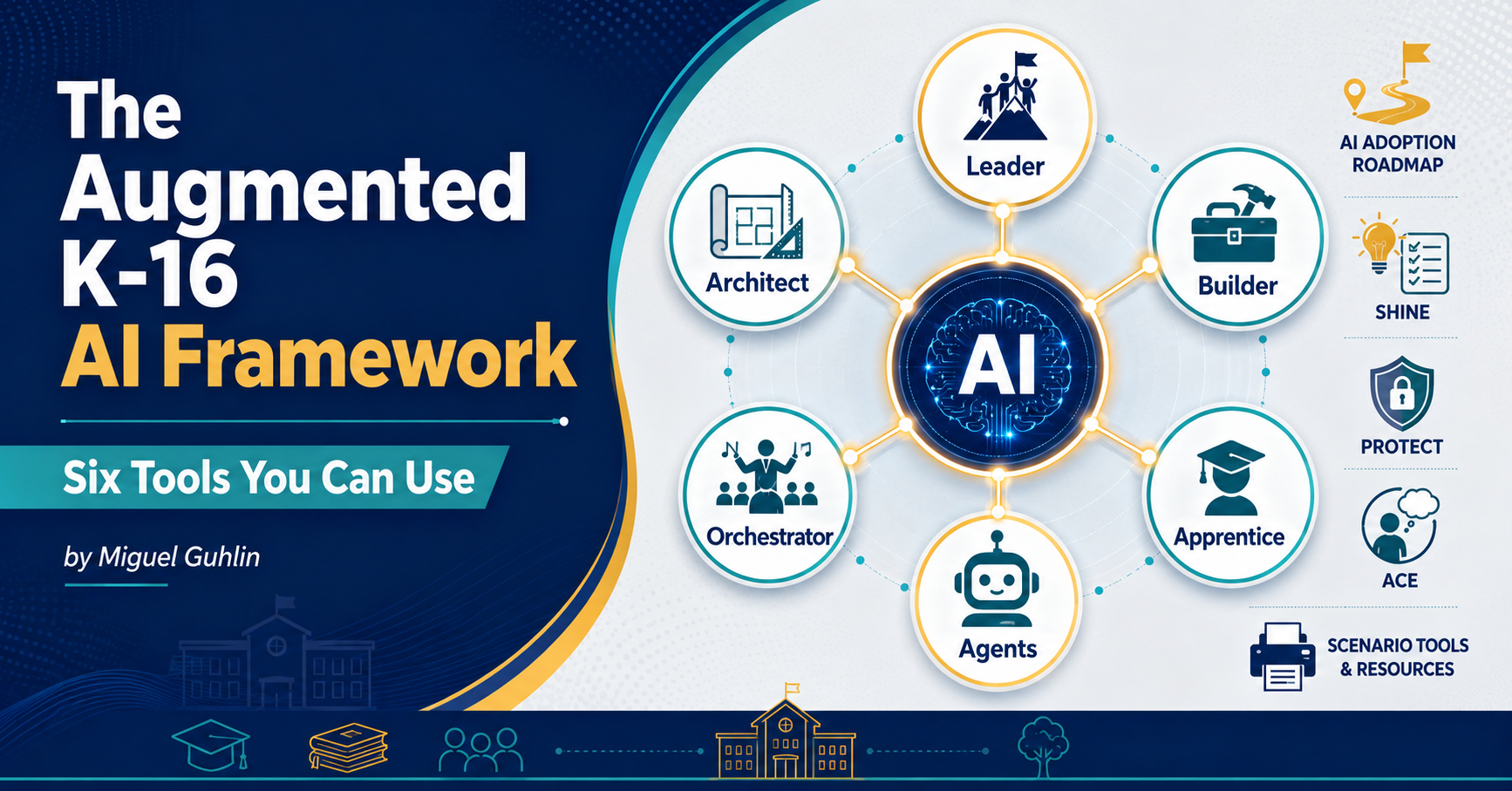
Looking for an intriguing approach to frame the Gen AI in schools discussion? You might find this Augmented K-16 AI Framework worth a read. The reason why is that it builds on Paul Roetzer’s upcoming MAICON 2026 talk (learn more). When I read his remarks on LinkedIn, it occurred to me that this might be one way to frame Gen AI causing so much turmoil in schools today. The Augmented K-16 AI Framework is adapted it from Paul Roetzer’s business version. Schools need their own map, so that’s why this is an adapted version. But I also revisit other tools that have been updated for your use.
Let’s take a look.
Update Note – Special Thanks to James Rolle for catching the fact I omitted the PROTECT v2.0 link. It has been added below. Read the details in the Comments, and leave one of your own.
1. The Six Roles
“I’m wearing seven hats today. None of them is the right one for this meeting.”
Most district staff play more than one role in AI adoption. The framework names six: Leader, Architect, Builder, Orchestrator, Apprentice, and Agents. Figure out which hat you are wearing before you decide what to do next. As I consider the framework, I can’t help but wonder at what point will educators become sophisticated enough to use AI agents in their work. Then I realize, that to some extent, an educator uses an agent when they dip into Claude Code or ChatGPT Codex on their device. Certainly, Google is starting to blend agents into their products. Soon, their use will be invisible to us, we only know that things get done.
| Role | Core Question |
|---|---|
| Leader | What policy and infrastructure do we need? |
| Architect | How do I redesign assignments to survive AI? |
| Builder | What bots and supports help my teachers? |
| Orchestrator | How do I get students debating AI output? |
| Apprentice | How do I use AI to practice my craft? |
| Agents | What can run in the background for me? |
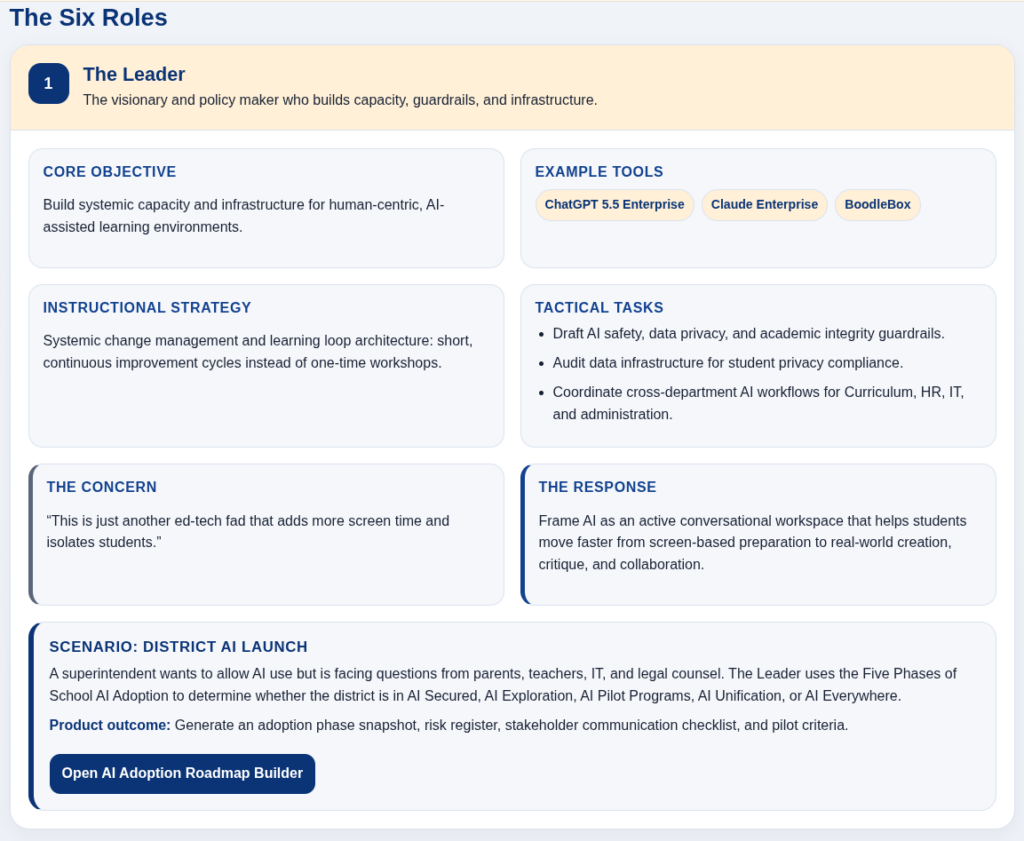
For example, consider the Leader resource that comes with the AI Adoption Roadmap Builder tool, as well as a scenario. You could definitely use these cards and tools to get conversations moving in the right direction.
2. Five Phases of AI Adoption
“We don’t have an AI policy. We have eight teachers each using a different tool.”
Locate your district before you write a policy or pick a vendor. The phases run from AI Secured (restricted, working on safety) to AI Everywhere (integrated into curriculum and communication). Most districts I work with sit in the middle: Exploration, Pilot Programs, or Unification. Naming the phase changes the conversation you need to have with your board. I put this together early on to map the road ahead for school districts who struggled with AI adoption.
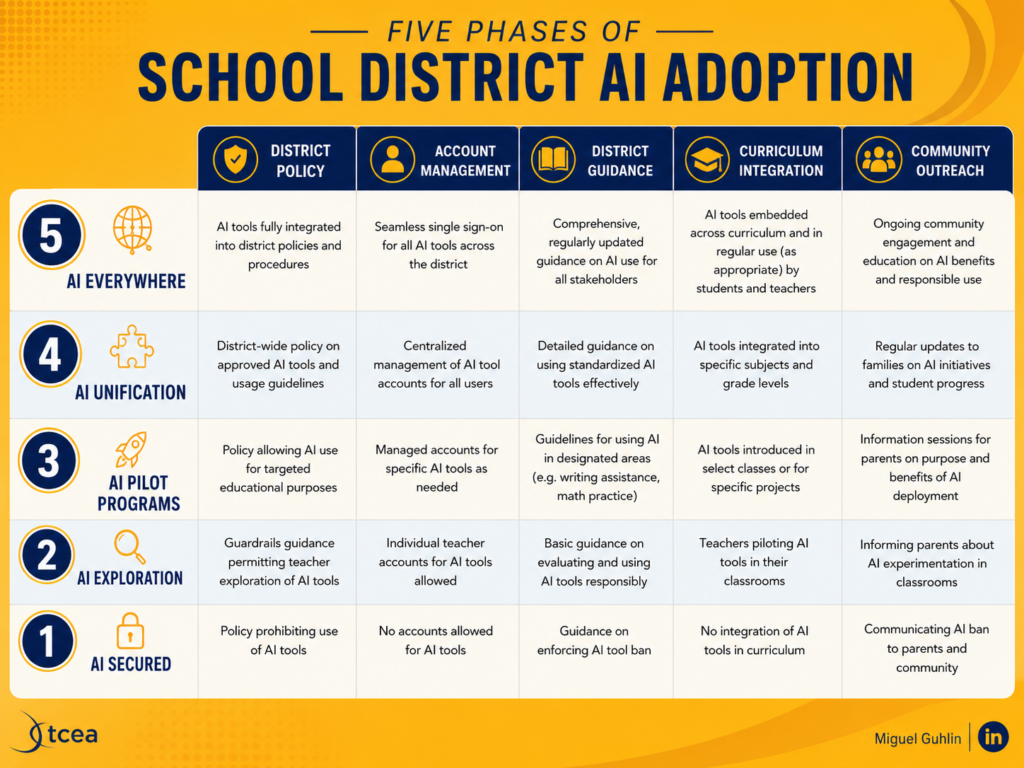
To be honest, schools have less control over the road. You may be using these phases as a way to guide your understanding of what you could see on the way to AI Adoption. But the landscape changes due to the weather and other factors beyond your control, the road delivers potholes as easily as it takes you to your destination.
3. SHINE for Tool Evaluation
“The vendor said it’s COPPA compliant. That was the whole answer.”
Run any AI tool through SHINE before adoption: Suitability, Human Oversight, Insight into Data, Necessity, and Ethics. I use it every time a vendor sends a demo invite. If a tool fails Necessity, the conversation ends.
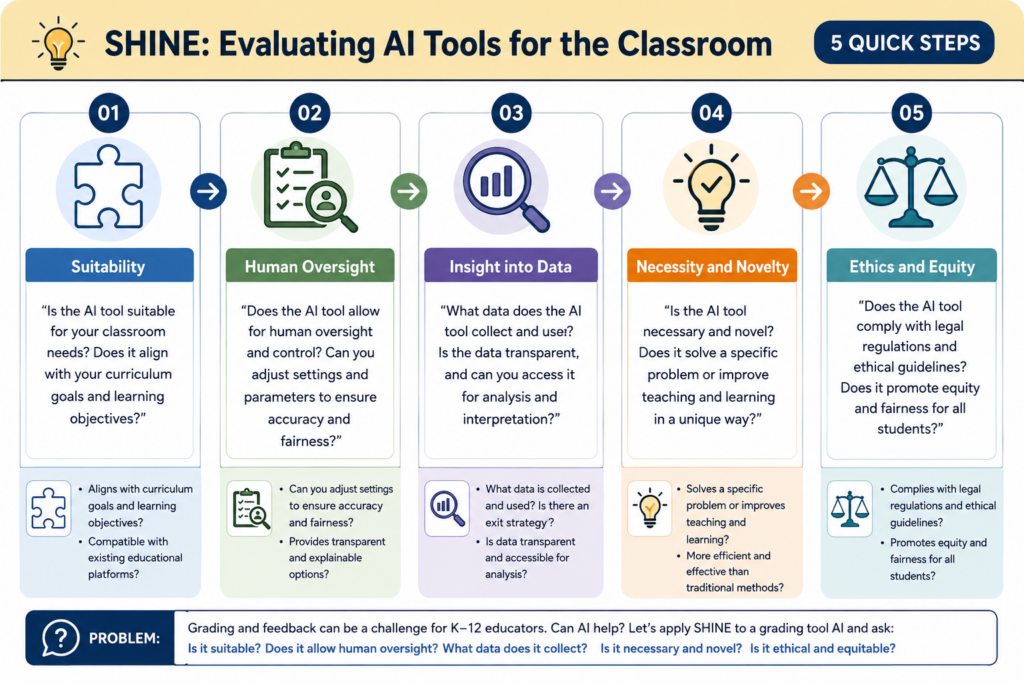
Be sure to Read the SHINE article.
For me, this is the must-have tool every school or district needs now. It’s the power to say, “No, this isn’t what we need right now” to the vendor, the legislator, the over-eager superintendent angling for some transitory benefit. It’s a tool anyone can use, but only central office can enforce.
4. The PROTECT Rubric for Privacy
“I asked them where the data goes. They sent me a marketing one-pager.”
PROTECT scores seven privacy categories from zero to two: Parental Rights, Retention, Opt-Out, Transparency, Encryption, Consent, and Third-Party Management. Each one needs an answer. A tool that cannot say where the data lives, or how long it stays, really doesn’t belong in front of students. Read the PROTECT article.
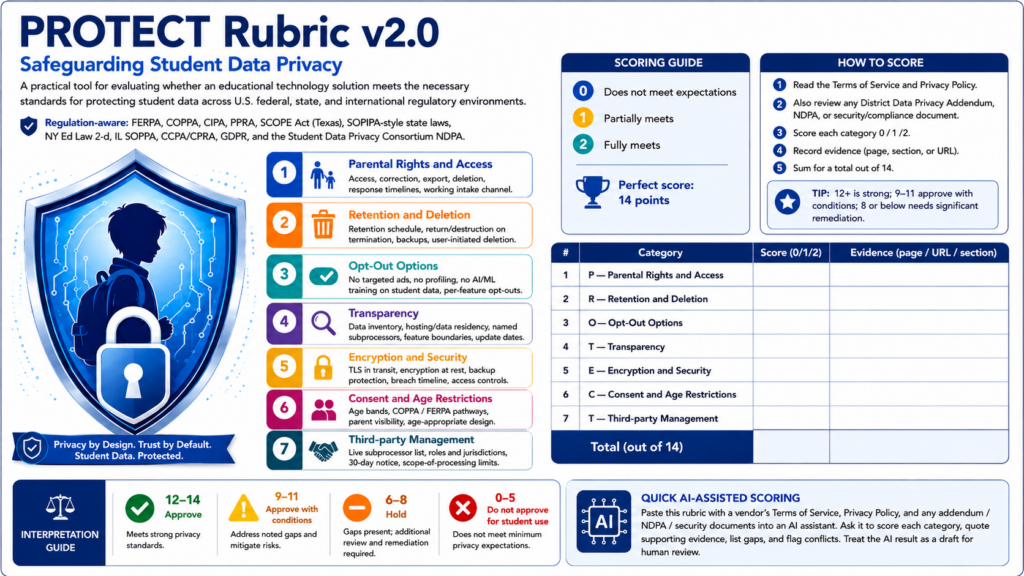
Given the changes in Texas law, here’s an updated TCEA PROTECT Rubric v2.0 that incorporates the latest. You can see it above, and give it a spin via this interface. If you have an AI API key, you can use that to turbo-charge the TCEA PROTECT Rubric v2.0. But that’s not required to use the free version.
Give PROTECT Rubric v2.0 a Try
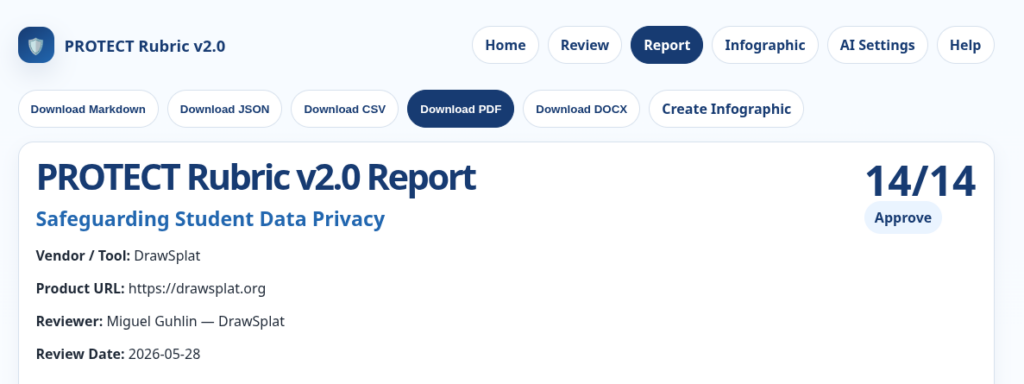
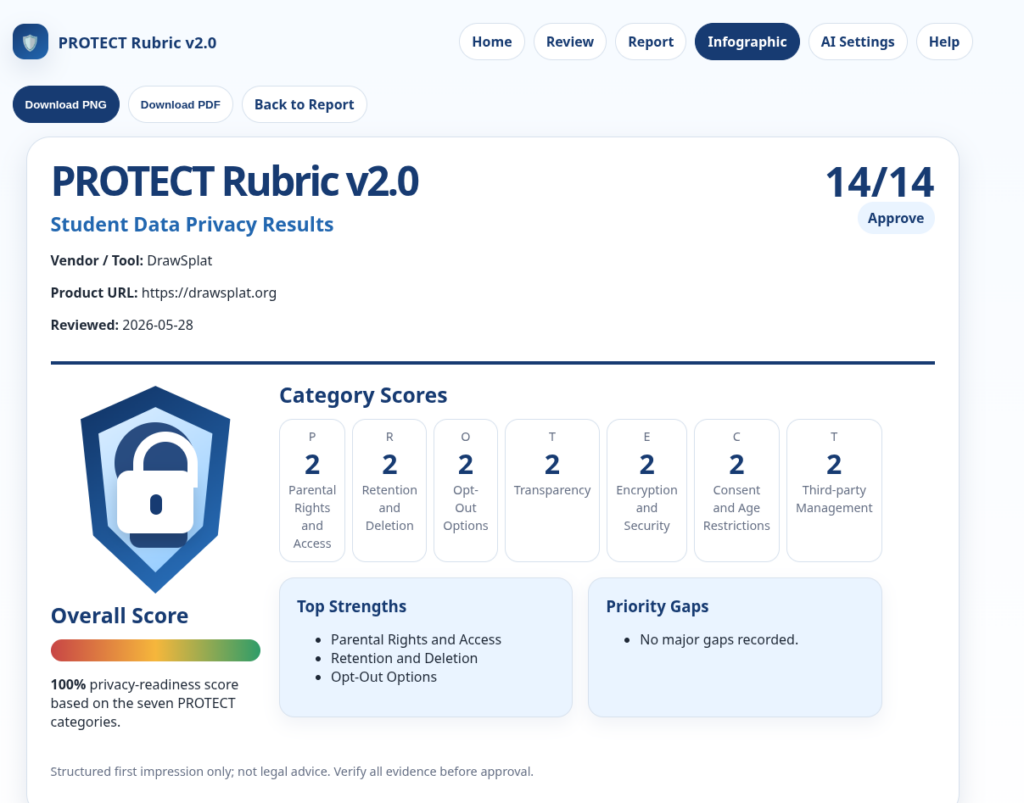
What’s more, you can even get a simple infographic from it:
Let’s switch gears from assessing whether you should allow a tool in the classroom to how you would use it.
5. ACE Reflection
“I covered the lesson. I don’t know what they took with them.”
SOLO names five levels of learning: Pre-Structural, Uni-Structural, Multi-Structural, Relational, and Extended Abstract. The framework pairs each level with a specific AI use, from low-stakes retrieval at the surface to rapid prototyping at transfer. Match the activity to what students are ready to do, not to what the tool can produce. The ACE Reflection is built atop the SOLO Taxonomy, which is grounded in research.
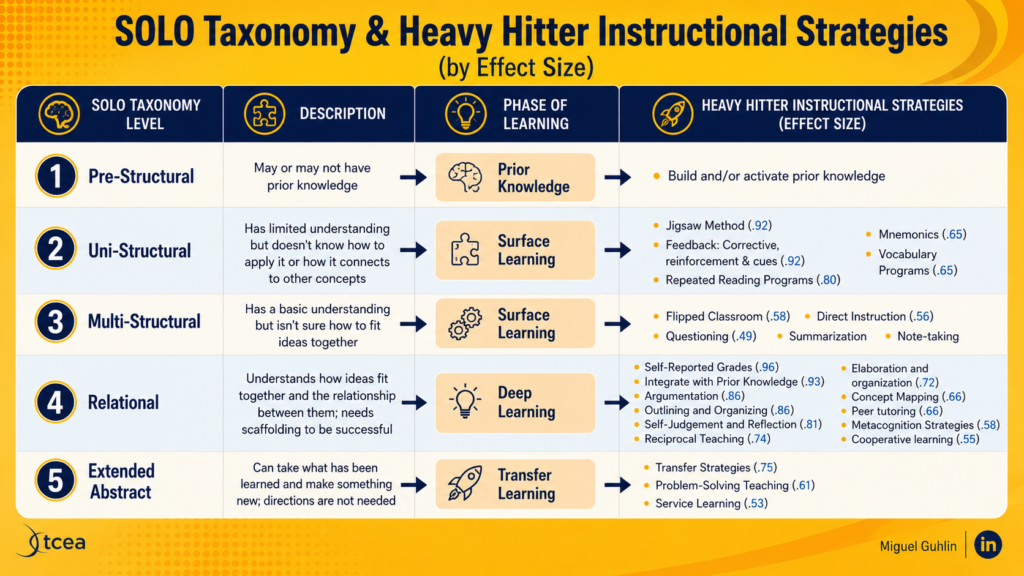
ACE gives students three prompts: Articulate it in your own words, Connect it to what you already know, Extend it to a new situation. Two minutes at the end of class. You will know whether students understood the lesson or only watched it happen.
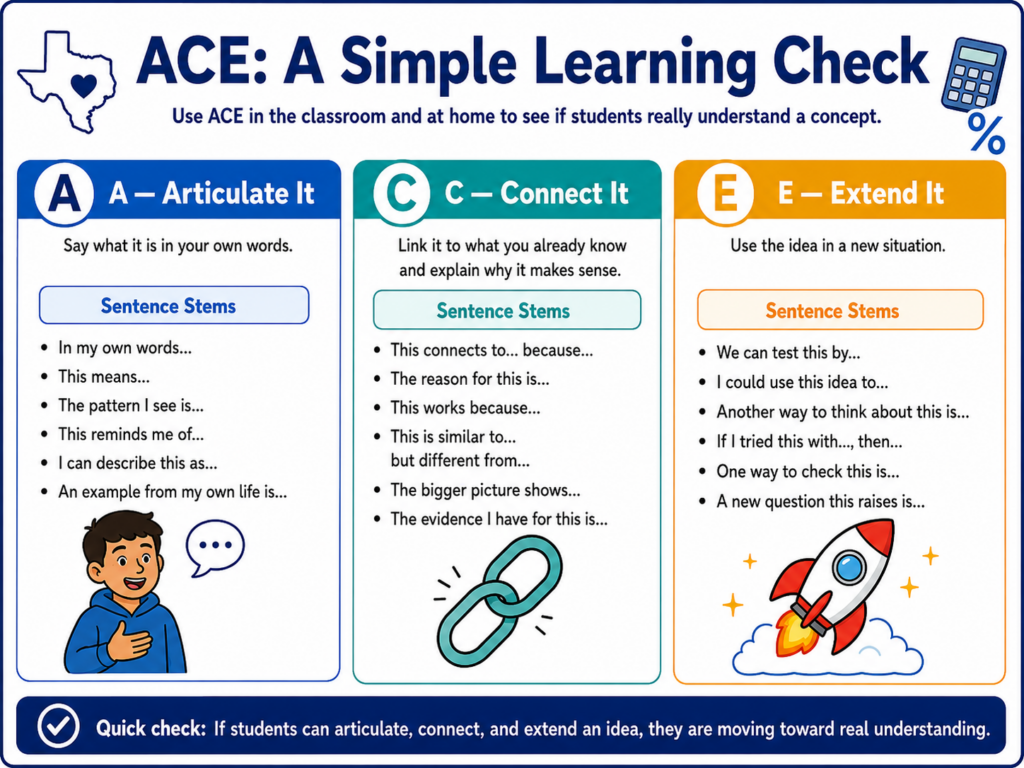
Make sure to read the blog entry for specific content area examples.
6. The Scenario Tools
“I have a parent conference in two hours and I’m not ready.”
Each role has a scenario tool that produces a printable product, not a chat transcript. The Third Thinker Debate Tool generates role cards, an evidence audit, and an exit ticket for a classroom debate. Need to prep that parent conference?
The Parent Conference Product Builder hands you an agenda, a solution menu, and a follow-up email. Six tools, six concrete outputs.

2 comments
Love this piece, but on the PROTECT rubric you wrote”…and give it a spin via this interface..” but I am not seeing any interface. Thanks
Doggone it, I forgot to include the link. Here is the free version: https://mglearn.github.io/tcea/protect_rubric_v2/index.html
I will add it to the text where it goes. I also need to include the link to an AI chatbot. That indecision about which chatbot to link to is what threw me. For the record, James, which one should I do? OpenAI, Google, Claude, BoodleBox? It’s a struggle. 😉
With appreciation for your catch,
Miguel