Communication between parents and teachers is an essential ingredient that fuels the learning process for students. When parents and teachers keep each other in the loop, they can notify each other of achievements, behavioral problems, health issues, and more.
Unfortunately, even the most well-intentioned students forget to pass on information to their parents. Or they might have difficulty remembering the correct details, meaning that parents ultimately get inaccurate messages. Sometimes, poor communication also means that kids miss out on opportunities. For example, parents may need to pay class trip fees by designated dates to reserve a student’s spot. Or a football coach may require that parents submit documentation of their kids receiving recent physical exams that confirm they’re eligible for the sport.
The bottom line is that this element of the educational process is crucial. Parent-teacher communication apps help in all these situations and many others. Here are are a few you might want to consider.
Free Apps
1.Talking Points
Talking Points is a communications app that attempts to break down language barriers between parents and teachers. These barriers can hinder efforts to give updates and ask questions. Teachers can input messages in English and have the app translate them into dozens of languages. Then, recipients who don’t speak English can reply in their native languages.
The app offers text-message-like functionality. It works in a more streamlined way than making teachers resort to Google Translate or other methods. Although this app is free, it also has paid tiers available. (Offered for iOS and Android.)
2. Bloomz
Bloomz is a multi-functional messaging app that lets teachers do things like give parents classroom-related updates or send them reminders about things they need to do. There’s also a behavior-tracking section and ways for educators to show examples of the kinds of work students are doing during the school day. Also, when teachers send messages to parents, there’s no need for them to reveal personal details like email addresses.
This app provides basic functionality for free, but there are in-app purchases available. (Offered for iOS and Android.)
3. Remind
Like the Talking Points app, Remind allows teachers to translate messages into dozens of languages. However, it
can also go further by sending PDFs, photos, and even voice clips. With this app, you can send messages to individuals or groups. The latter option could be handy for class-specific updates. One shortcoming associated with Remind is that it offers only one-way communications — parents cannot respond to the messages. (Offered for iOS and Android.)
Paid Apps
1. ParentSquare
ParentSquare provides a secure way for parents and teachers to talk to each other about school happenings. Teachers can share calendar events or files, plus engage in private messages with their students’ parents. There’s also a parent directory that allows people to have their details either visible or hidden. It could help adults connect with each other and collectively propel the learning process at a school.
A free trial and cost options for the platform are available after interested persons who sign up for product demos. The apps are free to download. (Offered for iOS and Android.)
2. Additio EdVoice
This app is not exclusively for parents and teachers, but many of its features target those groups. Messages go to phones that have the app installed, which could be a student’s phone or one used by an authorized caregiver.
EdVoice promotes real-time messaging and lets users avoid the hassles of other methods, such as WhatsApp groups. It’s possible to send messages related to an entire district or school or one focused on single classes. Pricing information is given when people request app demos. (Offered for iOS and Android — under the Additio name.)
3. SchoolMessenger
SchoolMessenger is more than a direct communication app to facilitate information sharing between parents and teachers. It also has option add-ons, such as features that notify authorized parties that a child arrived at school safely. Plus, the app stores various kinds of student information, giving parents a centralized place to access it. (Offered for iOS and Android.)
Technology Makes Parent-Teacher Communication Smoother Than Before
These apps signal the end of lost notes written on paper and allow more clarification between a child’s educator and parents. As a result, there’s more time to focus on enrichment due to fewer communication challenges.
This is a guest blog by Kayla Matthews. Kayla is a tech journalist and writer who has been featured in a number of publications. You can find more of her writing on her tech and productivity blog Productivity Bytes.



 Though many folks use digital tools to take notes (such as OneNote, Google Keep, etc.), you may prefer to take notes the old fashioned way with paper and pen. If this you, then check out the
 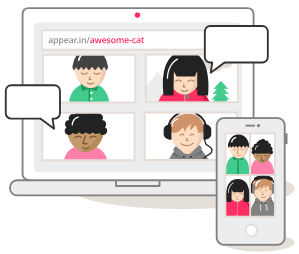 Video conferencing doesn’t get any easier than
  Noisli


 If you like listening to audiobooks, you’ll enjoy using OverDrive. If your district doesn’t subscribe to it, check and see if your local public library does. If so, you can check out audiobooks from them, as well as through their network of other contributing libraries!
 While grandparents love this app for making collages of their grandkids, students of all ages will find this app easy to use when they have an assignment where they can create collages, annotate over photos, etc.
 Though many of us remember copying down notes in class to study for tests, current students seem to prefer to take photos of the board to capture their notes. This app is so handy for that. Point and aim it at the board, projector, paper, etc.. Once it detects the area, you just snap the photo; it will crop it so only the board is in the photo and deskew the image so it looks like you had prime seating in front of the board when you took the picture. Save as an image on your device or as a PDF or Office format if you have an Office 365 account.
 Sometimes you want your students to record a video to capture their learning. But many devices have a default video recording app that is bare bones. You’ll find Adobe Express to be an easy go-to tool that will help students make great videos without getting bogged down in the technical aspects of videography. Though it is only for iOS currently, it is worth the wait for other operating systems.
 Pushbullet is great if your students find that they need to “push” files or photos from their phone or tablet to their laptop/computer (and vice versa). Pushbullet makes it easy without having to move your file/photo to Google Drive, Microsoft OneDrive, or DropBox first. And, since it is in the cloud, you can access your account from any device to retrieve previously pushed files. This is great if you have students taking photos or videos on their phones, but then need to add them to documents that they are editing on a computer.
 If you want an easy app that allows all of your students to share, then this has to be the best app for that. It’s perfect for having students summarize their content or reflect on their learning. If they are using a phone or tablet, they’ll need to download the app; otherwise, they can use the webcam on their laptop to participate. Though I don’t recommend the paid version of many apps (I remember what it was like when my teacher budget was whatever I had in my pocket), this is definitely one app that is worth the price; consider getting others to join with you and you all can enjoy a discounted price. Even without the additional features in the paid version, this is a super app!