Discover tools, tips, and strategies for teaching digital literacy. Equip students with skills to navigate and evaluate the digital world effectively.

This is a guest post by Anthony Mason (@edtechmason), a Digital Instructional Coach at Naaman Forest High School in Garland ISD.
If you talk to any parent, teacher, or principal, there is nothing more important than the safety and security of our students at home and at school. It’s our number one concern as educators.
However, even as we protect students from the analog world, we sometimes forget to teach them the skills they need to be safe in the complex, ever-changing digital world. These discussions need to happen every day in conversations, lessons, and interactions in order to encourage good digital citizenship and online safety. A good framework for students, parents, and teachers to follow is the Nine Elements of Digital Citizenship.
Below are five practical ways to encourage good digital citizenship habits into students’ everyday device use and keep students thinking and talking about their online experiences and interactions with the trusted adults in their lives.
- Set restrictions on where and when technology can and should be used. Don’t allow devices to be used at the dinner table. Don’t allow devices to be used right before bedtime. Limit the number of hours devices can be used during leisure time.
- Talk to your kids daily about how they are using their devices. Whenever possible, have them use devices in a common area with appropriate supervision.
- “Never talk to strangers” is one of the most common ways parents and teachers teach students to protect themselves. Protect students’ privacy and keep them safe by teaching them not to share personally identifiable information of any kind online, including location information (via metadata in photos) and full name.
- Be a positive example and role model for students to emulate. Students will not do what you say; they will do what you do.
So never, ever drive distracted. Model appropriate use of technology in the home, classroom, and other public settings. - Always remind students to T.H.I.N.K. before they post any text, videos, and/or photographs online. Is it True? Is it Hurtful? Is it Illegal? Is it Necessary? Is it Kind? Kids might not fully understand that their digital footprint is traceable and un-erasable. Recently, students have lost out on jobs and scholarships and even been kicked out of school because of negative posting online and bad digital footprints.
This is not an exhaustive list. Visit www.digitalcitizenship.net and www.commonsensemedia.org for more information on keeping our children safe and secure in a digital world and to learn more about digital citizenship. As education technology integration continues to grow and expand, parents and teachers can help students navigate the murky waters of the digital landscape with ease.
To Learn More About Digital Safety
- The November 2016 TechEdge takes up Safety, Security, and Support, offering you stories and ideas about keeping our students and their data safe online. Watch your snail mail and email boxes for this upcoming issue.
- On December 9, 2016, the TCEA Technology Leadership Summit: Security will be held at the TCEA Conference Center in Austin.
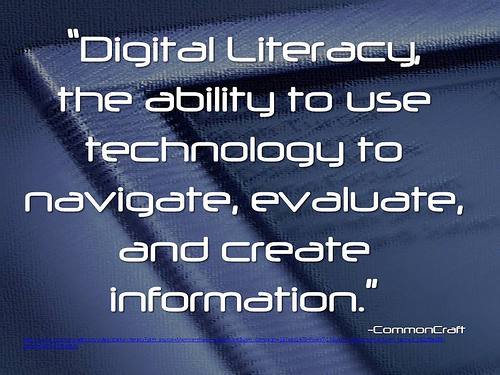 important piece of the puzzle because it not only identifies that the problem is far more than just access and equity of hardware and Internet, but also brings to the forefront the issue of “digital readiness” and further provides clarity of the lack of digital literacy skills as the “main barrier to drawing people to resources for learning.” Doesn’t it make sense that the same students who do not have access to the Internet at home would also not have access to digital literacy education, those skills necessary to succeed in school, work, and college?

 conduct their research as they normally would. But as they collect information that they need, they are now able to highlight the data, drop it onto a “Candy card” with automatic site location and citation, and then organize the ideas into a “Storyline” to reveal connections and find answers. Candy cards can be dragged and dropped into different orders, which is fabulous for organizing the final draft, and the contents of each card are searchable. Once the research is complete, the Storyline can be exported as a text file with just one click.
 Information and quotes from any source can be Candyed, including websites, social media, videos, images, and more. When you’re ready to insert the Candy cards into a document, the original source comes with it, making citation simple, complete, and automatic. To help students throughout the project, a teacher can ask that the Storyline in digest format be emailed to her to look over. Candys can also be shared via email and social media and inserted into blog posts, which is great for student blogs.