Explore insights and strategies for CTOs and CIOs in education. Discover tools and resources to support technology leadership and innovation.

When I became a technology director, the job description was a little sparse. At that time, it was a relatively new position across the state (yes, I am that old!) and very few C&I leaders really knew what we were supposed to be doing. But I did have an idea in my mind. I thought that my job was to craft a vision for the use of technology that meshed with the district vision for teaching and learning. And then help move the educators in my schools toward achieving that vision with the addition of hardware, a strong network, and lots of professional development.
What I Didn’t Know
In looking back, that was certainly meant to be the main focus of the job. But it’s all of the other things that took up my time that seemed to define being a tech director. And after traveling around the state recently talking with technology leaders, I think it’s still true today. See if any of this resonates with you. Or, if you are thinking about becoming a CTO, make sure that you can perform all of the jobs below before you start applying!
The Real Duties of a Technology Director
- Purchase and set out copious amounts of chocolate for all professional development offerings.
- Have at least two of every kind of tech adapter that has ever been made, including for outdated equipment.
- Make coffee at the drop of a hat (even though I don’t drink coffee).
- Be able to fix anything electric.
- “Lori, the copier isn’t working. Can you fix it?”
- “Lori, do you know how to repair the automatic gasoline measuring equipment for the school buses?”
- “Tech person (yes, some people actually called me that), the lights in my room go off when I plug in my projector. Is that bad? Can you fix them?”
- “There’s a new scoreboard on the football field that we can’t figure out. Can you show us how it works?”
- Remember everyone else’s passwords, including students, and be able to recite them as needed.
- Translate what the system administrator says into everyday language so that you can explain why the network is down.
- Know, and regularly practice, 43 different ways to troubleshoot a technical problem.
- Give advice about home computer, home theater, home WiFi, and home-anything-else-that-plugs-in problems.
- Work with the CTE teachers to help them with their (welding simulation software, sewing/embroidery machine computer, setting the correct time on the microwaves in the cooking kitchen, helping them select the best automotive computer system to purchase).
- Offer sound advice about online STAAR testing.
- Pick up the right kind of donuts for the technical guys (no nuts, no pink icing, with meat).
- Offer sacrifices to the infrastructure gods on a regular basis so that the network NEVER goes down, and it especially doesn’t go down right when the superintendent needs to use it to plan his vacation.
- Constantly explain to parents that the Internet is not a tool of Satan and that yes, their children should use it.
- Be able to promise the school board, without laughing, that adding more technology will definitely, guaranteed, bring up test scores.
With all of that being said, I can honestly say that being a CTO/technology leader is absolutely, without a doubt one of the best jobs in the entire world. Who else gets to play with really cool tech every day and work with dedicated educators and excited students!
What about you? What are your favorite, least understood, or parts of being a tech director that you never expected to be in charge of or that absolutely drive you crazy? Please share; you’re not alone!

 We had some huge wins in the area of computer science and computational thinking this session. Our six-year goal of providing weighted funding for the 9-12 Technology Application courses has finally been achieved. In HB 3, the school finance legislation, the weighted funding for CTE was changed from grades nine through twelve to grades seven through twelve. In addition, the
  There are two pieces of legislation that are going to impact educational broadband. The first is HB 1960 which creates a Governor’s Broadband Council that will advise the governor on issues related to broadband access to unserved areas. This is progress, but not as much as we hoped for. There are few, if any, areas of Texas that are unserved. The original bill included underserved areas, but heavy lobbying by the large telecommunication companies eliminated that language from the bill. However, we consider this progress because we finally have some entity at the state level that will look at the state’s needs for broadband from a strategic perspective. For too long, all state entities have tried to provide affordable, scalable broadband for their own purposes when it would be much more cost efficient to survey the needs across agencies and entities and design a plan to meet all the needs. HB 1960 at least establishes a council that could do this in the future, if given the authority.
 There are several opportunities in the bills mentioned above that will provide professional development in digital learning. The Blended Learning Grants are largely designed to provide professional development for educators in blended learning, not to mention the funding provided to UTeach to continue to provide this type of training to Texas teachers. Also, this is a good chance to remind districts that the TIMA may be used to provide professional development on the use of technology. In addition to these bills, the legislature passed HB 2424 that requires the SBEC to establish rules to create microcredentials in fields of study related to an educator certification class. This was one of TCEA’s legislative priorities, so we are excited to see this bill pass.


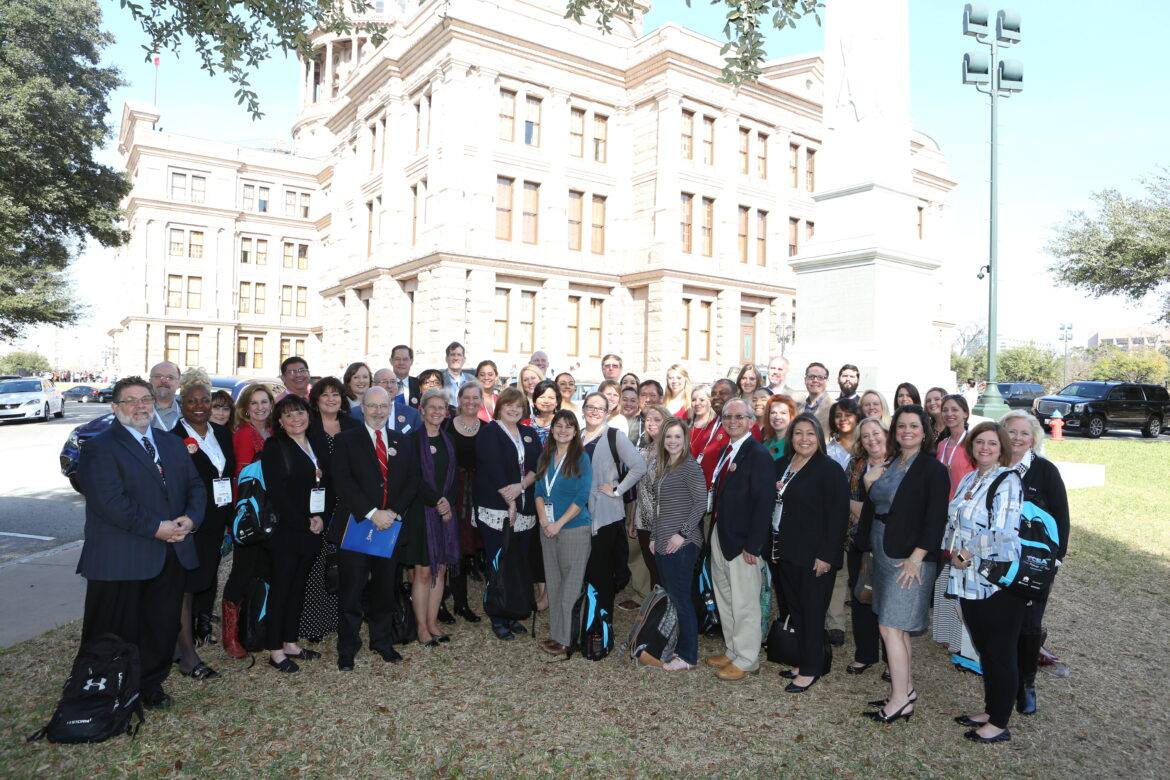
 For many, this is t
 having a group of staff members from legislator’s offices discuss what to expect and how to navigate this type of meeting. I promise that, by the end of the two-hour training, everyone will be prepared to advocate for the things they are passionate about! Most people who attend the Ed Tech Day at the Capitol have so mu

 McDonald, Director of Technology for Anderson-Shiro ISD, said