I must admit that I can be a subscriber junkie. Offer me a chance to bring daily information into my Gmail account on almost any topic, and I’ll jump on it. And I love to connect my Google account to different apps and websites for better integration. But that can mean that my inbox becomes filled with emails that I don’t have time to read and my account information is available to too many people. And, what’s even worse, it can open me up to some possibly dangerous connections that use my account for a variety of apps.
To Stop Worrying
To keep your Google account running smoothly and safely, it’s a good idea to do a regular audit of what apps and websites you’ve connected to over time. For instance, I have several Amazon Echos which are connected to my account for easy ordering, adding things to my calendar, and more. I also play Pokemon Go (don’t judge me!), so I’ve connected that game with my Google account for my profile. These are both services that I want to continue. But there are others that I may have signed up for originally, but no longer want, or don’t even know how I got signed up with them. For those instances, I want to take steps on a regular basis to clean out those unwanted services.
Checking the Apps Connected to Your Google Account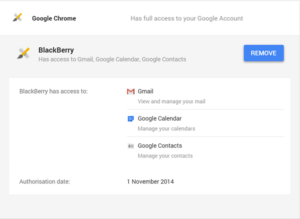
Head to the connected apps section of your Google account. You may be asked to log in to your account while doing this, and that’s okay. This will show you all of the apps/websites that are connected to you, the apps that have been granted permission to access your account. Click on the name of an app and it will reveal a drop-down with more information, including the access level given to that particular service and the authorization date.
There are several different levels of access that can be granted:
- Full access – When you grant full account access, the application can see and modify nearly all information in your Google Account (but it can’t change your password, delete your account, or pay with Google Wallet on your behalf). This “Full account access” privilege should only be granted to applications you fully trust, and which are installed on your personal computer, phone, or tablet.
- View your basic profile information – These apps have access to basic data from your account, like your name, email, gender, or country. You might also see that the app can “Sign you in using your Google Account.” That means that you can sign in to these apps with your Google username and password as long as you’re signed in to Google, saving you the hassle of remembering new passwords or creating a new account.
- Read and write access – Permissions for some apps and sites might include read and write access, which means that they can post information about your activity on their app or site to Google products you use. For example, you have an app on your phone that lets you track how far you run. If this app has read and write access to Google+, it can post the number of miles you run to your Google+ page.
If you’ve granted full account access to an app you don’t trust or recognize, you should revoke its permission by clicking Remove. I recommend you run this check every three or four months, just to make sure that your account stays relatively clean and safe.




 (correct). Its choices for me to select from were presented across the top of the screen. I simply clicked on the sun icon and here is what I was given as Google corrected my poor work into something more recognizable.
 The headline is too good to be true. I think my favorite example in this category is “17 Cats Who Should Be Running for President.” Really? Cats for president? What’s the point of this article? If it’s too ridiculous to be true, it’s too ridiculous to be true and isn’t worth your time.
 In the midst of all that you do, please take time and enjoy the
 remember all of the things that I routinely forget. She’s the one who gets text messages and phone calls from her boss at all hours of the day (and yes, I’m sorry to admit it, the night, too). She runs our robotics contests and our awards and scholarships programs, both of which have huge numbers of participants. She is also our membership software expert, which means that when the rest of us can’t make sense of the programs we use, she helps us, always very patiently. I often wonder what she must tell her husband about us each day when she goes home; I’m sure the stories about our incompetence make him laugh. But she never makes us feel stupid, even when we ask her the same question 100 times. She is always patient, and TCEA wouldn’t be what it has grown to be without her.
 Janny works the reception desk of our building, which means that she is the first face visitors see. She is also the first person on the phone and chat lines, making her the voice of TCEA, too. And that is a blessing as she is the sweetest woman I have ever met. I have never seen anyone multi-task like she does. She can be entering purchase orders, responding to a member’s frantic phone call about a forgotten password, restocking drinks for a workshop or room rental happening in our conference center, and fixing the copy machine, all while smiling. She always has a pleasant greeting and a piece of candy for the UPS, FedEx, cleaners, lawn maintenance, and post office folks who drop by, and has never once been seen with a frown on her face. Some day, when I have enough karma points, I want to be Janny.
 Carrie, our director of member services; she answers to each of our 17,556 members. And that’s a lot of bosses to have! Erin is one of the newer members of the team, but has fit in with the rest of us crazies since day one. She spends a lot of time working in our membership database system, which can cause her to go a little bug-eyed at times. And she is our official “booth babe,” traveling across Texas to talk with members and non-members alike at area events and to preservice teachers at their student teacher orientations. Unlike the rest of the staff who are more specialized, Erin is expected to know everything about TCEA: all of our programs, our offerings, and our benefits. From member webinars to our advocacy program to the daily app list to what each SIG provides, she knows it and happily shares it with everyone she comes in contact with. She is the best advocate a member could have.
 Our newest administrative professional, Ashley, supports the professional development team (Bruce, Diana, Peggy, and Miguel) and our advocate Jennifer. She is in charge of the TCEA certification programs, making sure all of the PD events are on the calendar and available for registration, mailing out completed and framed certificates, setting up for face-to-face workshops, and assisting the trainers to keep track of where they are supposed to be doing presentations when. She helps with the set up of all of our PD events, like the Tots conferences and System Admin, as well as the various academies. And she runs the convention volunteer program. She sometimes looks a little shell shocked as she has the most TCEA staffers to keep an eye on, but she manages all of them beautifully.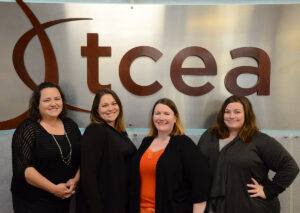

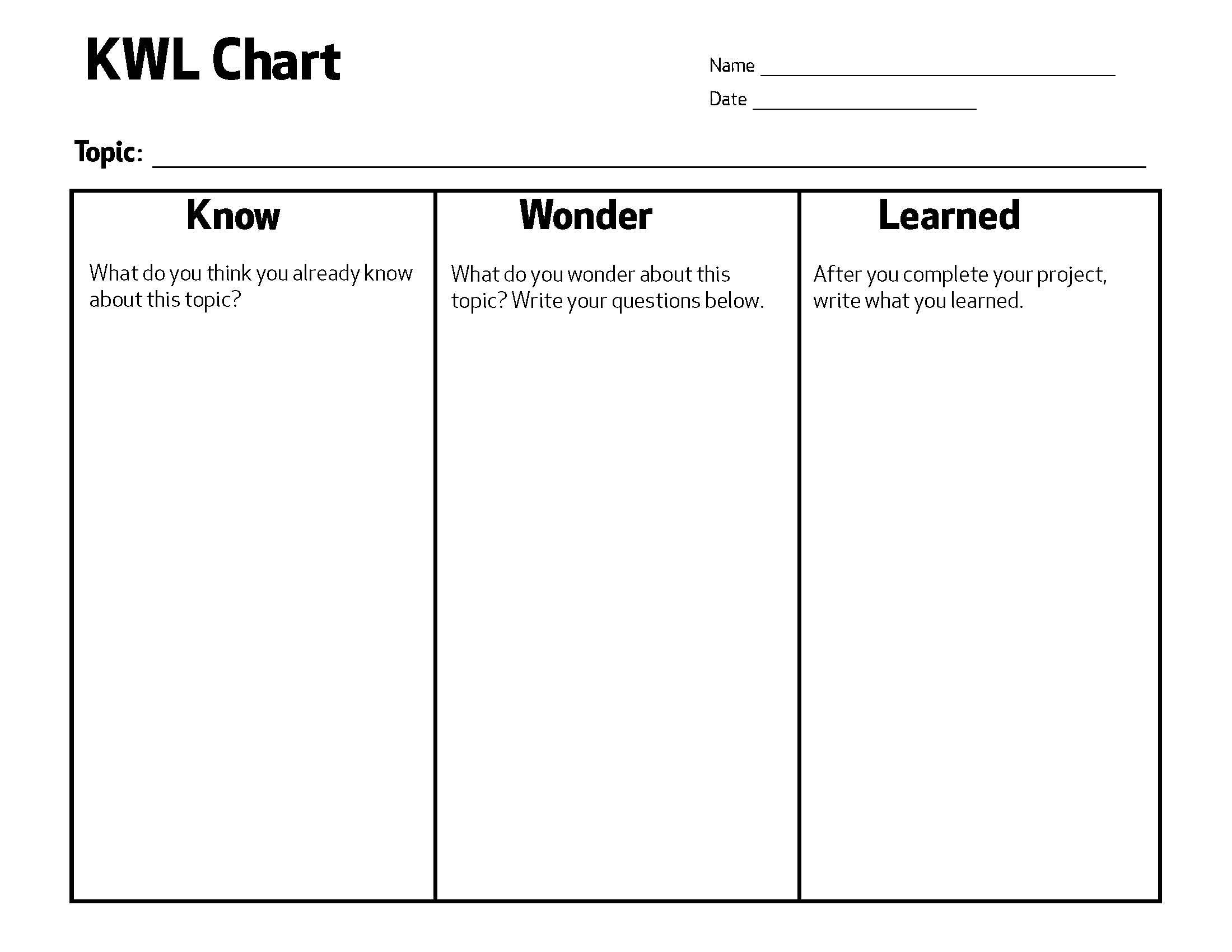 In the past, good teachers tried to get students more curious about the learning by having them complete a KWL chart. At the beginning of a new unit, this chart has a student make a list of what he already KNOWS about the topic, what he WANTS to learn about it, and then, after the unit is over, what he LEARNED.