


As teachers gear up for a new school year many will turn to Google Forms to gather information from parents and students. As with all Google products, over time, they add new features that make our lives easier.
I discovered a couple of improvements to Google Classroom and Forms that I think may make things a little easier to create assignments in Google Classroom and to use questions from older Google Forms or quizzes. Even if you don’t use Google Classroom, you might want to learn how to import questions from Forms you have already created.
A teacher can now create a Quiz in Google Classroom and it will automatically create a form and attach it to the assignment. This is designed to save you time, but you may be thinking, I already have a form created that I want to insert. This is where the ability to import quizzes from older forms comes in handy. Let’s start by creating an assignment in Google Classroom.
In your stream, click on Classwork so that you can create a new assignment.

Next, click on “Create”, then select Quiz Assignment.
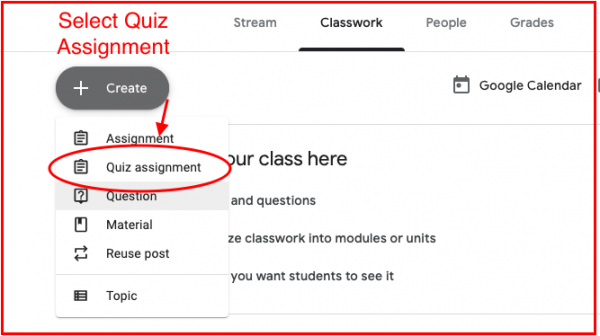
This opens up an assignment that has a new Form attached that just needs to be edited.
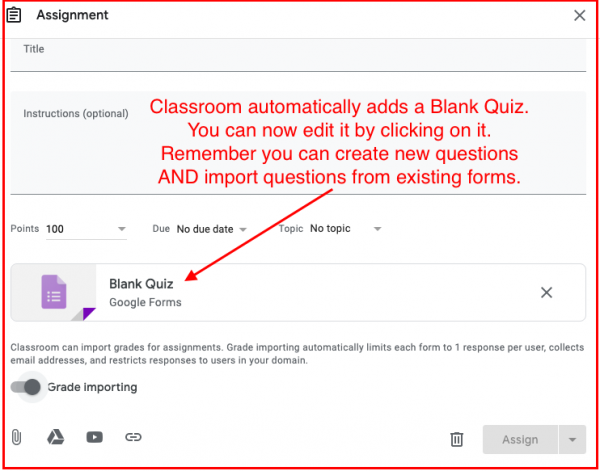
Next, rename the Quiz. You are now ready to import questions into this quiz.
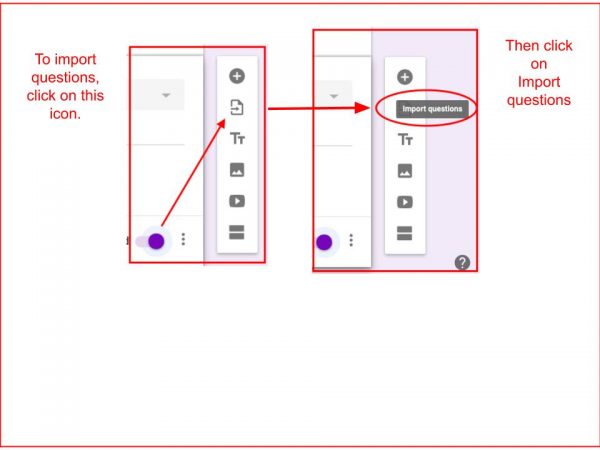
You will be directed to your Drive to find a Form that has questions you want to pull from.
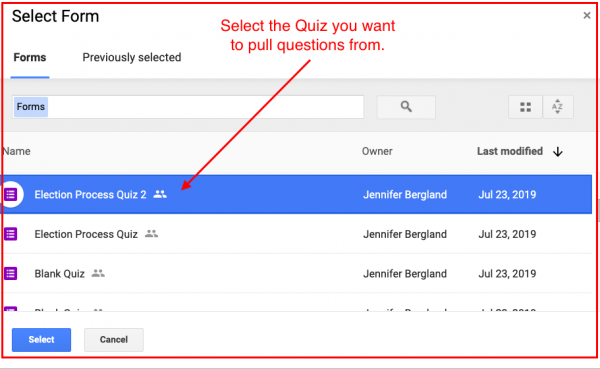
Select the questions you want to use and then click on Import Questions.
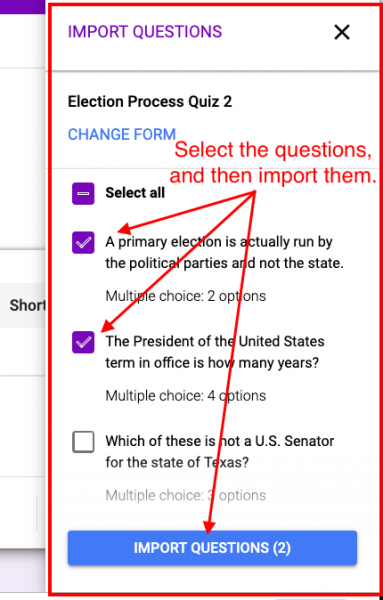
At this point, you can repeat the process and pull questions from another Form, or edit the Form to add, delete, or edit the content.
Below is a short video demonstrating how to do this.
Remember, even if you don’t use Google Classroom, the ability to import questions from older Forms should save you a ton of time as you repurpose some of your lessons from last year!
For more information about Google Forms check out these blog post:

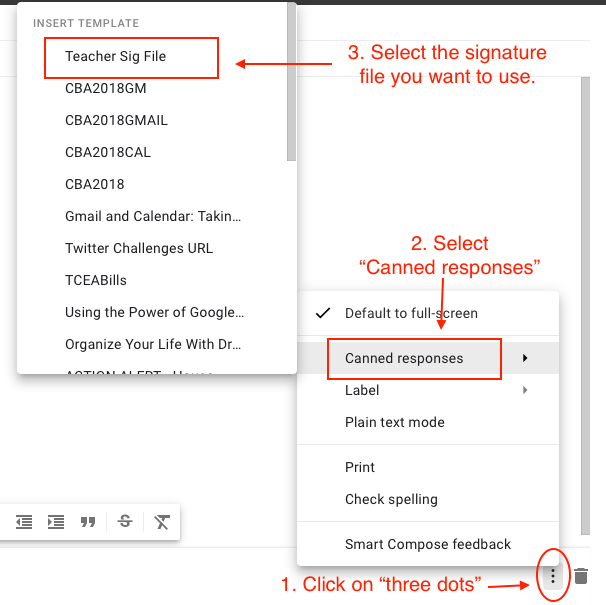
 wanted to see if there was something I didn’t know. The only new tip I picked up was that if you put a + or an @ in front of someone’s name in the body of your email, it will automatically insert their email address into the To: field. I tried it out and it worked like a charm, although I’m not sure when I would use that new feature. I then clicked on a page that listed ten ways you can use G Suite to
  I think this could be very useful for a teacher who wears many different hats and communicates with different audiences. For instance, if she were emailing her students, she probably would not include her first name in her signature. She might want to include her class website, the best way to contact her, and other links that might be helpful for her students. When she is emailing her student’s parents, she might want to include her first and last name, her conference period so they know when she might be available, and other information she thinks could be useful for parents. If she was a cheerleader sponsor or a coach, then information that pertains to those activities might be included in her signature. There are endless possibilities.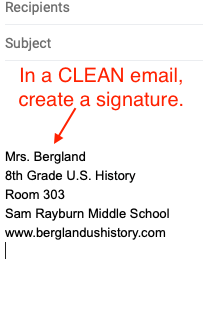

 We had some huge wins in the area of computer science and computational thinking this session. Our six-year goal of providing weighted funding for the 9-12 Technology Application courses has finally been achieved. In HB 3, the school finance legislation, the weighted funding for CTE was changed from grades nine through twelve to grades seven through twelve. In addition, the
  There are two pieces of legislation that are going to impact educational broadband. The first is HB 1960 which creates a Governor’s Broadband Council that will advise the governor on issues related to broadband access to unserved areas. This is progress, but not as much as we hoped for. There are few, if any, areas of Texas that are unserved. The original bill included underserved areas, but heavy lobbying by the large telecommunication companies eliminated that language from the bill. However, we consider this progress because we finally have some entity at the state level that will look at the state’s needs for broadband from a strategic perspective. For too long, all state entities have tried to provide affordable, scalable broadband for their own purposes when it would be much more cost efficient to survey the needs across agencies and entities and design a plan to meet all the needs. HB 1960 at least establishes a council that could do this in the future, if given the authority.
 There are several opportunities in the bills mentioned above that will provide professional development in digital learning. The Blended Learning Grants are largely designed to provide professional development for educators in blended learning, not to mention the funding provided to UTeach to continue to provide this type of training to Texas teachers. Also, this is a good chance to remind districts that the TIMA may be used to provide professional development on the use of technology. In addition to these bills, the legislature passed HB 2424 that requires the SBEC to establish rules to create microcredentials in fields of study related to an educator certification class. This was one of TCEA’s legislative priorities, so we are excited to see this bill pass.

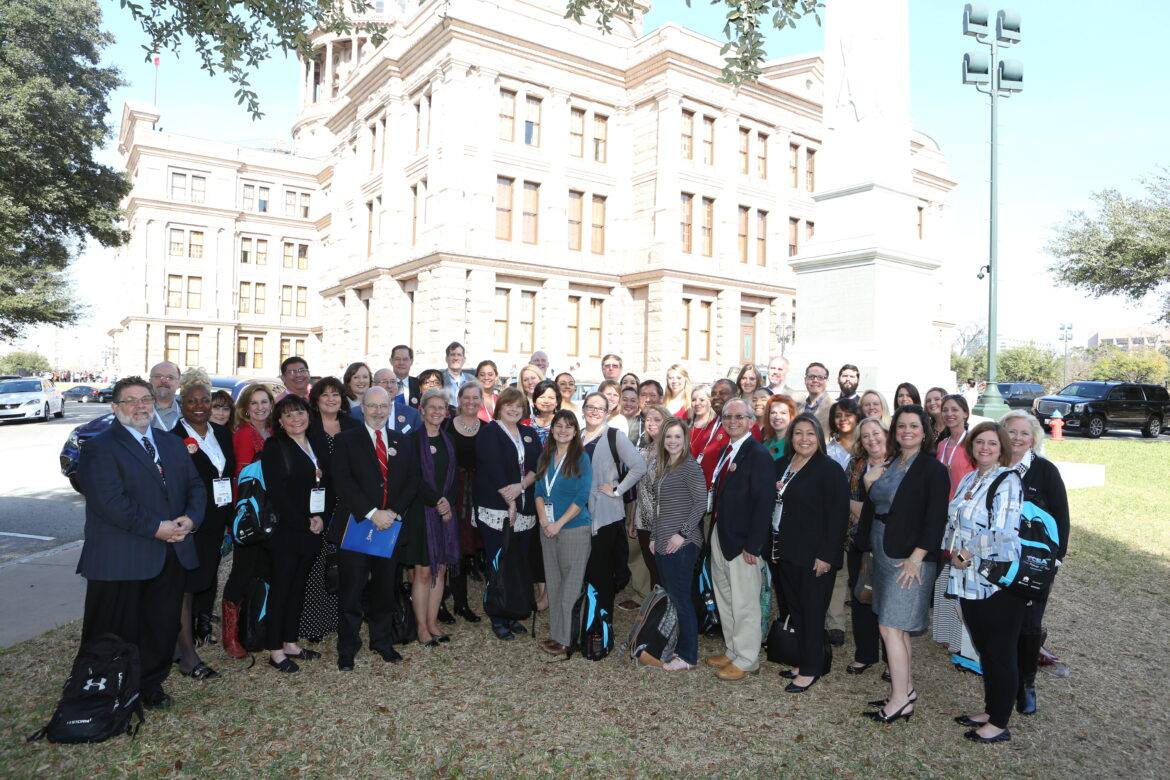
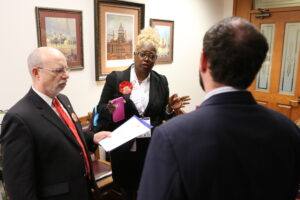 For many, this is t
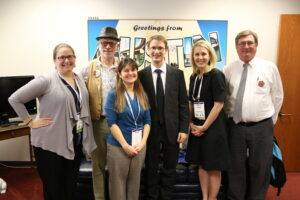 having a group of staff members from legislator’s offices discuss what to expect and how to navigate this type of meeting. I promise that, by the end of the two-hour training, everyone will be prepared to advocate for the things they are passionate about! Most people who attend the Ed Tech Day at the Capitol have so mu

 McDonald, Director of Technology for Anderson-Shiro ISD, said

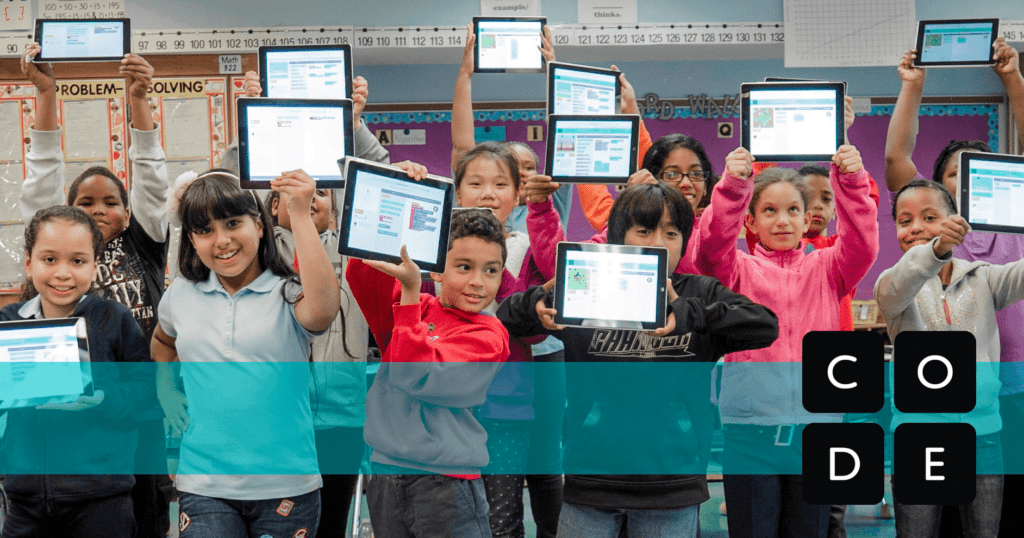
 activities are self-guided so you don’t have to know how. You can learn to code at the same time as your participants! All you have to do is select a
 Now that you are all jazzed about hosting an Hour of Code, you want to make sure others know about it. Hour of Code has all types of



 In order to accomplish the goals established in our priorities, it is imperative that teachers have a supportive environment in which to adapt their teaching strategies to take advantage of empowering technologies. Teachers recognize the benefits of the use of technology, but don’t always know how and when to use the different technologies that are available. This is why TCEA believes strongly that teachers need ongoing, job-embedded professional learning opportunities that empower them to use appropriate
 Every student has distinct learning needs, interests, and aspirations. Up until recently, it was extremely difficult to tailor the instructional strategies to meet each student’s needs. Technology can be an enabler of this type of educational model. It allows students to guide their inquiry as they decide how they will interact with the content, including the time and location. This type of learning requires a major shift in the delivery of instruction and involves teacher professional learning, a robust technical infrastructure, the selection of appropriate content, and strong leaders who know how to manage this type of change. Many of the strategies listed above support the goal of personalized learning; however, there are a few that have not yet been addressed.