Do you suddenly have a plethora of business-oriented calls landing on your personal device that you didn’t ask for? If you’ve noticed your phone ringing more often with calls from unknown numbers, you’re not alone. According to Truecaller’s 2024 U.S. Spam and Scam Report, 56.2 million Americans were affected by spam and scam calls in 2023. And that was 2023. By all accounts, 2026 could be worse, unless you take action. Some suggestions for what action to take appear in this blog entry.
Unfounded Fears: It’s Not Just You
After every TCEA Convention, members ask, “Did you share my phone number with vendors?” The assurances that TCEA never does this often fall on unbelievers’ ears. The reason why is that everyone is getting increased spam and scam calls. Legitimate vendors don’t like this harassment, either. It makes them look bad, like they hacked into a legitimate member database and are now going wild calling people. That perception couldn’t be farther from the truth.
“TCEA does NOT provide phone numbers on the attendee lists that exhibitors can purchase.”
– TCEA Staff member
The problem has gotten so bad (the FCC has a webpage on the subject!) that 41% of people of a certain age have stopped answering unknown calls altogether. Although I don’t fall into that demographic, that is one of my self-defense strategies. I had to argue with my healthcare provider about it last week. “Why are you calling me? Send me an email with your phone number or text me FIRST.” It is an unfortunate defensive measure that results in legitimate calls sometimes getting lost in the shuffle.
The good news? You don’t have to choose between answering every call or missing important ones. Here’s how to take back control of your phone.
Built-in Tools: Your First Line of Defense
Sporting a new Samsung S25 smartphone, I had to look up how to reduce spam calls without installing anything. As a veteran iPhone user who made the switch, I took advantage of native features both phones have to reduce spam calls. My phone sits blessedly quiet, except for calls from family and friends. And, of course, that annoying healthcare provider who is trying to follow up on a doctor’s visit.
For iPhone Users
Silence Unknown Callers
This feature sends calls from numbers not in your Contacts, recent outgoing calls, or Siri Suggestions straight to voicemail. While your phone may not ring, you still see the call in your Recent calls list.
To enable it: Settings > Apps > Phone > Silence Unknown Callers
Call Screening (iOS 26+)
Apple’s newest weapon against spam is impressive. When enabled, your iPhone will automatically ask unknown callers why they’re calling and send you a real-time transcript. You then decide whether to accept the call. Users have been raving about how effective this feature is at discouraging telemarketer. Most decline to explain themselves to a robot. I can’t wait to see what happens when the telemarketers starting using their own AI bots to talk to Apple’s bot.
To enable it: Settings > Apps > Phone > Ask Reason for Calling
For Android Users
Filter Spam Calls
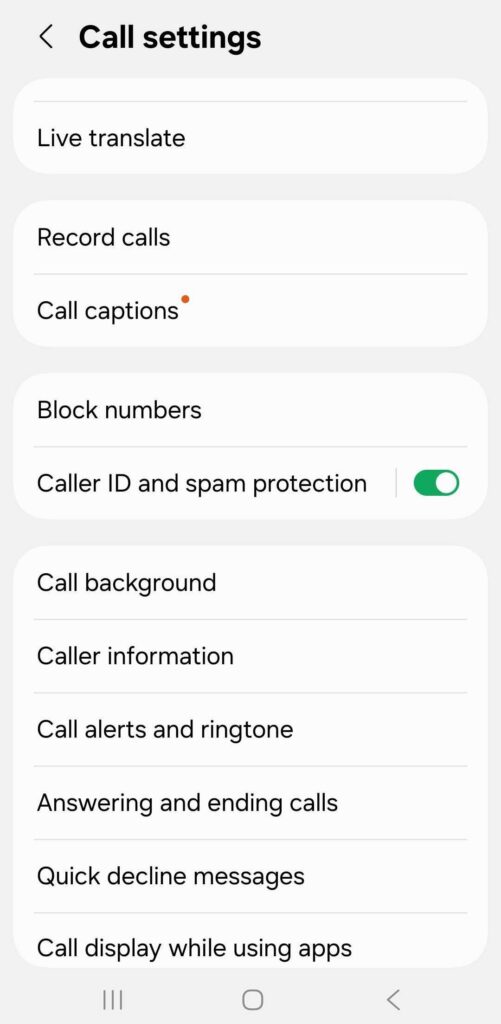
Open your Phone app, tap the three dots, then go to Settings > Caller ID and spam protection (see image below where this is enabled). Enable both “See caller and spam ID” and “Filter spam calls” to prevent suspected spam from ever ringing your phone.
Call Screen (Pixel and Samsung)
Similar to Apple’s new feature, Google’s Call Screen uses a virtual assistant to answer suspicious calls and ask who’s calling. It’s honestly entertaining to watch telemarketers try to navigate it. You’ll find this option in your Phone app settings.
Third-Party Apps: When You Need More Firepower
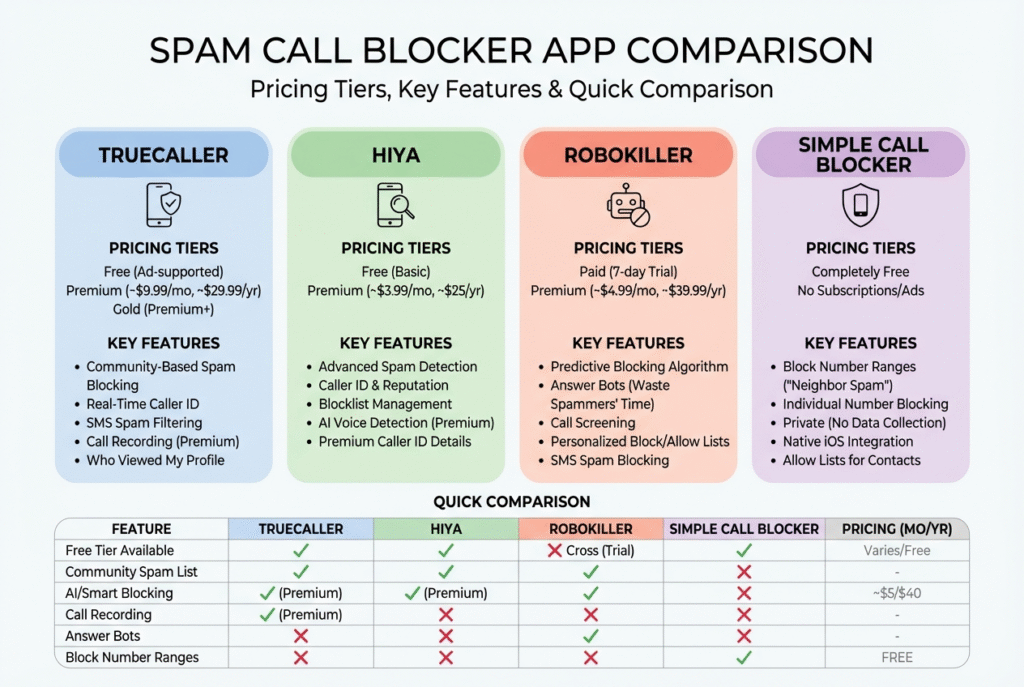
If calls are still getting through, you may need a little more assistance from these apps. To be honest, I haven’t needed these types of apps since 2018, but I keep them on my short list. I actually paid for Truecaller ($29.90 a year) for both my wife’s phone and mine. Why? Built-in spam call protection was not as robust in 2018 as it is now in 2026.
- Truecaller (View video): A popular option with over 450 million monthly users. It features a color-coded system (🔵 Blue = Normal call; 🔴 Red = Spam or fraud; 🟣 Purple = Priority call; 🟢 Green = Verified business). But even if it’s a verified business, it’s up to you as to whether you want to answer the call or not. The free version gives you basic caller ID and spam blocking.
- Hiya: With 400+ million users worldwide, Hiya offers spam detection, auto-blocking, reverse number lookup, and real-time updates in a clean interface. Hiya offers free spam detection, but paying $24.99 a year gives you enhanced spam blocking and premium caller ID features.
- RoboKiller: Uses predictive analytics and audio fingerprinting to block up to 99% of spam. Bonus: it deploys “answer bots” that waste telemarketers’ time. Cost is $24.99 a year with a seven day free trial.
- Simple Call Blocker (iOS) – A completely free option that lets you block entire number ranges. Getting bombarded by calls starting with 407-541? Block the entire range from 407-541-0000 to 407-541-9999.
- Call Control: Uses crowdsourcing and community reports to identify spam. The premium version ($29.99/year) adds powerful features including landline support.
No matter which solution you choose, you are joining a community of people fighting to keep their phones clear of spam calls. You can also check with your carrier (AT&T Armor, Verizon, T-Mobile, etc.) for similar offerings since most now provide some level of free spam protection.
Pro Tips for Maximum Protection
Two actions you can take right now include searching for your number online. Use Google Search to find your phone number in quotes (“555-555-5555”). This may help you find where it is listed online. Also, check your digital footprint via websites like LinkedIn, email signatures, and other online spaces. You may have inadvertently copied and pasted your phone number into a public space.
The Bottom Line
Between native smartphone features and third-party apps, you can eliminate almost all spam calls on both Android and iPhone. Start with your phone’s built-in settings, add a reputable third-party app if needed, and check what your carrier offers. Share in the comments what approach has worked for you.



 #2 – Audobon Bird Guide
 Need to name that tune, er, bird? Use Song Sleuth! It listens to bird songs and then identifies them for you. And it’s available for iOS and Android at no cost.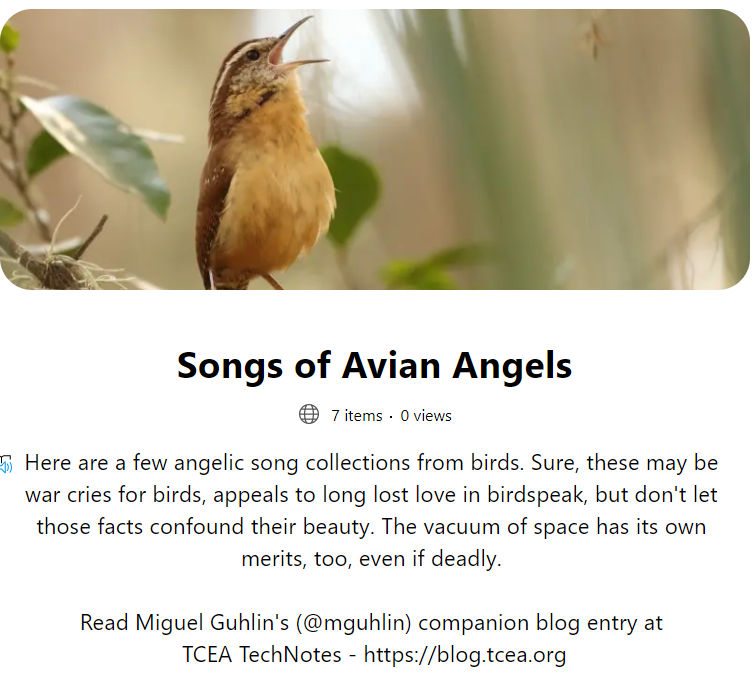
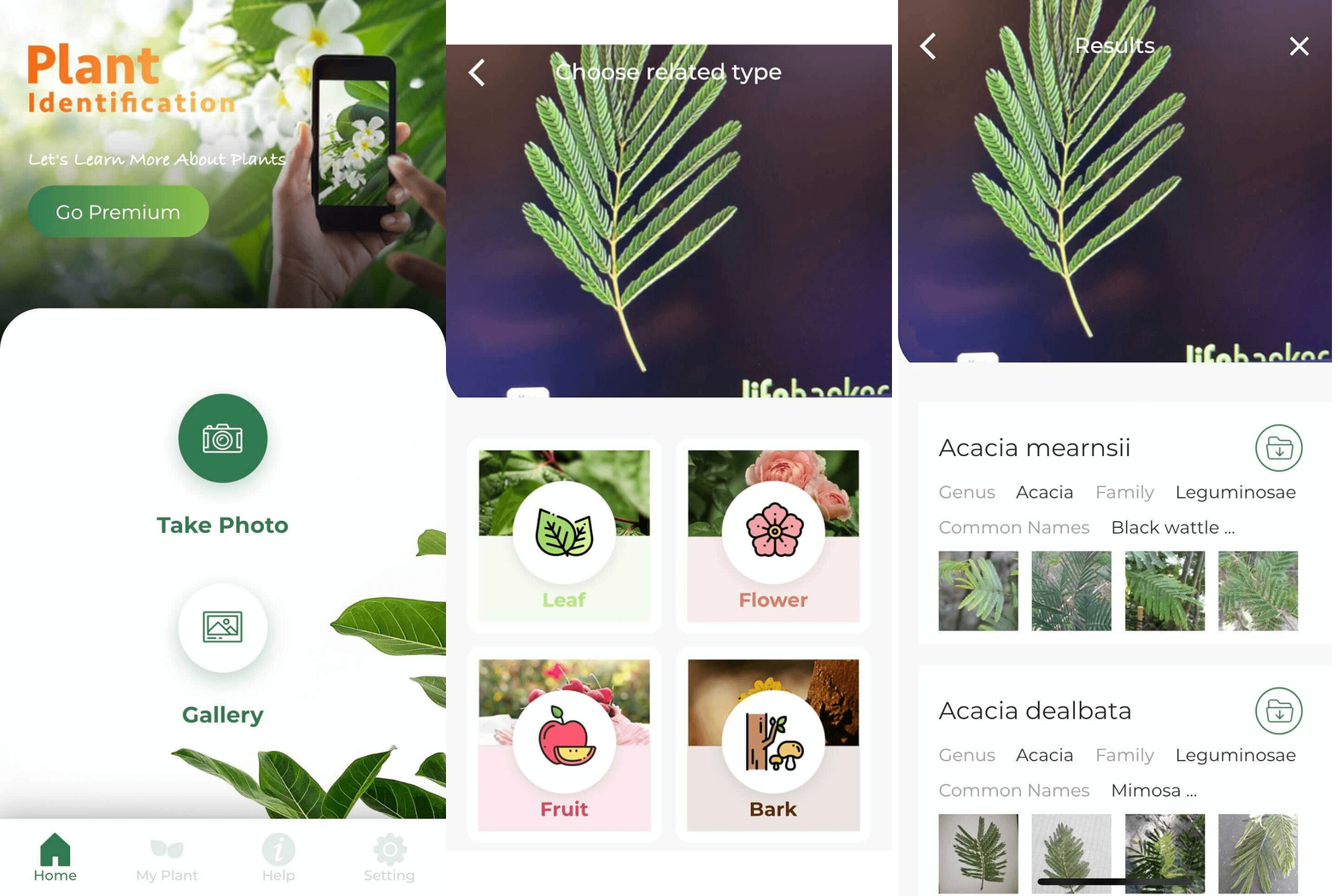 Need a quick way to identify trees? Take a close look at their leaves, snap a picture, then let LeafSnap do the rest. LeafSnap offers a handy interface to identifying plant life around you.