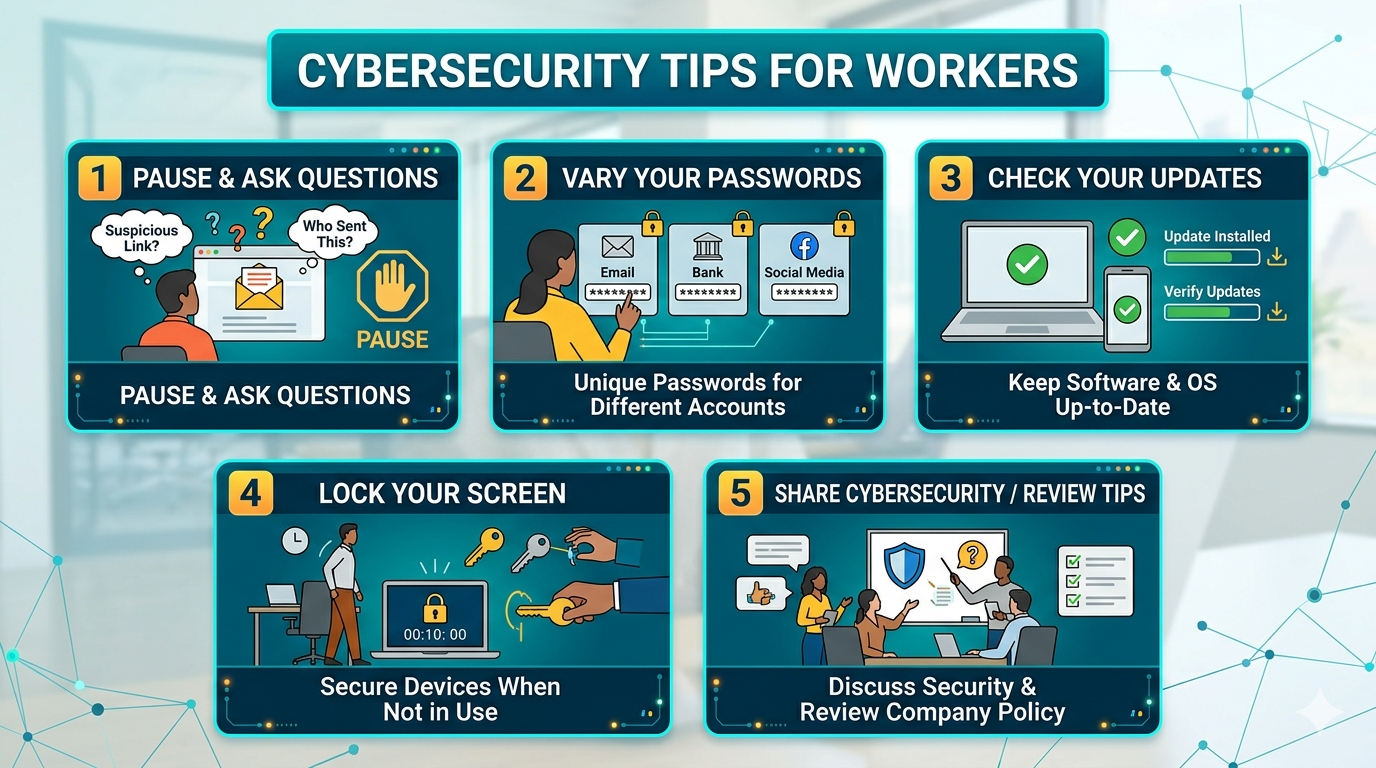
In a time when one wrong click can freeze an entire institution, cybersecurity becomes not just an IT issue, but an issue for everyone. We think of smart hackers who are ready to take our information, yet most of the time, it is a simple human oversight.
How can we do better as a school or organization?
1. Pause and Ask Questions
Example: I had a teacher reach out after she got an email with an invoice to pay. She said it was from a vendor they had used in the past, but they did not think they owed anything. After further investigation and a call to the vendor, they discovered the vendor’s email had been hacked.
Tip: Verify the source. Call the person you have contacted before if anything looks suspicious. Check the email address, check spelling, check the urgency, and never click a link unless you are expecting it from the sender.
2. Vary Your Passwords
Example: We have all heard that we should make our passwords complex, but has anyone stressed the importance of varying your passwords? I admit, I used the same password for multiple programs. However, after reading “This Hacking Horror Story…” from Anne Fritz with Reader’s Digest, I decided that having the same password for my bank account, doctor’s app, child’s school communication app, and retail stores was not wise. This story showed the scary part of having a hacker in control of your bank and email password.
Tip: Make sure your student information system, employee portal, human resources portal, rostering portal, and instructional program logins are all different.
3. Do Your Updates
Example: Our district started seeing the slowness of computers that did not run updates. It would cause errors and slow response times. We also saw security patches not being applied. We started having “Reboot Wednesdays,” and this is where our technician would send a message to everyone who had not restarted in 30 days. The message would warn them they needed to restart. If they did not, it would automatically restart for them.
Tip: Try to restart and not just shut down at least once a week. This will catch those updates that are hanging around.
4. Lock Your Screen
Example: You step away from your computer and go to the restroom. This seems like an innocent act, but students, staff, and parents can now access secure student information, parent information, and staff information.
Tip: If you are on a PC, click the Windows key and the L key to lock your computer while you step away. If you are on a Mac, use Ctrl + Shift + Eject or Ctrl + Shift + Power key.
5. Share and Review Cybersecurity Tips
Example: Cybersecurity training is great at the beginning of the year, but we need to remember to be safe throughout the year. I enjoy putting cybersecurity tips in staff Friday FYI emails, during principal training, and even talking to the community on the radio about it. Even parents need to hear it.
Tip: Sprinkle in a tip whenever you can. Try giving one tip in a meeting, in an email, or when you write a newsletter.
Final Tip: Want to keep the conversation going? Check out our related post, Cybersecurity Basics for Educators, for more simple ways to help protect your school community.
We may not be able to stop hackers from trying to hack us, but we can try these five tips to make it a little bit harder for them to get our information. Sometimes security is a tech issue, but a lot of the time, it is human error. This means the power to protect your school or organization is in your hands. Be skeptical, take a few seconds to check before you click, and let’s keep the bad guys out. Stay safe out there!
Works Cited
“The Benefits of Restarting Your Computer Regularly.” *Northwestern University Knowledge Base*, 6 Mar. 2026, [services.northwestern.edu/TDClient/30/Portal/KB/Article/2584/The-Benefits-of-Restarting-Your-Computer-Regularly](https://services.northwestern.edu/TDClient/30/Portal/KB/Article/2584/The-Benefits-of-Restarting-Your-Computer-Regularly).
“Business Email Compromise.” *Federal Bureau of Investigation*, [www.fbi.gov/how-we-can-help-you/scams-and-safety/common-frauds-and-scams/business-email-compromise](https://www.fbi.gov/how-we-can-help-you/scams-and-safety/common-frauds-and-scams/business-email-compromise). Accessed 2 May 2026.
“Choosing and Protecting Passwords.” *Cybersecurity and Infrastructure Security Agency (CISA)*, 18 Nov. 2019, [www.cisa.gov/news-events/news/choosing-and-protecting-passwords](https://www.cisa.gov/news-events/news/choosing-and-protecting-passwords).
Fritz, Anne. “This Hacking Horror Story Is a Warning to Take Online Security More Seriously.” *Reader’s Digest*, 7 Nov. 2022, [www.rd.com/article/hacking-horror-story/](https://www.rd.com/article/hacking-horror-story/).
“Locking Your Computer.” *Dartmouth College Knowledge Base*, 16 Mar. 2023, [services.dartmouth.edu/TDClient/1806/Portal/KB/Article/64724/Locking-your-computer](https://services.dartmouth.edu/TDClient/1806/Portal/KB/Article/64724/Locking-your-computer).
Featured image created by the author using Gemini.