Explore insights and strategies for CTOs and CIOs in education. Discover tools and resources to support technology leadership and innovation.
*Updated 01/02/2020: Added ClipSafari as a resource.
When a teacher, school, or district makes the decision to begin creating and using Open Educational Resources (OER), they must decide if they are going to create their own materials, use materials already created, or adapt existing OER to meet the instructional goals of their students.
My advice is to adapt existing materials. There are so many resources available now that it makes sense to curate existing resources and tweak or remix them as necessary. That’s the beauty of OER. Because the resources are tagged as open, they were designed to be adapted. You just need to be sure you know what Creative Commons license governs the use of the OER. Still confused about Creative Commons licenses? See Miguel Guhlin’s blog post on the subject.
The question becomes then where to start. With all the resources available, you may be asking yourself “How do I find what I need?” Let’s see if I can help answer those questions. I’ve done a little curating myself to assist you in finding what you need. We’ll start by looking at using common search practices and wikis, then drill down to specific types of media, and end by looking at some specific sites for education.
General Searching for OER
- Google: The most obvious place to start is to use the advanced Google search. Type in your search term; then, after you search for that term, click on Settings and select Advanced Search.
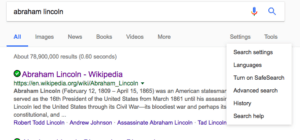
Then click on the Usage Rights menu and select the one that best fits your need.
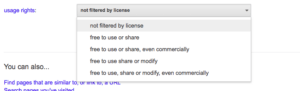
- CC Search: This sites allows you to search for items that have been tagged with a Creative Commons license over a variety of websites. But you need to note they don’t verify the results will actually be a Creative Commons licensed material. Also, it’s not a search engine, but rather they use various search engines. You select which search engine you want to use depending on the type of media you are looking for.
Wikis
Each of the Wikis included in the Wikimedia Foundation have a Creative Commons license for each wiki entry.
- Wikibooks: This wiki has a collection of books that are openly licensed. I searched for U.S. History and found an online book of U.S. History. A district could take this content and add to and/or adapt the material to create a text on U.S. History. The wiki even includes photos that could be used. If you like it as it is, you can even create a PDF of the content.
- Wikiversity: This is a Wikimedia Foundation project devoted to learning resources, learning projects, and research for use in all levels, types, and styles of education from pre-school to university, including professional training and informal learning. You can find learning resources for the arts, humanities, mathematics, social sciences, science, and technology.
- Wiktionary: This wiki is a dictionary that offers permission to use their definitions in your OER. It includes the etymology of the word and even different translations of the word in other languages.
- Wikisource:This wiki has items that are in the public domain, including government documents.
- Wikipedia: This is the original open wiki. Since it has a Creative Commons license, the information can be used in an OER as long as you follow the license.
OER Images
There are several really good sites that you can use to find photos or clip art for your OER.
- Pixabay: Pixabay photos are public domain, but they also have some images for sale.
- Unsplash: This is one of my new favorite sites to find free photos. The photos are beautiful, easy to identify and collect, and you are given the right to use, remix, and adapt for both non-commercial and commercial purposes. You are not required to give attribution for the photos you use. However, they make it really easy to give attribution, so I usually try to do so.

- ClipSafari: This is a repository of high quality clip art images. All the images are available as PNG and SVG files. They are all licensed under the CO0 license, which is a public domain license, giving you permission to use copy, modify, and distribute as you like.
- Wikimedia Commons: This is part of the Wikimedia family.
OER Videos
- Use the CC Search tool to find YouTube videos that have a Creative Commons License, or when you are searching for a video within YouTube, put a comma after the search term and type ‘creativecommons’. For example: ‘abraham lincoln,creativecommons’.
- Vimeo: To find Vimeo videos that have a Creative Commons license, insert a search term on the main page and click enter. Then click on the Filter menu located on the left side of the page and click on one of the types of CC licenses you would like to use.
- Internet Archive : This site has free movies, films, and videos. I found a 1955 TV show based on the characters in Huck Finn and another video titled “Mark Twain’s Mississippi.” It focuses on the literary character of Huckleberry Finn to examine the Mississippi River’s influence on Mark Twain and his writing.
OER Audio Music
- Jamendo Music: This site has both free and fee-based music.
- cc Mixter: This site features remixes licensed under a Creative Commons license. Use the dig.ccMixter music discovery tool. I found a lot of good music that could be used in podcasts or videos.
Education-Related OER
- OER Commons: This is a digital library of open educational resources. It also has the Open Author tool that helps you create your own resources, lessons, or modules. The advanced search tool allows you to drill down to find what you need. There is also a section for groups to work together on resources. These groups can be public or private. This is a national site, so most of the materials will be aligned to the Common Core standards. Teachers in Texas will need to realign them to the Texas TEKS.
- Amazon Inspire: All materials in the Amazon Inspire have a Creative Commons license. The materials are either downloadable or links to pages. This site is still in a beta format.
- Open-Up Resources: This is a non-profit that has open instructional materials for both math and ELA. Check out this blog post on their math curriculum.
- The Texas Education Agency has partnered with Rice University’s OpenStax and Study Edge to develop some math OER specifically created for Texas schools.
- The Orange Grove: This is Florida’s OER Repository.
- cK12.org The CK-12 Foundation offers OER that can be adapted to suit the needs of a school, district, or student. El Paso ISD is using the CK-12 materials to build their own OER.
- Kahn Academy : These are short tutorial videos on a wide variety of subjects and topics. Pre-assessment questions are included, as well as practice quizzes a student can take as she views the videos. The videos are actually stored in YouTube, so they may be embedded in an LMS, a website, or can be used on the Kahn Academy site.
Hopefully you are getting the idea that there are many places you and your team can find good quality OER. I have just scratched the surface. If you are coming to the 2018 TCEA convention (and if you aren’t, why not??), join Tom Murray and myself as we delve more into the topic of OER. Our session is on Wednesday, from 12:00 to 1:30. I hope to see you there. I’ll post the session resources here after the convention.
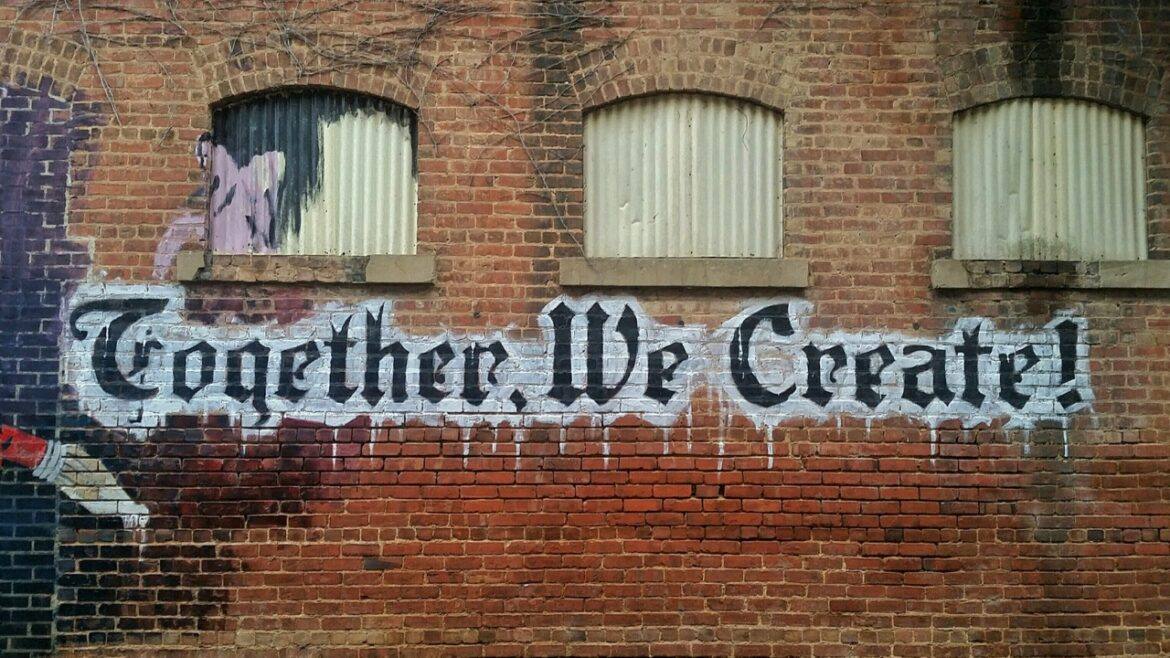
We Create photo by “My Life Through A Lens” on Unsplash and Passion Led Us Here photo by Ian Schneider on Unsplash

 of high school students indicate they use the Internet at home at least a few times a week. 54% of the high school students use it every day. The student’s Internet use is not dependent on whether the teacher purposely assigns homework that needs the Internet because only 13% of Texas teachers indicate they do so. Students are going to the Internet for help in their homework because it is the library of the 21st century. Students without this home access are at a distinct disadvantage. They have fewer ways to access content and are not learning the necessary skills of finding accurate information to answer their research questions.
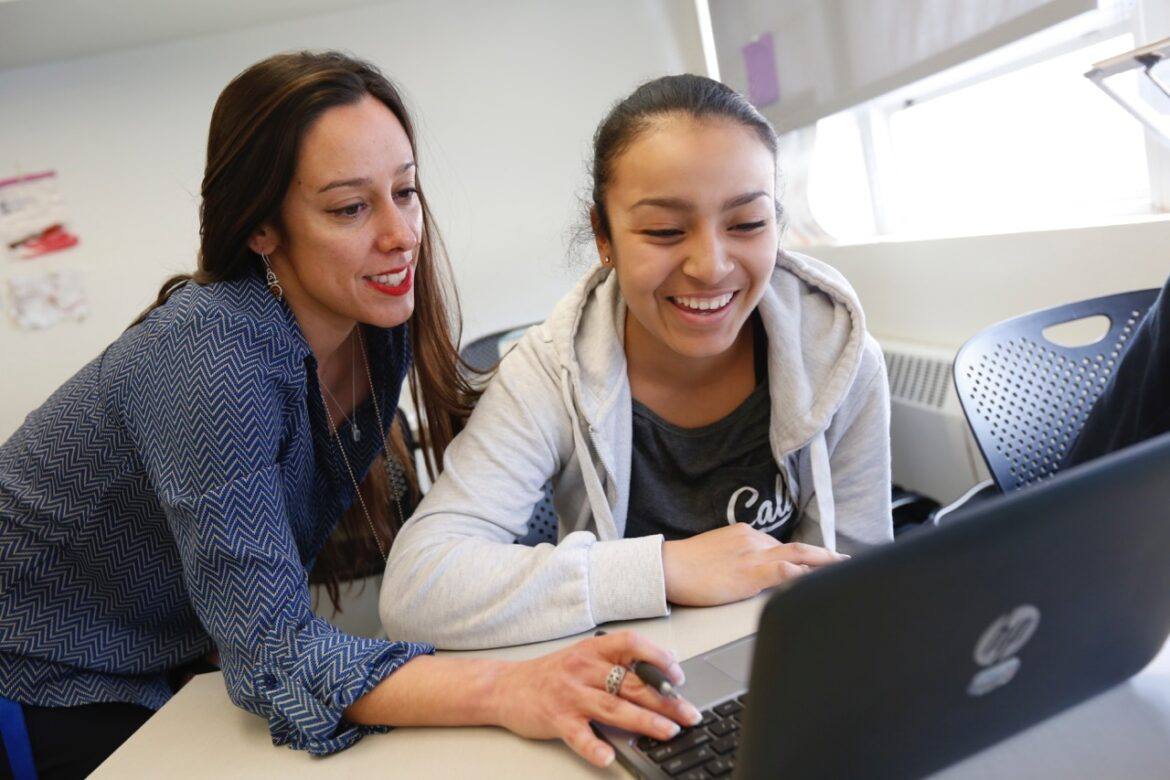
 Our district’s journey into OER had begun. During that meeting, I was tasked with finding out how our district could save money by creating our own textbooks using as many OER materials as possible. The district had just gone through the adoption process for science instructional materials and had estimated it would cost close to $2 million for 18,000 students. What if we could use that textbook money in another way? Perhaps to purchase technology for students?

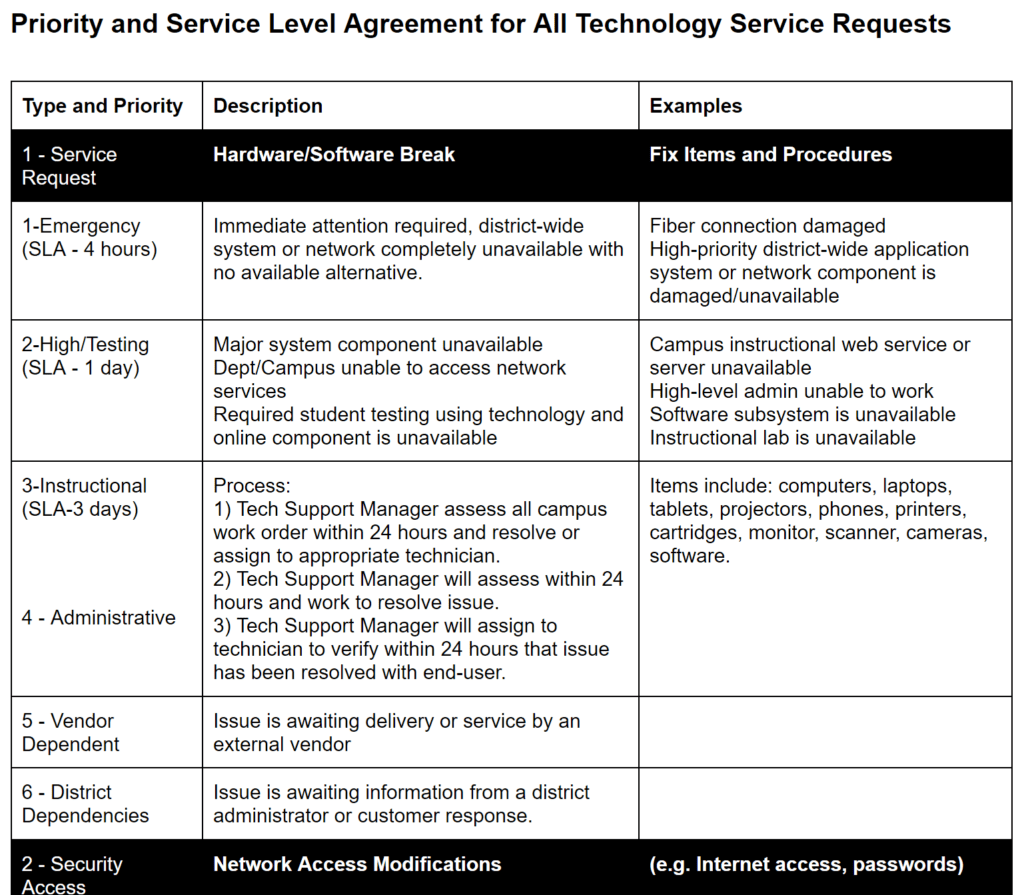
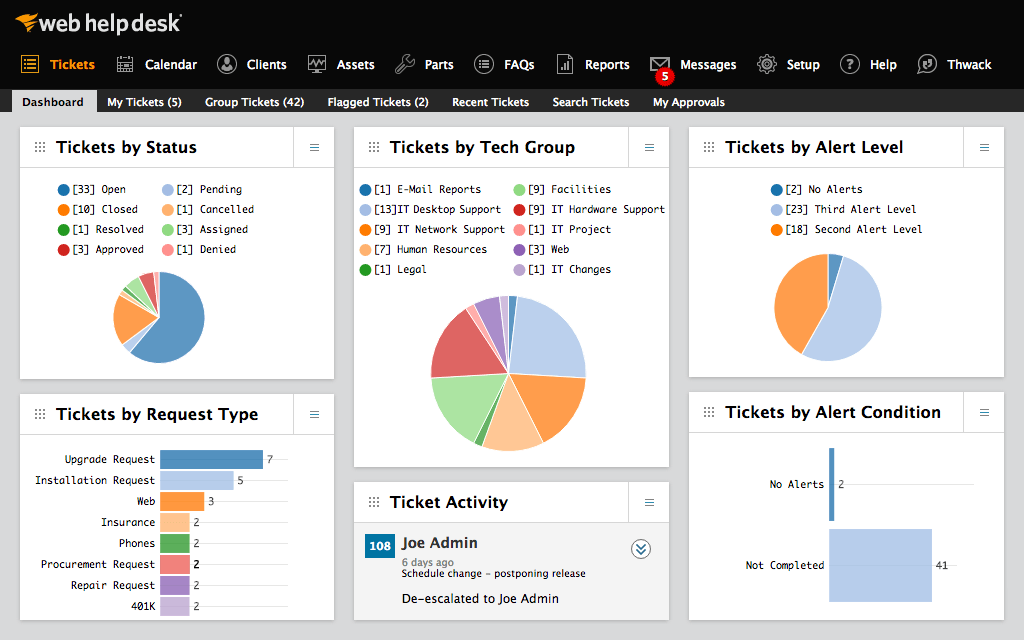 Establishing a single point of contact, such as an online system, eliminates the confusion that results from incoming phone calls or in-the-hallway interruptions. The main benefit is that it ensures prompt access for the end user, anytime and anywhere. This solution should meet the following criteria: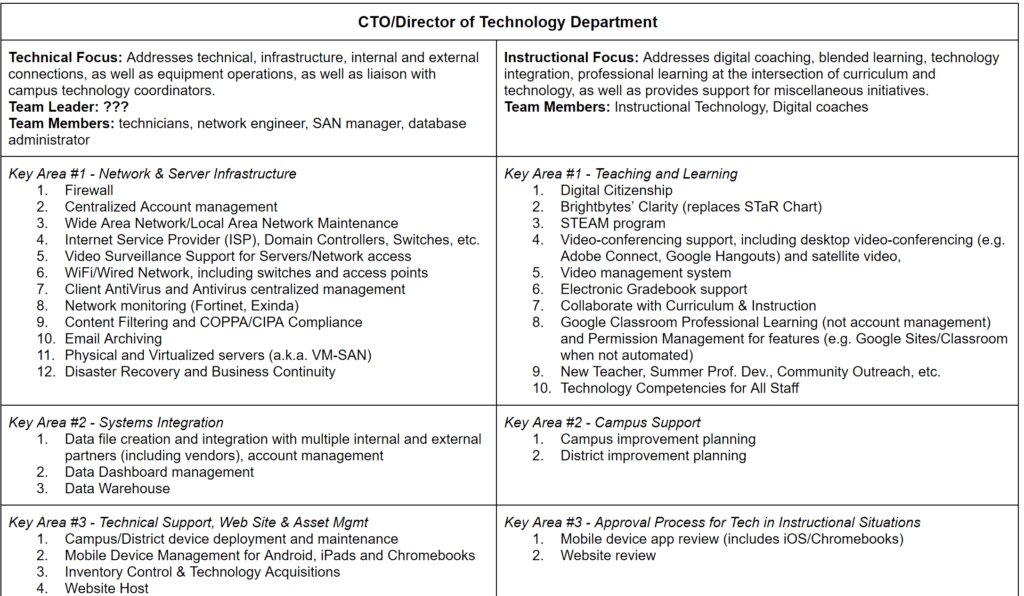

 The North Pole
 Making It Magical