Discover resources and strategies for teaching core content areas. Explore tips, tools, and activities to enhance learning across all subjects.

“Who can tell me what a budget is?”
The class responds with blank stares, the kind that could last the entire period if I let it kill my excitement. I can already see the class clowns waiting for the right moment to pounce on me. But watch this: “A budget is a tool you can use so you can do whatever you want with your money–and hopefully have more.”
The Story of Jason
More money? Now I have their attention. Even the skeptics are quiet. I have about five seconds before they challenge me. “Let’s jump right into it,” I continue, “On the smart board, we’ve got two columns: income and expenses. In this example, we’re going to look at creating monthly expenses for an imaginary student named Jason who just graduated from high school. How much do you think he spends on rent? Call it out.”
All sorts of ideas come flying out, from $100 to $3,000 to someone who insists that “Jason lives at home, yo he don’t pay rent.” We all have a laugh. Everyone’s budget is going to look different, I explain. We plug $100 into the budget for now, and I ask them what about groceries? We’ll multiply a weekly estimate by four. Everyone calls out their best guesses. They argue over how much is too much or too little, and everyone falls skeptically silent when I say I normally only allow myself $40 per week for groceries and sometimes just $20. In New York City? Yes, anywhere.
Applying Storytelling to Real-World Application
“It’s all about choices. Some people chose to spend more on groceries, less on rent. It’s all about making the numbers work for you. We’ll talk more about that later. How much for clothes? Travel? Going out and having fun? There are no right or wrong answers.”
We fill out the other category expenses for a total of $1,000 a month, then compare that to Jason’s part-time income working at McDonald’s: $300. A third cell calculates the difference of the income and expenses: every month, Jason is in the red by $700.
Now it’s time to raise the stakes: “Let’s say Jason wants to go on a date with his significant other; that will cost $120. Does he have money?”
“No!” says the class, laughing. We reduce the grocery budget by half. Instantly, we see how much closer Jason is to reaching his goal. Now he’s only in the red by $600. Once we get Jason into the black by reducing his expenses (and/or getting a better job), we can see how long it will take him to reach his goal in another cell which divides the goal by the difference. If Jason makes a $30 profit every month, it will take him four months to reach his goal. Does he want to wait that long? His date is tomorrow. What else can we do?
Advantages of Interactive Storytelling
Everyone’s excited to share ideas and laugh at Jason. Since he’s imaginary, nobody gets embarrassed. But since his story is so relatable, they get emotionally invested in helping Jason go on this date. They always root for their peers who volunteer to create a budget and have real goals like going to college, becoming a doctor, bringing family member over from Pakistan, starting a business, or maybe just buying the latest iPhone.
Well, how soon do you want the iPhone? How much are you willing to sacrifice for it? How hard do you want to work for it? I offer suggestions, but they can see for themselves what happens when we plug in the numbers together. It’s my favorite game show and interactive story ever told on a smart board–or whiteboard if we’re doing the calculations by hand. You can access the spreadsheet I used and make a copy for your own lesson here.
This presentation has worked in dozens of inner-city schools in New York City and New Jersey. Over a thousand students have participated in planning imaginary Jason’s future. Hopefully, a significant number of them will use these budgeting skills to plan their own.
I think what made this lesson successful, compared to the times I tried lecturing about my experiences and strategies, was that I give them control of Jason’s story, to precede the control they will have over their own stories. I am the facilitator of this activity, and they are the instructors. It’s a space where they can play and decide for themselves if imaginary Jason was wise to spend $600 on clothes every month and wait five years before he can afford the new iPhone.
Applying Interactive Storytelling Across the Curriculum
Interactive storytelling can apply to any subject!
- Imagine a choose-your-own-adventure activity for history class to see how hard it was for Lincoln to keep the country together.
- In physics class, we could be measuring tennis ball bounces to design an imaginary lunar landing craft.
- In English class, we can write essays to convict or defend Poe’s narrators.
Everything we teach in the classroom can apply to real life, but sometimes it takes a little bit of imagination to get students to think in the moment to the point that they’re so invested they stop asking why we’re learning it.
This is a guest blog by Jason Hewett. Jason is a writer, presenter, and actor based in New York City. He’s been working with kids for more than a decade as a teaching artist and volunteer at Camp Possibilities, a summer camp for diabetic children. Feel free to say hello or see what he’s up to by visiting jasonhewett.com.




 Did You Know? You can
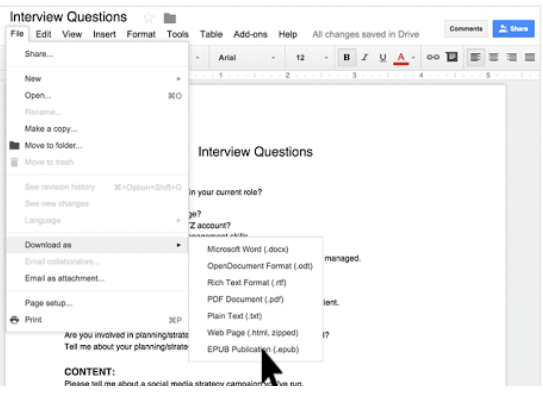
  EPUB is an ebook file format with the extension .epub that can be downloaded and read on devices like smartphones, tablets, computers, or e-readers. It is a technical standard published by the International Digital Publishing Forum.
  MOBI is an e-book file format with the extension .mobi that can be downloaded and read on devices that support the Amazon Kindle app. The format, customized by Amazon, is often used by Amazon’s ebooks and on little else. There are various programs for making a .mobi ebook file and Amazon provides some tools you can take advantage of. “You can upload and convert your eBook manuscript file from several supported formats. Before you publish, browse the topics below to learn more.”
  PDF is not an ebook format. Rather, it is a format that seeks to capture the printed version of a document, capturing the look-and-feel of the printed item as if it had appeared on the author’s printer. A large percentage of documents presented as ebooks appear as Adobe Portable Document Formats (PDFs).
 Need to convert ebooks from one format to another? Use