
If you’re looking for new ways to boost productivity, streamline instruction, and spark creativity in your classroom, you’re in the right place. Throughout 2025, we’ve shared a wide range of Google tips and tricks to help you get the most out of Google tools. Whether you’re building lessons in Docs, creating checks for understanding with Forms, or exploring Google’s newest AI innovation.
Here’s a roundup of our Google-related blog posts from 2025.
Add-ons
- Stickity: A Rockstar Google Add-On
Stickity is a Google Slides add-on that allows students to express themselves with stickers and interactive elements while staying on task. It’s a fun way to boost engagement while maintaining structure.
AI
- Leverage AI Voice Assistants with iOS Shortcuts
While this post focuses on iOS Shortcuts, it highlights how Google Assistant can be integrated into daily workflows using automation. Teachers can automate reminders, routines, or instructional tasks using voice and Google tools. - Whisk Your Way to Engaging Lessons
Whisk is Google’s experimental AI tool that generates images. It’s a unique way to engage students in visual storytelling and creative thinking.

Chrome
- Save Time with These Nine Chrome Omnibox Tricks
Speed up your workflow with tricks like converting units, defining words, and launching searches all from the Chrome address bar.
Docs
- 10 Google Docs Hacks to Work Smarter
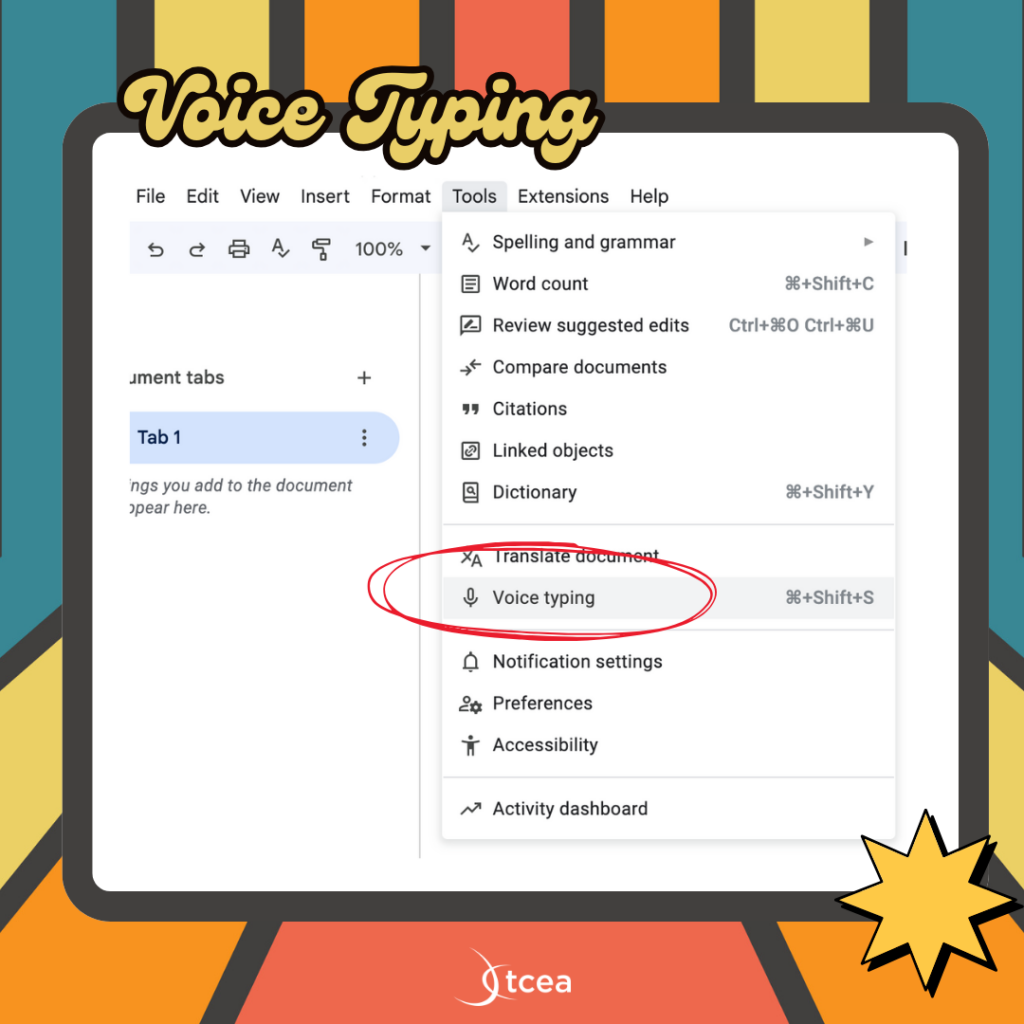
Discover powerful yet often overlooked Google Docs features like voice typing, smart chips, eSignatures, and even document comparison. Perfect for educators looking to streamline planning, feedback, and collaboration. - 40 New Google Doc Templates
Explore 40 fresh Docs templates from Google, organized into categories like education, professional use, project planning, and design. This post highlights how teachers can use them to speed up prep and boost productivity. - Building Blocks for Project Management
Learn to use Google Docs’ “Building Blocks” to create assignment trackers, project roadmaps, team directories, and more all right inside a document.
Drive
- Unlocking Hidden Google Drive Features
Ever used Drive’s “Workspaces”? This post uncovers this and other hidden features that make Drive a powerhouse for organizing and accessing files efficiently.
Forms, Slides, and Classroom
- Five Ways to Check for Understanding Using Google Tools
Use Google Forms for exit tickets, Slides for live Q&A, and Google Classroom’s question feature to make assessment seamless.
Search
- Discover Google’s Easter Eggs
Bring some fun into your day with hidden search tricks like “askew,” “do a barrel roll,” and classic games. Great for brain breaks, engagement, or even physics lessons.
Why These Tools Matter
This year’s Google tips reflect what educators need most: efficiency, creativity, and simple solutions to daily classroom challenges. Whether you’re organizing resources in Drive or leveraging AI for visual learning, there’s something here for everyone.
In addition, don’t forget to check out our google resource roundups from previous years.
- 2024 Google Resource Roundup
- 2023 Google Resource Roundup
- 2022 Google Resource Roundup
- 2021 Google Resource Roundup
- 2020 Google Resource Roundup
- 2019 Google Resource Roundup
- 2018 Google Resource Roundup
- 2017 Google Resource Roundup
- 2016 Google Resource Roundup
