Before you get too relaxed for the summer days ahead, I wanted to share a few little googly things you can do to get a jump start on the new school year. Of course, you shouldn’t spend your summer just working. But a little bit of work mixed with a lot of fun will keep you fresh and prepared for the new school year. So, after you’ve taken a few days or weeks to decompress, try some of the following.
1. Reflect using Google Docs
I can’t say enough about the power of reflection. However, you might be thinking that the last thing you want to do is look back on the school year that just ended. But it will definitely help you identify a few areas to grow in.
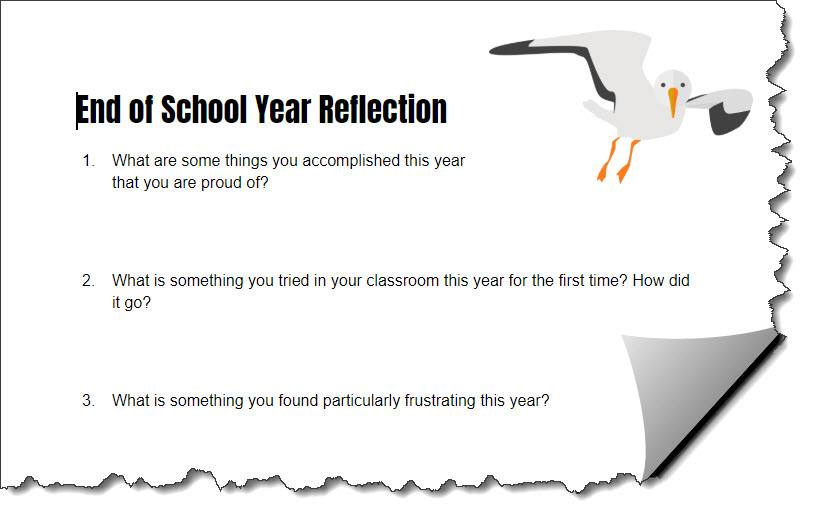
Make a copy of this Teacher End of School Year Reflection Google Doc. Take a few moments, while lying on the couch or sitting out by the pool and answer the questions. You don’t actually have to look at it again anytime soon. At least you have reflected on the previous school year and know what to tweak next year.
2. Organize Your Google Drive
Summertime is a perfect time to get your Google Drive organized. Sometimes our files get scattered everywhere and we need to organize them to make our drive more manageable. Even if you are a super organized person (like I try to be), you might still want to take a look to see if your Drive needs any tiding up. I know I always find things I need to delete or put into folders. If you need any help, check out these Three Tips to Organize Your Google Drive.
As we all know, Google Drive has so much to offer. After your drive is organized, ask yourself if you are taking advantage of the full potential of Google Drive. For example, did you know that you can create badges right inside of Google Drive? Did you know that Google Drive has a gallery of templates you can use? If you answered “no,” then check out Five Google Drive Tips You Should Try and Be More Productive with Google Drive in 2018.
3. Get Your Planner Ready using Google Drawings
If you are like the amazing Lexi Law (@lexilynnlaw), fifth grade science teacher at Wichita Fall ISD, and spend a pretty penny on a paper lesson planner but never use it, then you’ll definitely want to try this. Lexi created a Digital Teacher Lesson Planner in Google Drawings. The planner is for the 2018-2019 school year and all you have to do is make a copy of her template to get started. There is even an area where you can personalize your planner with photos. If you need extra help, Lexi even created a how-to video. I’m with Lexi on this one . . . why spend money when you can do it digitally with Google?
4. Get Familiar with those Fantastic G Suite Updates
Google does a lot of updating to its products throughout the year. For example, Google recently redesigned Gmail to help you respond to email even quicker. You can now see and click attachments in your inbox before ever opening a thread. You can also hover over messages (you don’t have to click into them) to do things like RSVP to a meeting invite, archive an email thread, or snooze an email.
In addition, updates and improvements were made to Google Docs, Google Slides, Google Sites, Google Drive, and more. If you didn’t get a chance to see the new updates, now is the perfect time to read all about them on the G Suite Updates Google Blog. Furthermore, check out the What’s New in G Suite Monthly Newsletter.
5. Read the TCEA Google Blog Posts
You don’t have to be an avid reader for this last thing on the list. All you have to do is read one or two TCEA TechNotes blog posts a week. That way, you can catch up on those blogs you might have missed during the school year. You can find all the blogs related to Google by doing a search for the word Google on the TCEA TechNotes Blog. To make it even easier, we have Our 2017 Google Resource Round Up and Our 2016 Google Resource Round Up, which are a compilation of all blog posts about Google for that year.
These are just five googly things you could do this summer to help you get a start on the new school year. Do one or two or do them all. You’ll be glad you did.
 Adobe users unite! You’ll find this the perfect academy if you use any of the Adobe products yourself or if you teach your students how to use them. Innovative uses, clever work-arounds, and new features will be shared to give you the solutions and steps you need. And, if you are new to Adobe, you will find several sessions that will help you get up to speed and boost your confidence. Adobe pros haven’t been left out; our presenters have clever ideas that are worth listening to and taking note of.
 Make a point to attend our first annual Microsoft Academy to boost your skills in Microsoft products including Office365 and Minecraft. This is going to be a great gathering! You’ll also be introduced to mobile coding with Creative Coding through Games and Apps and gain a deeper understanding into Microsoft Makers projects and 3D Builder. You will definitely find this packed full of topics that you can’t get at other learning opportunities.
 Even if you don’t have a Chromebook, but use Google Suite for Education, you will find these sessions filled with new and great ideas that you can take back to transform the way your students learn. Be sure to bring a friend so you can divide and conquer on the sessions and then share with each other at the end of the day!


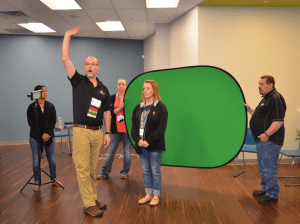 Do you teach any of the Technology Applications or Career and Technology Education courses where students learn to use Adobe products such as Photoshop, Illustrator, InDesign, Lightroom, Premiere, etc.? Or do you want to enhance your creative Adobe skills for personal projects and enjoyment? If either of those are true, then you definitely want to attend the Adobe Academy on June 19-20! Besides networking with other creative educators, you’ll have concurrent sessions to choose from in order to gain fresh ideas, polish your Adobe skills, and take your curriculum to the next level. You’ll learn from other Adobe-using educators in this hands-on event. For more information about this academy go to
  If you are one of the many Microsoft-using educators, you will find the Microsoft Academy a perfect fit. On July 12-13, you can experience a wide array of Microsoft tools to help you extend your learning and gain fresh ideas of how to use the tools with your students and fellow educators. Whether you are using Office365 in the cloud or are using a not-quite-so-new version, join in on the active sessions and take away new ideas. For more information about this academy go to
 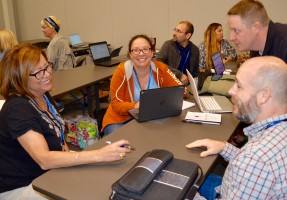 Calling all Googlers! Learn from some of the Googliest educators around at our interactive Chromebook Academy on July 26-27. There will be great sessions for Google Suite administrators as well as for teachers integrating Google Suite in their classroom. You’ll learn about the most current features and how you can use them to maximize your impact with students. Add-ons, scripts, hyperdocs, Slides, Forms, and more will be explored so that you can get what you need to take your students to the next level! To learn more about the Chromebook Academy, go to
 Most free books are in the public domain, but that doesn’t mean that they are not relevant for our students. But that’s not the only place to find free books. Some parents and students may benefit from signing up for a free month with a particular service even if they don’t plan to extend their usage beyond the complimentary time.
 Many text-to-speech readers are available that can assist with ebooks. Your device and platform may determine which works best for you.
 Hot off the press, these updated lists can give you and your students some direction of what author to check out, the next series to explore, and possibly a new genre to try out.
 Making a book more enjoyable can easily be done by including some after-reading activities. Here are few to get you started. These are great to share with parents as well!