
Discover innovative online tools for education. Explore strategies and resources to enhance teaching, learning, and collaboration in the digital age.

Digital storytelling is the method of using technology to share your narrative. The tools that students use can run the gamut from very simple presentation tools that just use audio recordings and photos to more complex creations requiring screencasting and appsmashing. If you are just getting started and trying to figure out the best tool for your students, then consider the following sites to acquaint you with some of the more popular tools used:
- 18 Free Digital Storytelling Tools For Teachers And Students by Christopher Pappas
- 64 Sites for Digital Storytelling Tools and Information by the GDC Team
- Digital Storytelling & Presentation Tools by Polly-Alida Farrington
- Web 2.0 Digital Storytelling Tools by Christopher McCaffrey
Regardless of which tool(s) you use, consider the following to help ensure your students’ success:
- What do you want them to do with the end product? Will their stories be shared in a public online place for a wider audience or just viewed from the device on which they are created? Your answer to these questions will narrow the field of possible options.
- Younger students, or students that may be open to distractions, will do better if you have them use tools that have fewer bells and whistles. These no-frills tools (such as 30hands Starter) minimize distractions and help students focus on the content of their story.
- Have students plan their digital story prior to using the apps/websites. Consider using a template such as the 8 panel (Word) template, the film and video projects (Zipped) template, or the TCEA storyboard (Google Doc) template. Look through this Google search of completed storyboards and select a few to share that are relevant and appropriate for your content as examples.
- Provide your students with a rubric to hold them accountable and guide them through the assignment. Consider using this general storytelling rubric, one of Rubistars rubric templates, or Kathy Schrock’s digital storytelling rubric.
Digital storytelling is a great way for students to demonstrate understanding of the content and in a context that makes sense to them. After all, we all love to both hear and tell stories. You should find that your students are more motivated to do their work when given the option to use digital storytelling as an assignment choice. Let us know your favorite digital storytelling tools and how your students used them to create amazement in your classroom.



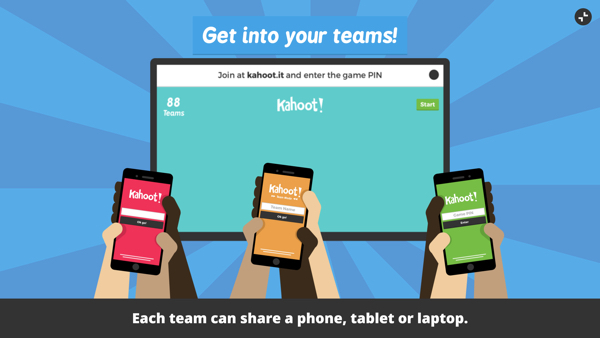 Kahoot has upped its game by adding a Team Mode. Students get into teams with just one device between them. The teacher opens up a Kahoot! and now has the choice of selecting between Classic and Team Mode. Team captains (kids holding the devices) enter their team’s name and their players’ nicknames. Then they begin the game. This will be great for helping kids learn to work together or for those classrooms where devices are limited.
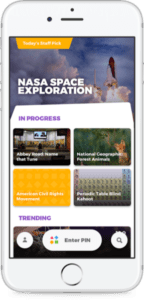 At the ISTE conference in San Antonio, Kahoot! unveiled a new mobile app for the game. What’s great about the app is that now both the questions and the answers will appear on the student screens. (Before, students had to look at the projected image in the classroom to see the question and then answer it on their own devices.) It also includes Challenges that can be issued by the teacher or by students to each. You can preview the new app (available in both Android and iOS) by signing up to be a