Discover tips, tools, and strategies for using Google in education. Explore resources to enhance teaching, learning, and productivity.
Dear TCEA Responds:
I’m reaching out to you with a question on Google and student data. In your opinion, how safe are we with sharing student names and assessment data on Google? We have a strict policy of not sharing student PEIMS data, but are we safe to assume we can save student names and assessment info?
-Jill
Dear Jill:
As you may know, G Suite for Education employs a higher level of security than the consumer version of Google Suite. Google employs encryption to protect your data while it is stored on their cloud servers. On that count, it is unlikely that your data will be breached by G Suite EDU. However, should a user’s account be compromised (e.g. a successful phishing attack is one common approach), then access to any data stored in the cloud would be in danger.
Two-Step Verification
That is why ensuring you have two-factor authentication (a.k.a. two-step verification) in place is so important. Even in the face of a successful phishing attack, no one would be able to get access to the shared data. Without that in place, it is best to encrypt files or data stored in Google Drive. This, of course, would defeat the convenience G Suite EDU provides. So, I STRONGLY recommend putting two-factor authentication in place.
Encryption
If you have Word or Excel files that will need to be stored in encrypted form in Google Drive, but have no need for others to work on it, then you can use a free cross-platform solution like Cryptomator. If you intend to share a Google Sheet with student names and info, then you are far better off considering two-step verification to protect account login/password and then using G Suite EDU. A solution like SysCloud offers on-the-fly encryption.
Shared Drive Settings
Another key point to keep in mind is that G Suite EDU makes it easy for end users to SHARE data for collaboration purposes. Improper SHARING approaches (e.g. sharing a file/folder to anyone with the link and public on the web) can put sensitive data at risk without any nefarious intent from anyone. Putting confidential data in a SHARED DRIVE (Team Drive) would make it viewable and accessible by all who have been granted rights to that shared drive.
A Response
To respond to your question, you own the data you store on Google and decide how to use it. So long as Google safeguards the data (which it does), then you own the responsibility for protecting it when the only access is via a user account. If you have taken sufficient precautions to protect user account logins/passwords and provided sufficient professional development to staff so they don’t make sharing errors, then there is no reason why you cannot store sensitive data on Google Drive’s encrypted cloud servers.
Did You Know?
TCEA is available to meet your professional development needs. We can provide friendly, education-specific professional learning on cybersecurity and cybersafety that enhances the work of faculty and staff. Reach out via phone at 800-282-8232 or via email to Lori Gracey (lgracey@tcea.org).
Google and Student Data
Protecting student data is even more important today given the many data breaches that have occurred. You must make every reasonable effort to secure student data while maintaining a balance. Fortunately, you need not work alone to accomplish this. Build capacity on your team. You may find the following resources to be of interest.

 wanted to see if there was something I didn’t know. The only new tip I picked up was that if you put a + or an @ in front of someone’s name in the body of your email, it will automatically insert their email address into the To: field. I tried it out and it worked like a charm, although I’m not sure when I would use that new feature. I then clicked on a page that listed ten ways you can use G Suite to
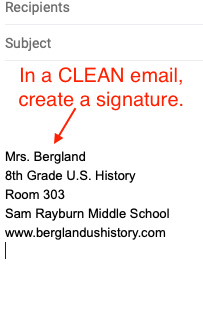
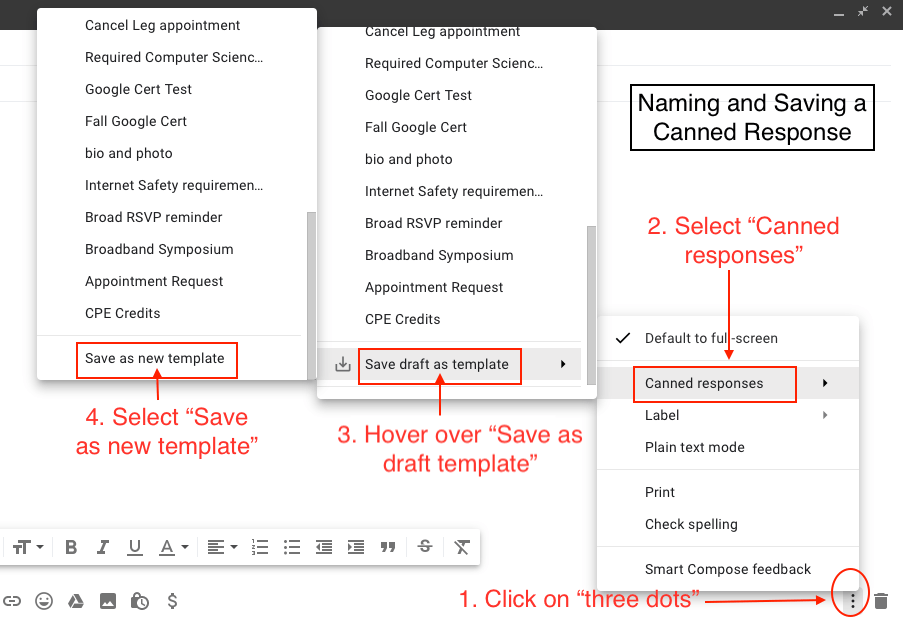
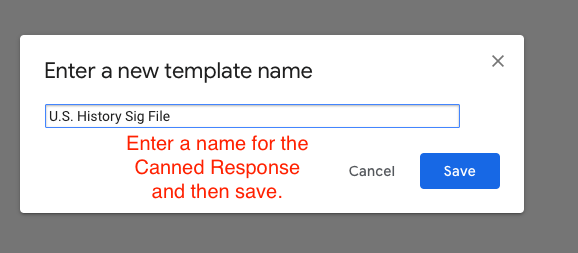
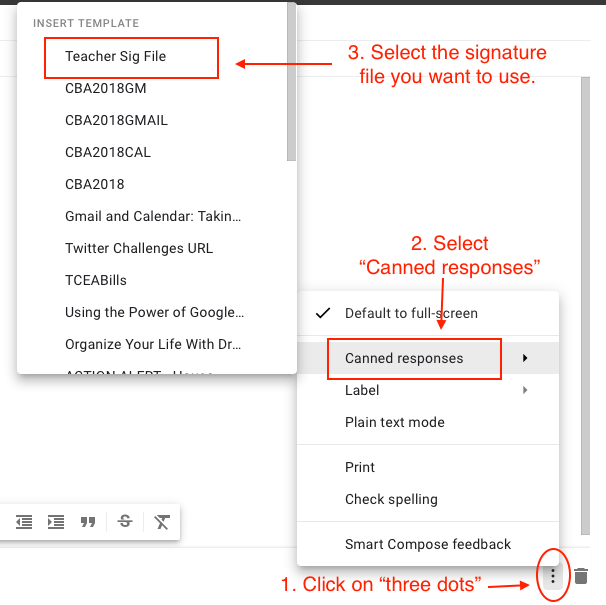
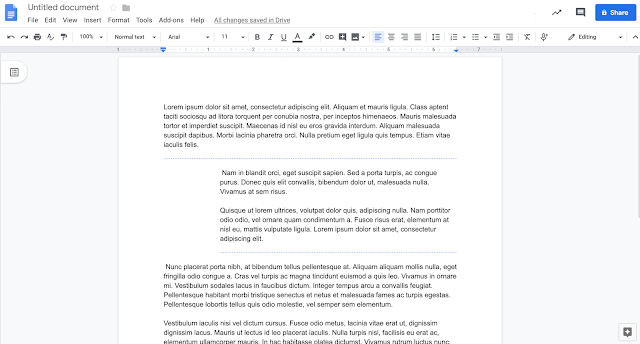
 I think this could be very useful for a teacher who wears many different hats and communicates with different audiences. For instance, if she were emailing her students, she probably would not include her first name in her signature. She might want to include her class website, the best way to contact her, and other links that might be helpful for her students. When she is emailing her student’s parents, she might want to include her first and last name, her conference period so they know when she might be available, and other information she thinks could be useful for parents. If she was a cheerleader sponsor or a coach, then information that pertains to those activities might be included in her signature. There are endless possibilities.

 First, I need to give a disclaimer.
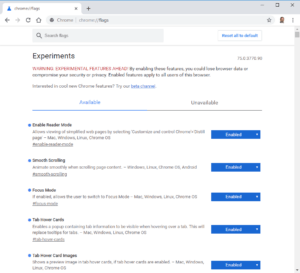
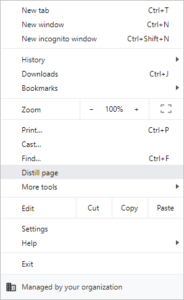 Enable Reader Mode (#Enable-Reader-Mode) opens a new page that has been stripped of ads. This is great when you are wanting to share a web page with others, but it is cluttered with ads that distract from the page. Chrome extensions that are similar to Reader Mode include
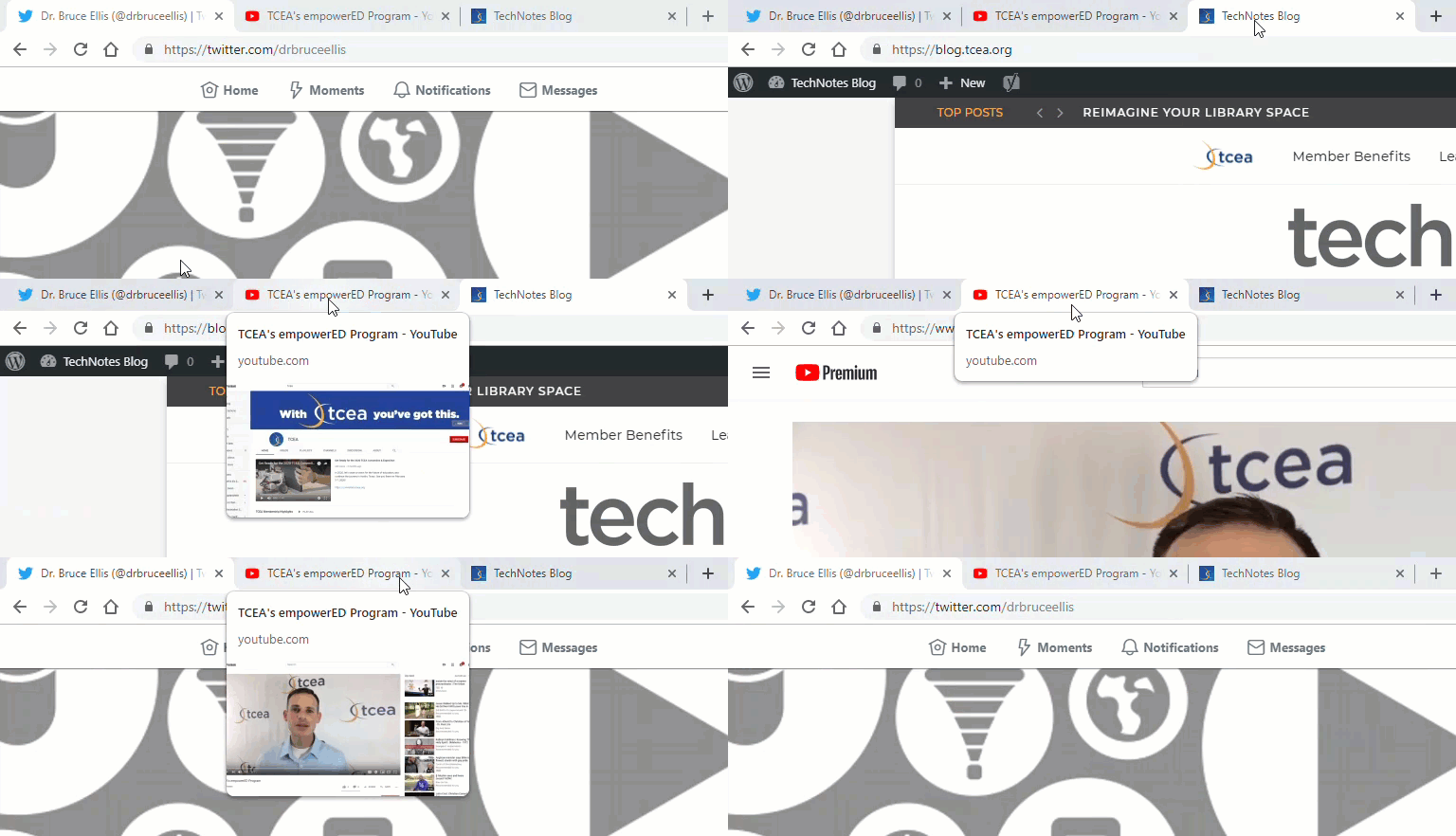
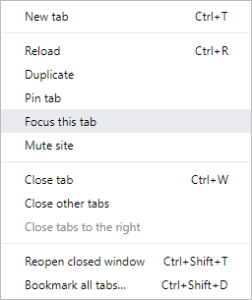 Focus Mode will pop out the current tab into its own window. To make use of this feature, you’ll need Chrome 7.6 or higher, which was not yet out at the time of this writing. If you like to be on the cutting edge, though, and want access to this (and other) features before they are rolled out to the masses, then consider using


 If you weren’t able to join us this year, be sure to put
 The
 videos and games; Adobe will include its visual storytelling app Adobe Spark; and Khan Academy will bring its free library of lessons across subjects like math, grammar, science, history, standardized tests and more.