A fifth-grade teacher wants students to explain the water cycle. One student wants to record a podcast. Another prefers an infographic, while a third wants to create a short video. The teacher now has another problem: finding tools that support these projects without draining the classroom budget.
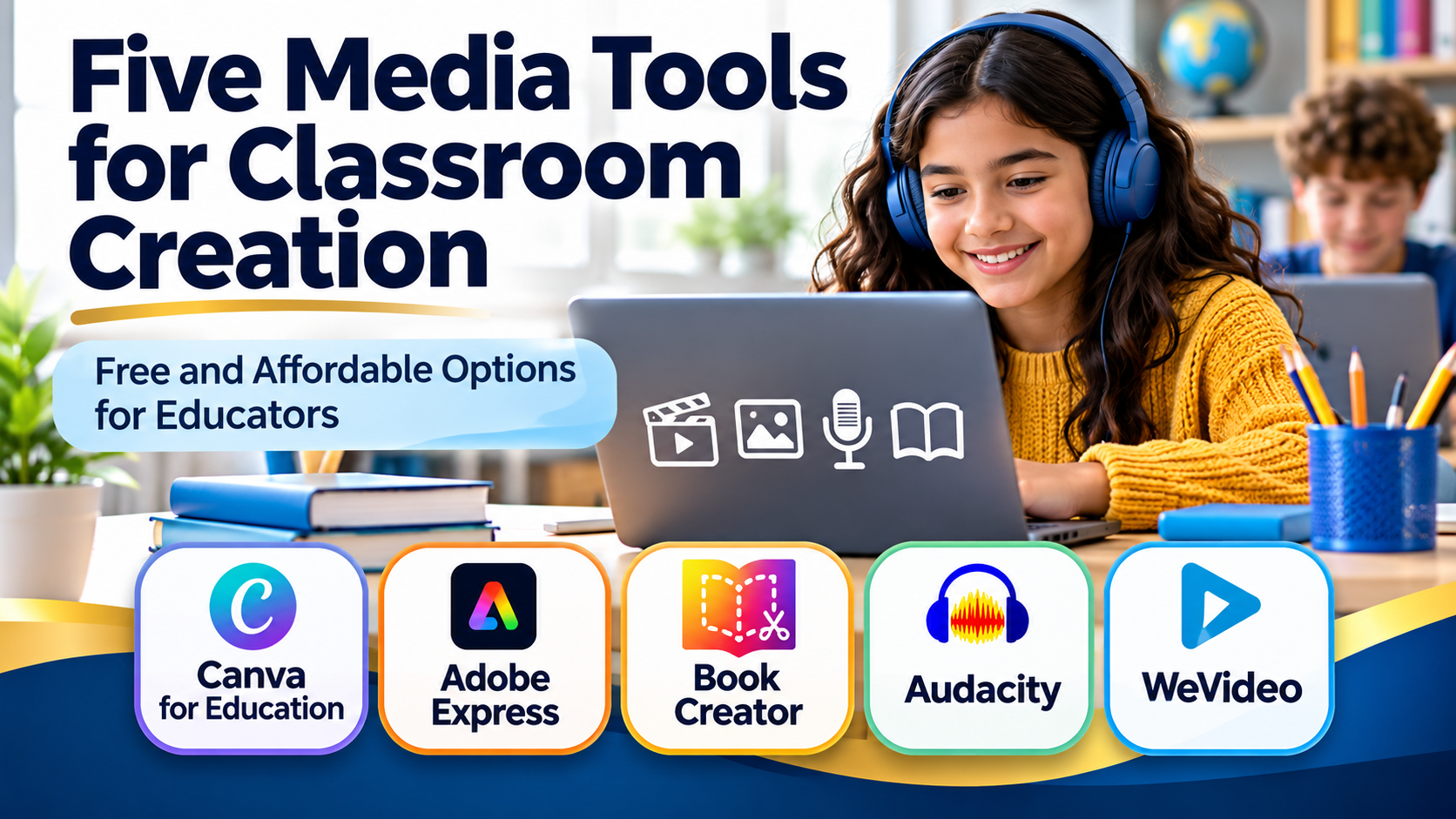
Five media creation tools worth exploring are Canva for Education, Adobe Express, Book Creator, WeVideo, and Audacity. Together, they give students ways to show what they know through images, audio, video, and multimedia publications. What’s more, you’ll find student guides for each activity and media resources library you can use.
There are three reasons to consider these tools:
- They offer different ways to demonstrate learning. Students can create visual, audio, and multimedia products that match the assignment.
- They offer affordable starting points. Several provide free access, while others offer education pricing.
- They support authentic student work. Students can explain, revise, and publish their thinking rather than complete another worksheet.
What’s more, each comes with a student activity guide:
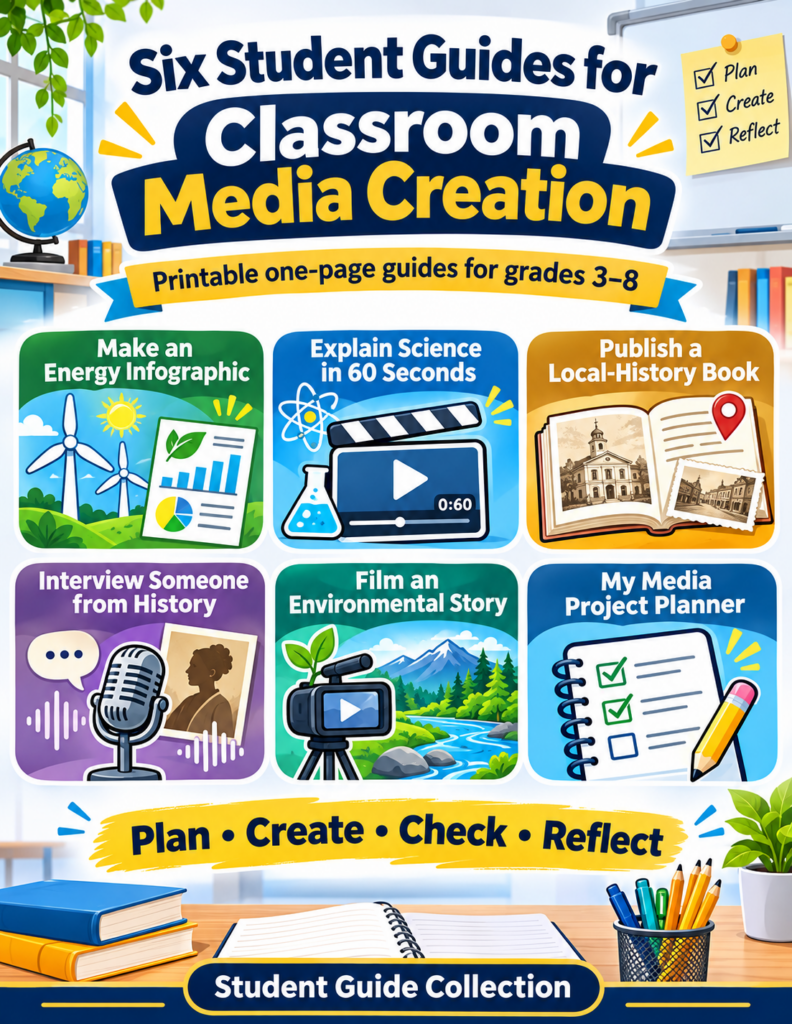
Reason One: Give Students More Ways to Show Learning
1. Canva for Education: Create Visual Stories
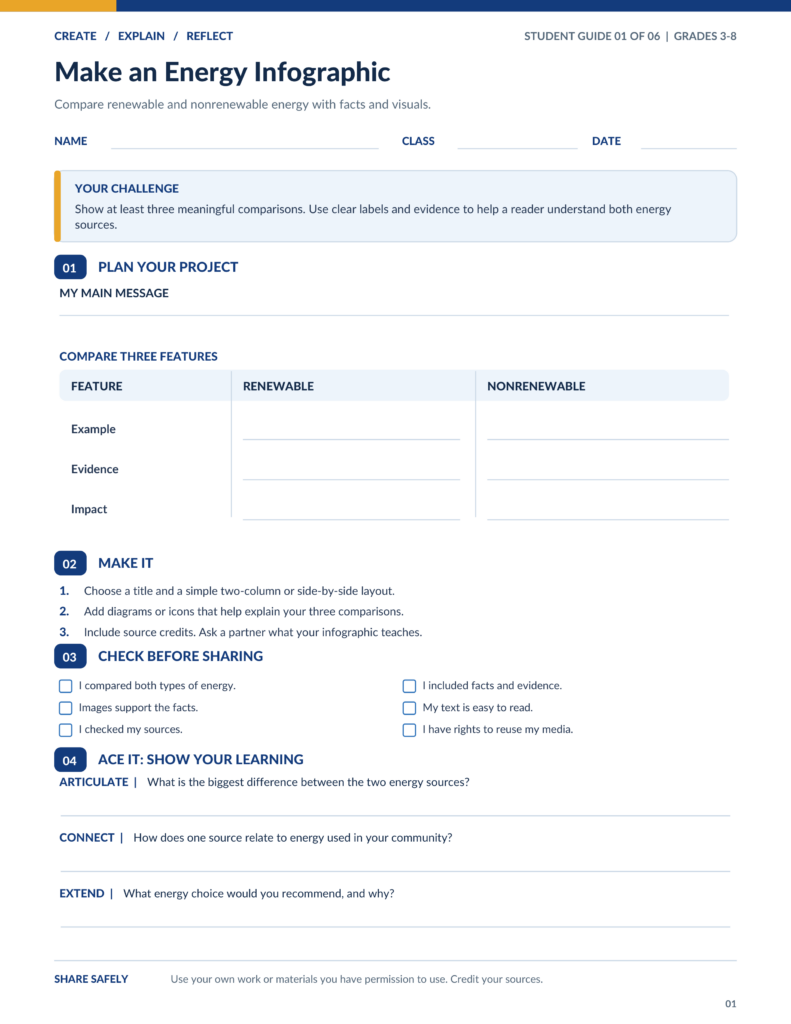
Canva for Education makes it easy to create infographics, posters, presentations, and short videos. Templates help students get started without spending an entire class period choosing fonts.
Classroom idea: Have students create an infographic comparing renewable and nonrenewable energy sources. Require three evidence-based comparisons.
Pricing: Free for eligible K–12 teachers, schools, and invited students.
Licensing: Canva is proprietary software. Its Education license permits educational, noncommercial use. Pro content included with Canva Education cannot automatically be repurposed for commercial projects.
2. Adobe Express: Make Multimedia Explanations
Adobe Express for Education brings images, video, animations, presentations, and webpages into one browser-based creation environment.
Classroom idea: Ask middle school students to produce a 60-second video explaining a scientific process. Students include narration, visual evidence, and captions.
Pricing: Free for qualifying K–12 schools and districts, with many premium creation features included.
Licensing: Proprietary software offered under Adobe’s education terms. Included Adobe Stock resources are licensed assets rather than public-domain media. Students and teachers must follow the applicable usage terms.
Reason Two: Start Creating Without a Large Budget
3. Book Creator: Publish Multimedia Books
Book Creator allows students to combine text, drawings, images, recordings, and video in digital books. It works well for portfolios, illustrated reports, and collaborative storytelling.
Classroom idea: Have elementary students create a local-history book with photographs, recorded interviews, and short explanations.
Pricing: The free Starter plan includes one classroom library with 40 books and unlimited students. Premium costs $14 per month or $150 per year per teacher. School and district pricing is available.
Licensing: Proprietary subscription software. Creators retain ownership of their books, although embedded third-party materials remain subject to their original copyright and license restrictions.
4. Audacity: Record Podcasts and Audio Projects
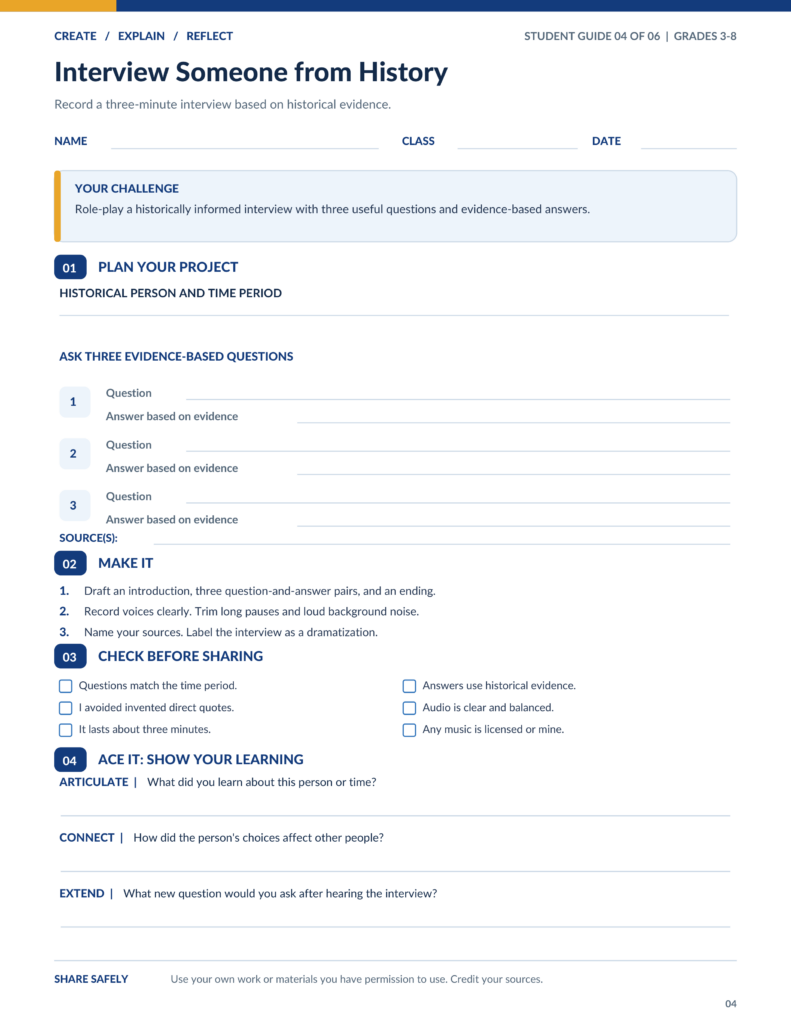
Audacity is a free desktop audio recorder and editor. Students can record narration, trim mistakes, combine tracks, and export audio files.
Classroom idea: Students record a three-minute historical interview, using evidence to answer questions from the perspective of a historical figure.
Pricing: Completely free for Windows, macOS, and Linux.
Licensing: Free and open-source software under the GNU General Public License. Educational and commercial use are permitted. The software license does not grant rights to copyrighted music students might add.
Reason Three: Make Student Thinking Visible Through Media
5. WeVideo: Edit and Explain with Video
WeVideo offers video editing, screen recording, narration, green-screen effects, and classroom collaboration features.
Classroom idea: Have small groups produce a two-minute documentary explaining the causes of an environmental problem. Require students to support their conclusions with evidence and revise after peer feedback.
Pricing: A limited free plan is available. The education-focused Single Teacher plan costs $89 per year. Classroom plans start at $374 per year for 30 seats, with larger school and district plans available.
Licensing: Proprietary subscription software. Subscribers can use included royalty-free stock media within the provider’s license terms. Those terms do not transfer ownership of the stock assets to students.
Compare the Five Tools
| Tool | Best classroom use | Starting cost |
|---|---|---|
| Canva for Education | Posters and infographics | Free for eligible K–12 |
| Adobe Express | Graphics and short videos | Free for eligible K–12 |
| Book Creator | Multimedia books | Free, 40 classroom books |
| Audacity | Podcasts and narration | Free, open source |
| WeVideo | Video documentaries | Free limited plan; teacher plan $89/year |
Prices are in U.S. dollars, based on published vendor information checked November 2, 2026. Education eligibility, subscriptions, and license terms may change.
Try One Media Creation Challenge
Start with a topic students already understand. Give them a choice of two media formats and ask them to explain the same concept in their own words.
I would keep the first project small, perhaps a one-minute recording or a single-page infographic. The important part comes afterward, when students explain their decisions.
Ask students to ACE their work:
- Articulate: Explain the main idea in your own words
- Connect: Show how the idea relates to something you already know
- Extend: Apply the idea to a different situation
Before publishing student work, check your district’s approved tools, student privacy requirements, parental consent rules, and media copyright permissions. Free software does not necessarily mean unrestricted use of every included image, sound, or template.
Which media creation tool will you try with students this week?
Wait, There’s More!
I’ve taken the liberty of curating a free media resource directory for you.
Free Media Resource Directory
Find images, music, sounds, and video clips for lessons, presentations, podcasts, and creative projects. Start with the type of media you need.
35 of 35 resources shown
No resources match that search. Try another term or select All 35.
Find images and icons
Photos, museum collections, illustrations, and accessible visual resources.
MetaImage Search
Search public-domain and CC0 images across collections. Copy or save results in several formats.
Verify original item rights
Openverse
Search openly licensed photos, illustrations, and audio from multiple collections.
Check each item license
Pexels
Find stock photography and video clips for classroom visuals and projects.
Check item license
Pixabay
Browse photos, illustrations, vectors, music, sound effects, and video.
Check item license
Unsplash
Explore high-quality photography for presentations and learning materials.
Check item license
Wikimedia Commons
Find photographs, diagrams, maps, and historical media across Wikimedia projects.
Check file license and credit
Smithsonian Open Access
Explore digitized museum objects and downloadable images from Smithsonian collections.
Check for CC0 designation
The Met Open Access
Explore artworks and museum objects; check the Open Access designation.
Check Open Access designation
Public Domain Image Archive
Browse historical artwork, illustrations, and vintage photography.
Check item status
Disabled and Here
Find disability-led stock photos and illustrations featuring disabled people.
Check usage terms
Disability:IN Photography
Find workplace stock photography featuring people with disabilities.
Check usage terms
Nappy
Explore stock photography featuring Black and Brown people.
Check item license
Jopwell Collections
Browse workplace and community photography featuring people of color.
Check collection terms
New Old Stock
Browse vintage photographs gathered from public archives.
Check original rights
Morguefile
Find contributed stock photographs for creative projects.
Check item license
PxHere
Search a broad photo collection organized by topic.
Check item license
FreeSVG
Find SVG clip art, silhouettes, and simple illustrations.
Check item license
Noun Project
Explore downloadable icons and photography for visual explanations.
Free use may require attribution
Flaticon
Search icons and stickers in multiple formats.
Check credit and premium terms
Freepik (now Magnific)
Find photos, illustrations, vectors, and design assets. Freepik now redirects to Magnific.
Free and premium content mixed
Vecteezy Photos
Browse stock photographs with different licensing options.
Free and paid options
Google Advanced Image Search
Search images with filters for size, file type, and usage rights.
Verify rights at original source
Photos for Class
Find classroom-friendly photography through Storyboard That’s photo search.
Check download terms
BYU Digital Collections
Explore historic photography in Brigham Young University digital collections.
Check collection rights
Find sounds and music
Music for projects, ambient audio, and historical recordings.
Bensound Free Music
Find background music for educational video and multimedia projects.
Attribution required for free tracks
dig.ccMixter
Search Creative Commons music for presentations, video projects, and remixes.
License and credit vary by track
Incompetech
Explore music by Kevin MacLeod, organized for different production needs.
Credit or paid license may apply
Purple Planet
Choose background music by mood and style.
Check free-use and credit terms
Tabletop Audio
Listen to atmospheric soundscapes for storytelling, role-play, and activities.
Check reuse permission before publishing
Internet Archive Audio
Explore music, spoken-word recordings, and contributed audio collections.
Rights vary by item
Find video footage
Stock clips, historical film, and science video collections.
NASA Image and Video Library
Find space and science images, video footage, and audio in one searchable library.
Check rights and NASA media guidelines
Internet Archive Movies
Explore archival films and contributed video collections.
Rights vary by item
Library of Congress Film Collections
Browse digitized film and moving-image collections for historical inquiry.
Check rights and reproduction notes
Vimeo Creative Commons
Explore videos creators have tagged with Creative Commons licenses.
Check video-specific CC license
The Open Video Project
Browse an academic collection of digital video clips.
Check collection usage rights