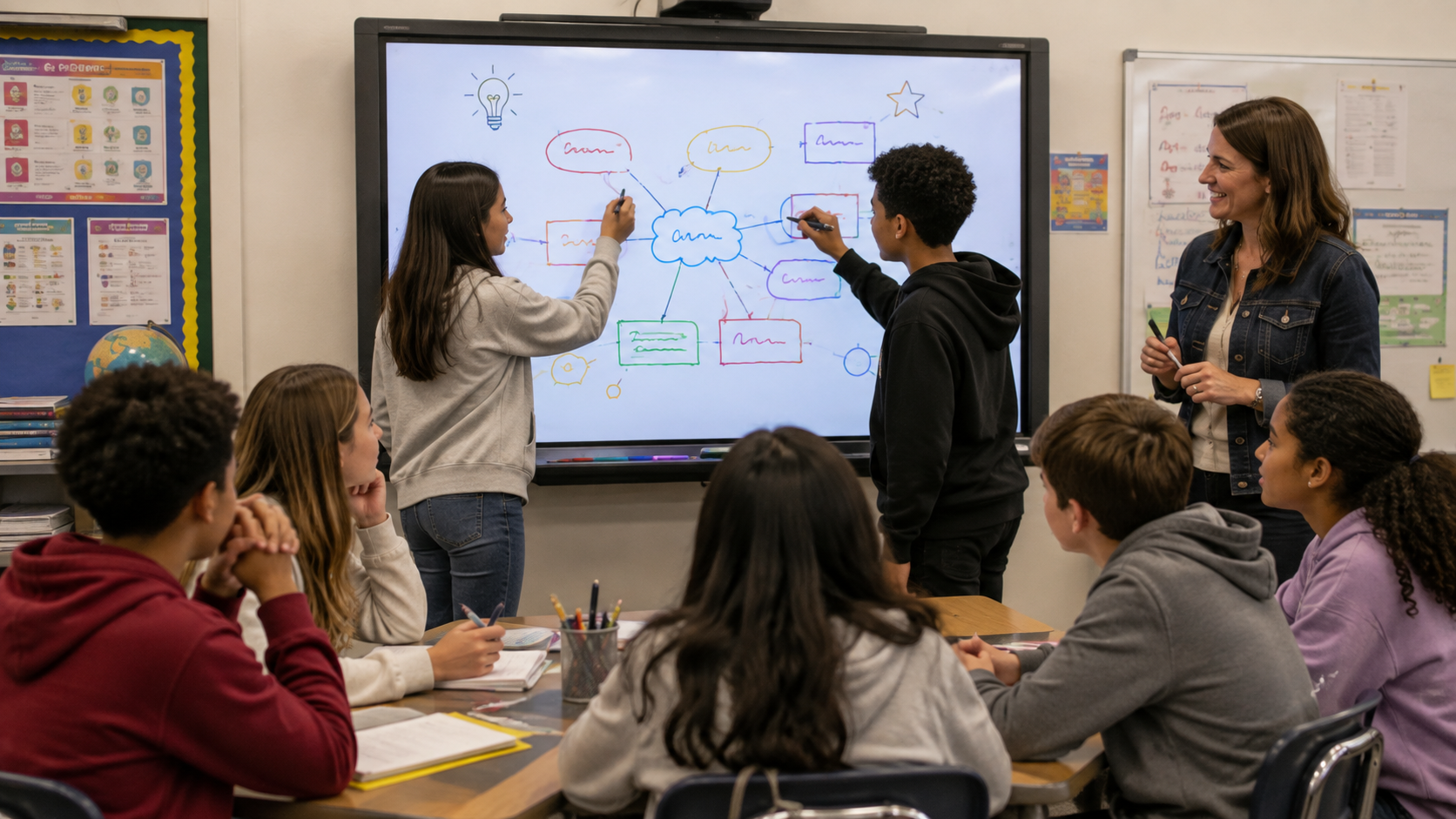
Ms. Alvarez inherited a five-year-old interactive whiteboard at Lincoln Middle School. The teacher before her used it mostly as a projector screen. She assumed the technology itself was the problem. But good teaching does not depend on having the newest technology, and that old board may be capable of far more than she thought.

Research says otherwise, and the full picture is more nuanced than a simple yes or no. A peer-reviewed meta-analysis of 23 studies found that interactive whiteboard instruction can improve student learning, but the pedagogical approach behind a lesson mattered more to the outcome than the technology itself. Other reviews are more skeptical. One systematic review of 16 studies found that interactive whiteboards alone did not raise student achievement or improve the quality of classroom learning. A separate study of English language arts and math classrooms found a pattern worth noting: teachers whose students scored above the mean on state tests used their whiteboards for instruction more often each week than teachers whose students scored at or below the mean. That is a correlation, not proof that more whiteboard use causes higher scores, but it lines up with the same conclusion. Put together, the research points in one direction more than any other: the whiteboard does not drive the outcome. What a teacher does with it does.
(If you want to dig into this research further, Google Scholar has a running list of recent studies on interactive whiteboard effectiveness in U.S. K-12 classrooms.)
The effect depends on pedagogy, not hardware.
A five-year-old board running a strong activity beats a brand-new one running a weak one. Every activity in this post should work on whatever board you already have. That is good news if your school is still saving for an upgrade. It also means an expensive new board will not fix a lesson that was never designed to be interactive in the first place. And, while these are set in a middle school scenario, you can easily adjust them to higher or lower grades.
Match the Tool to the Job
Teachers rarely need one whiteboard tool. They need four, one for each job the board actually does in a normal week.
Warm-ups. Classroomscreen is free, requires no sign-up, and gives you timers, random name pickers, and simple text and drawing tools you can pull up in 10 seconds flat. Good for a five-minute opener while you take attendance.
Formative checks. Whiteboard.fi gives each student an individual digital whiteboard while you watch all of them at once on your screen. You see every answer in real time, not just the three students who raise their hands.
Brainstorming. FigJam’s sticky-note interface makes group brainstorming approachable even for students who have never used a digital canvas before. Color-coded stickies group ideas visually as the board fills up.
Group problem-solving. Excalidraw needs no account and loads in under a minute, so it works well when you want student groups sketching out a solution together without a login screen slowing anyone down.
If you already use Canva for Education, its Whiteboard feature is worth trying too. It gives you an infinite canvas, sticky notes, and templates, all free for verified K-12 teachers, and it can cover more than one category on this list at once, brainstorming, warm-ups, and group work, without switching tools.
Classroom management. Not everything on the board needs to be a learning activity. TeacherStack is built for the operational side of a class period rather than instructional content, and it earns a spot on this list for that reason. It puts a timer, a random name picker, a seating chart, attendance, and a behavior log on the same board you already use for lessons, along with tools for running small-group station rotations without you having to direct traffic. It will not help you build the Data Detectives activity above. It will handle who is in which group, how much time is left, and whether a student’s behavior pattern needs a conversation, so the board can carry the entire class period, not just the parts that involve new content.
Teaching online changes which tool makes sense. Zoom’s built-in whiteboard lets any participant draw and add sticky notes without leaving the call. Google Meet has a similar built-in whiteboard, but it currently works only on desktop and laptop, not the mobile app, so plan around that if some students join from a phone or tablet.
If your building’s board came with its own annotation software, such as SMART Notebook or Promethean ActivInspire, keep using it for the activities below. The point is not switching tools. The point is using whatever tool you have to make the board something students act on, not something they watch.
Two Activities to Try This Week
Data Detectives
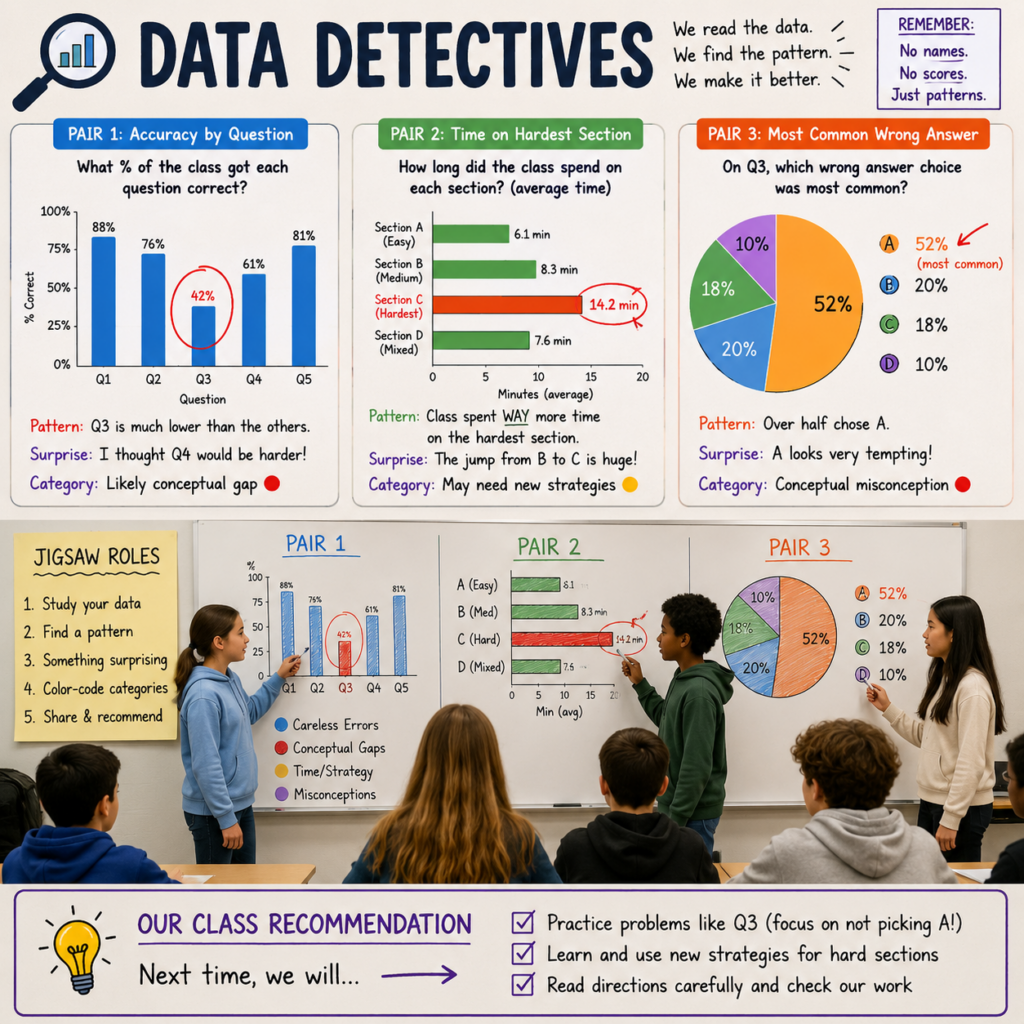
This activity asks students to read the class’s own performance data and propose a fix, using only anonymized, aggregated numbers. No student’s name or score ever appears.
Before class, pull one simple aggregate report from your last quiz or exit ticket, for example the percentage of students who got each question right, or how the class split across answer choices on a multiple-choice item. Never show individual results.
Put students in small groups, then split those groups into a jigsaw. Each student gets one slice of the aggregated data. One looks at accuracy by question. Another looks at how long the class typically spent on the hardest section. A third looks at which wrong answer choice was most common on a specific problem.
On the board, they circle the pattern they find, highlight the data point that surprised them most, and color-code any categories they can identify, for example marking careless errors in one color and conceptual gaps in another.
Then the small groups report their slice to the whole class. As a group, students propose one specific change to how the class approaches that material next time, more practice on a certain problem type, a different review method, or clearer instructions next time around. They also share their thinking aloud on some of the problems to help identify possible misconceptions and better establish correct process/procedure in solving the problem correctly next time.
This works because it treats data literacy as a skill worth teaching directly, not a side effect of testing. Students practice reading a chart, forming a hypothesis, and defending a recommendation, the same moves a data analyst makes, at a middle school level.
Pattern Circles
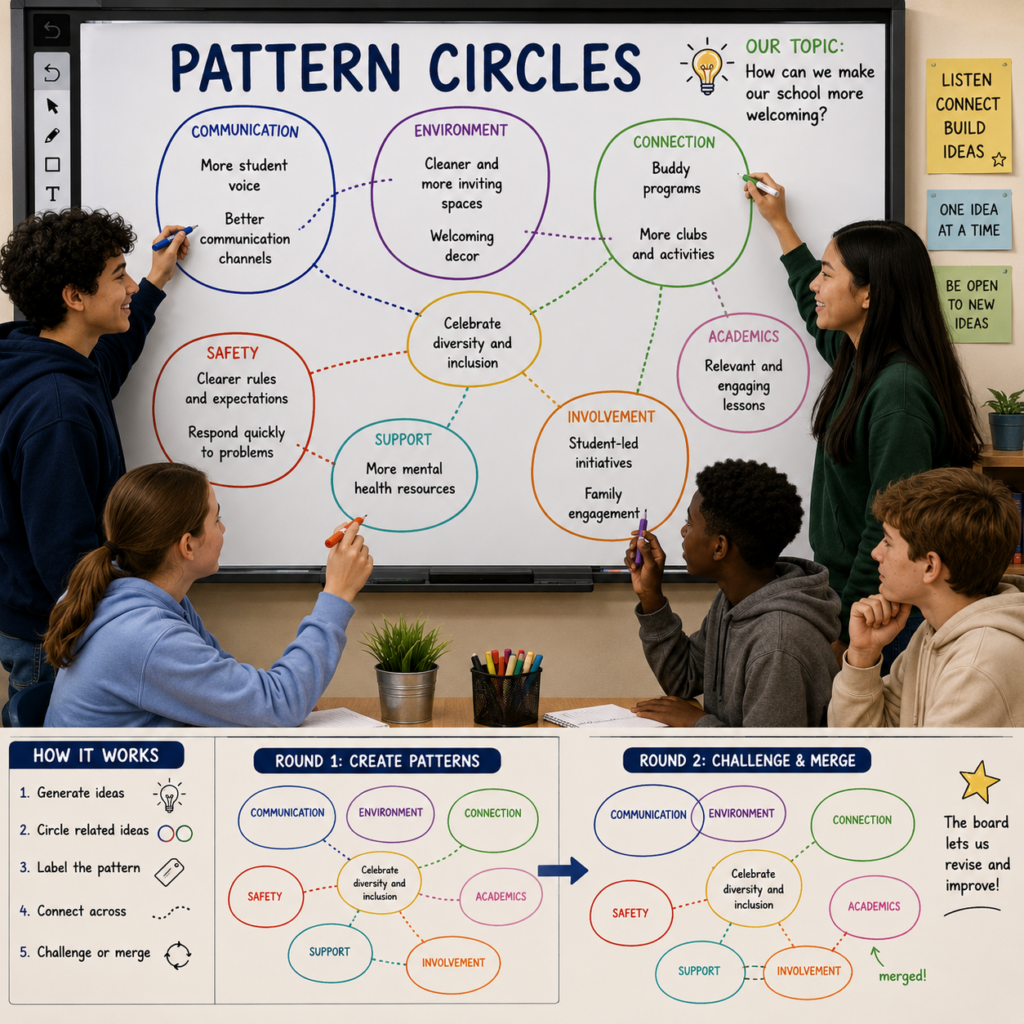
For a group problem-solving warm-up on any topic, write eight to 10 open-ended ideas, causes, or possible solutions on the board, either typed in ahead of time or generated live by student pairs.
Assign each pair a colored marker or a digital color. Working directly on the board, pairs circle and connect ideas they see as related, then label the circle with a category name. A second round lets pairs challenge or merge another pair’s grouping.
This activity works on paper too, but the board’s undo function and unlimited space let students reorganize freely instead of committing to one messy diagram they cannot easily fix. That freedom to revise is often what turns a flat brainstorm into an actual discussion.
What’s Coming Next
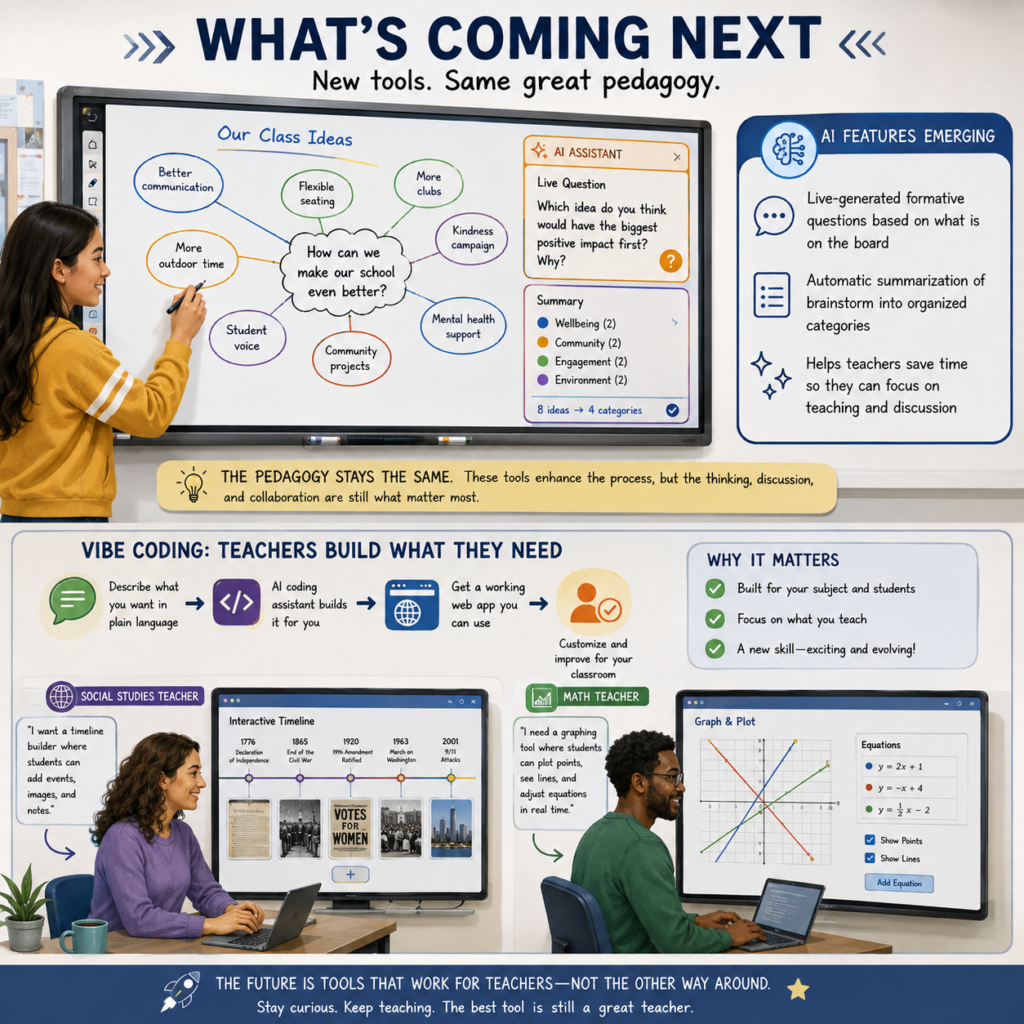
A newer generation of interactive whiteboards is starting to build in AI features, live-generated formative questions based on what is on the board, and automatic summarization of a brainstorm into organized categories. None of that replaces the pedagogy above. It is worth watching, but the activities in this post do not require it and will not be outdated by it.
A related trend worth watching is teachers vibe coding their own subject-specific whiteboard tools, describing what they want in plain language to an AI coding assistant and getting a working web app back. A social studies teacher could build a board designed around interactive timelines. A math teacher could build one designed around graphing and plotting. This is still a new skill for most teachers, not something ready to hand a whole staff on a Monday, but it points toward boards built for one subject instead of a general-purpose canvas.
Try One This Week
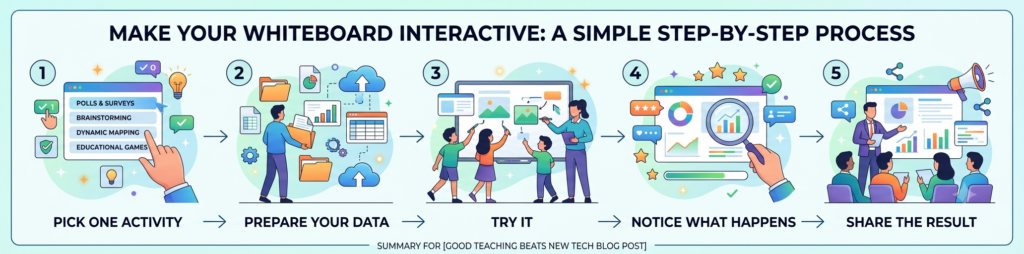
Pick one activity above and run it in a single class period. Anonymize your own class data ahead of time so you are ready to go, then note what students noticed that you did not expect. Share what happened with a coach or in the comments below. The board you already have is enough to start.