Discover tips and resources to secure funding for education. Explore grants, strategies, and tools to support schools and classroom initiatives.

While the adage “You get what you pay for” is definitely true, I am still a fan of free. And for cash-strapped school districts, free software may make the difference in whether a student has access to tech tools or not. With that in mind, here are some software programs that are so good, students will definitely find them useful. Most of them are available on a variety of computer platforms. And, as of today, they are all free. (By the way, I did not include more well-known free software such as the Google Suite, OneNote, etc.)
2D/3D/Art/Drawing/Creating
- Blender (3D drawing)
- Darkflow (photo workflow like Lightroom)
- DraftSight (CAD software for 2D designs)
- Fusion 360 (3D CAD/CAM software from Autodesk)
- Gimp (image editing)
- Inkscape (vector art software)
- IrfanView (photo editing)
- Krita (painting program)
- OpenSCAD (3D model scripting software)
- Stud.io (LEGO building simulator)
Flowchart/Diagram Creator
- Draw.io (online diagram software)
Foreign Language
- Duolingo (learn a wide variety of foreign languages)
Game Design
- Unity (game design software)
Math/Science
- Cymath (online math problem solver)
- Desmos (online graphing calculator)
- GeoGebra (online graphing calculator)
- Mathway (online help for basic math, algebra, pre-algebra, calculus, pre-calculus, trigonometry, statistics, linear algebra, chemistry, and graphing)
- Solar System 3D Simulator (as the name says; only available for Windows)
- Space Engine (space exploration simulator)
Music Creation/Audio Recording
- Audacity (audio editing software)
- LMMS (Let’s Make Music Studio)
- MuseScore (music notation software)
- R Project (statistical software)
Utility
- Cold Turkey Blocker (free version runs in your browser and helps you focus on your work with no online distractions)
- f.lux (day/night cycle on the monitor’s brightness and color)
- KeePass (password manager)
Video Creation/Editing
- Handbrake (video converter)
- OBS Studio (video recording and live streaming)
Writing/Citation Creation
- LaTex (document preparation for scientific and technical writing; great for math and science papers)
- Zotero (reference manager)
What other free software programs or online tools would you recommend for students? Please add them to the comments section below.


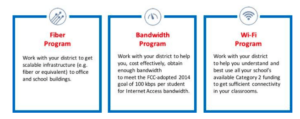
 School districts across the state can benefit from the funding, and a majority of those eligible are in rural areas. We’re continuing to work with schools to make sure they understand how to use the funding to improve Internet access for their students.



 of high school students indicate they use the Internet at home at least a few times a week. 54% of the high school students use it every day. The student’s Internet use is not dependent on whether the teacher purposely assigns homework that needs the Internet because only 13% of Texas teachers indicate they do so. Students are going to the Internet for help in their homework because it is the library of the 21st century. Students without this home access are at a distinct disadvantage. They have fewer ways to access content and are not learning the necessary skills of finding accurate information to answer their research questions.




 outside of school time to be successful in school. The survey also revealed that 75 percent of Texas 6th through 12th graders use the internet at home for school work. Those who do not have internet access at home are at a distinct disadvantage. Not only do they have fewer options in terms of access to content; they are unable to develop the technical skills necessary in an economy driven by technology.