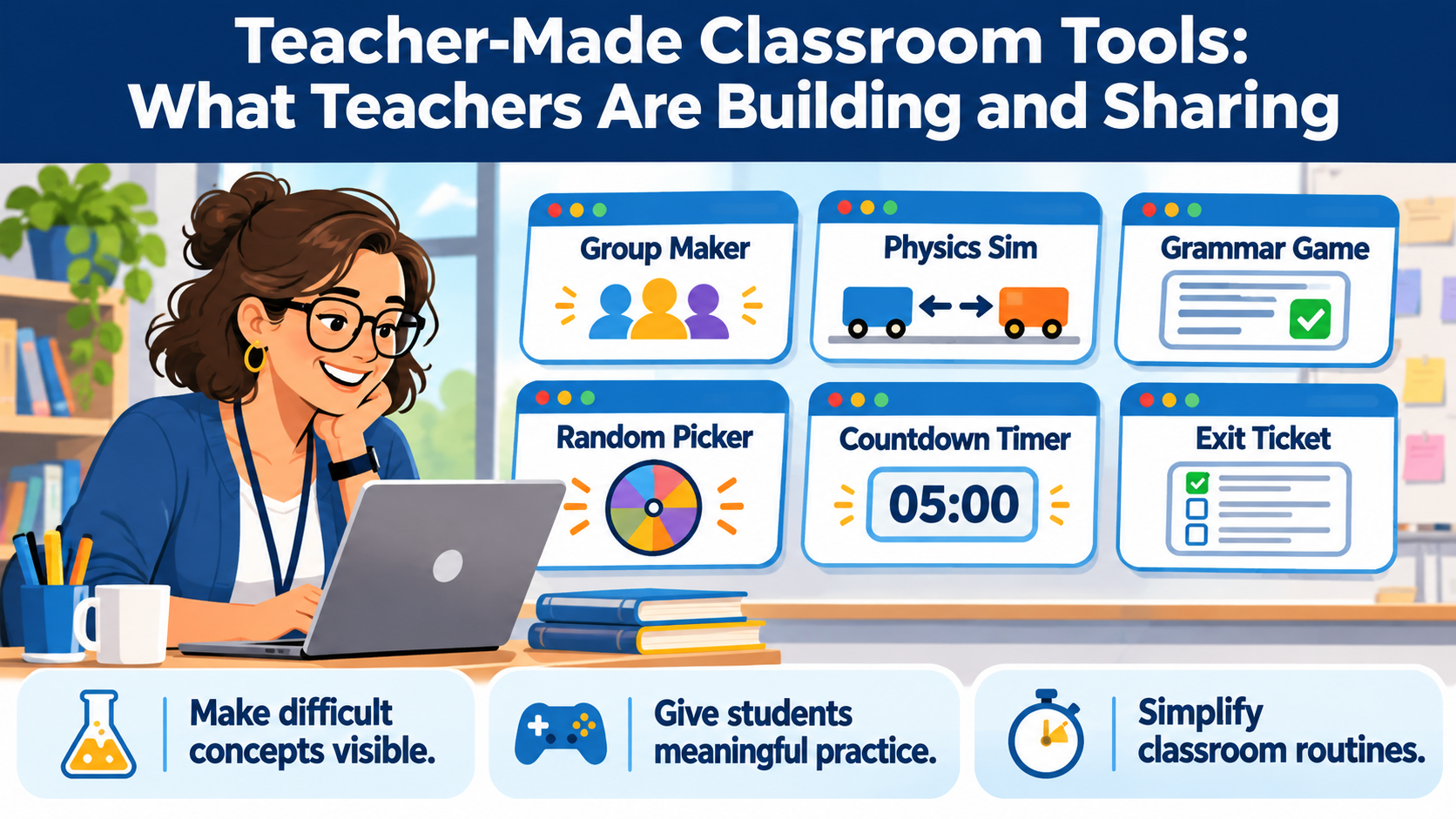
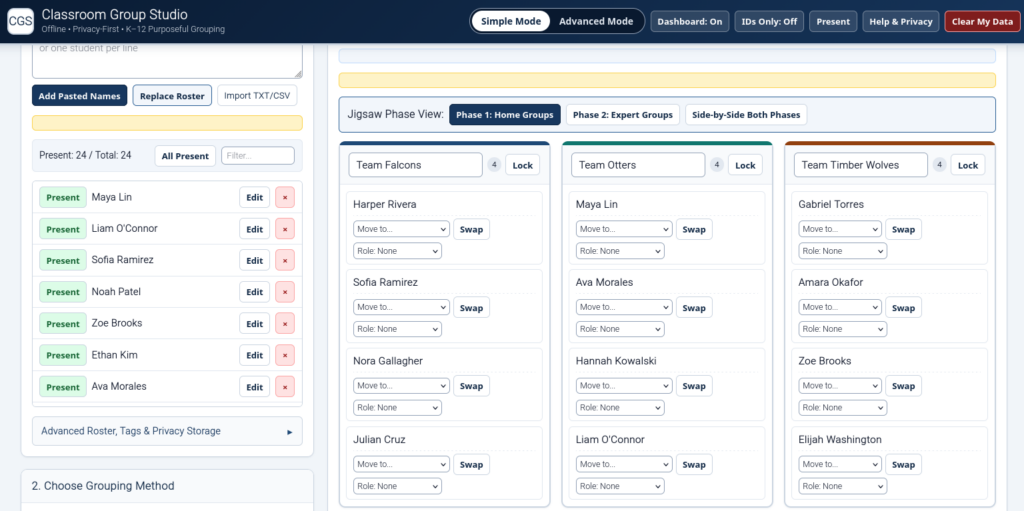
Need a way to group students for a class activity or a 3-step Jigsaw Approach? My vibe-coded Classroom Grouping Tools (Tool #1 mentioned at the link) may be what you need. Maybe you need a way to demonstrate Newton’s Third Law, but the lab equipment isn’t available. Or, you want students to practice English grammar without handing out another worksheet. Someone may be looking for a random student picker, a countdown timer, and a quick exit ticket.
All of these have something in common. They can be addressed with small, browser-based tools, many of which educators are creating and sharing for free.
Teachers can solve everyday instructional problems with browser-based tools that make difficult concepts visible, give students meaningful practice, and simplify classroom routines. GitHub Pages provides a public home for many of these creations, but there are many others. Some were developed by teachers through vibe coding, while others came from students, families, and educational research teams.
Looking for an immersive experience? Try the Digestive System Field Trip or the Abyssal Garden (right-click and save the index.html file, then open it in your browser)?

Towering kelp forests, sunbeams pouring through a rippling surface, a sunken ship, manta rays gliding overhead. And all of it is made by code: no images, no 3D models, no sound files. The whole world fits in one 96 KB HTML file. Save the file to your device and then open it in your browser.
Join me at the TCEA Lunch and Learn on Vibe-Code Classroom Essentials in Minutes, a free member benefit for TCEA folks. Among the things I’ll cover? Where and how to host your creations.
Below, I’ve gathered 18 public-facing resources worth exploring. No GitHub account is needed to open the pages.
1. Make Difficult Concepts Visible with Interactive Simulations
Consider a physics lesson. You can explain acceleration using formulas and diagrams, but students also need opportunities to test relationships and examine evidence.
That’s where interactive simulations can help. Students change a variable, predict an outcome, and compare their thinking with what happens.
The Thinking Experiment collection, credited to physics educator Vladimir Lopez, offers an extensive set of activities for high school and AP Physics.
Here are some worth bookmarking:
- Interactive Physics Simulations: A central collection of virtual laboratories covering mechanics, waves, electromagnetism, and other physics topics.
- Constant Velocity: Two Cars: Change the speed and direction of two cars, collect data, and build position-time graphs.
- Downhill Motion Lab: Adjust an incline, record motion data, and investigate acceleration and instantaneous velocity.
- Hooke’s Law Simulation: Add masses to a spring, graph force against stretch, and discover the spring constant.
- Work and Energy Concepts: Explore free fall, friction, spring launches, pendulums, and changes in energy.
- Electrostatic Charging Simulator: Investigate conduction, induction, and how electric charges interact.
- Half-Atwood Discovery Simulation: Change masses and friction to investigate tension, forces, and acceleration.
- Electric Fields and Potentials: Place charges, measure voltage, and construct equipotential lines.
- Newton’s Third Law Stations: Compare collision forces and create force diagrams.
- SimStep Educational Simulations: A research-developed collection of AI-generated simulations covering physics, chemistry, and biology.
- Basketball Free Throw Simulator: Change launch angle, force, and gravity to investigate projectile motion.
Start with the Constant Velocity simulation. Ask students to predict where the cars will meet before running the activity. Afterward, have them explain why their prediction was accurate or inaccurate.
That small change turns the simulation into an opportunity for reasoning. Students have to explain what happened rather than watch an animation.
You can also create a virtual tour. Here’s what one for San Antonio, Tx looks like. It took only a few minutes to put together. This is all housed in a single HTML page. You can adapt it and use it for any virtual tour, like your school, classroom, or a collection of images that are available online.

2. Give Students More Opportunities to Practice and Explain
Teachers know that students need practice. Finding or creating practice that fits the lesson, reading level, and available time is another matter.
Several educators have created online collections that address this problem. They offer everything from language games to arithmetic practice, often with options teachers can customize.
- Phil Young’s Classroom Hub: An extensive English-language teaching collection featuring grammar activities, classroom games, vocabulary practice, and printable resources.
- EFL Teacher Tool Hub: Includes dictation drills, oral assessment tools, writing scaffolds, roleplay activities, and grammar quizzes.
- Emotions Games for the Classroom: Paola Fatigato’s collection uses tic-tac-toe, sentence dice, matching, and other games to build emotional vocabulary and speaking skills.
- Teacher Khen’s Learning Hub: Features phonics, spelling, vocabulary, and review games. Several activities support exporting and importing JSON data.
- Panda Math: A customizable arithmetic practice game with adjustable settings and an English/Spanish interface, featured in a family-created vibe-coded games collection.
For multilingual learners, the Emotions Games collection provides an accessible starting point. Students can practice using feeling words in complete sentences, compare situations, and explain their choices.
Panda Math offers another approach. A teacher can adjust the practice settings to better match students’ needs without preparing an entirely new worksheet.
These activities work best when students receive feedback and explain their answers. A game can provide the repetition; the teacher decides what that practice should accomplish.
3. Reduce the Time Spent on Classroom Routines
Some of the most useful classroom tools solve problems that have little to do with a specific subject.
Think about how often teachers need to organize groups, select students, run quick checks for understanding, or manage transitions. Each task is small, but the time adds up.
Two GitHub Pages collections offer practical tools for these routines.
- EppeOK Classroom Tools: Offers random student selection, group creation, countdown timers, live quizzes, classroom polls, flashcards, exit tickets, and other learning activities.
- Teaching Tools by James Abela: A browser-based collection organized around general teaching, computing, and English, with filters for different grade levels.
EppeOK brings several familiar classroom functions into one place. Use its name picker during discussion, run a quick poll, and close with an exit ticket.
James Abela’s collection offers another starting point for educators looking for small utilities that address specific teaching needs.
Before entering actual student information into any public tool, review its privacy practices and your district’s requirements. A tool being available on GitHub Pages does not automatically mean it is approved for student data. Join me at the upcoming Lunch and Learn I mention at the top of this blog entry and learn all the places you can post your own creations.
What Would You Build?
Looking through these projects, I keep coming back to one question: What small classroom problem takes up too much of your time? What app could you bring into existence to solve a life challenge or problem?
Maybe it’s creating differentiated reading practice. Perhaps you need a science simulation aligned to a particular lesson, or an exit ticket that helps you identify misconceptions before tomorrow’s class.
Pick one of the tools above. Try it with sample content. Identify what works, what needs improvement, and what you would change for your students. Then take that idea to ChatGPT, Claude, or Gemini. Describe the classroom problem, the audience, and the outcome you want. Ask for a self-contained HTML tool that you can test in your browser.
You may discover that the tool you’ve been searching for is one you can build yourself.
Explore the linked examples, then choose one classroom problem you would like to solve with vibe coding.