
Did you know Google has a collection of AI experiments that let you draw, create music, invent gadgets, and even test your ability to spot AI-generated images? These interactive experiments are not only fun to explore but also offer opportunities to introduce artificial intelligence to students.
Whether you’re looking for a quick classroom activity, a creative challenge, or a way to get students thinking about AI, there’s something worth exploring. Let’s take a look at seven Google AI experiments and how you can use them in your classroom.
What Are Google AI Experiments?
Google AI experiments are interactive experiences that demonstrate what artificial intelligence and machine learning can do. Some use AI to recognize drawings or identify patterns, while others use generative AI to create music, images, and other content.
Many of these experiments are available through Google Arts & Culture and Experiments with Google. They can give teachers a hands-on way to explore AI concepts without needing to understand all the technology behind them.
7 Google AI Experiments Worth Exploring
1. Quick, Draw!
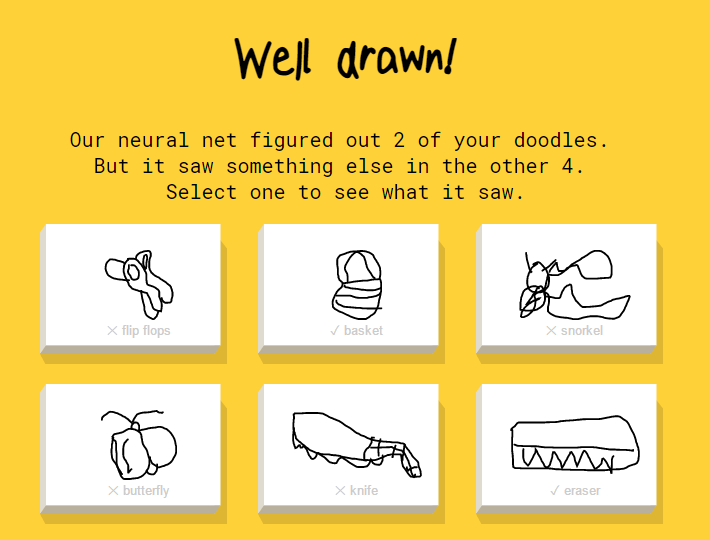
Think you can draw a bicycle in 20 seconds? What about a flamingo? With Quick, Draw!, Google’s AI tries to guess what you’re drawing while you’re still sketching. Sometimes it gets it right. Other times, you might wonder what it thinks you’re drawing.
Try It: Visit Quick, Draw! and click on Let’s Draw! You’ll be given an object to draw and 20 seconds to complete it. As you sketch, the AI will try to identify your drawing. After completing the game, you can review what the AI recognized and what it thought your drawings resembled.
In the Classroom: Use Quick, Draw! to introduce machine learning and pattern recognition. Have students compare drawings the AI recognized with those it missed. Ask them why they think certain drawings were easier for AI to identify. This could lead to a discussion about how AI learns from examples and why it doesn’t always get things right. You can find even more activities at Quick, Draw with Google.
2. Odd One Out
Can you tell the difference between artwork created by a person and an image generated by AI? Odd One Out puts your observation skills to the test.
Try It: Open Odd One Out and examine the images displayed. Your challenge is to identify which image was generated by AI. Look closely at the details before making your selection.
Classroom Connection: Use this experiment to introduce AI-generated images and digital literacy. Have students explain what clues influenced their choices. Were they looking at colors, shapes, textures, or unusual details? Discuss why it can be difficult to determine whether an image is AI-generated just by looking at it.
3. Say What You See
How good are you at describing what you see? Say What You See challenges you to describe an image so AI can generate something similar. It sounds simple, but choosing the right words makes a difference.
Try It: Look at the image provided and write a description of what you see. The AI will generate an image based on your description. Compare the results and use the feedback to improve your next attempt. You get three attempts per image, and the challenges become more difficult as you progress.
Classroom Connection: This experiment is a great way to practice descriptive writing and vocabulary. Have students compare a general description with one that includes more specific details. Discuss how word choice, colors, objects, and other visual elements affect the generated image. It’s also an opportunity to introduce effective AI prompting.
4. Musical Canvas
What would your drawing sound like if it were music? Musical Canvas uses AI to create a soundtrack inspired by your artwork.
Try It: Open Musical Canvas and create a drawing using the digital canvas. You can also experiment with visual effects. Once your artwork is complete, the AI will generate music inspired by your creation.
Classroom Connection: Use Musical Canvas to connect visual art and music. Ask students to draw something that represents a particular mood, such as happiness, excitement, or calmness. Then, listen to the AI-generated music and discuss whether it matches the mood they intended. Students can explain what they would change about the music and why.
5. Sparky
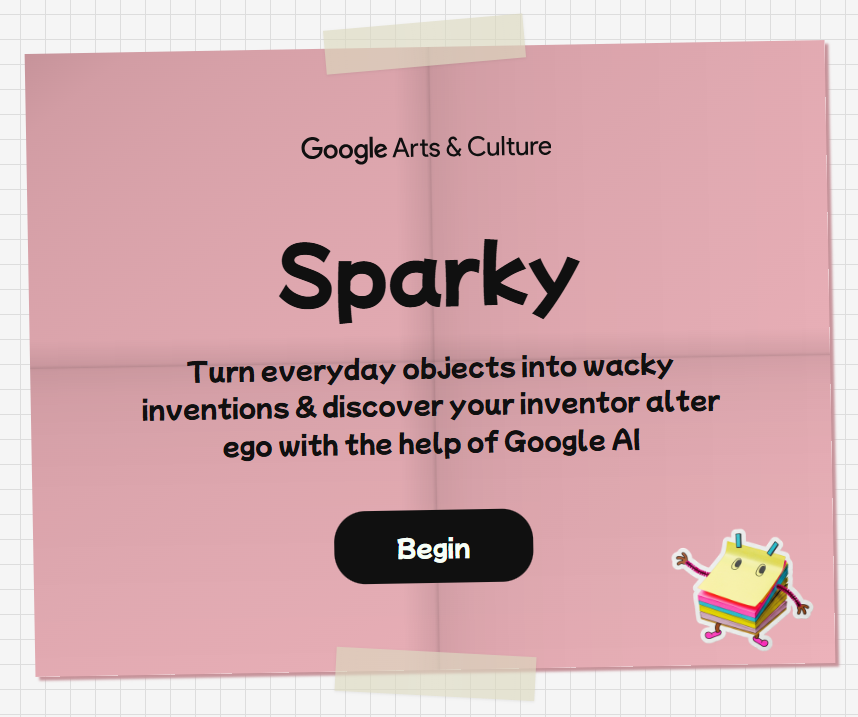
Have you ever looked at two unrelated objects and wondered what you could invent if you combined them? Sparky lets you turn everyday objects into imaginative inventions with a little help from AI.
Try It: Choose and arrange objects, then describe your invention using the prompts provided. Sparky uses AI to generate a visual prototype of your idea. After creating three inventions, you can also discover your inventor alter ego.
Classroom Connection: This experiment would make a fun STEM design challenge. Have students identify a real-world problem and brainstorm an invention that could help solve it. They can use Sparky to explore possibilities, then evaluate whether the AI-generated invention would actually work. For an added challenge, ask students to draw an improved version.
6. Food Mood
What happens when you combine two different cuisines? With Food Mood, AI helps create recipes inspired by foods from different countries. With the combinations, you might come up with a delicious new recipe to try.
Try It: Choose the type of dish you want to create, such as a main course or dessert. Next, select two countries whose cuisines you want to combine. You can also choose dietary preferences and ingredients. The AI will generate a fusion recipe along with an image.
Classroom Connection: Use Food Mood during a geography or social studies lesson to explore foods from different cultures. Have students research traditional ingredients and dishes from the selected countries. Then, compare their findings with the AI-generated recipe. Does it accurately reflect those cuisines? What might the AI have overlooked?
7. Splash Canvas
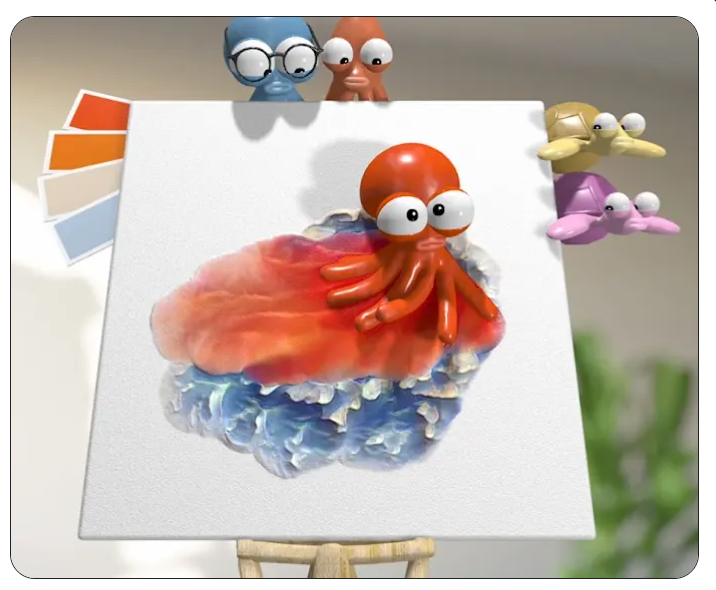
Are you ready to create art with an octopus? Splash Canvas is a playful digital painting experiment where sea creatures help you create artwork. They even provide AI-powered comments about your masterpiece.
Try It: Open Splash Canvas and move the octopus or squid across the canvas to paint. Each creature has a different style. However, watch out for the turtles. One can smudge your artwork, while another can erase it.
Classroom Connection: Use Splash Canvas to explore digital art, creativity, and feedback. Have students create an abstract design and describe the choices they made. Then, discuss the AI-generated comments. Was the feedback helpful, surprising, or just funny? This can lead to a conversation about how AI interprets creative work and why feedback still needs human judgment.
A Few Things to Consider Before Using AI Experiments
Before introducing these experiments to students, take a few minutes to explore them yourself. Some may work better on certain devices or require additional permissions or access.
Keep these tips in mind:
- Check your district’s guidelines for using AI tools with students.
- Review age requirements, privacy policies, and whether student accounts are needed.
- Preview AI-generated content before sharing it with students.
- Avoid entering student names, photos, or other personal information.
- Consider demonstrating an experiment as a whole-class activity if students cannot access it independently.
Remember that AI-generated results are not always accurate. In fact, some of the unexpected results can provide opportunities to discuss how AI works and its limitations.
Which Google AI Experiment Will You Try First?
Google’s AI experiments offer a fun way to explore technology while encouraging creativity, problem-solving, and critical thinking. Whether students are sketching pictures, creating inventions, or evaluating AI-generated images, these experiments can lead to some interesting classroom conversations.
You don’t have to try all seven. Pick one that connects to something you’re already teaching and see where it takes you.
