
Teacher-approved in 2023. Refreshed in 2025. And now, it’s time for the 2026 edition.
But before we jump into the techie things, let’s establish something important. Summer is not the time for grading papers, lesson plans, or answering emails labeled “quick question.” Summer is for rest, relaxation, and recharging your educator batteries.
So here’s my challenge for you. Every couple of weeks, try one fun techie thing. Nothing overwhelming. Nothing that requires a three-hour webinar or a certification badge. Just one interesting tool, idea, website, or creative spark worth checking out.
So grab your favorite summer drink, ignore the pile you said you’d organize in June, and check out the 2026 edition of Five Techie Things Teachers Should Try This Summer.
1. The Egg Carton Quiz
Your egg-carton habits might reveal more about your personality than you think! Pick the way you usually take eggs from a carton, then discover your completely unscientific but surprisingly accurate egg style.
Vibe-coding is a playful way of creating with AI where you describe an idea, experiment with prompts, and let the technology help build something fun, interactive, or creative. Instead of needing advanced coding skills, you focus more on the “vibe” and the idea behind the project.
I built this egg-carton personality activity in ChatGPT, then embedded it into a Google Sites page. It was my first little adventure into vibe-coding, and it turned out to be a surprisingly fun way to create an interactive experience without needing to be a traditional programmer.
This was my first attempt at vibe-coding, and honestly, it was way more fun than I expected. If this whole vibe-coding thing has you curious, check out my colleague Miguel Guhlin’s blog.
2. New York Times Wordle “Create a Puzzle”
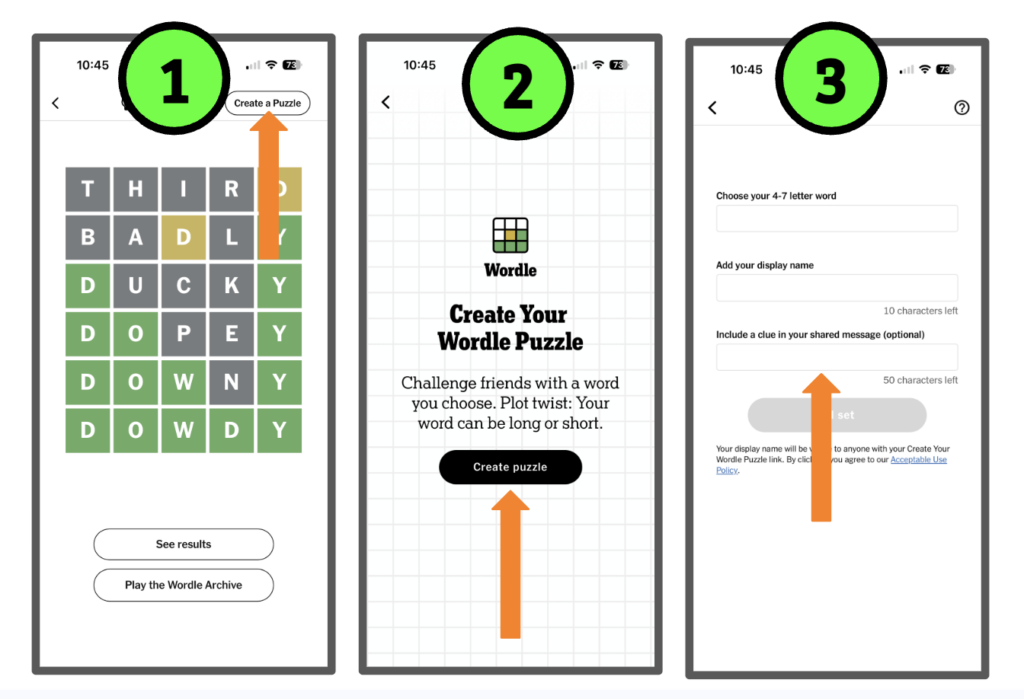
The New York Times has added a fun new twist to Wordle. Subscribers can now create their own custom Wordle puzzles by choosing a four- to seven-letter word, adding a display name, and even including an optional clue. Once created, the puzzle generates a shareable link that anyone can play.
So over the summer, send a little puzzle cheer to friends, family, or colleagues with a custom Wordle made just for them.
Then, when back-to-school season rolls around, think about the classroom possibilities. Teachers could create vocabulary challenges, content-area review words, library clues, historical terms, science concepts, or even “guess the classroom daily word” puzzles. Simple, clever, and surprisingly fun.
The only drawback to my number-two pick is that this feature does require a paid subscription.
Here is a customized puzzle just for you:
3. Emoji Kitchen
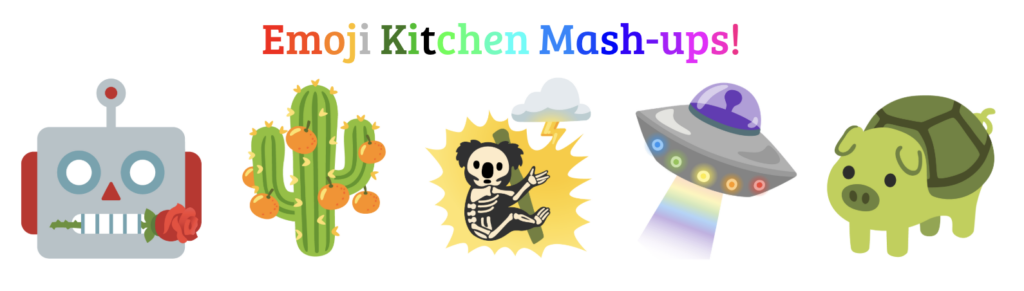
Another fun summer find is Emoji Kitchen. If you have never played with it before, prepare to lose a surprising amount of time combining emojis into ridiculous and oddly adorable creations. Mix a cowboy with a ghost? Sure. A cactus with a cat? Absolutely. Emoji Kitchen lets you mash together emojis to create custom combinations that range from clever to completely unhinged.
This is one of those low-stress, high-fun tools that is perfect for summer experimenting. But it also has easy classroom connections once school starts back up. Students could create emoji combinations to represent books, historical figures, vocabulary words, science concepts, emotions, or story themes. Librarians could even use it for reading-promotion clues or guessing games. It is creative, quick to use, and guaranteed to get reactions.
And of course, I’ve written a couple more blogs about Emoji Kitchen because I just can’t get enough of this fun, free tool:
4. Canva Magic Shortcuts
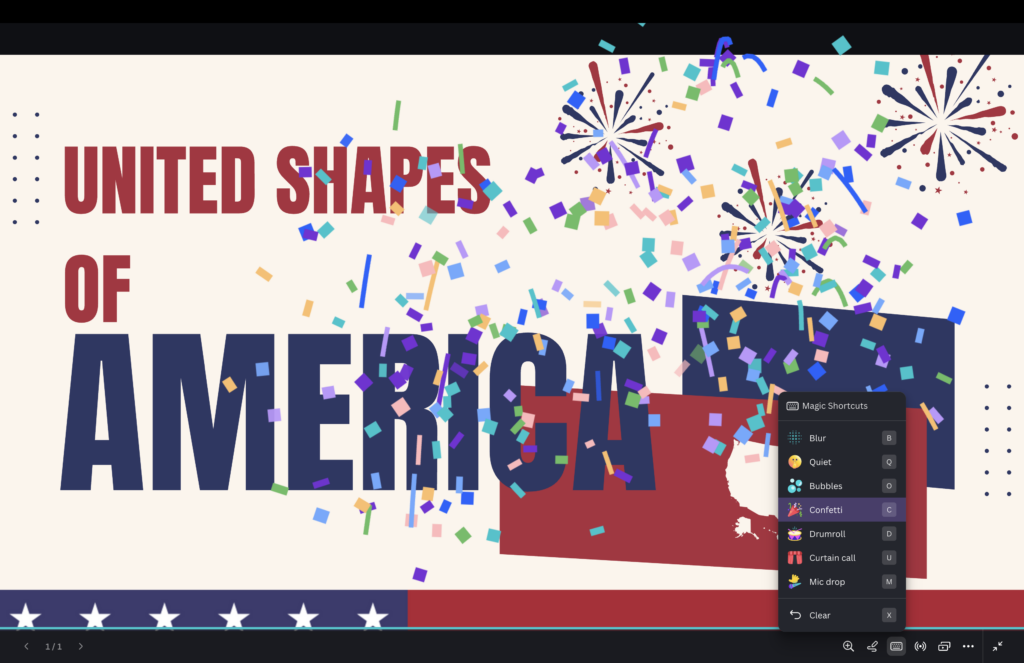
Have you made the switch to Canva presentations? Did you know these hidden presentation shortcuts exist? If not, give them a try. They are so much fun!
🎉 C – Confetti rain
🥁 D – Drumroll animation
🎤 M – Mic drop animation
🫧 O – Floating bubbles
🎭 U – Curtain call animation
🌫️ B – Blur the current slide
🤫 Q – Quiet (shhh) animation
⏱️ 0–9 – Start a timer (example: press 1 for a one-minute timer)
❓ / – Open the Magic Shortcuts™ menu
These fun effects can be triggered anytime while presenting in Canva using your keyboard shortcuts or the Magic Shortcuts menu.
Extra tip: Download the Canva app to your phone and you can easily activate the magic shortcuts and see your notes.
5. Androidify Yourself
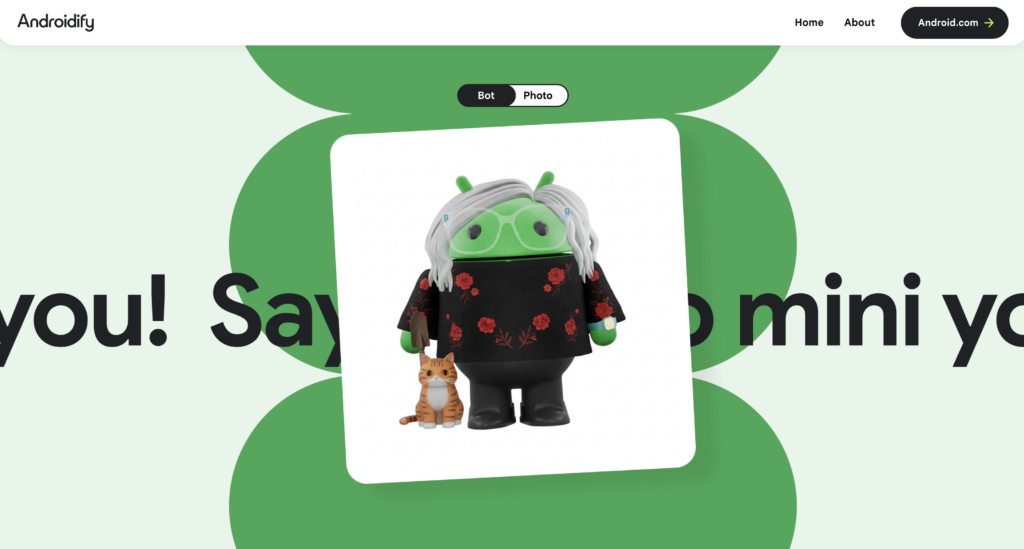
The little green Android mascot, often nicknamed “Bugdroid,” was originally designed in 2007 by Irina Blok for Google’s Android team. Inspired in part by the simple stick-figure symbols commonly seen on restroom doors, the mascot was intentionally created to be easy to recognize and easy to remix. Google encouraged customization and open-source creativity, which helped Bugdroid become a fun and flexible symbol for Android users around the world. Over the years, the mascot has appeared in many different styles tied to Android releases and branding updates, and yes, Google still uses versions of the Android robot mascot today.
Steps
- Visit Androidify
- Press the “Let’s go” button.
- Upload a photo.
- Choose one or two accessories.
- Choose your bot color.
- Press the black “Create My Bot” button at the bottom of the page.
- Sit back and watch the Bugdroid outline appear and, in no time, voilà!
Wrapping It Up
Summer does not have to be all-or-nothing when it comes to technology. Sometimes the best ideas come from simply playing, experimenting, and trying something a little unexpected. Whether you build an egg-carton personality quiz, create a custom Wordle, remix emojis, trigger Canva confetti, or Androidfy yourself into a tiny green robot, I hope one of these techie things brings you a little creativity and fun this summer.
And if you would like to check out the 10 previous techie tools, you’ll find easy access below.
Relax, recharge, and maybe discover a new classroom idea along the way.
