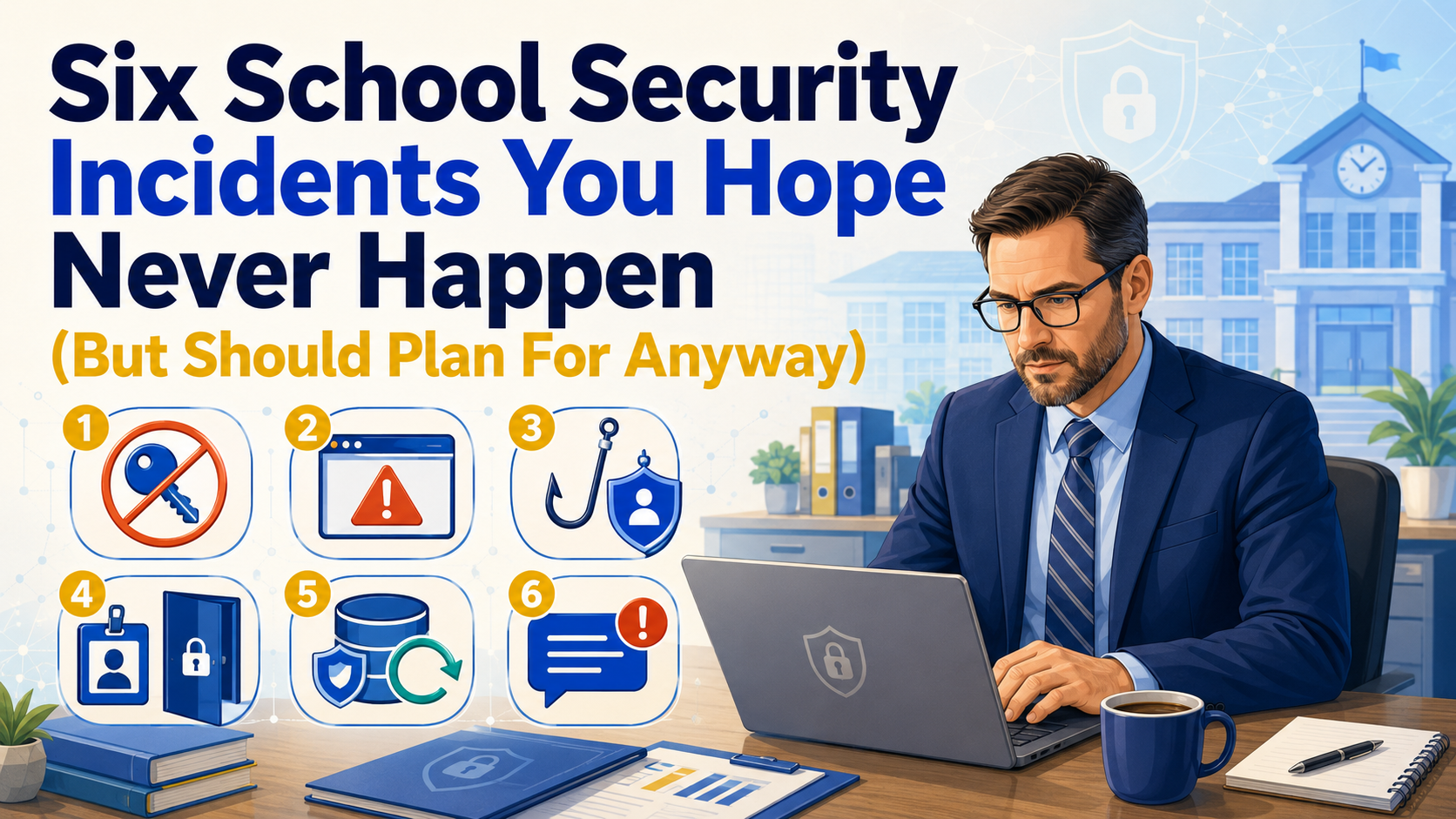
Got your coffee yet? Today, you’re going to need it more than other days. It is 8:03 Monday morning. The high school principal is on the line for you, and you’ve gotten an emergency text message from your high school technician. Someone, possibly a group of students, have coordinated with others to launch a distributed denial of service (DDOS) attack. Of course, you don’t know who yet. Or that it is a DDOS attack. Right now, no one can access online state testing website(s).
“Security has to be iterative and integrated, not just reactive or an afterthought. You can’t add eggs to a cake after it’s baked.”
– Eddie Clark, SolveIT CEO, Open Source Security Summit 2025
Pretty soon, the line outside your office door is getting long. You hear the voices of your network engineer (also responsible for security) and your lead technician. They have heard what is happening, and want to chat. So does everyone else. You’re still on your first cup of coffee. In this blog entry, I cover a few quick scenarios and responses.
Incoming! Cyber Incidents Headed Your Way
If you’ve served as a technology director, you know as well as I, that security incidents rarely arrive at a convenient time. My favorite scene in “We Were Soldiers” is the one where the commander is taken out, and the next in the chain of command has to step up. That’s what happened to me when I went to meeting of regional CTOs, and a distributed denial of service attack hit the high school. Who was going to step up in my absence?
One way to prepare for that kind of situation? Scenario planning. It exposes the boring gaps before they become very exciting problems. Who has the passwords? Who calls the vendor? Can you restore yesterday’s data? Who tells families what happened?
Here are six scenarios worth putting on the table with your team. Find more in When Disaster Strikes: The Cyber Edition.
Before you continue: Which of these would cause your district the most trouble if it happened tomorrow?
1. A Former Employee Still Has the Keys
An employee leaves suddenly. Maybe the departure is contentious, and the staff member is escorted off site. Maybe it is Friday afternoon. Several people assume somebody else disabled the accounts. Then you discover that person controlled an administrator account, knew credentials nobody else had, or still had remote access. It may be that nothing bad will happen.
Or, maybe something will, as it did in these situations, but that’s unlikely in K-12 for a variety of factors:
- $862,000 — Maxwell Schultz, Ohio IT contractor who reset 2,500 passwords after being fired in 2025 WebProNews | Also reported by Insurance Journal
- $2.5 million ransom demand — Cameron Nicholas Curry, North Carolina data analyst contractor who extorted his D.C.-based employer before departing in 2023 CyberScoop
- Millions of dollars — Portland Multnomah Athletic Club explosion driven by a disgruntled former employee in May 2026 New York Post
That aside, avoid putting critical systems in only one person’s hands. Use a two-person rule for sensitive administrative access, document privileged accounts, cross-train staff, and establish an offboarding process that disables access promptly. After all, you never know when one will get hit by a truck while filling their gas tank, as happened to one of my team members.
For the most sensitive systems, separate responsibilities so one person cannot make major changes without someone else knowing about them. And make sure somebody besides the person leaving knows how the system works. As someone who has a few admin accounts and passwords, I always make sure to document it all. A transition plan is also not a bad option to have for critical staff members before you release them.
2. Your School Website Gets Hacked
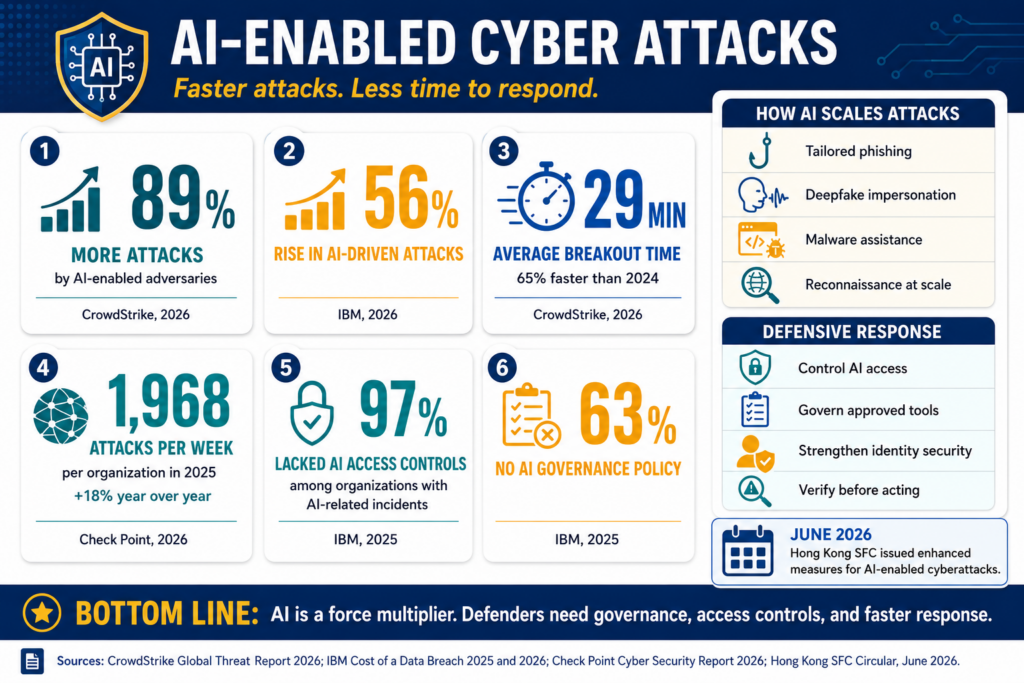
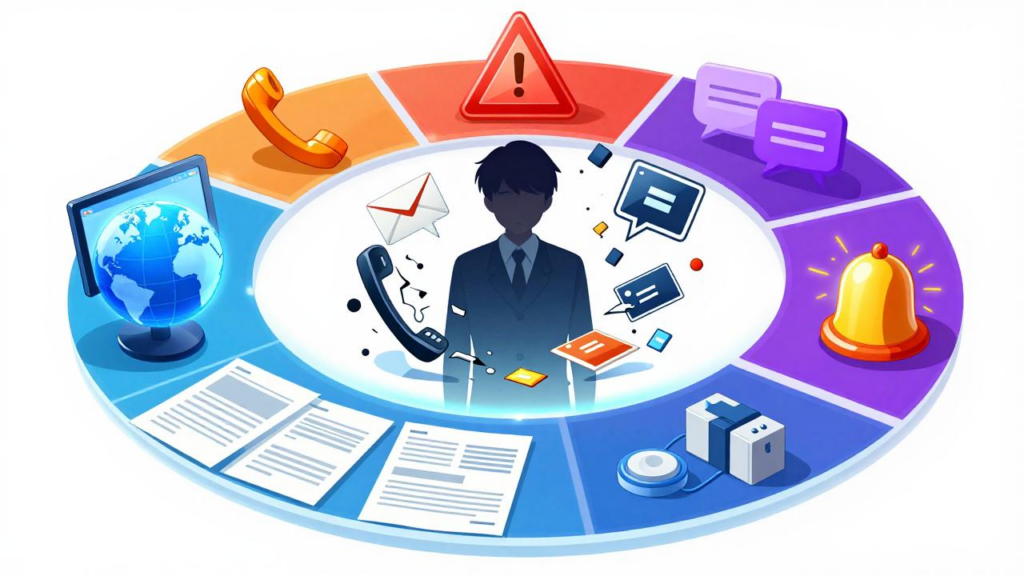
You open the district homepage and find content you definitely did not approve. Generative AI has become a force multiplier for threat actors (see infographic at start of this blog entry).
Before changing things at random, determine what was compromised. Contact the hosting provider, CMS vendor, or developer. Preserve logs and other evidence when possible. Disable or reset compromised administrative accounts, patch the weakness, and restore from a known-good backup if needed.
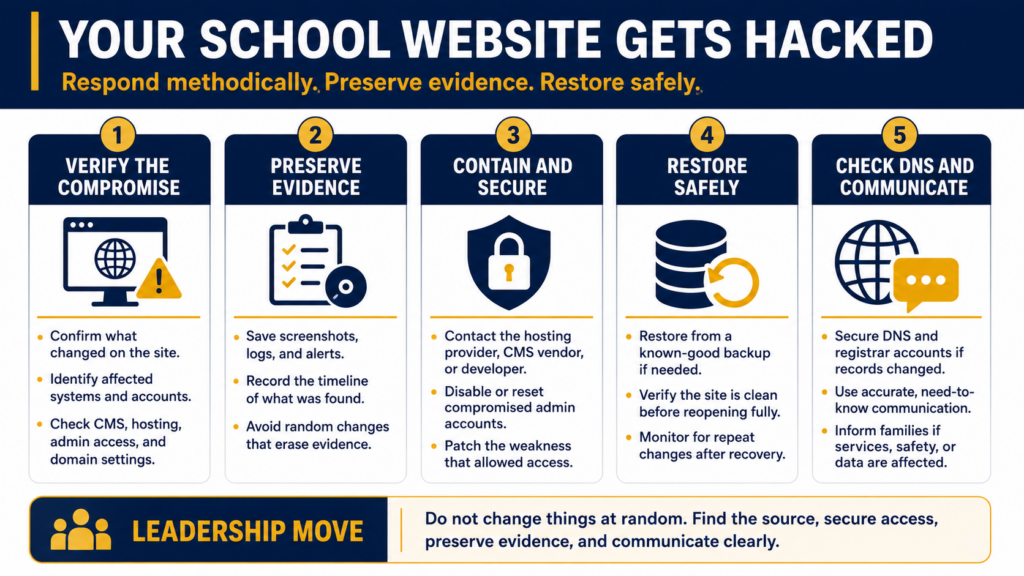
If DNS records or the domain registrar account were altered, you will need to secure those accounts as part of the response.
You also need a communication plan. Families do not need every technical detail. They do need accurate information if the incident affects services, safety, or their data. I prefer to put the information on an easy to edit website, or a Google Doc, that I can adjust quickly to reflect incoming information, as well as remove out-dated content.
3. A Staff Account Gets Phished
It doesn’t matter if it’s principal, a cafeteria manager, or a classroom teacher, it only takes one to click the wrong link. All of them have, in my experience, fallen for phishing attacks. One employee clicks a convincing login link and enters a password. The attacker now has a legitimate username and password, which makes everything that follows much easier.
Require multi-factor authentication wherever possible, especially for administrative accounts, email, remote access, and systems containing sensitive information. Move toward phishing-resistant MFA for higher-risk accounts.
Some districts are also implementing hardware authentication devices, like YubiKey, Titan, NitroKey, and/or SoloKey. There are others, of course. For school IT departments, district administrators, or anyone managing high-value accounts, they offer phishing resistance that SMS codes and authenticator apps (e.g. Ente Auth) cannot match.
When an account is compromised, disabling or resetting the password may not be enough. Revoke active sessions and tokens, review sign-in logs, check for unauthorized forwarding rules or account changes, and determine what the attacker accessed.
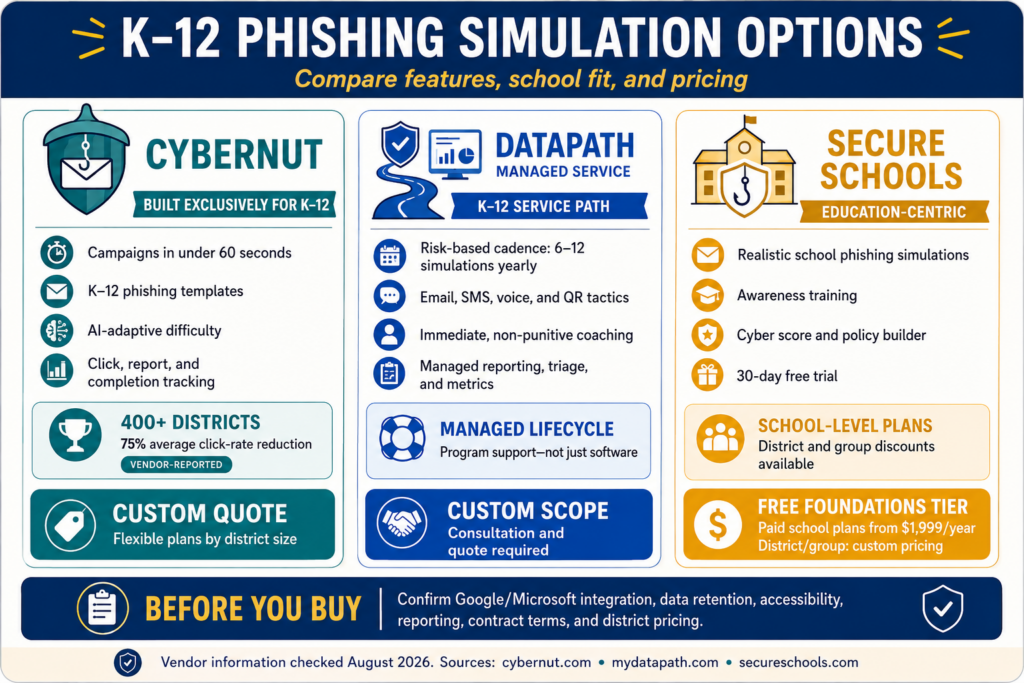
Password managers (e.g. Bitwarden, Keepass) help, too. So does staff training (e.g. Phishing Simulators), but training should support technical safeguards rather than replace them.
4. Physical Access Fails
“Carry a clipboard, dress well, you can go anywhere.” When security is lax around physical access, it means anyone can walk in and steal equipment. A badge disappears. An exterior door does not lock correctly. A former employee’s access card never gets disabled. The camera covering that entrance has been offline for three weeks, but nobody noticed. Worse, many of these go under-reported.
Electronic access control can make it easier to issue, track, and revoke access than a ring of metal keys. It still has to be managed.
Review who can enter sensitive areas, test doors and cameras, monitor access logs, revoke lost badges quickly, and establish clear responsibilities among technology, facilities, administration, and security staff. Make sure everyone knows who owns the problem when a door controller stops talking to the network.
5. Your Backup Is Not Really a Backup
All of our data lives in the cloud. Then somebody deletes it, ransomware encrypts synchronized files, an account gets locked, or a vendor service becomes unavailable. I have had to help out campus administrators who lose access to their files, no backups anywhere. There are remedies for synchronized ransomware-encrypted files in the cloud, but they can still be a pain. Worse, some carry their entire body of work on a USB flash drive.
Cloud storage and backup are not automatically the same thing.
Maintain independent copies of critical data. Include an offline, isolated, or immutable backup where practical so an attacker cannot erase every copy from the same compromised account. Encrypt backups and protect access to them.
Most important, test your ability to restore it and use it again. We often refer to this as business continuity, the ability to pick up after a disaster. I would rather discover a restore problem during a scheduled test than while the superintendent is standing behind me asking whether the payroll database is coming back.
Wouldn’t you?
6. Nobody Knows What to Tell the Community
Something serious happens. Email is unavailable or compromised. Your mass-notification system has an outdated contact list. Nobody knows whether technology, communications, the superintendent, or legal counsel approves the message.
That is not the moment to create the process. What’s more, it’s tough to focus on the problem and come up with a new process in the midst of solving it.
Build several ways to communicate with staff and families. These can include text alerts, phone notifications, district websites, social media, and emergency notification systems. Keep contact lists current and prepare message templates before an incident occurs.
You also need an internal communication method that does not depend entirely on the system experiencing the incident.
Put the First Moves on Paper
A response plan does not need to predict every possible disaster. It needs to keep people from inventing the first five steps while the incident is happening.
| Incident | Best preparation | First move |
|---|---|---|
| Former employee access | Separation of duties and documented privileged accounts | Revoke access and preserve logs |
| Hacked website | Secured CMS, registrar, and tested backups | Contain the compromise and contact the provider |
| Stolen credentials | MFA, password manager, and account monitoring | Disable access, revoke sessions, and investigate |
| Physical access problem | Managed badges, tested doors, cameras, and access logs | Secure the affected area and determine what failed |
| Data loss | Independent, protected backups and restore testing | Contain the cause and begin verified recovery |
| Communication failure | Multiple tested channels and prepared templates | Activate the communication plan |
You do not need to solve all six this week. Pick the scenario where your current answer includes too many versions of “I think somebody handles that.” I remember the first time I challenged my team to come up with a disaster recovery plan. No one had a solution, it simply wasn’t a priority. Bad things hadn’t happened yet, but they were around the corner.
Be ready for what’s around the corner.
Find more practical school cybersecurity guidance on the CyberSmart Educator course, updated in August, 2026, with Digital Citizenship and Gen AI Literacy components and sample student activities.
👤 Human-directed (Miguel Guhlin) · 🤖 Gen AI-assisted (Claude, ChatGPT)