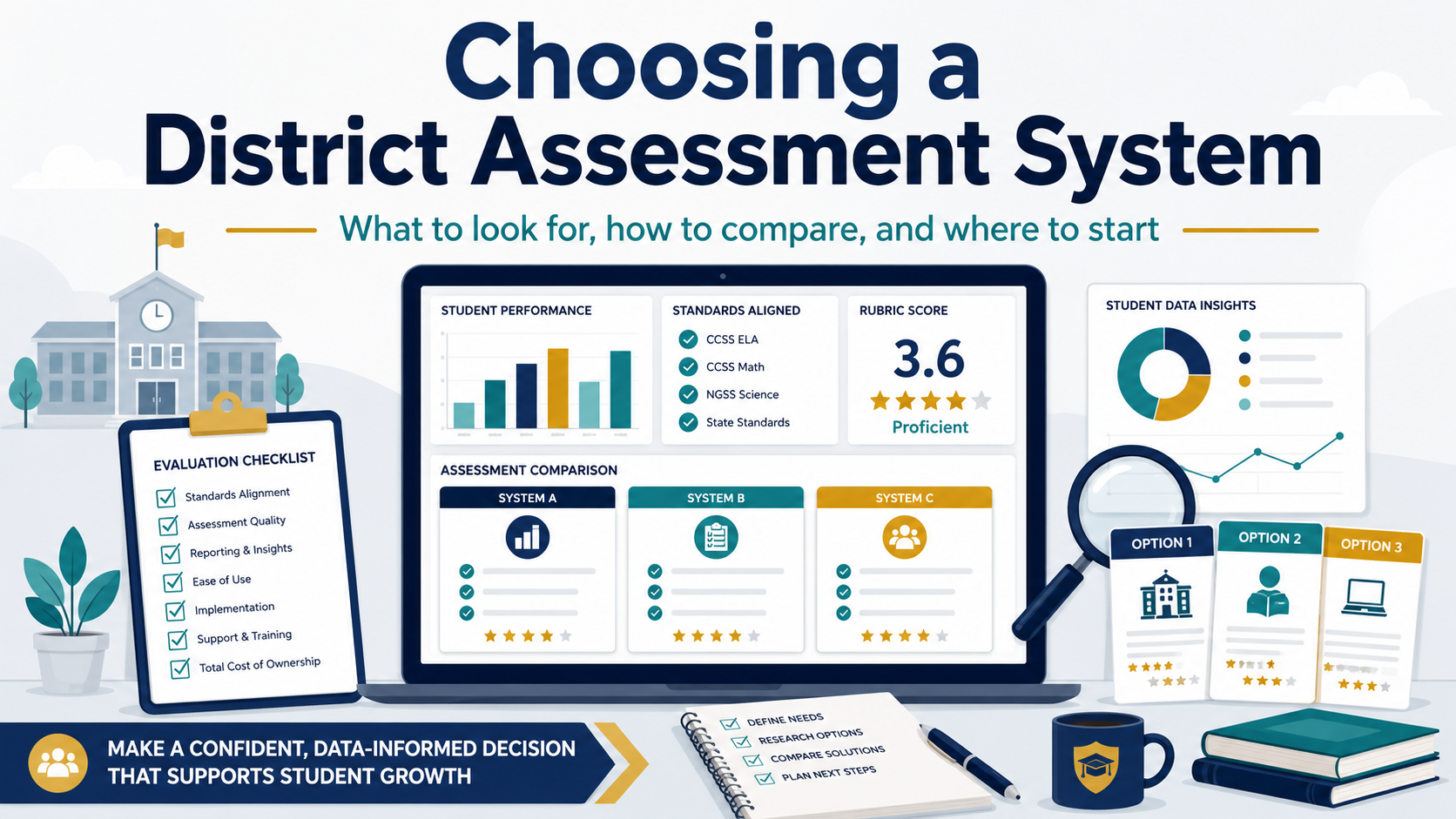
Find yourself building a workaround in a spreadsheet or other convenient tool? That may be a sign that your enterprise assessment system needs a hard look. I still remember visiting with key campus staff to figure out, “How many hoops do you need to jump through to get the assessment data needed for decisions affecting students?” Sometimes, it was a curriculum coordinator who could not get item analysis quickly enough to help campuses. Sometimes, it is a platform that still works, but only if everyone remembers the odd little steps nobody wrote down.
The way I convinced my superintendent and his cabinet? Conduct video interviews with counselors, assistant principals, principals, instructional guides responsible with wrangling the assessment data.

Whether your district uses Schoolnet, Eduphoria Aware, Mastery Connect, Performance Matters, DMAC, LinkIt!, Otus, or something else, the question is the same: what does your assessment system need to do now?
Start With the Data-Wranglers’ Work
“Bring in a few vendors until we figure out what we want.” While this may seem obvious in hindsight, it’s often the first, wrong step. Do not begin with vendor demos. Begin with the work your district expects the system to support.
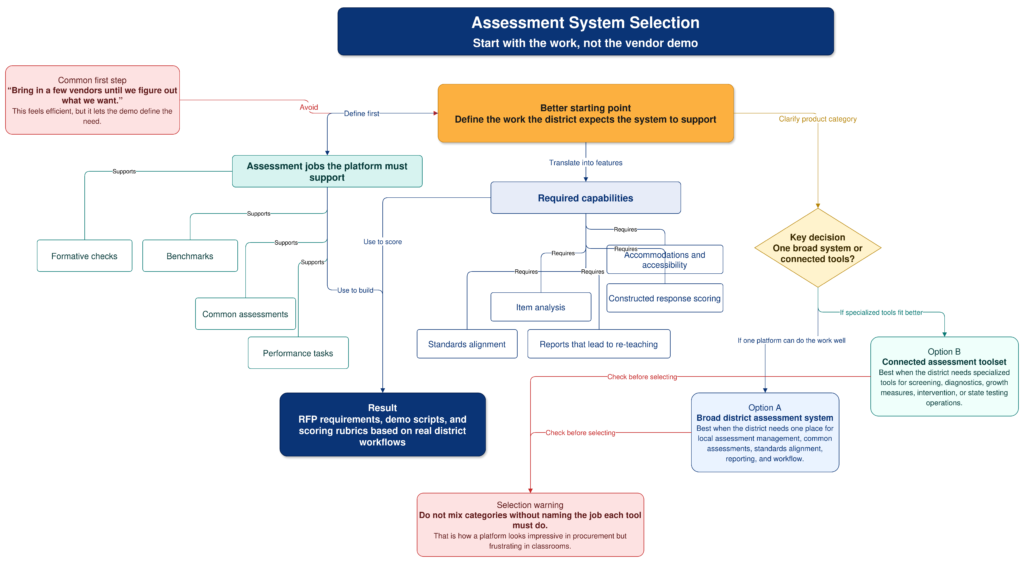
A strong assessment platform should help teachers build and deliver formative checks, common assessments, benchmarks, and performance tasks. It should support standards alignment, accommodations, item analysis, constructed response scoring, and reporting that leads to re-teaching. If the system only tells you who passed and failed, it is not doing enough.
You also need to decide whether you want one broad district assessment system or a set of connected tools. Some products are built for local assessment management. Others are stronger for screening, diagnostics, growth measures, or state testing operations. Mixing those up during selection is how you get a platform that looks impressive in procurement and frustrating in classrooms. Use the flowchart above to scaffold your discussion.
Use Gate Checks First
Before scoring features, use gate checks. These are not the nice-to-haves, but rather, the conditions that require serious consideration. For example, ask whether the vendor can provide a signed district data privacy agreement, SSO, automated rostering.
To that, add on role-based permissions, current accessibility documentation, audit logs, clear retention rules, and exportable item and results data.
Interoperability matters here. For example, OneRoster supports exchange of roster, course, and grade data, while QTI is designed for moving tests and questions between systems.
If a vendor cannot clearly answer how your data gets in, how your data gets out, and what happens when the contract ends, slow down. I always want to know the exit policy. You must do your due diligence, don’t just be wooed by the “don’t hurt our feelings by asking tough questions” vendor representative. They are trying to sell you something that is quite expensive. Even if the product is free, there are costs involved.
Score the Fit
Use a weighted rubric so the loudest demo, or most persuasive solution provider, does not win by default.
| Criterion | Weight |
|---|---|
| Instructional fit and assessment design | 15 |
| Standards alignment and item banks | 12 |
| Authoring, delivery, accommodations, and scoring | 12 |
| Data use, dashboards, and MTSS action | 15 |
| Interoperability and migration | 12 |
| Privacy, security, and accessibility | 15 |
| Usability, support, and professional learning | 10 |
| Cost, contract, and exit terms | 9 |
I would also run the same rubric against your current system, then tweak the rubric as needed. The incumbent may still be good enough in some areas, and weak enough in others to justify the pain of switching.
Build a Practical Shortlist
Your shortlist might include Eduphoria Aware, Mastery Connect, PowerSchool Performance Matters, LinkIt!, DMAC Solutions, Otus, Renaissance DnA, Cambium Assessment, NWEA MAP Growth, i-Ready Assessment, Renaissance Star Assessments, and Schoolnet by Pearson.
Interact full screen with these cards
That list is not a recommendation to invite everyone. It is a reminder to separate categories. These jobs are related but not identical:
- District assessment management,
- Benchmark testing,
- Analytics,
- Intervention support,
- Universal screening, and
- Growth measurement
The best system is the one teachers will use, data staff can trust, and technology staff can support without quietly inheriting a second full-time job. I’ve seen that last one happen all too many times. It happens when the superintendent or her deputy super makes a decision and everyone in the room can sense it. Instead of encouraging critical analysis, s/he has rubber-stamped a solution that should never have made it through the door.
An Interactive Assessment System Rubric for RFP Scoring
Use the interactive rubric below to score each option before the sales call shapes the conversation. This rubric is one you will need to tailor and customize for your own use.
See this Assessment System RFP Scoring Tool Online
👤 Human-directed (Miguel Guhlin) · 🤖 Gen AI-assisted (Claude, ChatGPT)