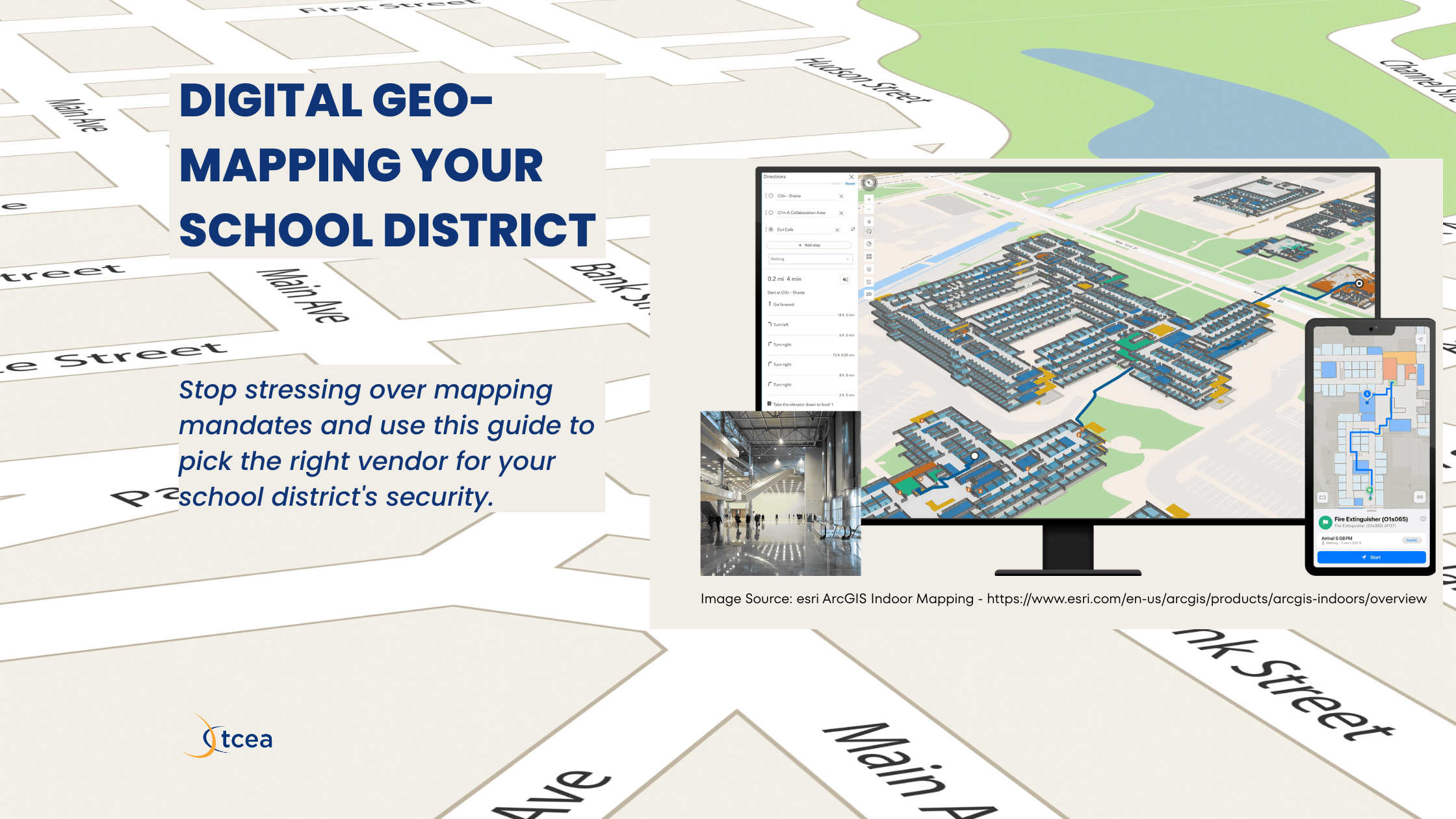
Sitting in a safety committee meeting while someone argues about door labels is exactly how you want to spend a Wednesday morning. You have three spreadsheets open, a half-eaten taco, and a mandate from the state that feels like it requires a degree in cartography. The deadline is looming, and your local police chief just asked for a map format you have never heard of before. It is not like you are writing emotionally-laden summaries that showcase your incisive wit.
Sound familiar? Keeping up with Texas school safety requirements can feel like a full-time job on top of your actual full-time job.
Decode the State Requirements
Texas Education Code §37.108 and HB 3 require all districts to provide first responders with field-verified, digital maps of every campus. These laws ensure that local police have immediate access to accurate floor plans and exterior door numbering to reduce response times. You must have these plans in place and shared with the Department of Public Safety (DPS) to stay in the clear.
The current audit and mapping reporting deadline is August 31, 2026. This means you have a finite window to choose a partner, walk your buildings, and digitize the data. I prefer the gridded approach when I am walking a campus because it is much harder to misinterpret during a quick walk-through. I once tried to use a PDF floor plan from 1998 during a drill, and it was a complete disaster.
Choose Your Mapping Path
When you look at vendors, you are really choosing between two different technical worlds. One side focuses on Geographic Information Systems (GIS) that plug into 9-1-1 dispatch software. The other side focuses on tactical, gridded graphics that anyone can read on a radio during a crisis.
GIS-heavy maps are data-rich and perfect for districts with a dedicated security operations center. Tactical maps are built for speed and simplicity, often favored by the officers who are actually moving through your hallways. You have to decide if you want a complex database or a visual tool that works in five seconds.
Tool Roundup for Your District
- GeoComm (video): This is a high-end GIS integration that connects directly to NG9-1-1 and platforms like RapidSOS. It is powerful for data-heavy districts but requires more technical work to maintain than a simple graphic.
- Critical Response Group (CRG) (video): This vendor provides tactical, gridded overlays designed by Special Ops veterans for “common language” communication. It is highly intuitive for police under stress, though it carries less metadata than a pure GIS layer.
- Raptor Technologies (video): This is a comprehensive ecosystem that integrates mapping with visitor management and panic buttons. It is a solid choice for unified workflows, although the mapping is often an integration of other tactical tools.
- IntraLogic Solutions (video): This platform uses live maps that integrate directly with your cameras and sensors. It allows for real-time visual alerts, but you need a robust hardware footprint to make it worth the investment.
- CrisisGo (video): This tool features “Intelligent Mapping” tied to a mobile-first communication platform. It is excellent for getting maps onto every teacher’s phone instantly, though its primary strength is communication.
- ArcGIS Indoors (video): This is the professional-grade standard for 3D indoor mapping and facility management. It offers total data ownership, but it can be overkill for districts without a dedicated GIS team.
| Feature | GIS Approach | Tactical Approach |
|---|---|---|
| Primary User | Dispatch and 9-1-1 | First Responders |
| Technical DNA | Data and Layers | Visual and Grid |
| Best For | Integration | Stressful Situations |
Did You Know?
You can sharpen your district’s security strategy by exploring our School Safety and Cybersecurity courses.Flat design illustration. A simplified school building floor plan with a teal and orange grid overlay and small navy blue icons for safety equipment. Color palette: navy blue, orange, teal, light gray. No text overlaid on the image. Clean lines, simple shapes, professional and classroom-appropriate.
A question to keep in mind: Are you prioritizing a system that integrates with your cameras, or do you need the simplest map possible for your local police?
Requirements
Explore the various expectations for the various requirements and what law they pertain to.
| Requirement | Description | Law Citation |
| Digital Mapping | Share accurate, digital maps with DPS and local first responders. | HB 3 / TEC §37.108 |
| Field Verification | Maps must be physically verified via campus walkthroughs. | HB 3 |
| Common Language | Room labels must match how staff and students identify them. | TEC §37.108 |
| Panic Alerts | Silent panic buttons must be linked to law enforcement. | Alyssa’s Law / HB 3 |
| Facility Audit | Detailed security audit of all facilities every 3 years. | TEC §37.108(b) |
A Checklist Tool with Key Selection Factors
Use this checklist to evaluate potential vendors against Texas requirements and operational needs:
- Compliance: Does the vendor provide “field-verified” maps as required by the Texas School Safety Center (TxSSC)?
- Agency Sharing: Is the data in a format easily shared with DPS and local law enforcement?
- Standardization: Does the map use a standardized gridded overlay (e.g., Alpha-1, Bravo-2) for clear radio communication?
- Common Language: Are room names based on actual campus usage rather than just technical blueprints?
- Interoperability: Does the data integrate with your Panic Button system or NextGen 9-1-1 (RapidSOS)?
- Hardware Links: Can the maps be layered with your current Security Cameras or Access Control software?
- Offline Access: Can maps be accessed if the school’s Wi-Fi or cellular network fails?
- Maintenance: What is the process for updating maps when a room’s function changes or a wing is renovated?
Use the Vendor Evaluation Rubric below to deepen your understanding. Slide the know to see the difference between minimal and ideal mapping features.
Texas HB 3 / TEC §37.108 Compliance
Vendor Evaluation Rubric
Drag each slider to rate where a vendor currently stands. Watch the description update as you move from “Not There Yet” to “Meets Standard.”
Join the conversation in our official community forums.
Summary for District Leaders
The move toward digital mapping is more than a compliance hurdle. It is a fundamental shift in how schools and first responders coordinate during high-stress incidents. Whether you choose a GIS-centric approach or a tactical gridded system, the priority remains the same: ensuring that the person arriving on the scene has the most accurate information possible to save lives.
More Resources
- School Safety Law Toolkit | Texas School Safety Center
- School Safety Mapping Requirements: Every State’s Legislation Explained | THE FUTURE 3D
- Texas lawmakers establish new school safety policies
- Texas Education Code – EDUC § 37.108 | FindLaw
- HB 3 – School safety | TCTA
- Emergency Maps for Texas School Safety Requirements (House Bill 3)
👤 Human-directed (Miguel Guhlin) · 🤖 Gen AI-assisted (Claude, ChatGPT)