
Some ideas sit in the back of your brain for years. Then one summer workshop finally nudges them into action. This summer, my colleague Dr. Bruce Ellis and I traveled to Arlington ISD to facilitate Launch_K5 Computer Science, a free professional learning experience focused on computational thinking for elementary students and educators. While we worked through the four parts of computational thinking, I kept thinking about a colorful poster set I had seen years back. It focuses on decomposition, pattern recognition, abstraction, and algorithmic design.
That set inspired me to create a new version for elementary students. And because I cannot seem to create just one resource and stop, I also vibe-coded a Halloween-themed debugging activity for grades 3–5.
A Quick Computational Thinking Refresher
Computational thinking may sound like something that belongs only in a computer science class, but elementary students use it throughout the day.
💡 Decomposition means breaking a large problem into smaller pieces. Students use it when they plan a project, separate a story into sections, or organize jobs for a class celebration
💡 Pattern recognition means looking for similarities, differences, or things that repeat. Students practice it with number patterns, story comparisons, and science observations.
💡 Abstraction means focusing on important information and setting aside details that are not needed. Students use it when they identify the main idea or pull key facts from a word problem.
💡 Algorithmic design means creating clear, step-by-step directions. Students practice it when they explain a math process, write directions, or program a robot.
The Original Computational Thinking Posters
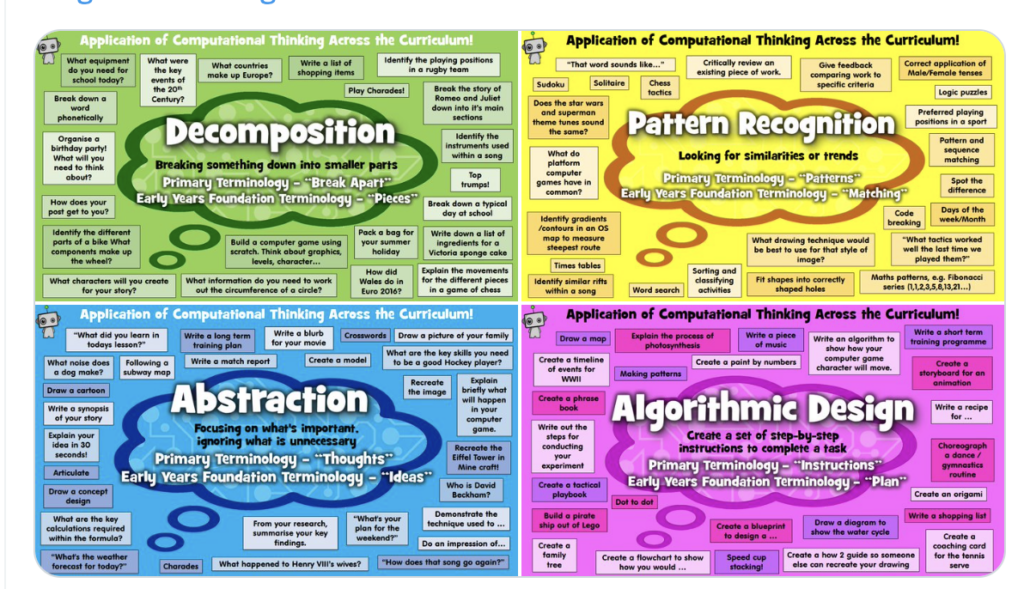
Before creating my elementary version, I wanted to track down the source of the poster set that inspired me. The original four-panel graphic was created by Robbot Resources and features the four computational thinking concepts across the curriculum. The complete resource is available as a free download on Teachers Pay Teachers under the title “Computational Thinking Ideas.”
Four Free Posters for Elementary Classrooms
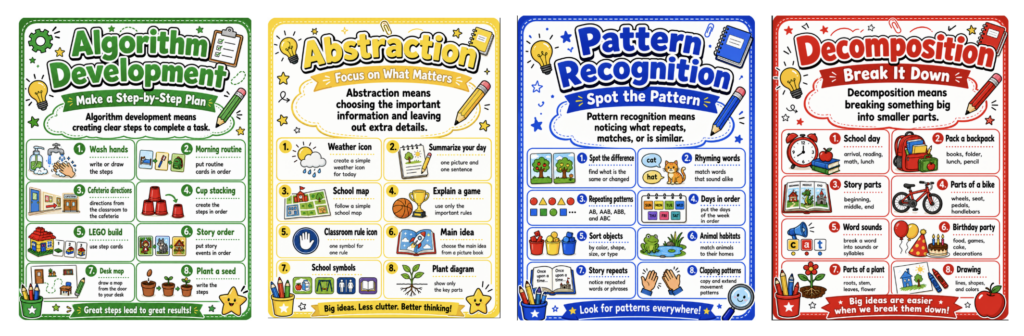
I wanted a set that spoke directly to younger students, so I created four elementary-friendly posters using familiar classroom tasks. Display all four together or introduce one at a time in a classroom, computer lab, library makerspace, or STEM center. They can help students put a name to the thinking they are already doing.
Debug the Haunted House
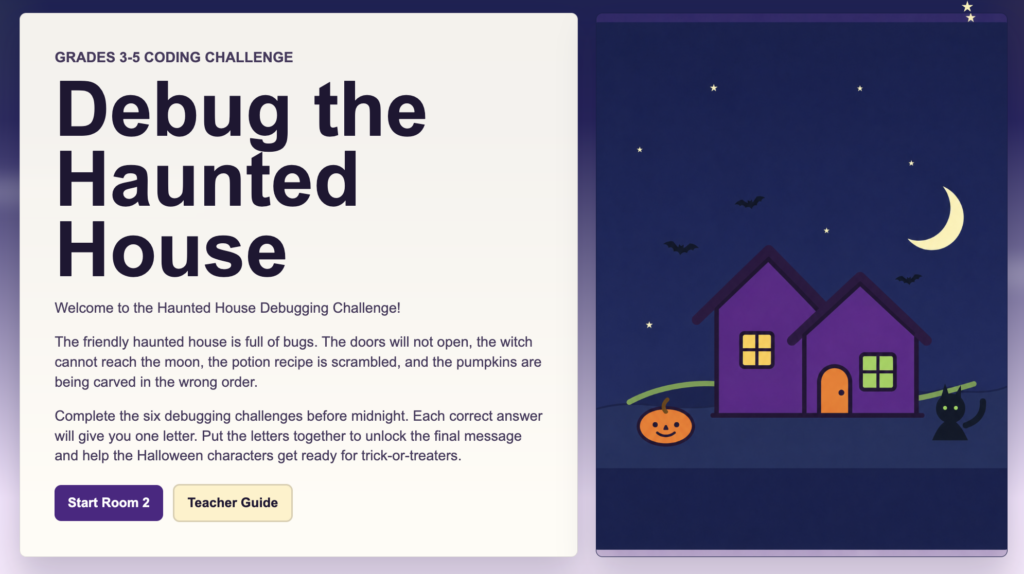
Posters are helpful, but students also need a chance to practice.
I vibe-coded Debug the Haunted House, an interactive activity for students in grades 3–5. Students fix six friendly Halloween coding bugs while practicing sequencing and conditionals. Each correct answer unlocks part of a secret word. Use it with the whole class, partners, at a technology station, or as an early finisher option. Ask students to explain what went wrong and how they would fix it. No jump scares here. Just six coding bugs that need a little elementary problem-solving.
Free Launch_K5 Computer Science Professional Learning
Educators who want to dig deeper should explore Launch_K5 Computer Science from TCEA. October 20–21, @ TCEA HQ in Austin, Texas.
This free, three-day hybrid workshop helps K–5 educators integrate the Technology Applications TEKS into lessons they already teach. Participants explore computational thinking, cybersecurity, artificial intelligence, block-based coding, and physical computing while discovering ready-to-use plugged and unplugged lessons.
Participants also receive physical computing tools for their classrooms. K–2 educators receive two VEX 123 robots, and educators in grades 3–5 receive a set of 10 micro:bits.
Computational thinking is already part of story sequencing, math patterns, science investigations, and everyday problem-solving. The posters name the skills, Debug the Haunted House puts them into practice, and Launch_K5 CS helps educators bring it all together.

11 comments
Could you supply the Teacher Guide Password to Debug the Haunted House? This looks like something my GT students would enjoy and be challenged by, but I too am challenged and need some help before I release this on my students.
Hello Angela,
I sent you an email.
Peggy
I would like the password also!
Could you provide the Teacher Guide Password?
Will do.
Peggy, I am doing something wrong on the Potion Room. I have the cauldron in step one. The ingredients in order (1, 2, 3), stir, and place in the bottle. Help!
I sent you an email, Cheryl. The order of the ingredients is a little tricky, plus you have to get rid of the extra directions. This one you have to really pay attention and read the directions. It is probably the trickiest one in the whole bunch.
Hello! Can you please provide the teacher guide password? I’m having trouble with the first puzzle. The cat gets to the door and it says I was successful, but then when I “check answer” it tells me I’m still wrong.
Hi Kristin,
I sent you an email.
Peggy
Hello,
Can you please supply the password to the teacher guide?
Thank you,
Karen
Hi Karen,
Email sent.
Peggy