Explore resources, tools, and strategies for teaching science. Discover activities to spark curiosity and enhance hands-on learning in the classroom.
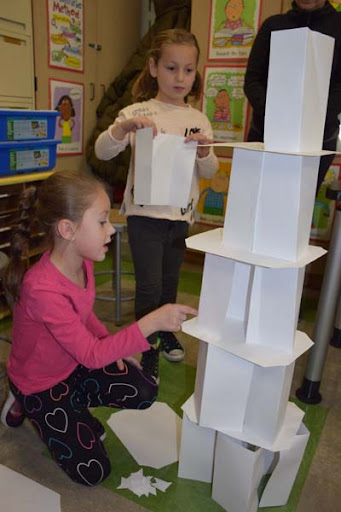
Are you a critical thinker? I am not…yet. The gap between knowing what’s possible and where I’m at spurs me to learn more. It happens whenever a close friend or family member suggests a course of action that is concerning. What should I do? How do I proceed? Making better decisions is one goal of critical thinking. Deepening one’s knowledge of critical thinking strategies and adopting a skeptical attitude can help. Doing so can also assist during encounters with pseudoscience or other “sketchy” ideas. Let’s take a look at some of my findings in exploring critical thinking. And, wow, what an amazing set of resources I have found!
“If we teach only the findings and products of science – no matter how useful and even inspiring they may be – without communicating its critical method, how can the average person possibly distinguish science from pseudoscience?”
— Carl Sagan
What’s At Stake?
Distinguishing real science from pseudoscience is a critical life skill. If we don’t model it for others and teach it to our children, we are setting them up for failure. The failure? An inability to think critically and identify pseudoscience when we encounter it. Let’s dig into that some more.
Three Essential Cognitive Styles
Believing is easier than knowing. Pseudoscience relies on beliefs that sound scientific but are not. That’s because we seek to affirm what we believe or our worldview. Why do people do that? In studying the psychology of pseudoscience, a researcher found three cognitive styles are essential for evaluating, and conspiracy theories result from a lack of one or more of these three cognitive styles.
- Analytic thinking. This involves breaking complex tasks down into manageable parts to reach a working solution. Think of computational thinking or George Polya’s approach, featured in this TCEA blog entry.
- Critical thinking. A mode of thinking that involves raising questions and problems, gathering relevant data, interpreting that information to reach a well-reasoned conclusion and solution, then testing that solution in an iterative process. You might enjoy TCEA’s blog entry on Design Thinking or Engineering Design Process.
- Scientific reasoning. This involves observing something, developing an explanation of what is happening, and creating an experiment to test your explanation. Read TCEA’s blog entry on Interactive Science: Labs to Master the Scientific Method.
How Does Psuedoscience Spread?
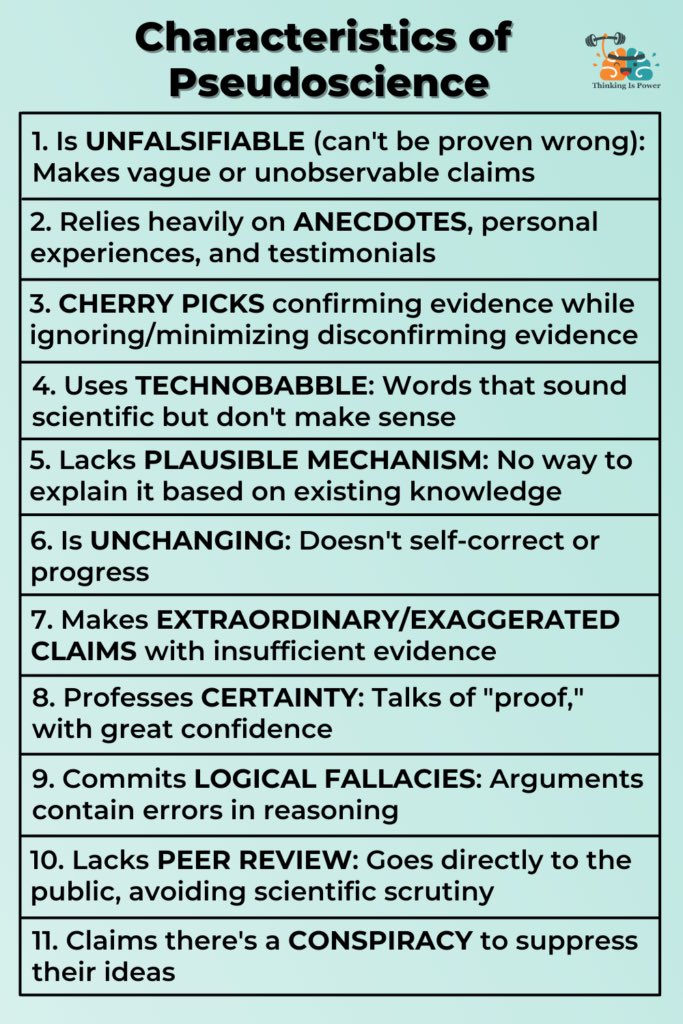
What’s more, pseudoscience gets shared from one person to another. That sharing happens when one or more characteristics of pseudoscience are present and you…
- trust the source (e.g. a family member, close friend, colleague)
- are convinced by the reasons offered (e.g. you accept reasons without critically analyzing them)
- are helped by these beliefs (e.g. you feel relief or better because of them)
The other poster child? Science denial. Pseudoscience is believing ideas that sound scientific but are not. Science denial is denying facts because they contradict what we want to believe.
How to Teach Critical Thinking
“Why don’t kids know critical thinking or scientific reasoning before taking my class?” That’s a question many educators have asked. Melanie Trecek-King, a professor of biology, offers a solution. Before expanding on it, she encourages teachers and students to engage in scientific skepticism. She describes it in this way, albeit with some minor edits:
Insist on evidence before accepting a claim. Then, match the strength of our belief to the strength and quality of the evidence. She describes matching the strength of your belief to evidence quality as “proportioning.”
You can listen to her explanation in a podcast recorded by Thinking Clearly. And her article, “A Life Preserver for Staying Afloat in a Sea of Misinformation,” expands on key elements of her “FLOATER” rules. Trecek-King points out that pseudoscience violates the rule of objectivity. Consider the image below as a way to help jog your memory after you learn the seven rules.
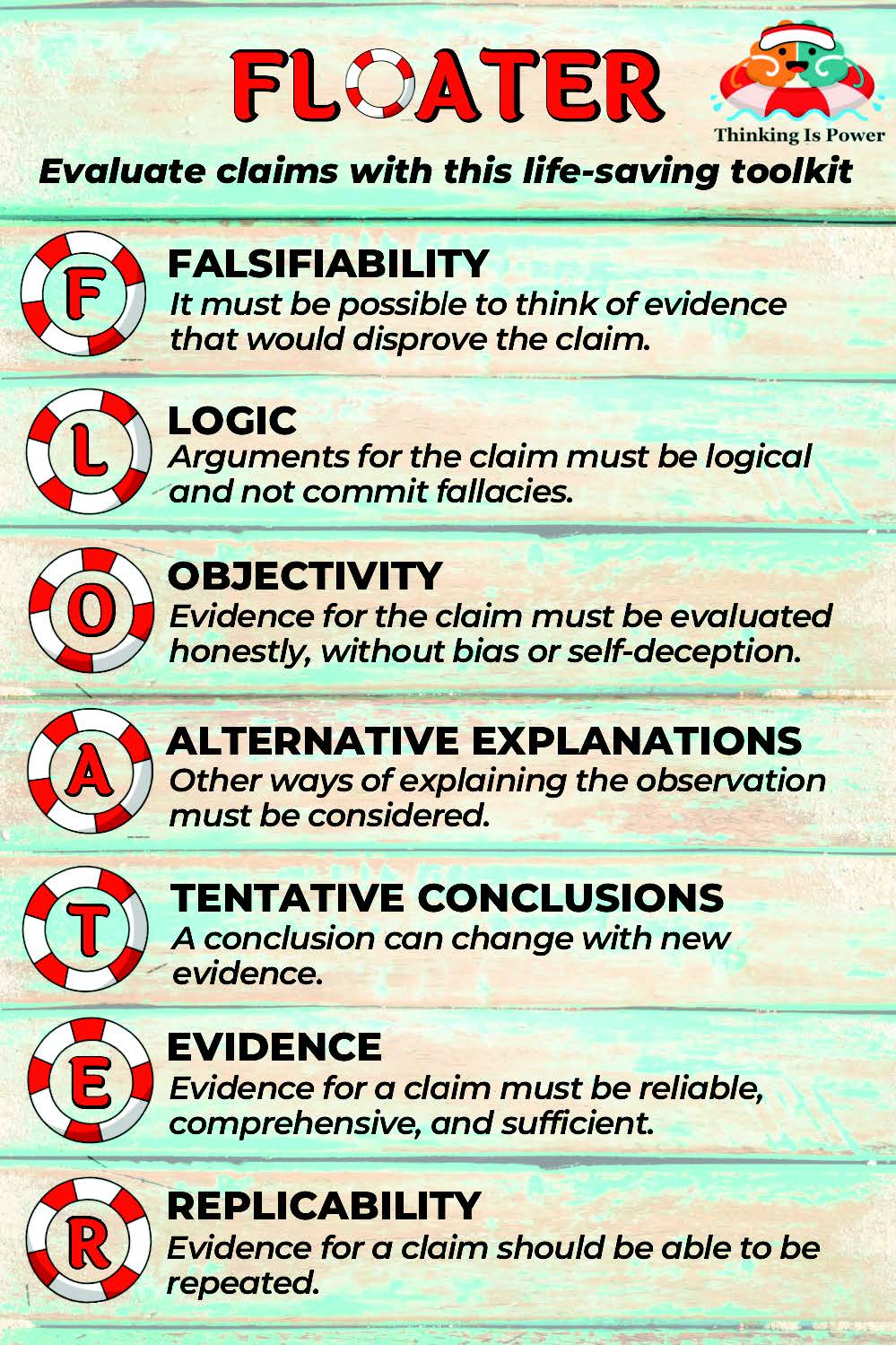
Learn More about FLOATER
Wondering how to teach this to your students? Trecek-King has done a wonderful job making these heuristics easy to share. She provides an amazing website for educators, Thinking Is Power, where she offers assignments and activities such as:
- How To Inoculate Yourself Against Misinformation
- Wake Up, Sheeple!
- Teacher’s Guide to Cranky Uncle
- Please Don’t Fail Me
- 11 Characteristics of Pseudoscience: An Educational Story Booklet for Kids
- Nature Scavenger Hunt for Kids
To her credit, these activities are available at no cost as a part of her nonprofit organization. You can choose to offer compensation, though.
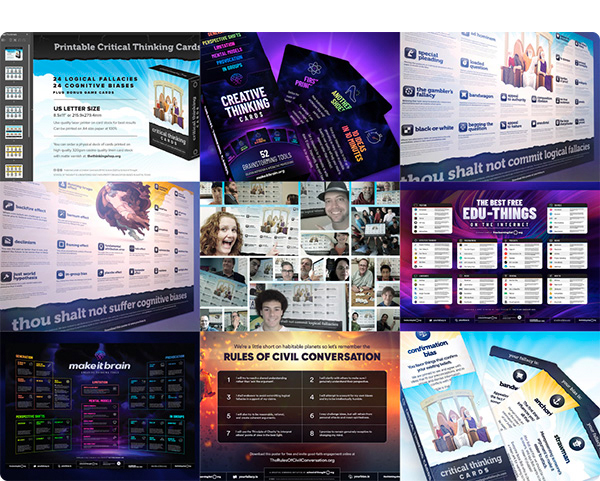
Fill out an email form to get these Critical Thinking Cards, Fallacies and Biases wall posters, and more, from School of Thought. Shared under Creative Commons.
More Resources for Your Consideration
Here are some resources to expand your thinking and add to your reserve of instructional strategies, activities, and materials.
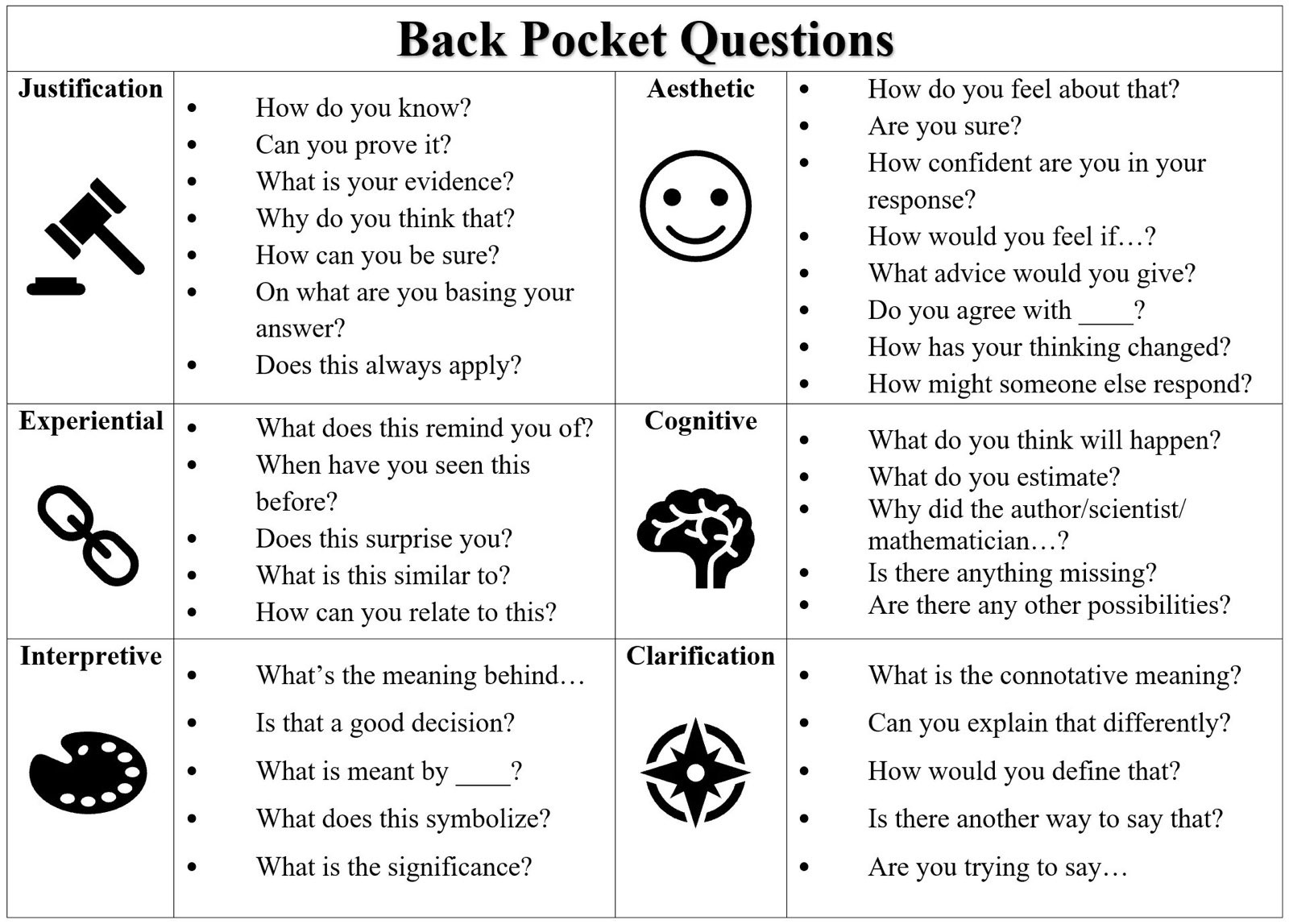
- A Field Guide to Critical Thinking
- A Life Preserver for Staying Afloat in a Sea of Misinformation
- Critical Thinking Activity from IES La Rosaleda Multilingual Project (Feature Image Source)
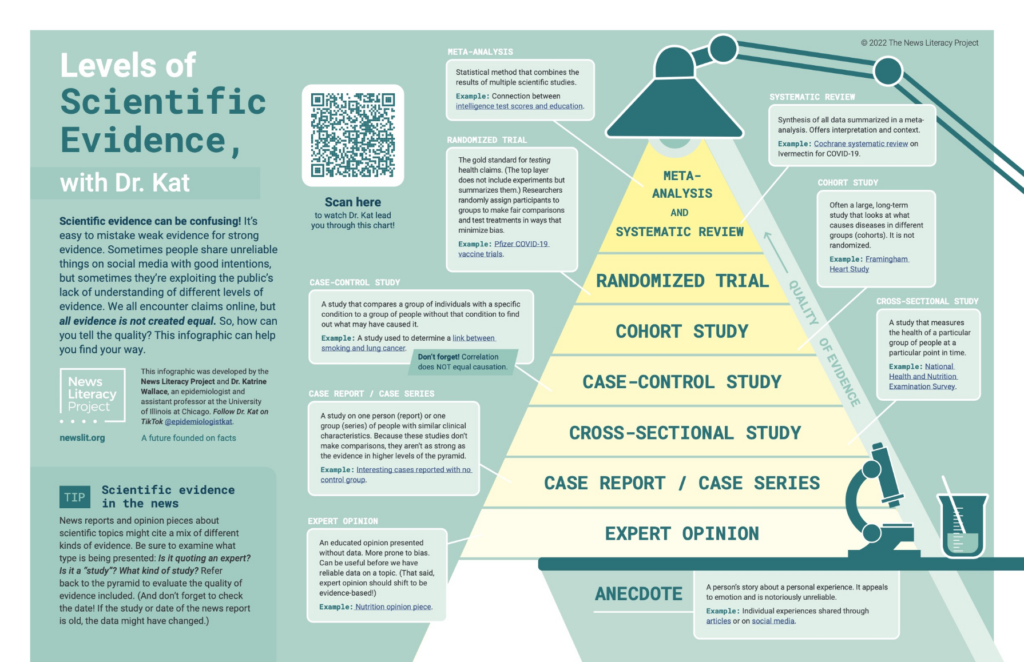
- Levels of Scientific Evidence
- System I and II Thinking
- School of Thought Projects (a nonprofit organization focused on critical thinking)
- You may also want to subscribe to podcasts relevant to Critical Thinking.
I hope you’ve found these helpful and useful for teaching critical thinking to combat misinformation and pseudoscience. How will you incorporate them in your classroom?
Feature Image Source
Photo by Tim Mossholder on Unsplash
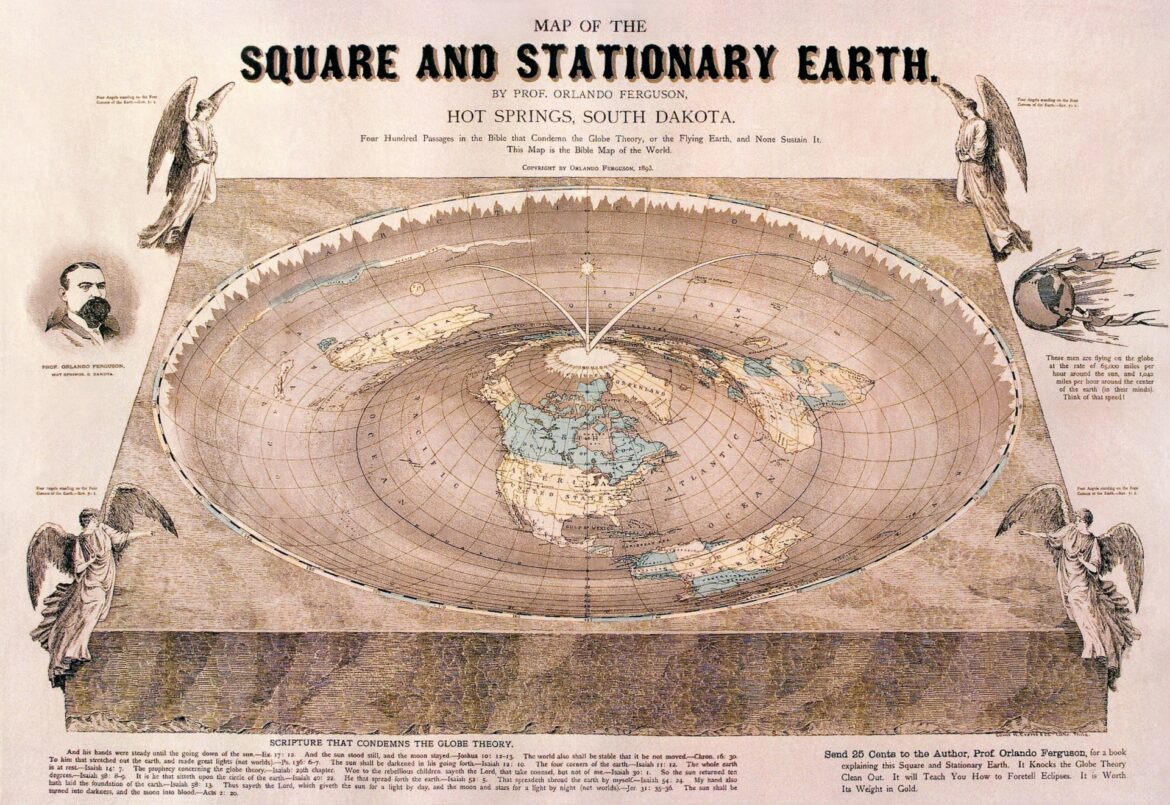








 Demo #1: Water Temperature and Effect