Are you a touch typist or do you thumb and one-finger type your way through life? For a year, I learned how to be a two-fingered typist. Then, I took keyboarding in high school and I no longer agonized over every key’s location. When people comment on how I get work done so quickly, a part of me says “Thank you!” to the matron who drilled us in touch typing. In this blog entry, updated on 10/8/2026, we’ll explore ELEVEN keyboarding tutorial programs. Look at that, you’re getting four more than you bargained for.
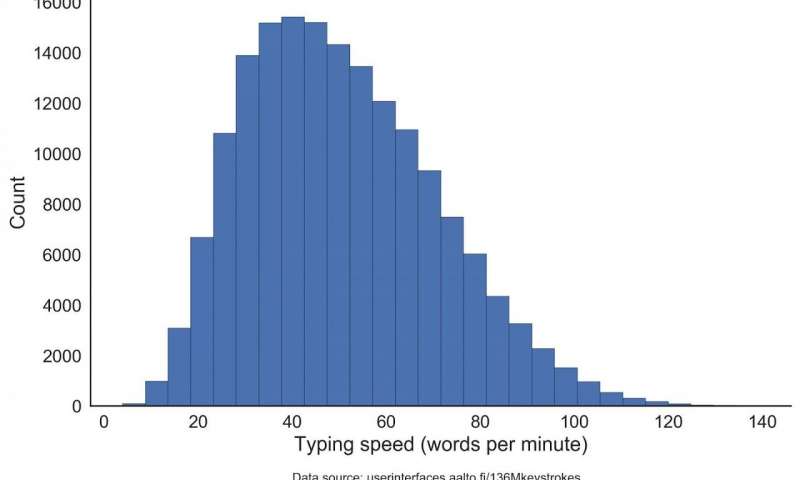
Source: What Makes a Faster Typist? (April, 2018)
Keyboarding Research
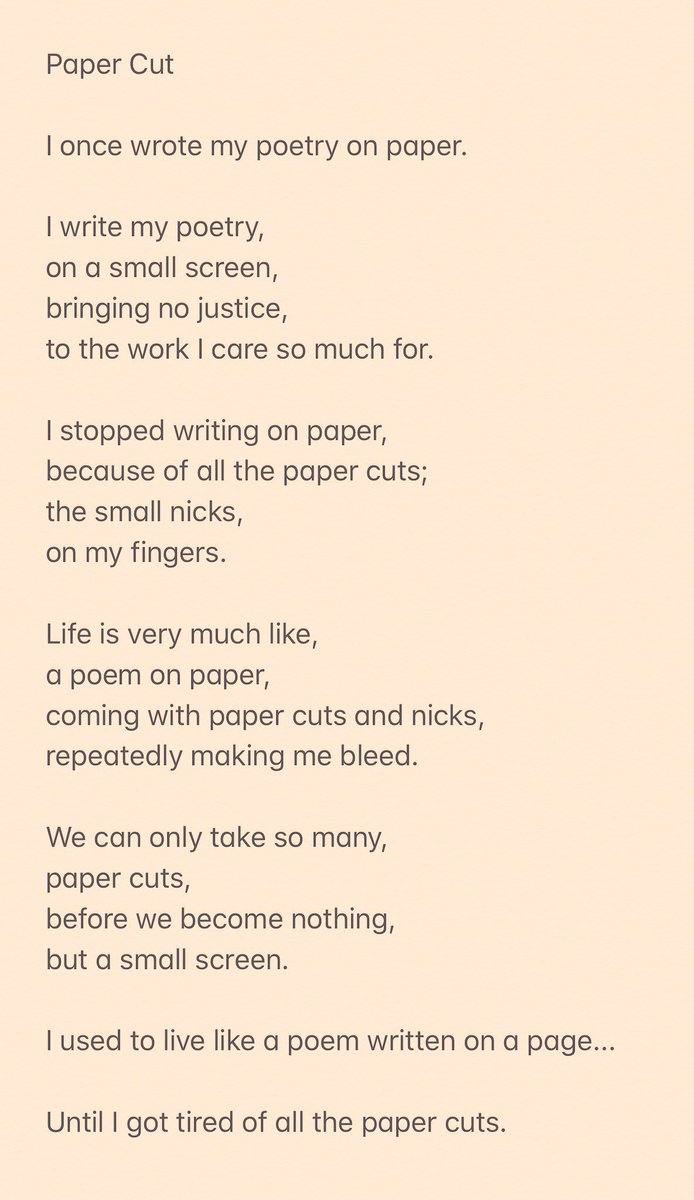
Is teaching keyboarding necessary? My own children thumbed their way through many an essay or poem. On Twitter a few days ago, I read a teenager’s poem where he describes the joy of writing on a small screen. Of course, he’s not handwriting on a small screen using Google Handwriting Input app. Using the built-in keyboard to his iPhone, he’s two-thumb typing. Let’s hope he doesn’t get smartphone thumb, a painful inflammation of the thumb tendons.
Dr. Leigh Zeitz shares a recent roundup of research relevant to keyboarding. A slight paraphrase of his text appears below:
Keyboarding is a life long skill. It has evolved from a transcription typing skill to generative typing. Transcription typing involves typing hand-written content. Generative typing involves composing original thought at the keyboard (Cooper, 1983).
Student writing develops faster through generative typing. It facilitates the review and revision learning process. Efficient keyboarding skills allow students to emphasize concept development instead of key location.
Source: Zeitz, L. (2008). A New Look @ Research-Based Keyboarding Instruction. Chicago, Illinois: Sunburst.
Learning to type with a full-sized keyboard may be passe. Brain chips and other interfaces offer hope. One day, we may shed the keyboard as an input device. Until then, learning to use a keyboard may remain our best option.
Type Faster on Your Mobile Phone
Have you tried one of the various keyboard apps that make typing on a small screen easier? To type faster on a small screen, consider these tips:
- Use emojis
- Enable always-on number row
- Turn on text correction and next word prediction
- Empower contact name expansion
Find more tips available for Android and/or iOS. Several of the typing tutors below offer browser and smartphone-friendly apps (more on that below). Let’s take a look at some full-sized keyboarding tutors.
Typing Tutorials
Ready to explore a few typing tutorials? Here are a few you may want to introduce to your children and/or students. They range from boring to engaging games.
Tutorial #1: Dance Mat Typing
This site offers four levels to play. Each level is divided into three stages. The end of each level allows you to test your typing speed. It appears intended for a younger audience.
Tutorial #2: Sense-Lang
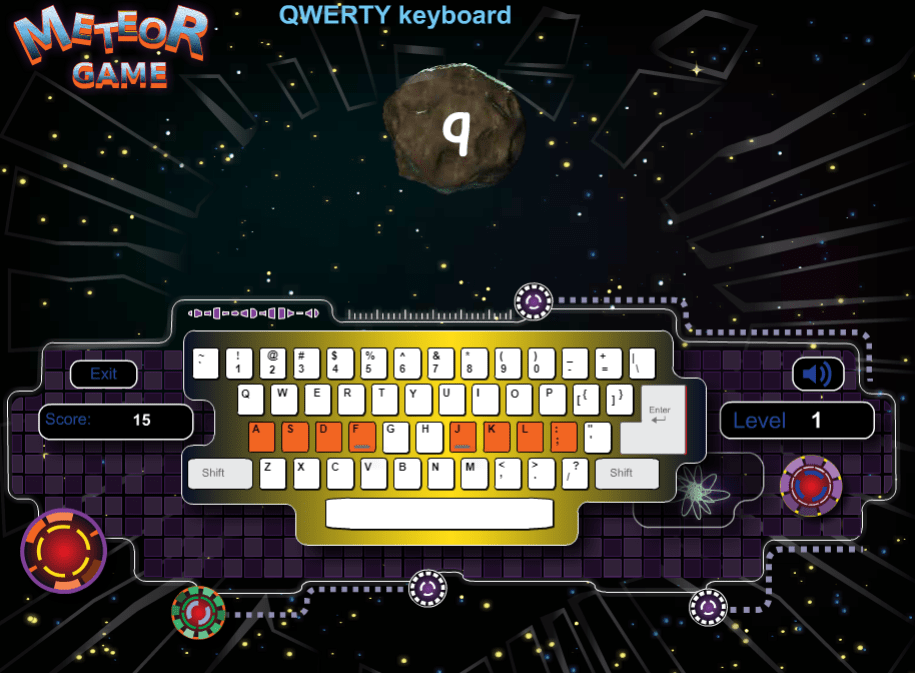
This keyboarder’s dream offers lessons as well as a plethora of games. One of my favorites includes Meteor Game. You will stumble on that past level sixteen of the keyboarding lessons.
Tutorial #3: Peter’s Online Typing Course
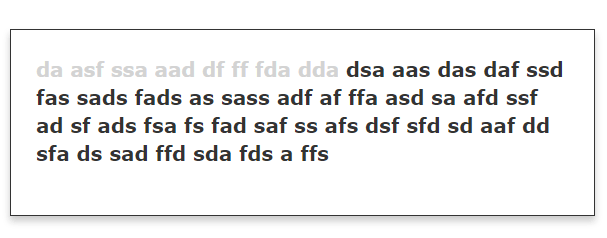
Peter’s Online Typing Course is just that, a rich assortment of lessons. It has several distinct web pages displayed in a table of contents. Each leads you to a lesson that you read and then practice on.

Tutorial #4: Z-Type
My favorite typing tutor, Z-Type turns you into a starfighter pilot. You zap letters and words as they fall towards you (compare to the author’s XType 2012). It reminds me of my old Apple //e typing game. If this is too tame for you, older learners may appreciate the Typing Game of the Dead. This is in Adobe Flash and has you slay the zombie horde one-at-a-time with a quick-typed word. The use of weapons, while not approved for school, is tame compared to Fortnite, and other FPS games.
Z-Type is available via Google Play store and iOS App store, making it ideal for thumb-typing practice.
Tutorial #5: TypeLift
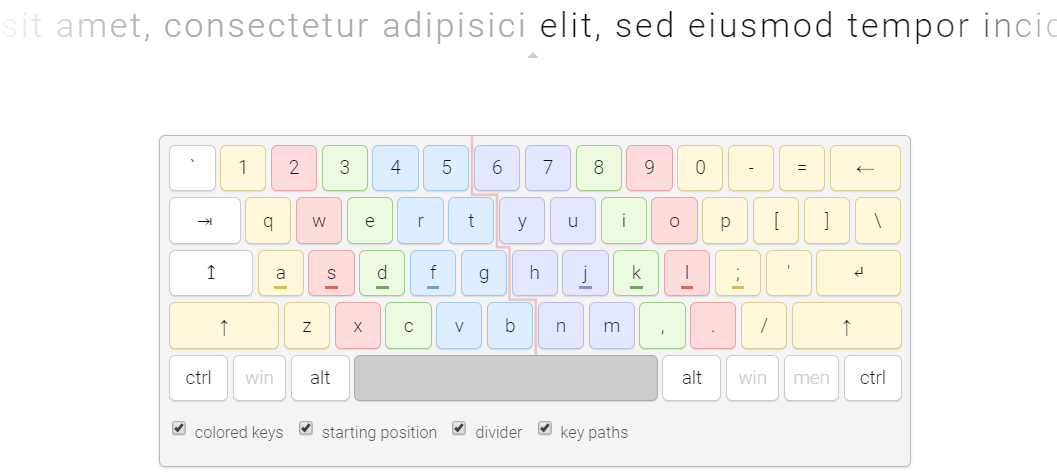
This browser-based solution offers “a free touch typing courseware.” Get started via their website. Sporting a clean keyboard look and the use of lorem ipsum text, you will soon find yourself “turning off” your reading for comprehension, letting your eyes and hands take over as they type information on the screen. All the best typing tutors will move you into the zone at the higher levels.
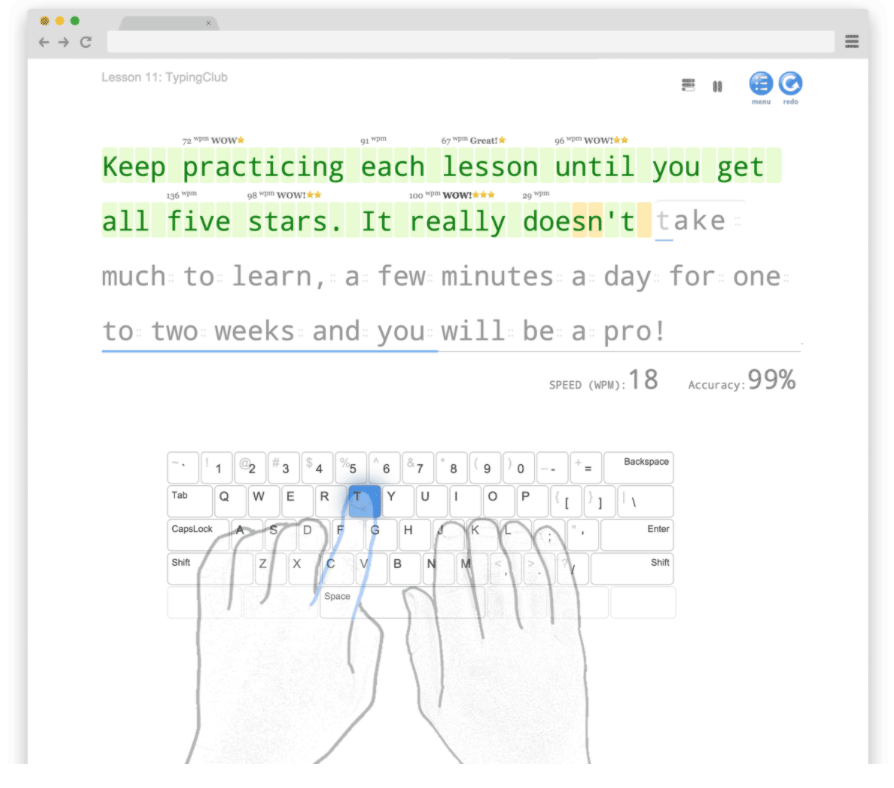
Tutorial #6: TypingClub
TypingClub is a free web-based site. They have made a promise to always remain free for both individuals and schools. You can keep practicing your typing skills until you get five stars.
Thanks for joining me on this quick exploration of seven keyboarding tutors you can share with K-12 students or adult learners. Each has something to offer to a particular audience, whether its striving for perfection or avoiding certain death. What’s your preference? While you are pondering that, you may want to check out Timothy Cayer’s list of best keyboarding sites.
But Wait, There’s More!
Looking for another keyboarding opportunity for ages 4 to 9 group? Check out Bumpy Keys, available for iPad and Mac, as well as in your browser:
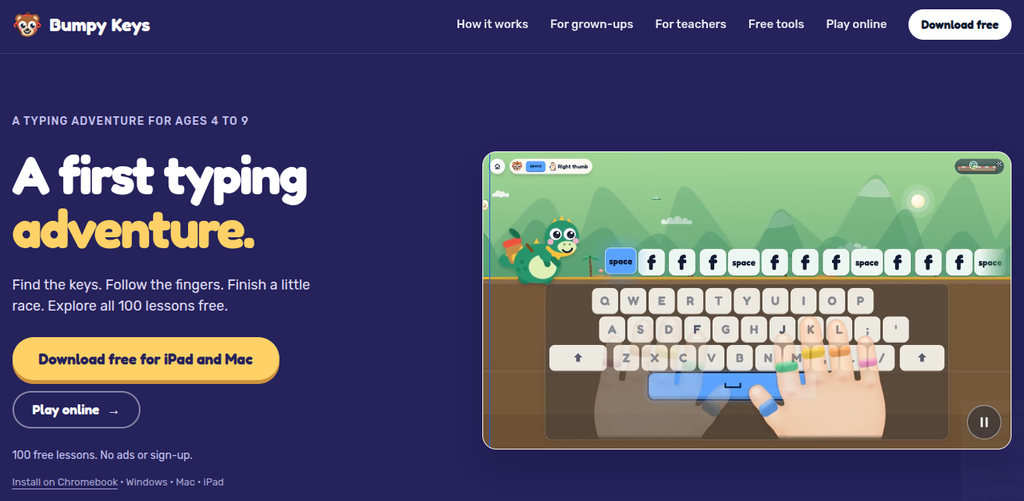
Some of its features:
- No ads. No advertising in the learning game.
- No accounts. Children can start without signing up.
- Progress on your device. Local racer profiles. Save a file when you want a backup.
- One-time purchases. Browser and Apple purchases are separate. $4.99 each. No subscription.
Opportunities for learning keyboarding abound these days. What path will you or your students take?
This blog entry was updated with new information on 10/8/2026.