
Creating groups for differentiation can be hard or easy, depending on how many students you are working with and how often you want to shuffle your groups. In each group, you may want to allow students to self-select a role with accompanying responsibilities or randomly assign the role. This isn’t a difficult task. Another task that can be more onerous is randomly splitting up your class roster into equal-sized groups. While I usually do this based on seating arrangement (usually, teams of four students per desk group), you can also do it using online programs.
Before we explore those, let’s revisit roles and responsibilities students may have.
Roles and Responsibilities
In my classroom, I like to set up students in a group with various roles and responsibilities. Then, for every other project, I shuffle the roles. That way, each students gets a chance to perform a different job task. Here are some typical roles* that have worked for me:
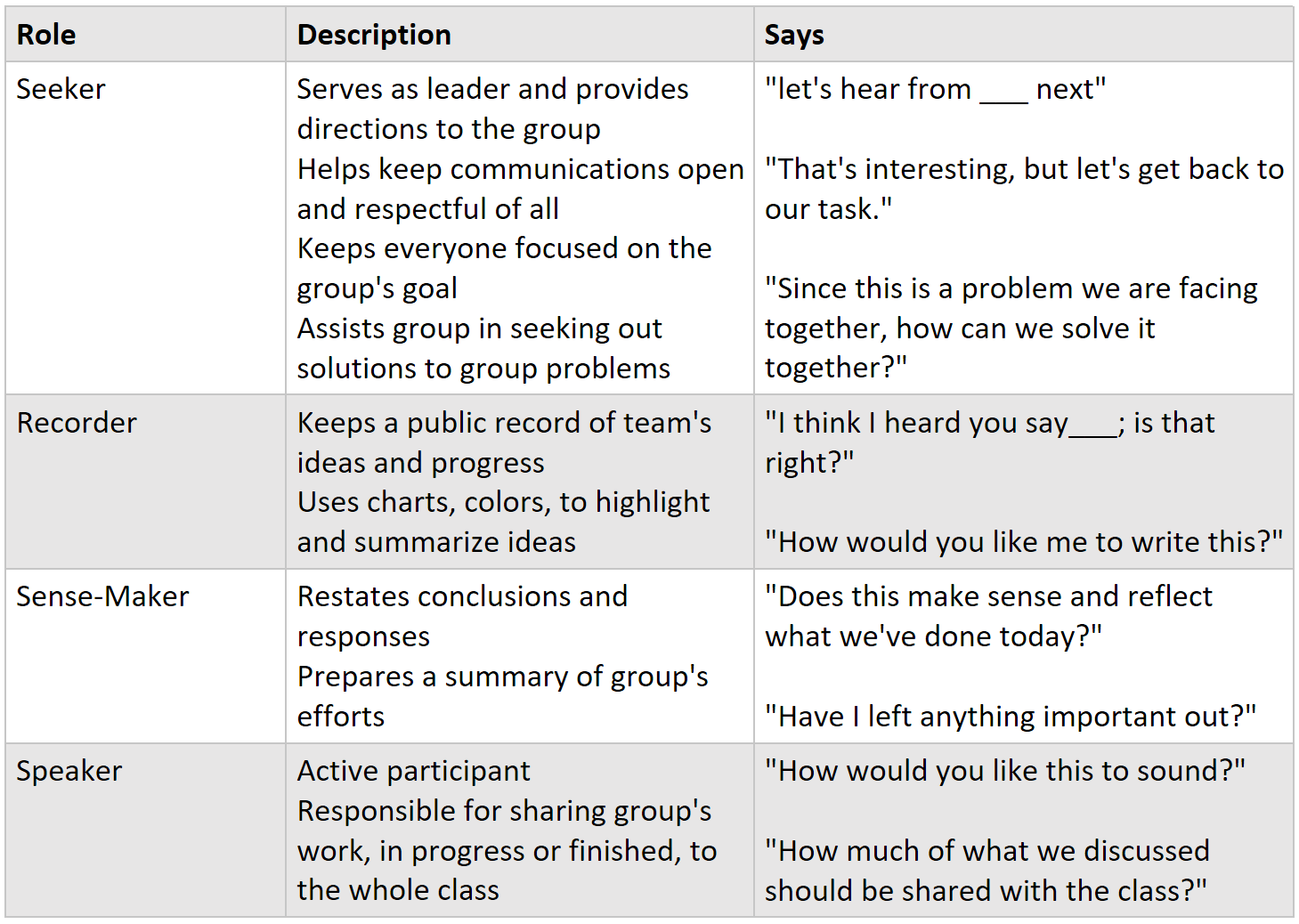
*Adapted from Daily Teaching Tools’ Cooperative Learning Tasks
While entire books have been written about cooperative learning, you are hoping to define individual group member roles in a way that eliminates problems, and facilitates the work of the group. A more modern take on roles and responsibilities is explained in this blog.
Dividing into Groups
Organizing large collections of students into small groups can be a time sink at the start of the year. You don’t yet have the relationships with students that guide individual placement and students lack the experience and trust needed for group work. Organizing random groups can be a fun way to assist students to build relationships in the face of a common task. Here are a few tools you can use as teacher that will help. For each tool, you will need a list of students that you can copy-and-paste as needed, as well as how many people you want in each group.
Tool #1 – Classroom Grouping Tool
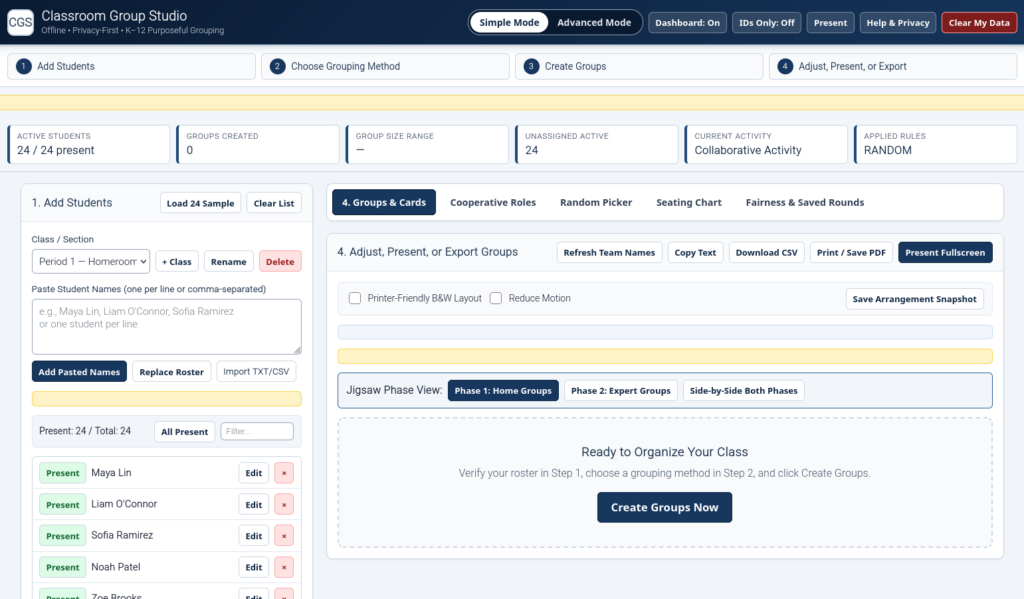
Here’s one more tool you can take advantage of…the Classroom Grouping Tool. What you see is what you get with this tool, and it offers a lot of features you can take advantage of right away.
What’s more, it also offers Jigsaw home and expert group maker, which can be quite a time-saver:
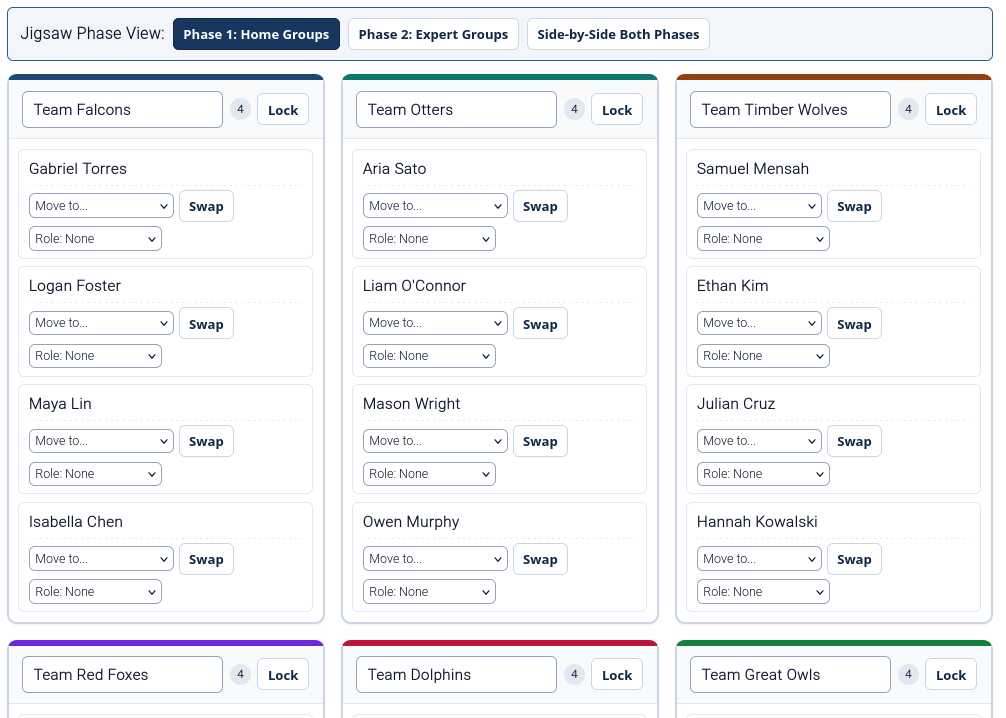
This completely free, browser-based tool can also be saved and run locally on your device, collects no data, and has been set up to protect privacy.
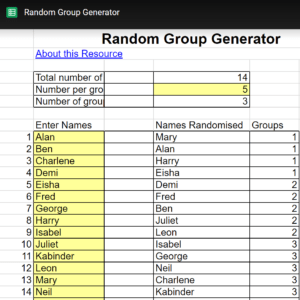
Tool #2 – Google Sheets Random Group Generator
Do you often rely on Google Suites for Education? Then this Google Sheets Random Group Generator template may be just what you need! What’s neat about it is that you can re-use it to quickly shuffle your class and not have to worry about re-typing or copying-and-pasting your students’ names in.
As nice as these two tools are, they may both still be too much. Let’s take a look at some simpler alternatives.
Tool #3 – Random Group Creator
Another option is the Random Group Creator. Although plagued with pop-up advertisements, these can be dismissed. You select the total number of groups you need, then copy-and-paste your class roster into the big box.
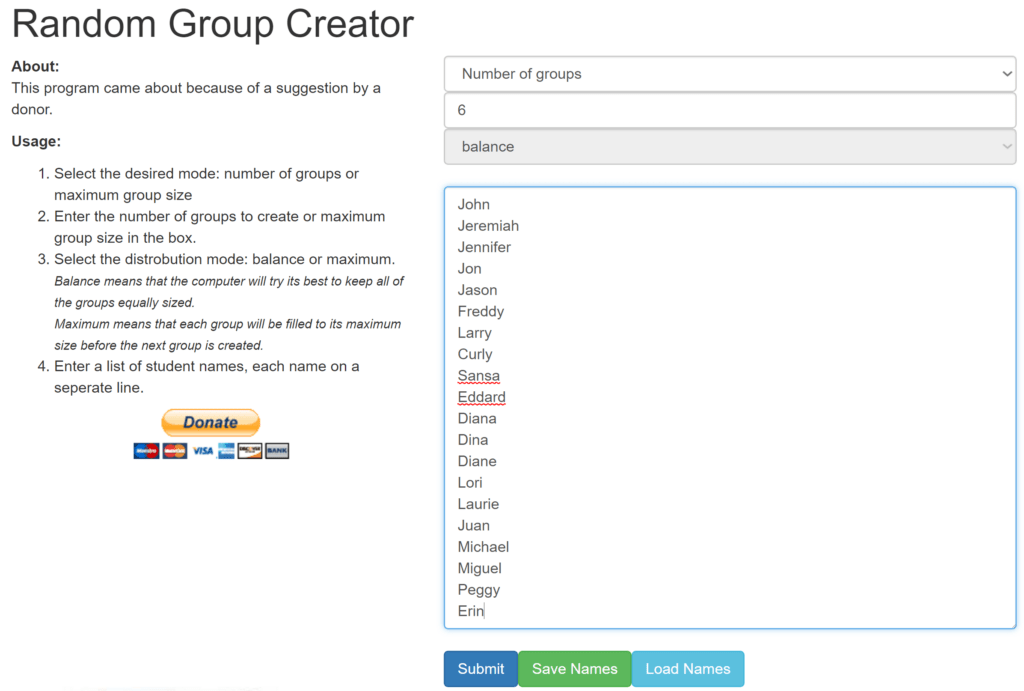
Once you click on the SUBMIT button, Random Group Creator will organize your names into groups as shown below:
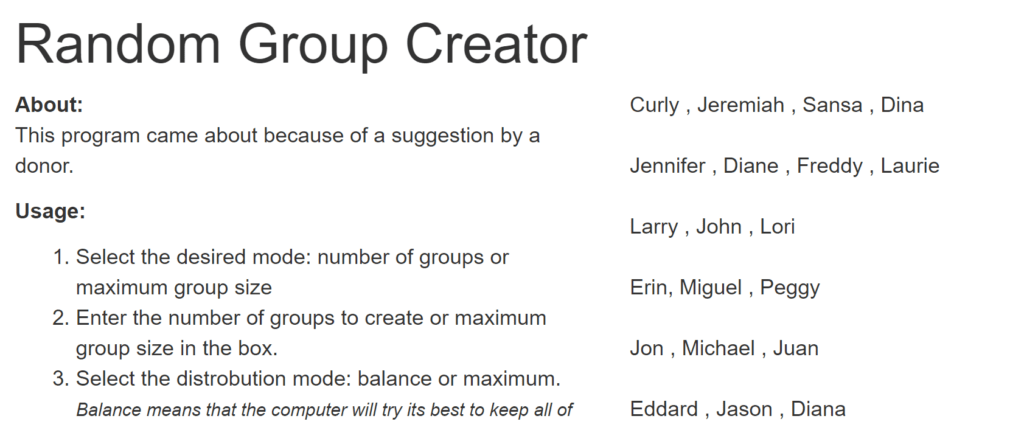
It’s a pretty easy group creator. Notice that if the “number of groups” is set to “max group size,” the result will be different:

Tool #4 – Random Lists Team Generator
In this tool, the Random Lists Team Generator will take a copy-and-pasted list of names from your class roster and then organize them by group number, as shown below:
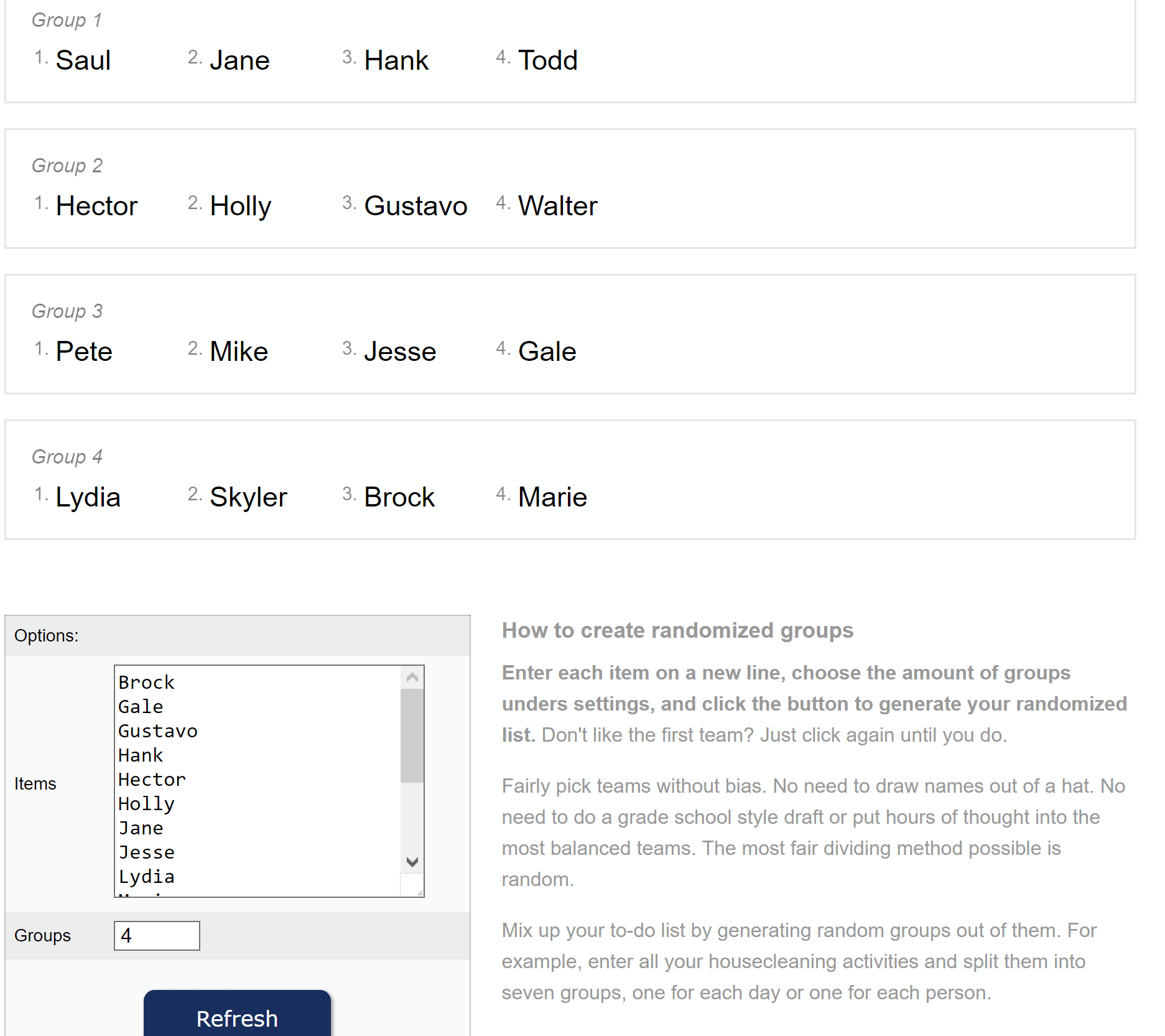
This simple interface, and the fact it labels the names of the groups, makes it one of my top two picks for group making.
Tool #5 – Team Maker
This last group maker, Team Maker, facilitates group creation with a few extra perks you may like.
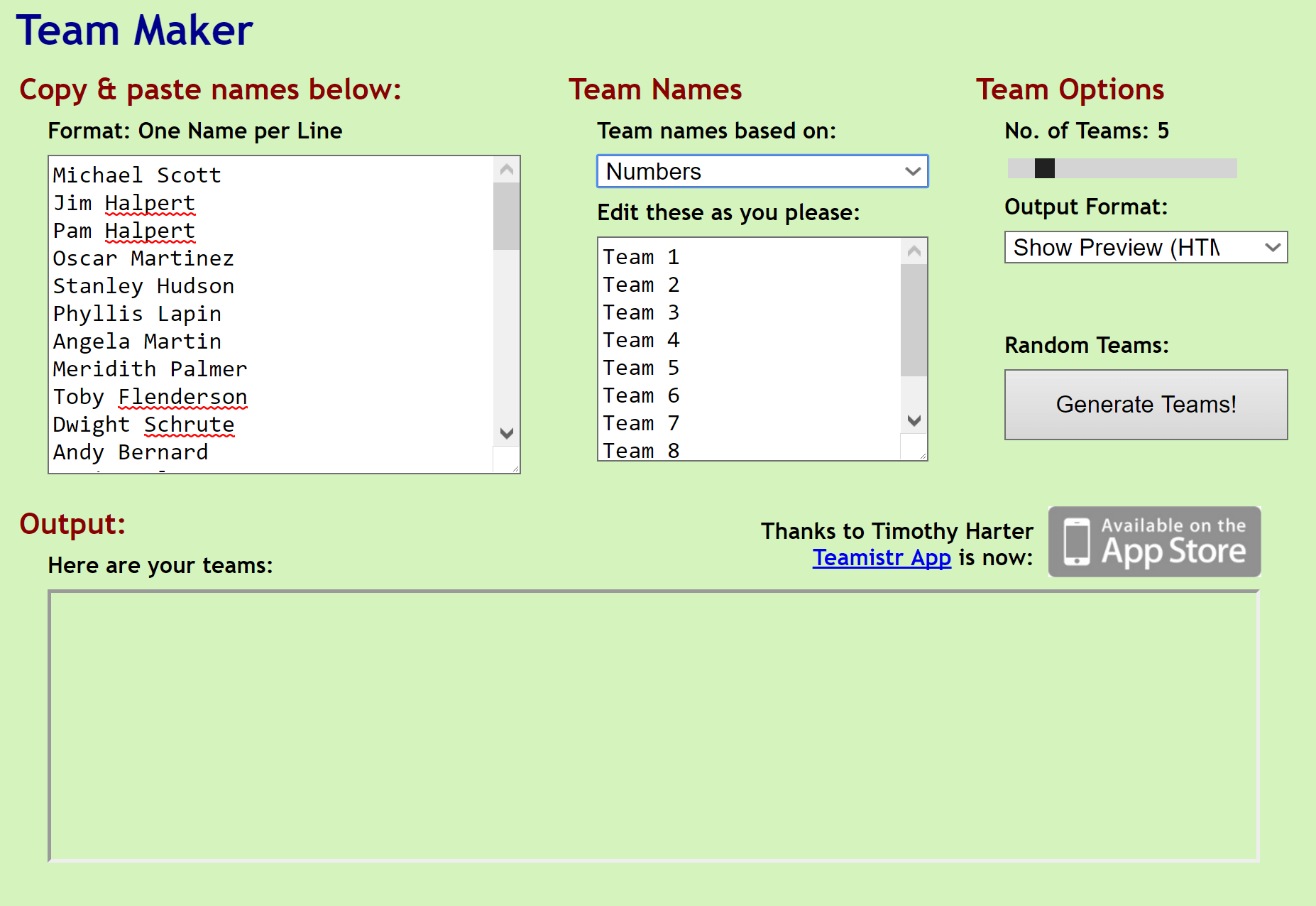
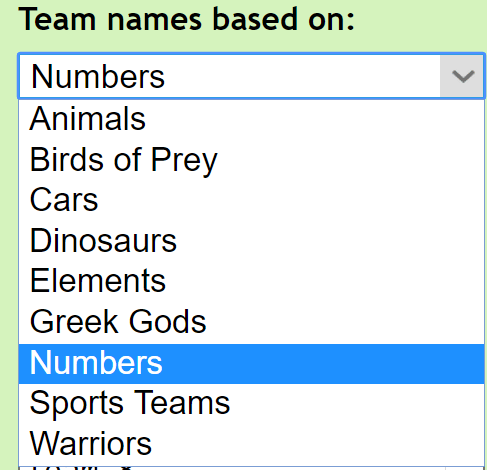
One of my favorite features of this particular group maker is that you can assign team names, as opposed to requiring students to come up with their own. Check out the choices available:
Bonus: RandomWhiz
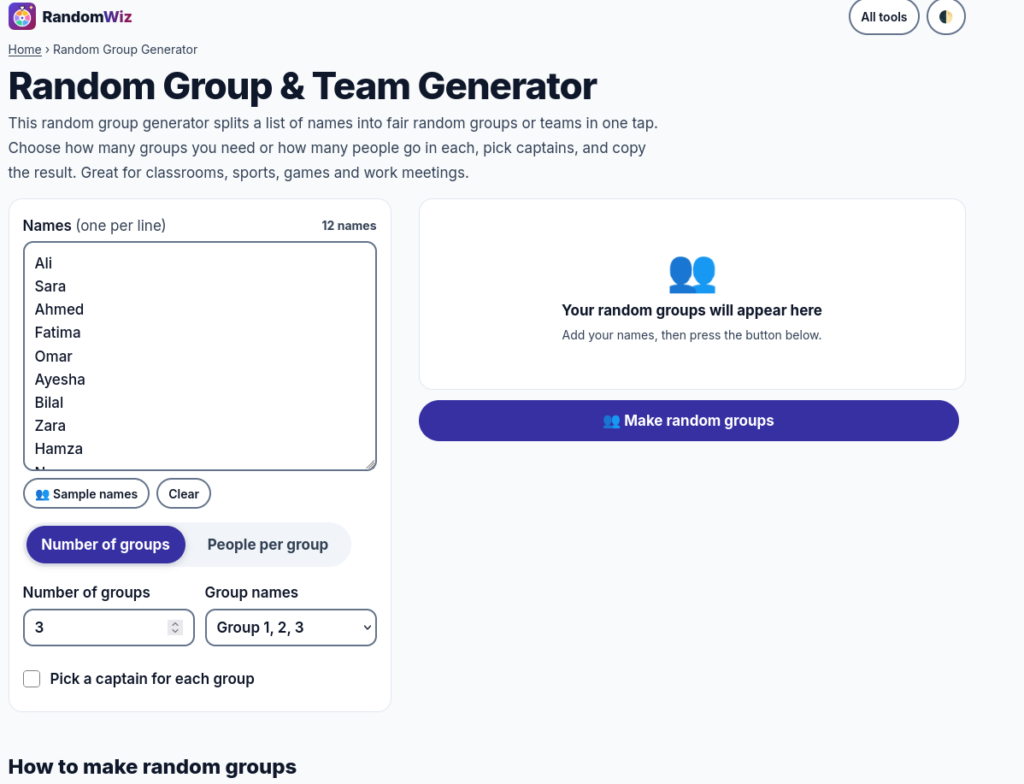
A bonus tool you might explore is the Random Group & Team Generator. Per their website:
This random group generator splits a list of names into fair random groups or teams in one tap. Choose how many groups you need or how many people go in each, pick captains, and copy the result. Great for classrooms, sports, games and work meetings.
Grouping Students
As you can imagine, the last thing you want to spend time on is organizing random groups of students. These five tools will speed you and your class along to the point they can build trust and academic relationships needed for group success.
This blog was updated by the author with new information on 11/18/2026.