It’s Friday the 13th. I’m not superstitious, but wouldn’t it be fun to code an activity? Here’s one you can try using a free, browser-based Python tool:
The challenge: It’s Friday the 13th, and a mysterious locker has appeared at school. Students write a short Python program that reveals a silly surprise depending on which locker number they choose. Friday, November 13, 2026 is an opportunity for this quick coding challenge, with no installation, no frightening content, and no prior Python experience required.
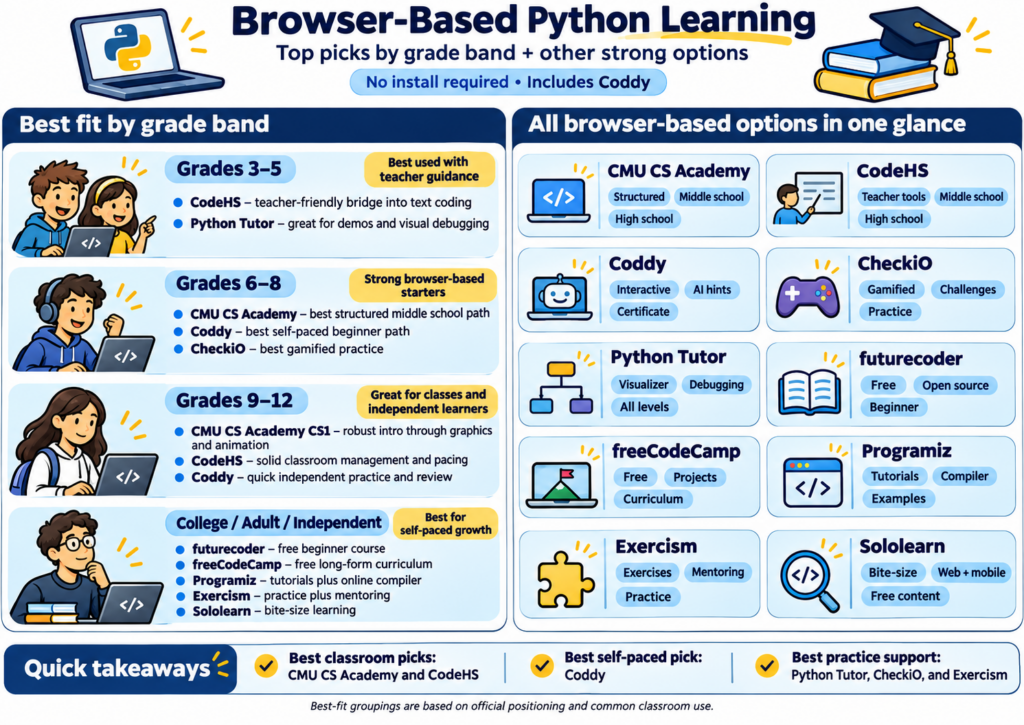
Students practice input(), print(), variables, and if/elif/else statements. Try it at CodeHS or PythonTutor.
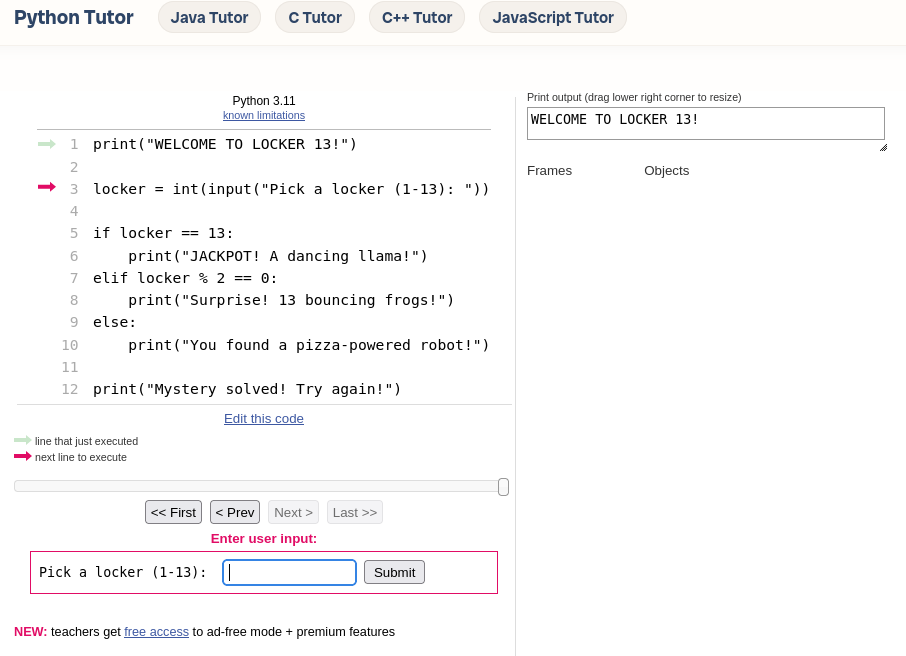
Step 1: Copy and run this Python code
print("WELCOME TO LOCKER 13!")

locker = int(input("Pick a locker (1-13): "))

if locker == 13:
    print("JACKPOT! A dancing llama!")
elif locker % 2 == 0:
    print("Surprise! 13 bouncing frogs!")
else:
    print("You found a pizza-powered robot!")

print("Mystery solved! Try again!")
Step 2: Predict, run, and test
That type of activity would have terrified me as a youngster. I bet I’m not alone struggling with coding.
The Struggle is Real
Do you struggle with coding and/or introducing others to coding? You may find this particular free Python tutor a fun way to get started. If you want to learn Python or introduce coding to students, tools like Coddy may be worth exploring. They may remove setup headaches, emphasize hands-on practice, and provide just-in-time assistance you get stuck. There are several solutions that do that. This blog shares a few.
Python is one of those coding languages that comes in handy in the strangest ways, my daughter has pointed out. I never imagined coding with Python would be useful to a Geographic Information Systems (GIS) professor. Even I have stumbled into it upon occasion while vibe-coding solutions.
Imagine sitting down to learn Python, only to spend your first hour installing software, configuring an editor, and troubleshooting error messages. You haven’t written a single line of code, and you’re already wondering whether this was a good idea. In fact, that’s been my experience every time.
Tools like Coddy offer a simpler starting point, especially for beginners and educators exploring programming.
1. Start Coding Without Installing Anything
One advantage of Coddy is its browser-based approach. Open the website, choose Python, and begin working through interactive lessons. There’s no need to install Python or configure a development environment. For educators working with Chromebooks or students using different devices, that’s worth considering.
The course starts with fundamentals such as variables, operators, and conditional statements. It gradually introduces loops, functions, data structures, and object-oriented programming.
You can focus on learning the language rather than getting the computer ready.
2. Learn by Doing, Not Watching
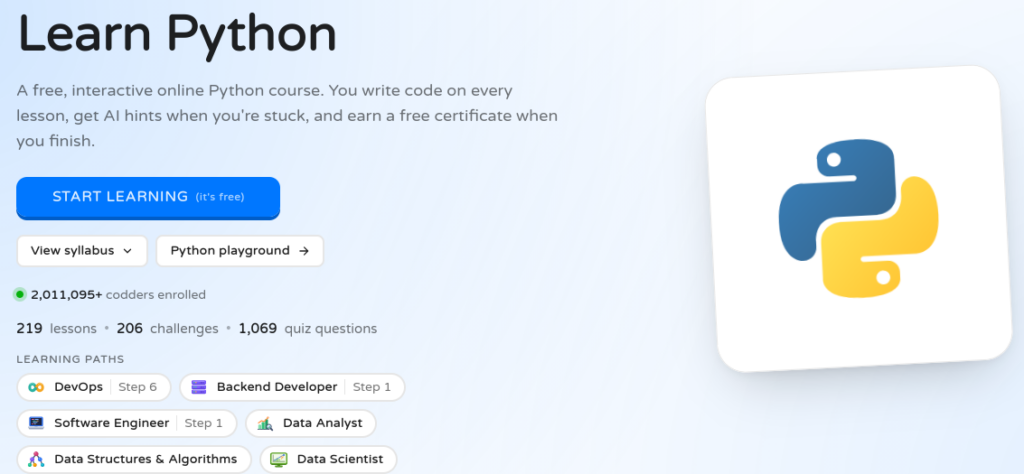
Coddy’s Python course currently advertises 219 lessons, 206 coding challenges, 1,069 quiz questions, and six projects. Learners practice coding as they progress through the lessons.
Projects include a bill-splitting calculator, a daily expense tracker, and a contact book application. These provide opportunities to apply programming concepts to recognizable problems. I especially like the idea of learners tackling a small challenge, checking their results, and then trying again.
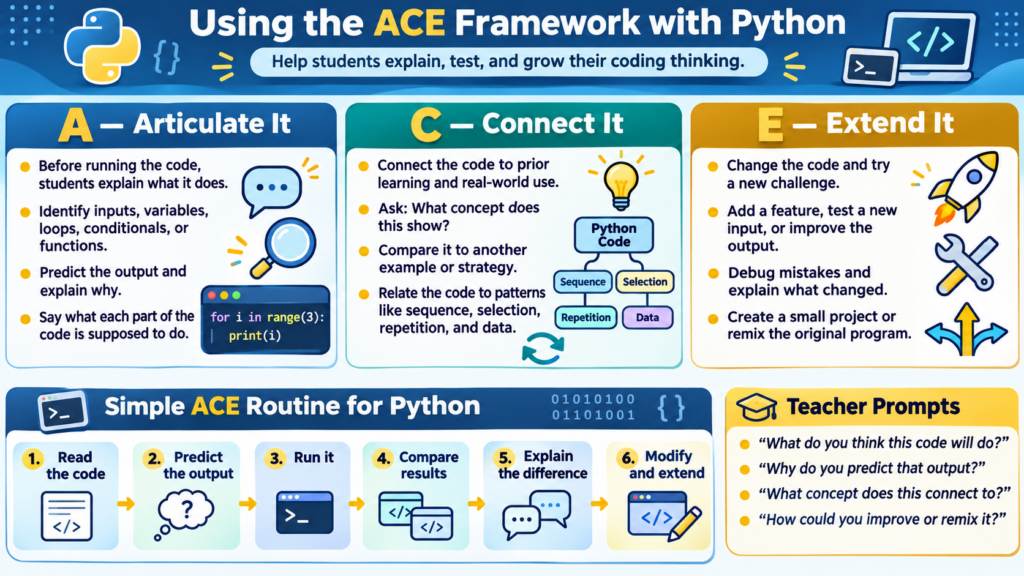
For classroom use, consider asking students to explain what their code does before running it. Have them predict the output, test their prediction, and explain any differences. You can also use the Articulate It, Connect It, Extend It (ACE) framework.
3. Get Help When You Need It
Getting stuck is part of learning to program. Coddy includes Gen AI-assisted hints designed to help learners work through problems without immediately revealing solutions. It also provides quizzes, audio explanations, progress tracking, and certificates of completion.
What about cost? Coddy makes its courses and certificates available for free. However, free accounts have daily activity limits and restrictions on Gen AI tutoring. Paid plans remove some of those limits and add features.
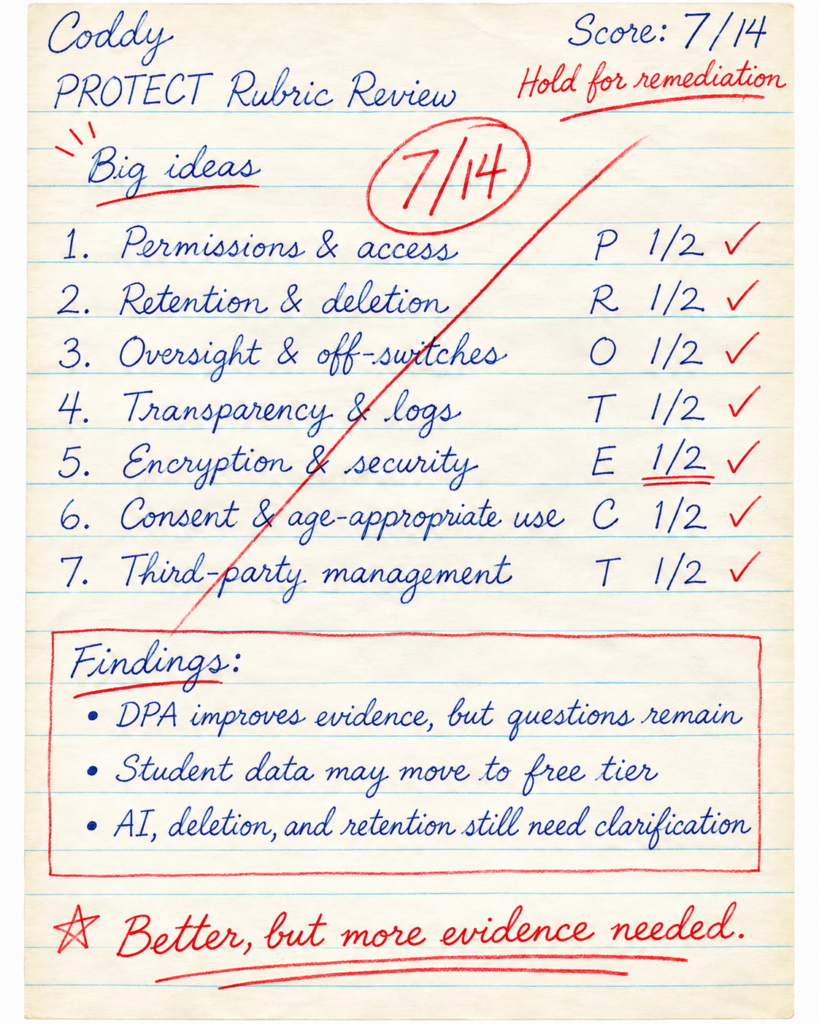
TCEA PROTECT v3 Rubric Assessment
Educators should also know that Coddy’s terms require users to be at least 13 years old. Schools should review its privacy practices and institutional options before assigning student accounts. A preliminary PROTECT v3 assessment reveals the following:
Visit Coddy’s Python course and complete the introductory lessons. Then try one of the coding challenges without asking for a hint. See how far you get. And, remember, there are a variety of other tools. Find the one that works best for your students. Be sure to take PROTECT assessments into account for each.
If you’re looking for an approachable way to begin learning Python, a few minutes of actual coding may tell you more than another hour of watching tutorials.